
1. Product Overview
The JSAUX USB B 3.0 Cable is designed for high-speed data transfer between USB 3.0 Type A and USB 3.0 Type B devices. It offers reliable connectivity for various peripherals, ensuring efficient performance.

Image 1.1: JSAUX USB B 3.0 Cable showcasing its design and connectors.
2. Key Features
- USB 3.0 High-Speed Data Transfer: Supports data transfer speeds up to 5 Gb/s, which is 10 times faster than USB 2.0. This cable is specifically designed for USB 3.0 Type B ports and is not compatible with USB 2.0 Type B ports.
- Durable Construction: Features military-grade fiber and a nylon braided exterior for enhanced flexibility and durability. It is designed to withstand over 10,000 bends, ensuring a long lifespan. Premium aluminum housing further contributes to its robust design.
- Optimal Length: The 6.6ft (2-meter) length provides flexibility for connecting devices without excessive cable slack or tension.
- Interference-Free Design: Incorporates upgraded anti-interference technology, including laser welding and tinplate shielding, to block signal interference and ensure stable data transmission.

Image 2.1: Illustration of the cable's flexible and durable construction, highlighting its bend lifespan.
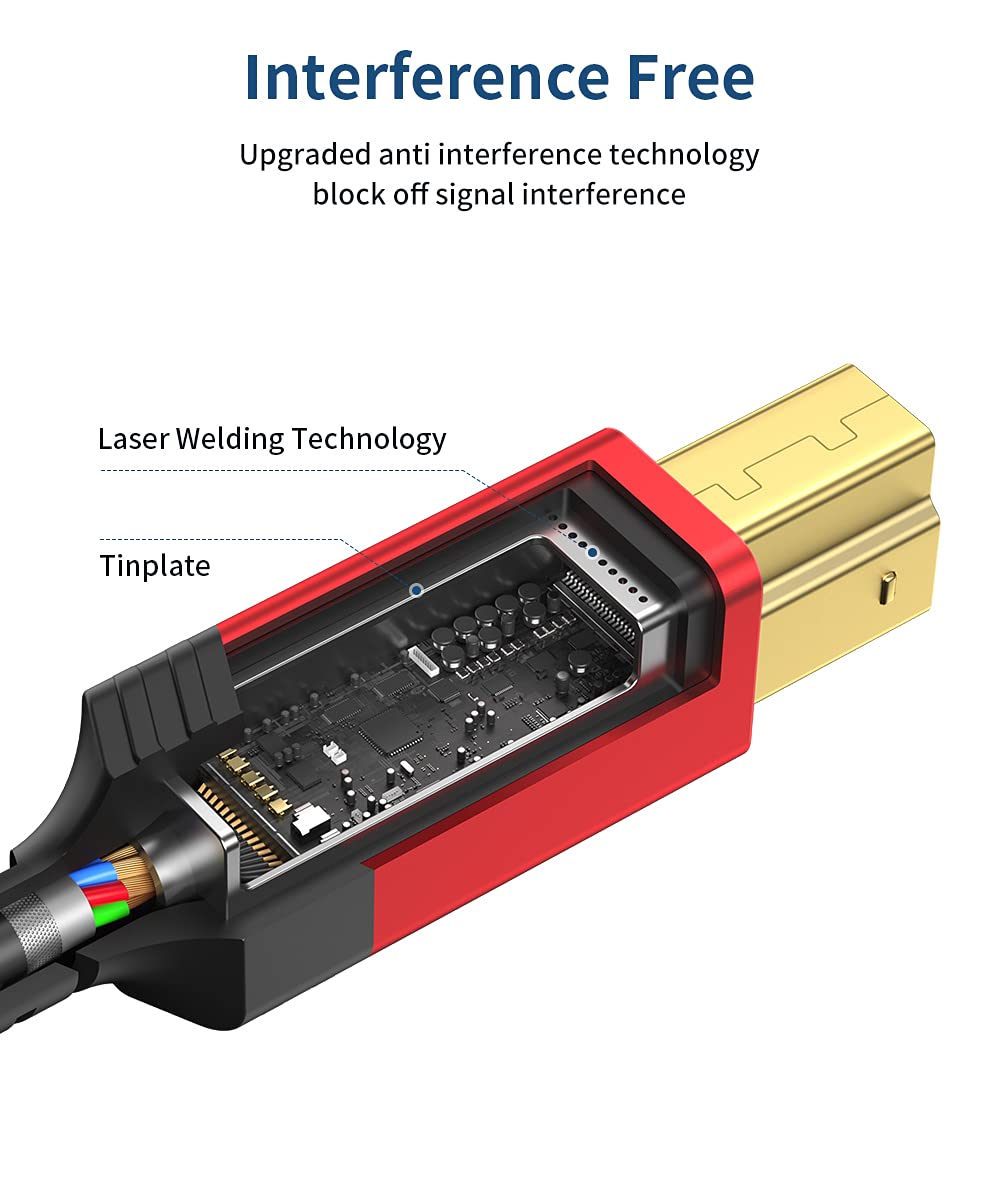
Image 2.2: Detailed view of the cable's internal structure, emphasizing its anti-interference features.
3. Setup Instructions
The JSAUX USB B 3.0 Cable is designed for plug-and-play functionality. Follow these steps to connect your devices:
- Identify the USB 3.0 Type A port on your host device (e.g., computer, laptop, USB hub).
- Identify the USB 3.0 Type B port on your peripheral device (e.g., printer, scanner, external hard drive, docking station).
- Insert the USB 3.0 Type A end of the cable into the corresponding port on your host device.
- Insert the USB 3.0 Type B end of the cable into the corresponding port on your peripheral device.
- Ensure both ends are securely connected. Your device should be recognized automatically by the operating system.
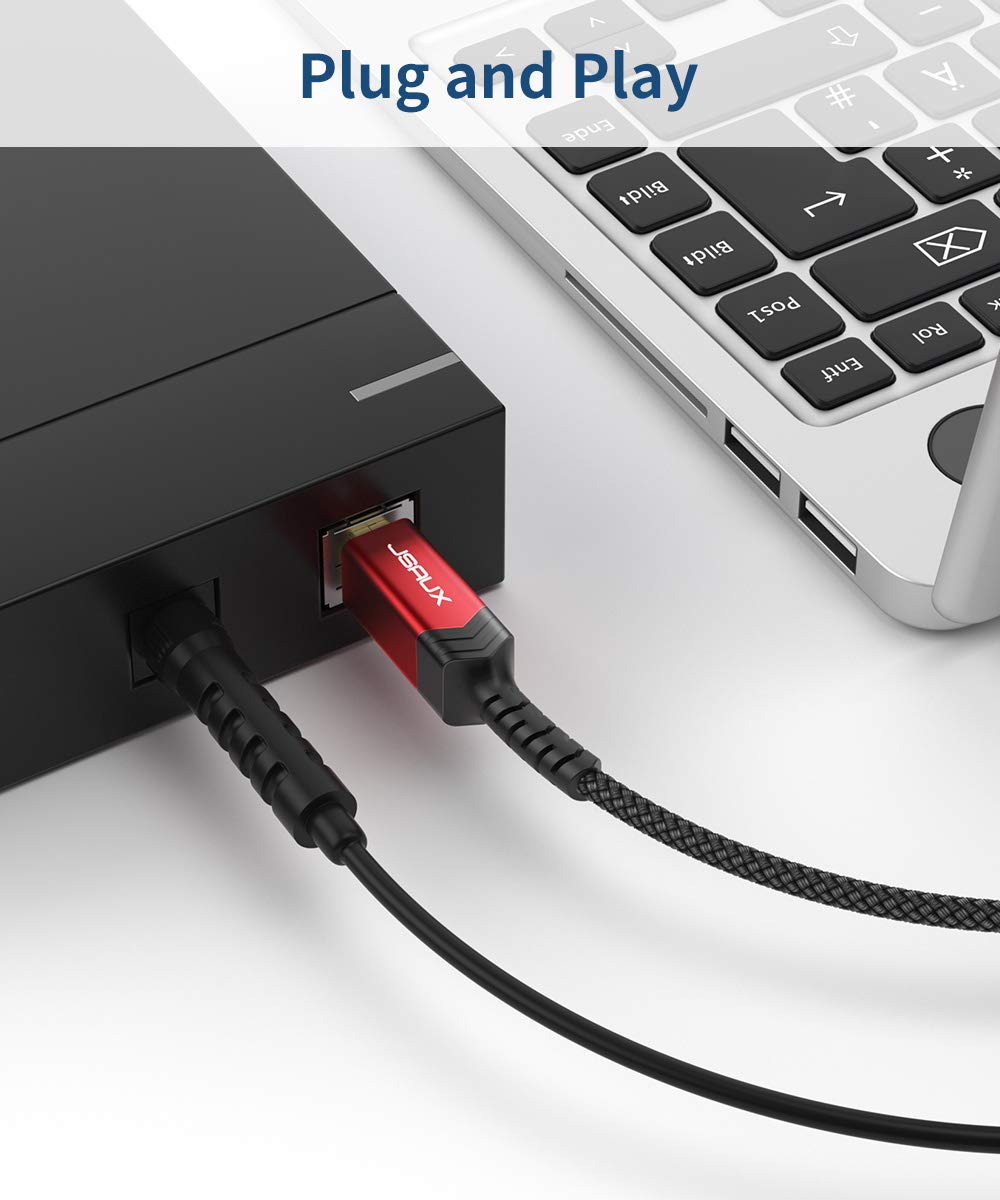
Image 3.1: Visual representation of connecting the cable to a laptop and a peripheral device.
4. Operating Instructions
Once connected, the JSAUX USB B 3.0 Cable facilitates data transfer between your host and peripheral devices. No additional drivers or software are typically required for basic operation.
- For printers and scanners: Ensure the device is powered on and the necessary drivers are installed on your computer. The cable will enable high-speed communication for printing and scanning tasks.
- For external hard drives and docking stations: The cable provides a stable and fast connection for accessing and transferring files. Data transfer speeds will depend on the capabilities of both connected devices.

Image 4.1: The cable connecting a computer to a docking station with external hard drives.
5. Compatibility
This cable is compatible with a wide range of devices featuring a USB 3.0 Type B port. Please verify your device's port type before use.
Compatible Devices Include:
- Fujitsu ScanSnap iX500 scanner
- Dell S2340T monitor
- Dell USB 3.0 docking station
- HP USB 3.0 port replicator
- Western Digital (WD) desktop USB 3.0 external hard drives
- Seagate desktop USB 3.0 external hard drives
- Other devices with a USB 3.0 Type B port

Image 5.1: Comparison of USB 3.0 Type B and USB 2.0 Type B connectors, highlighting the specific compatibility of this cable.

Image 5.2: Examples of devices compatible with the JSAUX USB B 3.0 Cable.
6. Specifications
| Brand | JSAUX |
| Model Number | B07V6G1GYK |
| Connector Type | USB B 3.0, USB Type A |
| Cable Type | USB |
| Data Transfer Speed | Up to 5 Gb/s |
| Length | 6.6 feet (2 meters) |
| Special Feature | Nylon Braided |
| Product Dimensions | 78 x 0.15 x 0.15 inches; 2.89 ounces |
7. Maintenance
To ensure the longevity and optimal performance of your JSAUX USB B 3.0 Cable, follow these maintenance guidelines:
- Storage: Store the cable in a cool, dry place away from direct sunlight and extreme temperatures. Avoid tightly coiling or bending the cable at sharp angles to prevent internal damage.
- Cleaning: Use a soft, dry cloth to gently wipe the cable and connectors. Avoid using harsh chemicals or abrasive materials that could damage the cable's braiding or connectors.
- Handling: Always grasp the connector head when plugging or unplugging the cable, rather than pulling on the cable itself. This prevents strain on the connection points.
Image 7.1: Proper connection of the cable to devices.
8. Troubleshooting
If you encounter issues with your JSAUX USB B 3.0 Cable, consider the following troubleshooting steps:
- Device Not Recognized:
- Ensure both ends of the cable are securely plugged into the correct ports.
- Verify that your peripheral device is powered on.
- Confirm that both your host and peripheral devices support USB 3.0. This cable is not compatible with USB 2.0 Type B ports.
- Try connecting the cable to a different USB 3.0 port on your host device.
- Test the cable with another compatible device to rule out an issue with the cable itself.
- Update USB drivers on your computer if necessary.
- Slow Data Transfer Speed:
- Ensure both the host and peripheral devices are operating at USB 3.0 speeds. If either device is USB 2.0, the transfer speed will be limited to USB 2.0.
- Avoid connecting the cable through unpowered USB hubs, which can sometimes reduce performance.
- Check for other high-bandwidth devices connected to the same USB controller that might be consuming bandwidth.
- Intermittent Connection:
- Ensure the cable is not bent or kinked excessively, which could damage internal wires.
- Check for any physical damage to the connectors or the cable itself.
- Try a different USB port on your host device.
9. Warranty and Support
JSAUX provides an 18-month worry-free period for this USB 3.0 Printer Cable. For any questions or assistance, 24/7 friendly client consultation is available. Issues will be resolved within 24 hours.
Official Product Video:
Video 9.1: An official JSAUX video highlighting the military-grade durability and features of the cable.