
1. Introduction and Overview
Thank you for choosing the Windgoo B3 Electric Scooter. This manual provides essential information for the safe operation, maintenance, and troubleshooting of your new electric scooter. Please read this manual thoroughly before your first ride to ensure optimal performance and safety.
The Windgoo B3 is a compact and efficient electric scooter designed for urban commuting and short-distance travel. It features a powerful 350W motor, a 36V/6.0Ah lithium-ion battery, and 12-inch wheels, offering a maximum speed of 25 km/h and a range of up to 20 km. Its foldable design makes it highly portable and convenient for storage.

Figure 1.1: Windgoo B3 Electric Scooter. This image shows the scooter from a front-side angle, highlighting its compact frame, 12-inch wheels with red accents, and integrated battery housing.
2. Safety Information
Your safety is paramount. Always adhere to the following safety guidelines:
- Always wear a helmet and appropriate protective gear (knee pads, elbow pads) when riding.
- Familiarize yourself with local traffic laws and regulations regarding electric scooters.
- Do not exceed the maximum load capacity of 120 kg (264 lbs). Note that performance may be reduced above 82 kg.
- The scooter is designed for adults. Ensure the rider is of appropriate age and skill level.
- Avoid riding in wet conditions, heavy rain, or on slippery surfaces.
- Maintain a safe distance from other vehicles and pedestrians.
- Use the LED front light and intelligent warning lights for visibility, especially at night.
- Regularly check the brakes and tires before each ride.
- Do not perform stunts or sudden maneuvers.
- Keep both hands on the handlebars while riding.
3. Package Contents
Upon unpacking, please verify that all the following items are included:
- 1 x Windgoo B3 Electric Scooter
- 1 x Charger
- 1 x User Manual
If any items are missing or damaged, please contact customer support immediately.
4. Product Diagram and Components
Familiarize yourself with the different parts of your Windgoo B3 Electric Scooter:
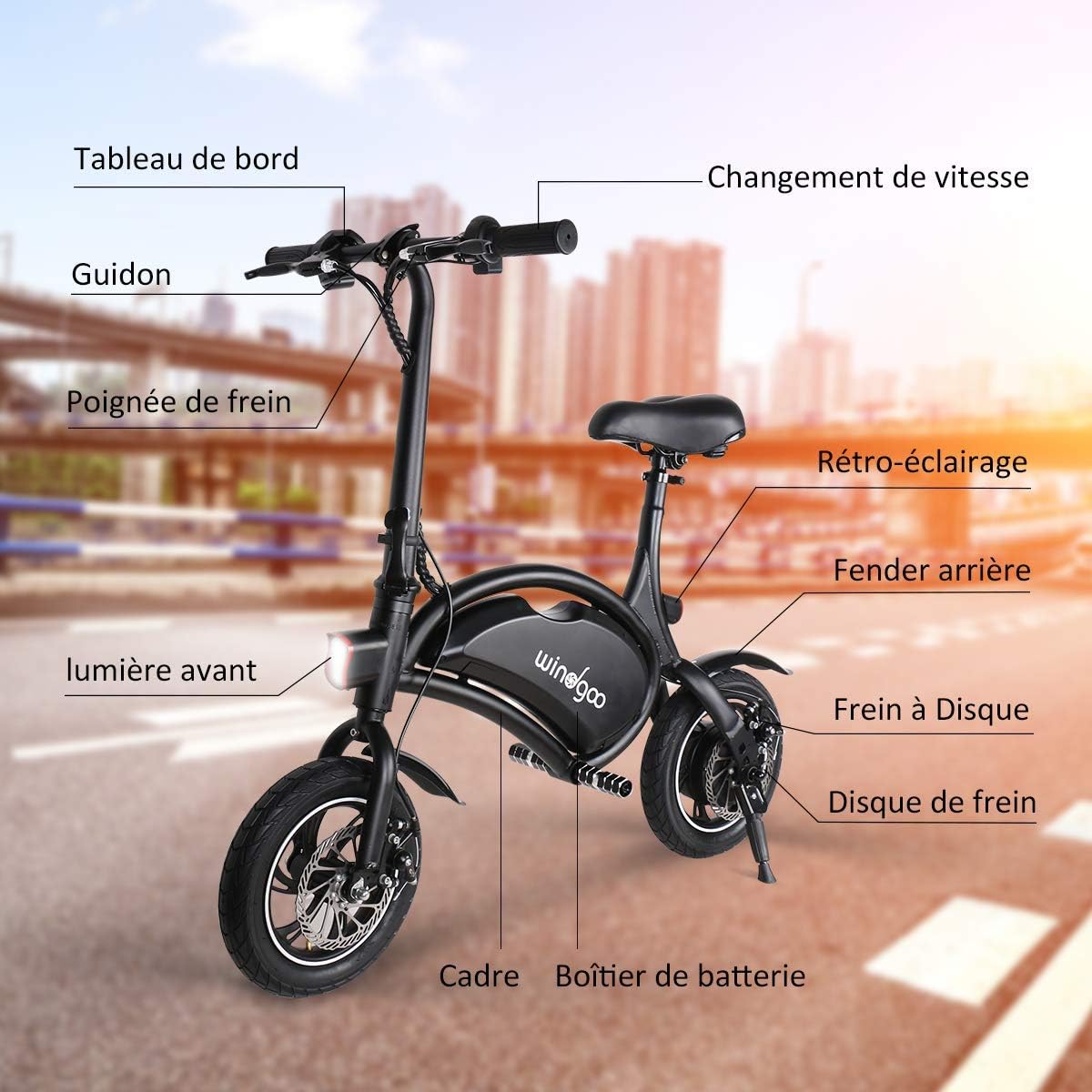
Figure 4.1: Key Components of the Windgoo B3 Electric Scooter. This diagram labels the main parts including the Dashboard, Handlebar, Brake Lever, Front Light, Frame, Battery Casing, Rear Fender, Disc Brake, Brake Disc, and Backlight.
- Dashboard: Displays speed, battery level, and other indicators.
- Handlebar: For steering and control.
- Brake Lever: Activates the rear disc brake.
- Front Light: LED headlight for illumination and visibility.
- Frame: Lightweight aluminum alloy frame.
- Battery Casing: Houses the lithium-ion battery.
- Rear Fender: Protects from splashes.
- Disc Brake: Rear disc braking system for effective stopping.
- Brake Disc: Part of the disc brake system.
- Backlight: Rear warning light for enhanced safety.
- 12-inch Wheels: Provide stability and smooth riding.
5. Setup
5.1 Unfolding the Scooter
The Windgoo B3 comes folded for transport. Follow these steps to unfold it:
- Place the scooter on a flat surface.
- Release the folding latch located on the main stem.
- Carefully lift the handlebar stem until it locks into the upright position. Ensure the locking mechanism is fully engaged.
- Adjust the seat height to your preference by loosening the quick-release clamp, adjusting, and then re-tightening.

Figure 5.1: Folded Windgoo B3 Scooter. This image illustrates the compact folded state of the scooter, ideal for transport and storage.
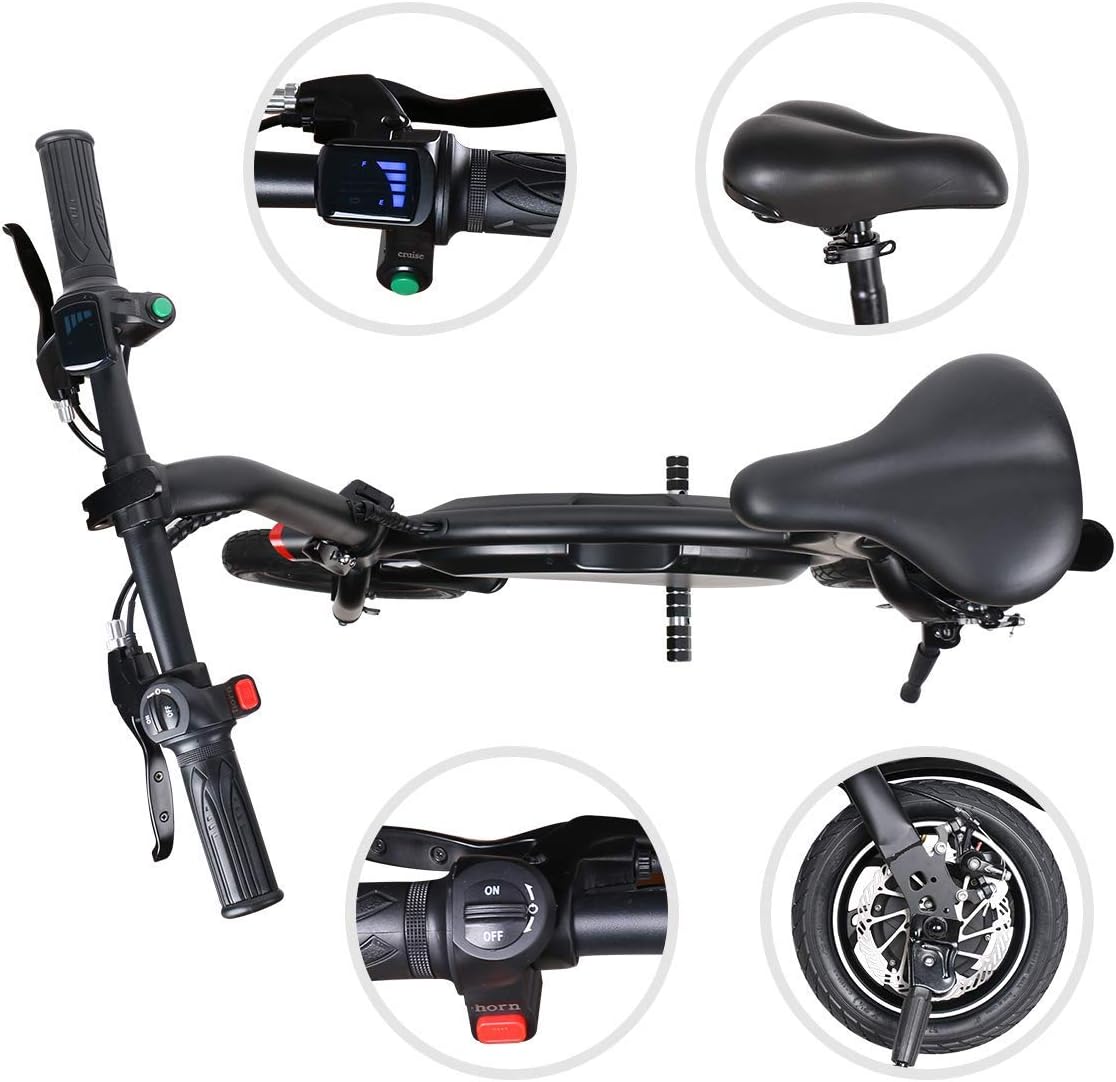
Figure 5.2: Unfolded Windgoo B3 Scooter. This image shows the scooter ready for use, with the handlebar stem extended and locked into place.
5.2 Initial Charging
Before your first ride, fully charge the scooter's battery. This helps to prolong battery life.
- Locate the charging port on the scooter (usually near the battery casing).
- Connect the charger to the charging port.
- Plug the charger into a standard wall outlet. The indicator light on the charger will typically turn red during charging and green when fully charged.
- Charging time is approximately 2-4 hours. Do not overcharge.
- Disconnect the charger once charging is complete.
6. Operating Instructions
6.1 Powering On/Off
- To Power On: Press and hold the power button on the dashboard until the display illuminates.
- To Power Off: Press and hold the power button again until the display turns off.
6.2 Riding the Scooter
- Ensure you are wearing all safety gear.
- Place one foot firmly on the footboard and use the other foot to push off the ground to gain initial momentum.
- Once you have some speed, gently press the throttle lever (usually on the right handlebar) to engage the motor.
- To slow down or stop, release the throttle and gently squeeze the brake lever on the left handlebar. The scooter is equipped with a rear disc brake for effective stopping.
- Maintain a balanced posture and keep your eyes on the path ahead.
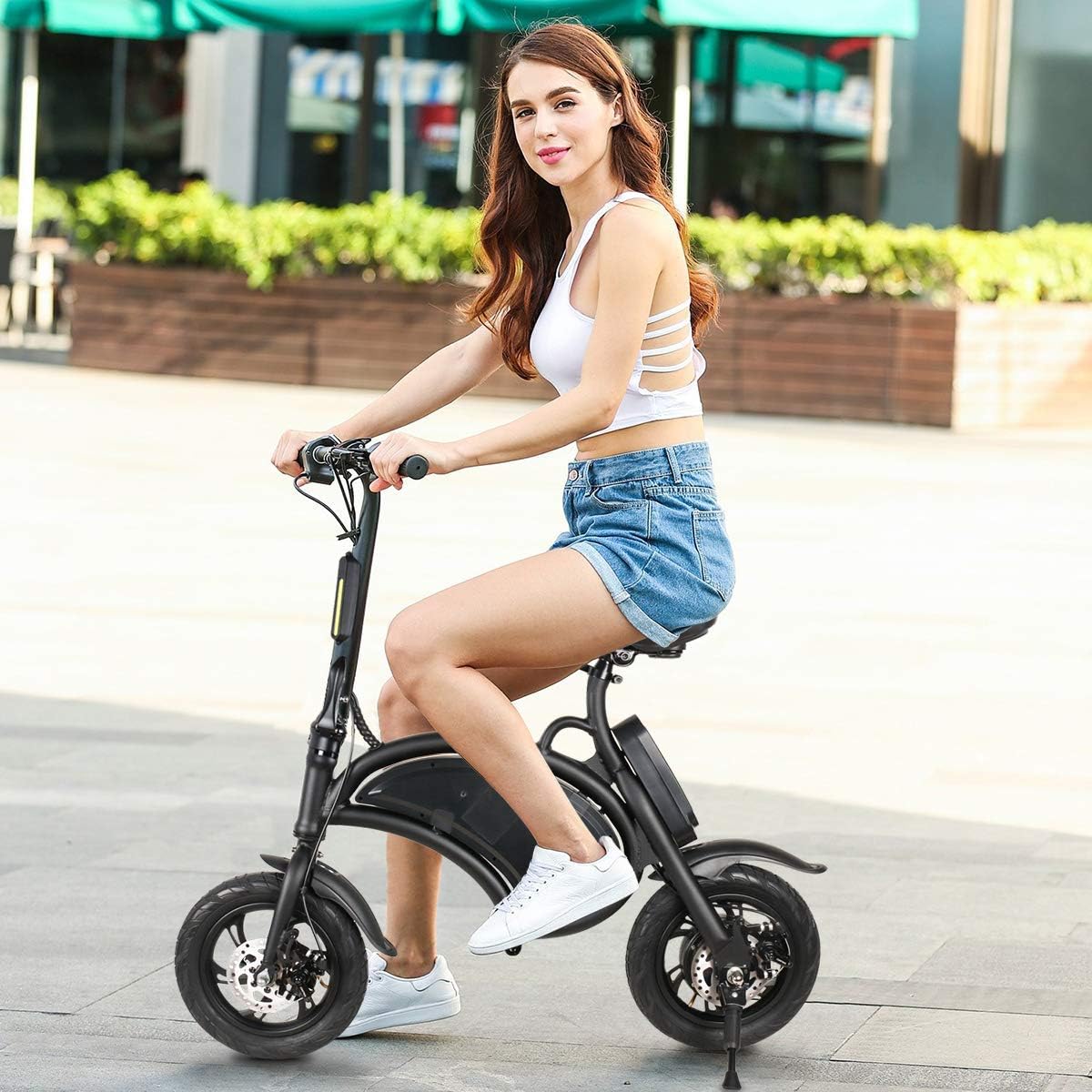
Figure 6.1: Handlebar Controls and Seat. This image provides a detailed view of the handlebar, including the throttle, brake lever, and dashboard, as well as the comfortable seat.
6.3 Folding the Scooter for Storage/Transport
To fold the scooter for compact storage or transport:
- Ensure the scooter is powered off.
- Lower the seat to its lowest position.
- Locate the folding latch on the main stem. Release the latch.
- Carefully fold the handlebar stem downwards until it clicks into its folded position.
- The scooter is now in its compact, folded state.

Figure 6.2: Windgoo B3 Dimensions. This image displays the dimensions of the scooter in both its unfolded and folded configurations, highlighting its portability.
7. Maintenance
Regular maintenance ensures the longevity and safe operation of your Windgoo B3 scooter.
- Battery Care:
- Charge the battery fully after each use, especially if storing for extended periods.
- Do not allow the battery to completely drain.
- Store the scooter in a cool, dry place, away from direct sunlight and extreme temperatures.
- Cleaning:
- Wipe the scooter clean with a damp cloth. Do not use high-pressure water jets or immerse the scooter in water.
- Avoid getting water into the charging port or other electrical components.
- Tires:
- Regularly check tire pressure and inflate to the recommended PSI (refer to tire sidewall for details).
- Inspect tires for wear, punctures, or damage.
- Brakes:
- Check brake functionality before each ride. Ensure the brake lever provides firm and responsive stopping power.
- If brakes feel loose or ineffective, have them inspected and adjusted by a qualified technician.
- General Inspection: Periodically check all screws and bolts to ensure they are tight. Inspect the frame for any signs of damage or cracks.
8. Troubleshooting
This section addresses common issues you might encounter with your Windgoo B3 scooter.
| Problem | Possible Cause | Solution |
|---|---|---|
| Scooter does not power on. | Battery is low or depleted. | Charge the battery fully. |
| Scooter loses power or speed during ride. | Low battery; riding uphill; exceeding weight limit. | Charge battery; avoid steep inclines; ensure rider weight is within limits. |
| Brakes feel loose or ineffective. | Brake cable needs adjustment or pads are worn. | Have brakes inspected and adjusted by a qualified technician. |
| Unusual noises from wheels. | Loose components; debris in wheel; worn bearings. | Inspect wheels for debris; check for loose parts; consult technician if noise persists. |
If you encounter issues not listed here or if solutions do not resolve the problem, please contact customer support.
9. Specifications
| Feature | Specification |
|---|---|
| Model Name | B3 |
| Motor Power | 350 Watts |
| Battery Type | Lithium-ion |
| Battery Capacity | 36V / 6.0 Ah |
| Max Range | 20 km (approx. 12.4 miles) |
| Max Speed | 25 km/h (approx. 15.5 mph) |
| Max Load Capacity | 120 kg (approx. 264 lbs) |
| Wheel Size | 12 inches (30.5 cm) |
| Brake System | Rear Disc Brake |
| Frame Material | Aluminum |
| Product Weight | 11.6 kg (approx. 25.6 lbs) |
| Folded Dimensions (L x W x H) | 1040 x 220 x 620 mm |
| Unfolded Dimensions (L x W x H) | 1040 x 520 x 955 mm |
| Charging Time | 2-4 hours |
10. Warranty and Support
Windgoo products are manufactured to high-quality standards. For information regarding warranty coverage, please refer to the warranty card included with your purchase or visit the official Windgoo website.
For technical support, spare parts, or any inquiries, please contact Windgoo customer service. Keep your purchase receipt and product serial number handy when contacting support.
Note: This manual is subject to updates without prior notice. Please refer to the latest version available on the manufacturer's website.


