
1. Overview
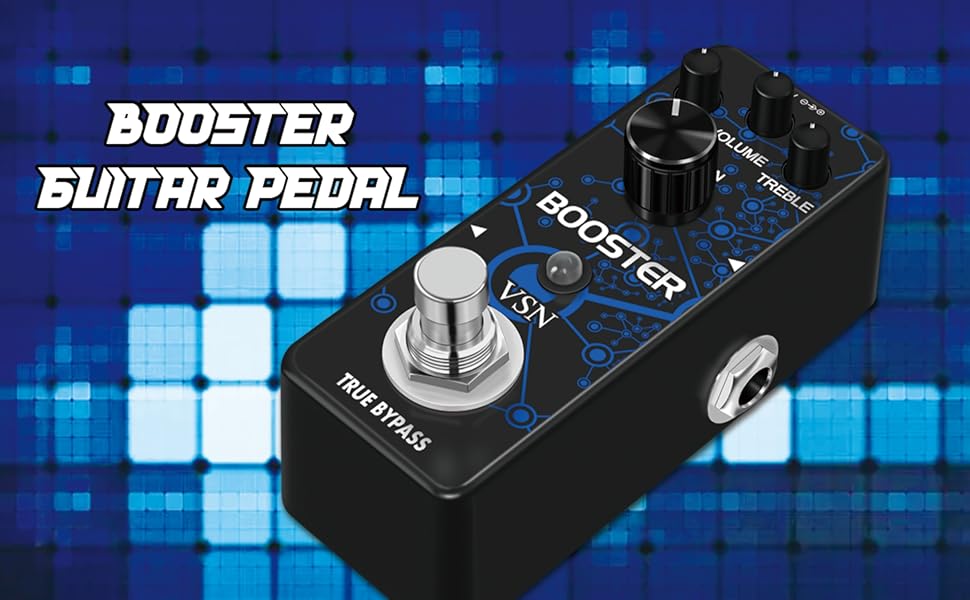
The VSN VSN-318 Guitar Booster Effect Pedal is a compact and powerful clean boost pedal designed for electric guitars. It features a discrete analog circuit that amplifies your signal without degradation, offering up to 20 dB of clean boost. With its active EQ controls for Bass, Volume, Treble, and Gain, this pedal allows for precise tone shaping and increased volume for solos or to drive your amplifier harder. Its true bypass design ensures your tone remains unaffected when the pedal is disengaged.
2. Features
- Clean Boost: Provides up to 20 dB of pure, clean signal boost.
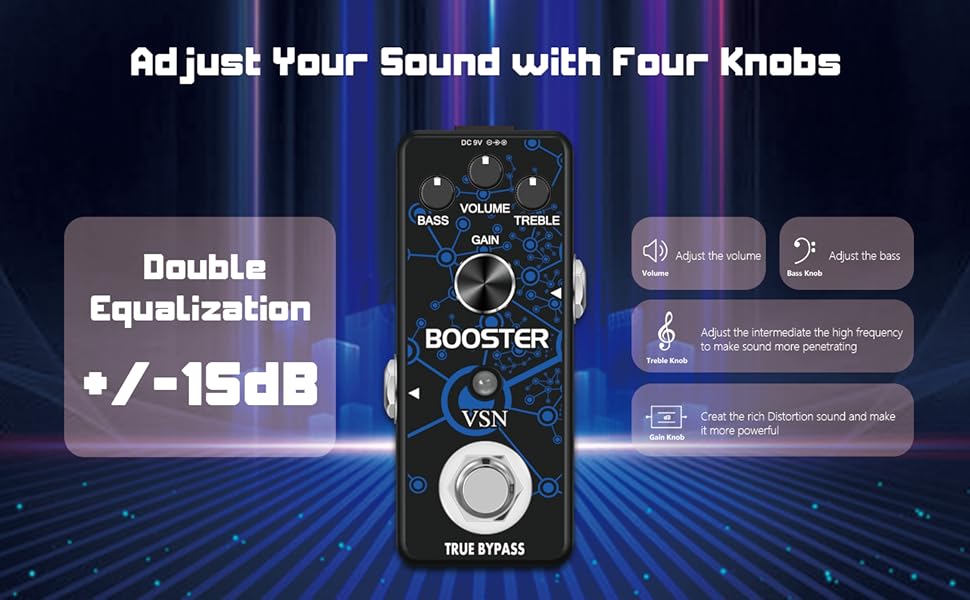
- Active EQ: Equipped with Bass, Volume, Treble, and Gain controls for comprehensive tone adjustment.
- Discrete Analog Circuit: Ensures signal amplification without alteration or degradation.
- True Bypass: Maintains the integrity of your guitar's tone when the effect is off.
- Durable Construction: Housed in a solid, all-metal case for reliability.
- Compact Size: Mini design suitable for any pedalboard.
3. Setup
3.1 Power Requirements
The VSN-318 pedal requires a 9V DC power adapter with a center-negative polarity and a minimum current of 500mA. The power supply is not included with the pedal. Using an improper power supply may cause the pedal to malfunction or become damaged.

3.2 Connections
- Connect your guitar to the Input Jack (6) on the right side of the pedal using a standard 6.3mm audio cable.
- Connect the Output Jack (7) on the left side of the pedal to your amplifier or the next effect unit in your signal chain using a standard 6.3mm audio cable.
- Plug the 9V DC center-negative power adapter into the Power Adapter Jack (8) at the top of the pedal.
Note: Some users have found that connecting the input on the right and output on the left works best for this pedal.
3.3 Official Product Video: VSN Guitar Booster Effect Pedal
This video provides a visual demonstration of the VSN Guitar Booster Effect Pedal, showcasing its features and sound in a practical setting. It covers the basic functionality and how the pedal can enhance your guitar tone.
4. Operation
The VSN-318 pedal features four main control knobs and a footswitch for operation:
- Bass Knob (5): Adjusts the low-frequency response of your tone. Turn clockwise to increase bass, counter-clockwise to decrease.
- Volume Knob (9): Controls the overall output volume of the pedal. Use this to set the desired boost level.
- Treble Knob (4): Adjusts the high-frequency response, making the sound more penetrating or mellow.
- Gain Knob (3): Controls the degree of distortion or saturation. Clockwise turning increases the gain.
- True Bypass Footswitch (1): Push down the footswitch to toggle between the effect being active and true bypass status.
- LED Indicator (2): Lights up when the pedal is active (effect is on).

5. Maintenance
- Cleaning: Use a soft, dry cloth to clean the pedal's exterior. Avoid using abrasive cleaners or solvents.
- Storage: Store the pedal in a dry environment, away from extreme temperatures and direct sunlight.
- Power: Always disconnect the power supply when the pedal is not in use for extended periods.
- Connections: Ensure all cables are securely connected to prevent signal loss or intermittent operation.
6. Troubleshooting
- No Sound/Weak Signal:
- Check all cable connections (guitar to input, output to amp).
- Verify the power supply is correctly connected and meets the 9V DC center-negative, 500mA requirements.
- Ensure the pedal is engaged (LED indicator is lit).
- Test with different cables or a different power supply if available.
- Unwanted Noise/Hum:
- Ensure you are using a regulated power supply designed for guitar pedals.
- Check for ground loops in your setup.
- Move the pedal away from other electronic devices that might cause interference.
- Pedal Not Turning On:
- Confirm the power adapter is plugged into a working outlet and securely connected to the pedal.
- Verify the power adapter specifications (9V DC, center-negative, 500mA).
7. Specifications
| Specification | Value |
|---|---|
| Brand | VSN |
| Model Name | VSN Guitar Booster |
| Model Number | VSN-318 |
| Color | Black Booster |
| Product Dimensions | 1.89"L x 1.73"W x 3.74"H |
| Item Weight | 7.8 Ounces |
| Voltage | 9 Volts |
| Amperage | 7 Milliamps |
| Audio Output Effects | Distortion (Note: This is a clean boost, not primarily a distortion pedal, but can drive amps into distortion) |
| Controls Type | Knob |
| Power Source | Adapter, Electric |
| Hardware Interface | 3.5mm Audio (Note: Product images show 6.3mm/1/4 inch jacks, 3.5mm might be a data entry error or for a different variant/feature not visible) |
| Signal Format | Analog |
| UPC | 793610053961 |
8. Warranty and Support
For warranty information or technical support, please refer to the official VSN Music website or contact their customer service directly. Keep your purchase receipt as proof of purchase for any warranty claims.