
KLEIN TOOLS 56403
Instruction Manual
Klein Tools 56403 LED Light
Product Overview
The Klein Tools 56403 Rechargeable Personal Work Light is an LED light designed for versatility and durability. It features a fully rotating head and kickstand, magnetic mounting, a built-in carabiner, and the ability to charge small electronic devices. This work light provides bright illumination for extended periods, making it suitable for various professional and outdoor applications.
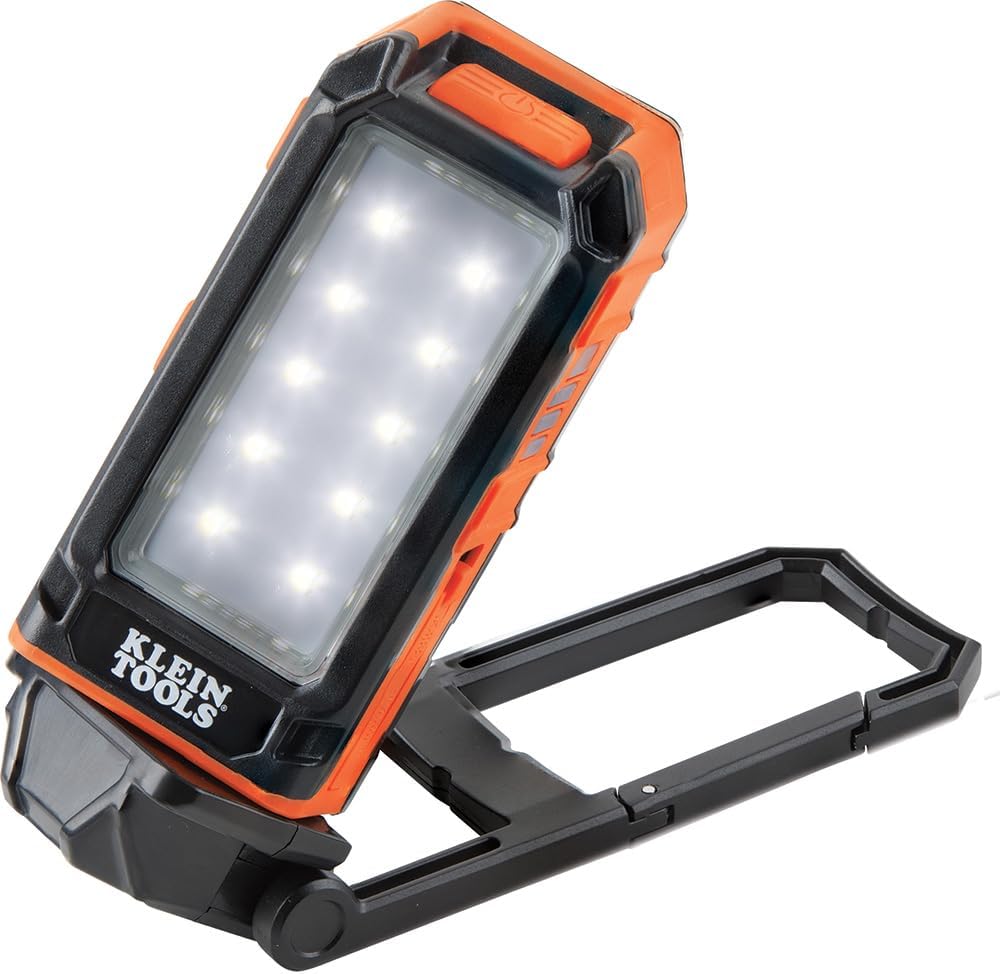
Figure 1: Klein Tools 56403 LED Light in its primary configuration with the kickstand extended.
Key Features
- Rechargeable All-Day Runtime: Offers two FL1 rated modes: High (460 Lumens for 9 hours) and Low (175 Lumens for 16 hours).
- Versatile Work Light: Designed to stand, hook, hang, and mount magnetically for diverse lighting needs.
- Adjustable Light Angles: The light head rotates 360 degrees, and the kickstand rotates 270 degrees, allowing for infinite light direction adjustment.
- Convenient Mounting Options: Features strong magnets on the kickstand, three nail notches for secure attachment, and a built-in carabiner for hanging.
- Phone Charging Function: Equipped with a USB-C port to charge smartphones and other small devices.
- Durable and Water-Resistant: Built to withstand a 6-foot drop and rated IP54 for water and dust resistance.
- Glow Locator: Easy-to-find glow locator recharges when the light is on.

Figure 2: Detailed diagram highlighting the rotational features, charging capability, and various mounting options of the work light.
Setup
- Unpacking: Carefully remove the Klein Tools 56403 LED Light and its included micro-USB charging cable from the packaging. Inspect for any visible damage.
- Initial Charge: Before first use, fully charge the device. Connect the micro-USB cable to the light's charging port and the other end to a compatible USB power source (e.g., wall adapter, computer USB port). The battery indicator LEDs will show charging progress.
- Familiarization: Take a moment to familiarize yourself with the light's components: the main LED panel, the power button, the rotating head, the multi-position kickstand with integrated magnets and carabiner, and the USB-C output port.
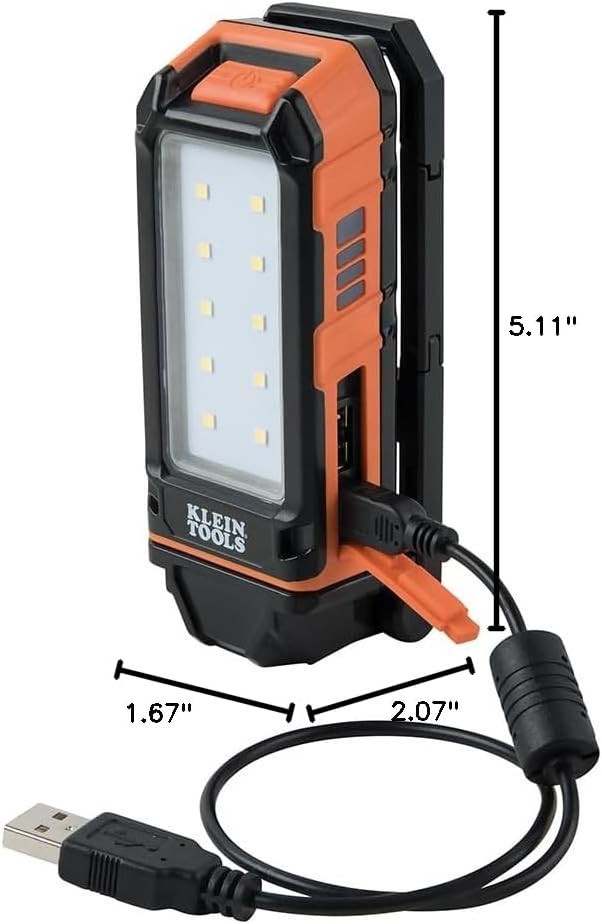
Figure 3: Product dimensions for reference during setup and storage.
Operating Instructions
Turning On/Off and Adjusting Brightness
- Press the power button once to turn the light on to the High setting (460 Lumens).
- Press the power button a second time to switch to the Low setting (175 Lumens).
- Press the power button a third time to turn the light off.
Adjusting Light Direction and Positioning
- Rotating Head: The light head can be rotated 360 degrees to direct illumination precisely where needed.
- Adjustable Kickstand: The integrated kickstand rotates 270 degrees, allowing the light to be angled for optimal positioning when standing on a flat surface.
- Magnetic Mounting: Utilize the strong magnets on the kickstand to attach the light to ferrous metal surfaces for hands-free operation.

Figure 4: Light in use, magnetically attached to a metal surface for hands-free operation.
- Carabiner Hanging: Use the built-in carabiner to hang the light from pipes, hooks, or other suitable structures.

Figure 5: Light hanging from a pipe using its integrated carabiner.
- Nail Notches: For semi-permanent mounting, the kickstand includes three nail notches to secure the light to a surface using nails or screws.
Charging External Devices
- The work light can act as a power bank to charge small electronic devices.
- Connect your device's charging cable to the USB-C output port on the Klein Tools 56403 LED Light.
- Ensure the work light has sufficient charge to power your external device.

Figure 6: The work light charging a smartphone.
Battery Indicator
- The side of the light features a battery indicator with multiple LEDs to show the remaining charge level.
- Monitor these LEDs to know when recharging is necessary.

Figure 7: Battery indicator LEDs on the side of the light.
Maintenance
- Cleaning: Wipe the light with a clean, dry cloth. For stubborn dirt, a slightly damp cloth can be used. Do not use abrasive cleaners or solvents.
- Storage: Store the light in a cool, dry place away from direct sunlight and extreme temperatures. For long-term storage, ensure the battery is partially charged (around 50%) to prolong its lifespan.
- Water and Dust Resistance: The light has an IP54 rating, meaning it is protected from dust ingress sufficient to prevent it from interfering with the normal operation of the product and from water spray from any direction. While resistant, avoid submerging the light in water.
- Battery Care: To maximize battery life, avoid completely draining the battery frequently. Recharge the light when the battery indicator shows low charge.
Troubleshooting
| Problem | Possible Cause | Solution |
|---|---|---|
| Light does not turn on. | Battery is fully discharged. | Charge the light using the provided micro-USB cable. |
| Light is dim or flickers. | Low battery charge. | Recharge the light. |
| Cannot charge external device. | Work light battery is too low or cable is not properly connected. | Ensure the work light is sufficiently charged. Check that the USB-C cable is securely connected to both the light and the external device. |
| Light does not hold a charge. | Battery degradation or defect. | Contact Klein Tools customer support for assistance. |
Specifications
| Attribute | Detail |
|---|---|
| Brand | KLEIN TOOLS |
| Model Number | 56403 |
| Product Dimensions | 2.07"L x 1.67"W x 5.11"H |
| Item Weight | 7.9 Ounces |
| Brightness (High) | 460 Lumens |
| Brightness (Low) | 175 Lumens |
| Battery Type | Lithium-Ion (1 included) |
| Voltage | 5 Volts |
| Water Resistance Level | IP54 (Water Resistant) |
| Drop Test Rating | 6-foot |
| Light Source Type | Light Emitting Diode (LED) |
| Material | Acrylonitrile Butadiene Styrene (ABS), Stainless Steel |
| Special Features | Charges Out (USB-A: DC 5V, 0.5A) |
| Included Components | Micro-USB Cord (DC 5V, 1.3A) |
| UPC | 092644564031 |
Warranty and Support
The Klein Tools 56403 LED Light comes with a 1-year manufacturer's warranty. This warranty covers defects in materials and workmanship under normal use.
For warranty claims, technical support, or additional information, please contact Klein Tools customer service directly. You may also refer to the official Instructions for Use (IFU) document available as a PDF for more detailed information:
Download Instructions for Use (PDF)
Extended protection plans may also be available for purchase separately. Please check with your retailer for details on 3-Year or 4-Year protection plans.
Related documents56403


Ask a question about this manual
Ask about setup, troubleshooting, compatibility, parts, safety, or missing instructions. Manuals+ will review the question and use this page’s manual context to help answer it.