
1. Introduction
The Lexon TYKHO 3 is a versatile and portable audio device, combining a wireless Bluetooth speaker with an FM radio. Designed for durability and ease of use, its splash-proof silicone finish makes it suitable for various environments, from indoor spaces to outdoor settings. This manual provides essential information for setting up, operating, and maintaining your TYKHO 3.

Image 1.1: The Lexon TYKHO 3 in Duck Blue, showcasing its iconic design.
Key Features:
- FM Radio Functionality: Tune into your favorite FM stations using the integrated antenna.
- Bluetooth Connectivity: Seamlessly stream audio from your smartphone or other Bluetooth-enabled devices.
- Splash-Proof Design: Durable silicone casing provides protection against splashes, making it ideal for use near water.
- Rechargeable Battery: Enjoy up to 20 hours of playtime on a single charge.
- Portable and Lightweight: Compact dimensions and light weight ensure easy transport.
2. What's in the Box
Please ensure all items are present upon unboxing:
- Lexon TYKHO 3 Wireless Bluetooth Speaker and FM Radio
- Owner's Manual
- USB-C Cable
3. Setup
3.1 Initial Charging
Before first use, fully charge your TYKHO 3 speaker. Connect the provided USB-C cable to the charging port on the device and plug the other end into a compatible USB power source (e.g., computer, wall adapter). The charging indicator will illuminate during charging and turn off when complete. A full charge provides up to 20 hours of playtime.

Image 3.1: Charging the Lexon TYKHO 3 speaker via USB-C cable.
3.2 Powering On/Off
- To Power On: Press and hold the power button located on the top of the speaker until you hear an audible confirmation.
- To Power Off: Press and hold the power button again until the device shuts down.
3.3 Bluetooth Pairing
- Ensure the TYKHO 3 is powered on and in Bluetooth mode. The Bluetooth indicator light will flash, indicating it's ready for pairing.
- On your smartphone or audio device, enable Bluetooth and search for available devices.
- Select "Lexon TYKHO 3" from the list of devices.
- Once connected, the Bluetooth indicator light will become solid, and you will hear a confirmation tone.
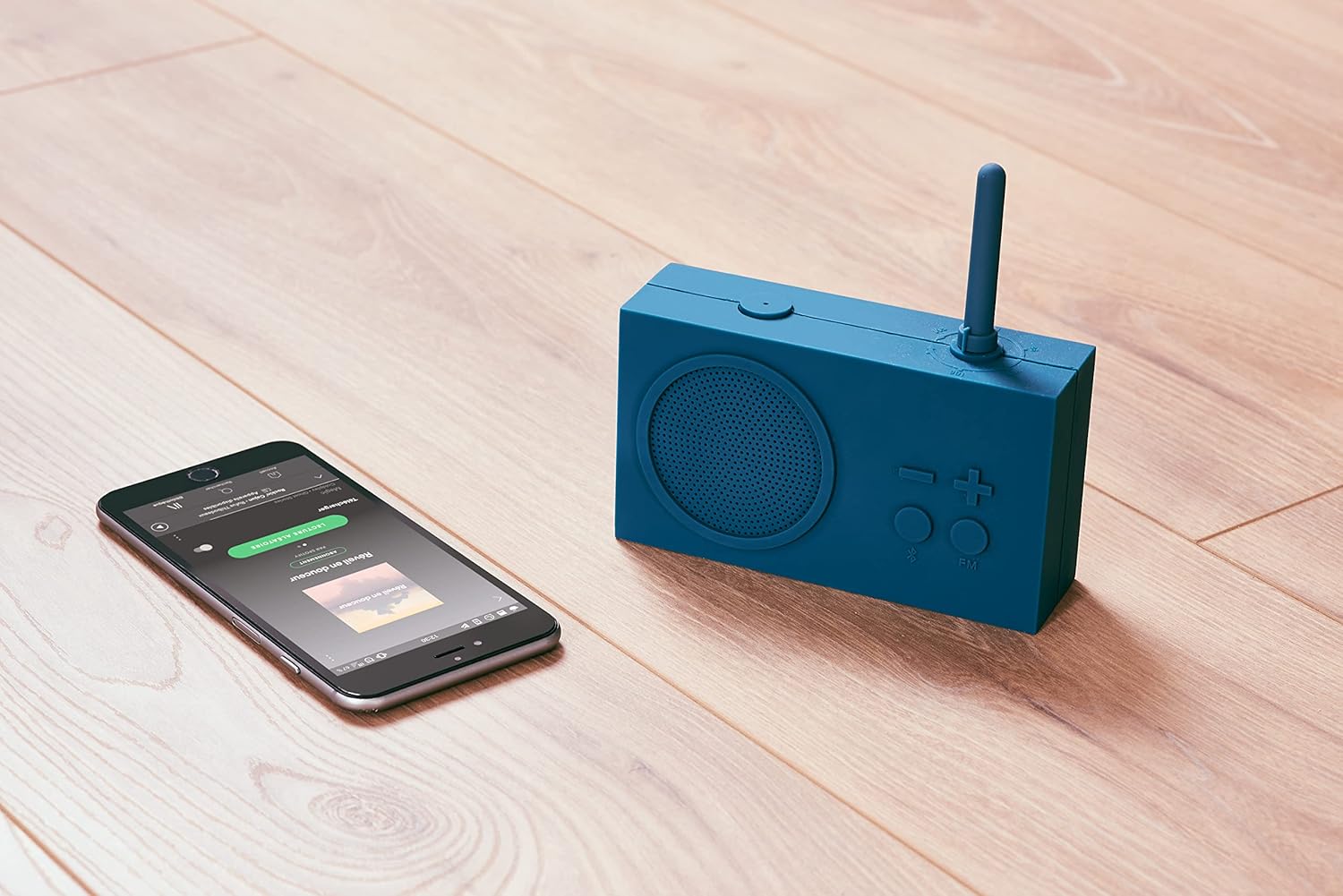
Image 3.2: The Lexon TYKHO 3 connected to a smartphone for Bluetooth audio streaming.
4. Operating Instructions
4.1 Switching Modes (FM / Bluetooth)
Press the dedicated FM / Bluetooth button on the front of the speaker to toggle between FM radio mode and Bluetooth speaker mode.
4.2 FM Radio Operation
- In FM mode, extend the antenna for optimal reception.
- Rotate the antenna to tune into different FM radio stations.
- Use the + and - buttons to adjust the volume.
4.3 Bluetooth Speaker Operation
- Ensure your device is paired (refer to Section 3.3).
- Start playing audio from your connected device.
- Use the + and - buttons on the speaker or your connected device to adjust the volume.
Video 4.1: An overview of the Lexon TYKHO 3's features and operation, including FM radio and Bluetooth connectivity.
Video 4.2: A short demonstration of the TYKHO 3's design and functionality, highlighting its use in various settings.
5. Maintenance
5.1 Cleaning
To clean your TYKHO 3, gently wipe the surface with a soft, damp cloth. Avoid using harsh chemicals or abrasive cleaners, as these may damage the silicone finish.
5.2 Splash-Proof Care
The TYKHO 3 is designed to be splash-proof, meaning it can withstand splashes of water. However, it is not fully waterproof and should not be submerged in water. Ensure the charging port cover is securely closed when using the speaker near water to maintain its splash-proof integrity.

Image 5.1: The Lexon TYKHO 3 by a pool, illustrating its splash-proof capability.
6. Troubleshooting
- No Power: Ensure the battery is charged. Connect the speaker to a power source using the USB-C cable.
- Bluetooth Not Connecting:
- Make sure the speaker is in Bluetooth mode and the indicator light is flashing.
- Ensure Bluetooth is enabled on your audio device.
- Move the speaker closer to your audio device to ensure it's within range.
- Forget the device from your phone's Bluetooth settings and try pairing again.
- Poor FM Radio Reception:
- Fully extend the antenna.
- Adjust the antenna's position and orientation.
- Relocate the speaker to an area with better signal reception.
- Low Volume: Adjust the volume using the + button on the speaker and on your connected audio device.
7. Specifications
| Feature | Detail |
|---|---|
| Model Number | LA119B9 |
| Product Dimensions | 5.51 x 1.77 x 3.19 inches (14 x 4.5 x 8.1 cm) |
| Item Weight | 10.8 ounces |
| Battery | 1 Lithium Polymer battery (rechargeable) |
| Playtime | Up to 20 hours |
| Connectivity Technology | Bluetooth |
| Radio Bands Supported | FM |
| Special Features | Lightweight, Portable, Rechargeable, Splash-proof |
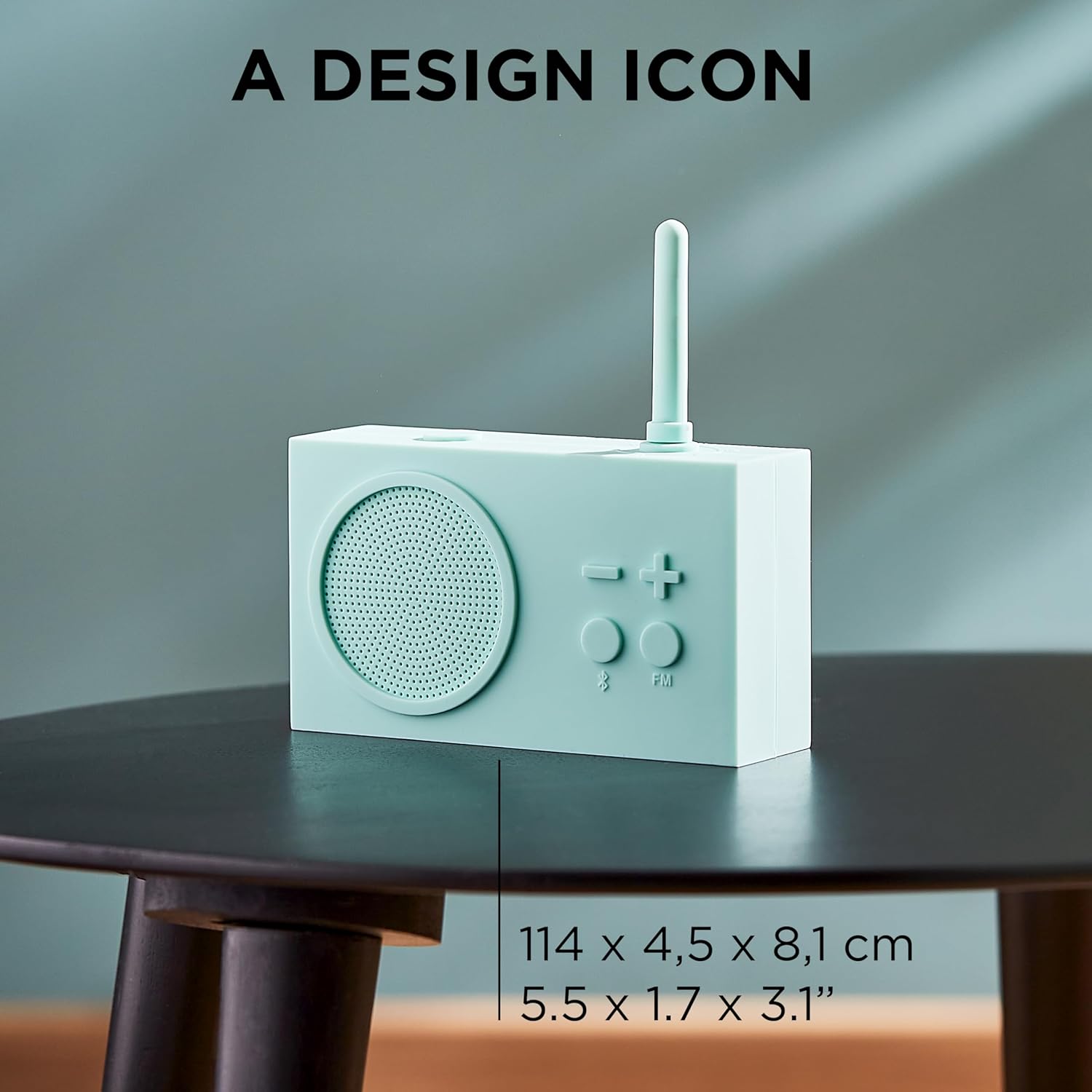
Image 7.1: Lexon TYKHO 3 with its dimensions indicated.

Image 7.2: Detailed dimensions of the Lexon TYKHO 3 speaker.
8. Warranty and Support
For warranty information and customer support, please refer to the official Lexon website or contact your retailer. Keep your proof of purchase for any warranty claims.


