
Introduction
Thank you for purchasing the Frigidaire EFMIS462 12 Can Retro Mini Portable Personal Cooler. This compact and portable cooler is designed to keep your beverages and snacks cool, making it ideal for home, office, dorm, or travel use. Please read this manual thoroughly before operating your cooler to ensure safe and efficient use.
Important Safety Information
To reduce the risk of fire, electric shock, or injury, always follow these basic safety precautions:
- Read all instructions before using the appliance.
- Do not immerse the appliance, cord, or plug in water or other liquids.
- Supervise children when the appliance is in use.
- Unplug from the outlet when not in use and before cleaning.
- Do not operate any appliance with a damaged cord or plug, or after the appliance malfunctions or has been damaged in any manner.
- Do not use outdoors. This appliance is for indoor use only.
- Ensure proper ventilation around the unit. Do not block ventilation openings.
- Do not place near heat sources such as radiators, heat registers, stoves, or other appliances that produce heat.
- Use only the power adapter supplied with the unit.
- Do not store explosive substances such as aerosol cans with a flammable propellant in this appliance.
Product Overview
The Frigidaire EFMIS462 is a compact thermoelectric cooler designed for personal use. It features a retro design and is capable of holding up to 12 standard beverage cans or 9 liters of content.
Key Features:
- Capacity: Holds 12 cans or 9 liters.
- Cooling System: Vibration-free thermoelectric cooling for quiet and efficient operation.
- Portability: Compact and portable design with a convenient carrying handle.
- Durability: Heavy-duty locking latch and door hinge.
- Maintenance: Easy-to-clean, fully insulated interior.
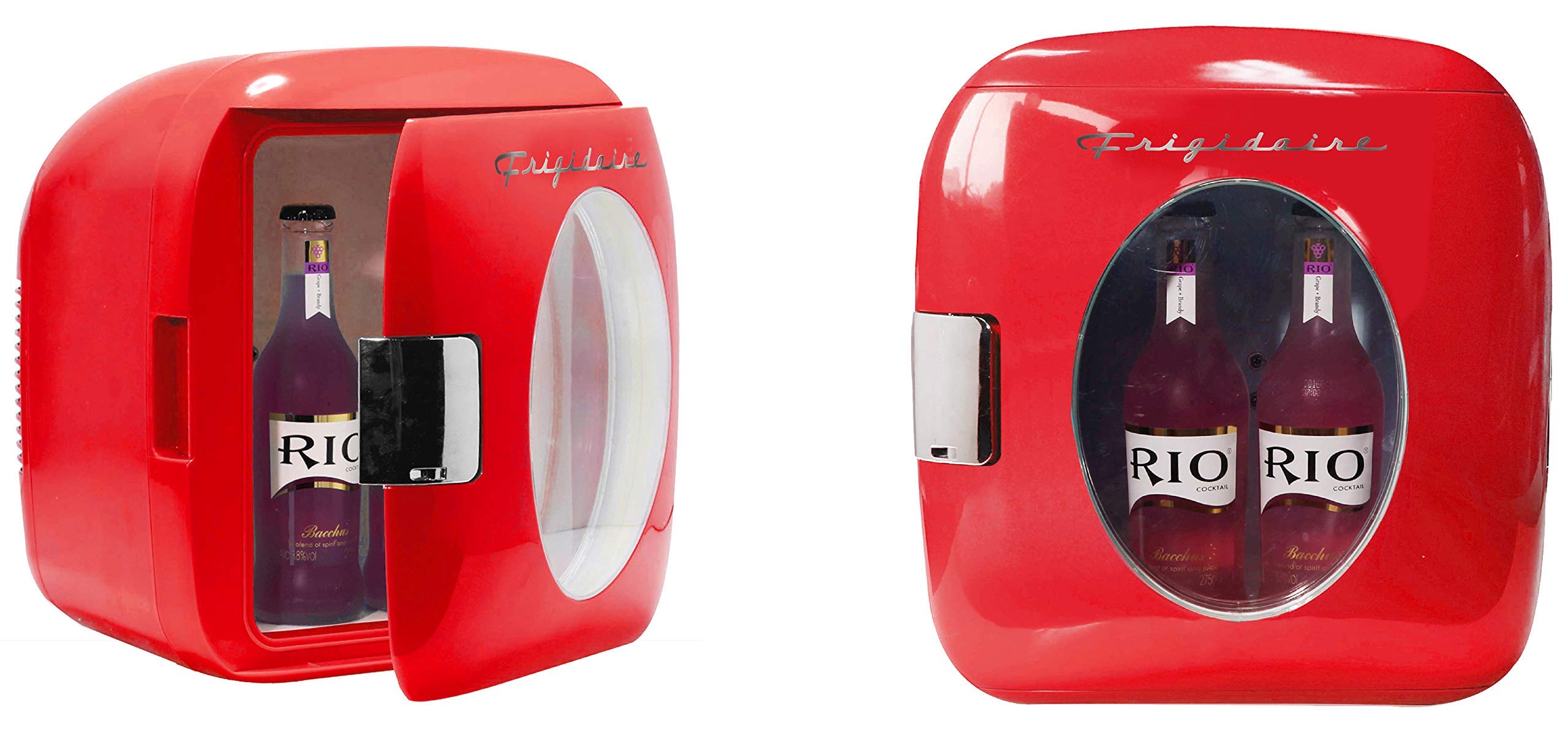
Image: The Frigidaire EFMIS462 mini cooler, red in color, positioned between the rear seats of a car, showcasing its portable nature. The cooler has a clear window displaying several beverage cans inside.
Setup
- Unpacking: Carefully remove the cooler from its packaging. Retain packaging materials for future transport or storage.
- Placement: Place the cooler on a flat, stable surface. Ensure there is adequate space (at least 2-3 inches) around the back and sides for proper ventilation. Do not block the ventilation openings.
- Power Connection:
- For AC (Home/Office) use: Connect the AC power cord to the cooler's AC input, then plug the other end into a standard wall outlet (110-120V AC).
- For DC (Vehicle) use: Connect the DC power cord to the cooler's DC input, then plug the other end into your vehicle's 12V cigarette lighter socket.
- Initial Cleaning: Before first use, wipe the interior with a damp cloth and mild detergent. Rinse and dry thoroughly.
Operating Instructions
- Loading the Cooler: Place pre-chilled beverages and food items into the cooler for best results. The thermoelectric system is designed to maintain temperature, not rapidly cool warm items.
- Power On: Once connected to a power source, the cooler will begin to operate. There is typically a switch to select between cooling (COLD) and off, or sometimes a heating (HOT) function if available (this model is a cooler only). Ensure the switch is set to the "COLD" position if applicable, or simply connected to power for cooling.
- Door Latch: Ensure the door is securely closed using the heavy-duty locking latch to maintain internal temperature and efficiency.
- Cooling Performance: The cooler will typically reach its optimal cooling temperature within 1-2 hours, depending on ambient temperature and contents.
- Power Off: To turn off the cooler, disconnect it from the power source or switch it to the "OFF" position if a switch is present.
Maintenance
Regular cleaning and proper care will ensure the longevity and efficient operation of your Frigidaire mini cooler.
- Cleaning the Interior:
- Always unplug the cooler before cleaning.
- Wipe the interior with a soft cloth dampened with a mild detergent solution.
- Rinse with a clean, damp cloth and dry thoroughly.
- Do not use abrasive cleaners, scouring pads, or harsh chemicals, as these can damage the interior surfaces.
- Cleaning the Exterior: Wipe the exterior surfaces with a soft, damp cloth. Dry thoroughly.
- Ventilation: Periodically check that the ventilation openings on the back of the unit are clear of dust and debris. Use a soft brush or vacuum cleaner to gently remove any obstructions.
- Storage: If storing the cooler for an extended period, ensure it is clean and dry. Leave the door slightly ajar to prevent odors and mildew.
Troubleshooting
If you experience issues with your cooler, please refer to the following common problems and solutions:
| Problem | Possible Cause | Solution |
|---|---|---|
| Cooler is not operating. | No power supply. | Check if the power cord is securely plugged into both the cooler and the power outlet. Ensure the outlet is functional. |
| Cooling performance is poor. |
|
|
| Excessive noise. | Unit not on a level surface. | Ensure the cooler is placed on a flat, stable surface. |
If the problem persists after trying these solutions, please contact customer support.
Specifications
| Feature | Detail |
|---|---|
| Brand | Frigidaire |
| Model Number | EFMIS462 |
| Capacity | 9 Liters (approx. 12 standard cans) |
| Item Weight | 8.2 pounds |
| Product Dimensions | 13 x 13.5 x 14.5 inches |
| Installation Type | Tabletop |
| Form Factor | Compact |
| Special Feature | Portable |
| Material Type | Metal, Plastic |
| Defrost System | Manual |
| Number of Doors | 1 |
Warranty and Support
This product is covered by a manufacturer's warranty. Please refer to the warranty card included with your purchase for specific terms and conditions, including warranty duration and coverage details. For technical support, service, or to inquire about replacement parts, please contact Frigidaire customer service. Contact information can typically be found on the product packaging or the official Frigidaire website.


