Introduction
The MOMAX Q.LED makeup mirror is a versatile 4-in-1 solution designed to enhance your daily routine. This innovative device integrates a makeup mirror with a 5x magnified magnetic mirror, a wireless charger, a Bluetooth speaker, and a dimmable LED desk lamp. It aims to reduce clutter and provide multiple functionalities within a single, elegant unit.
Safety Information
Warning:
- Keep this product out of reach of children and pets.
- Handle the mirror with care to prevent breakage.
- Do not install or place the device near heat sources or in areas prone to excessive vibration.
- Ensure the power adapter and cable are undamaged before use.
Package Contents
Please check the package for the following items:
- MOMAX Q.LED 4-in-1 Makeup Mirror
- 5x Magnified Magnetic Makeup Mirror Attachment
- QC3.0 Power Adapter
- USB Type-C Cable
- User Manual (this document)
Product Overview
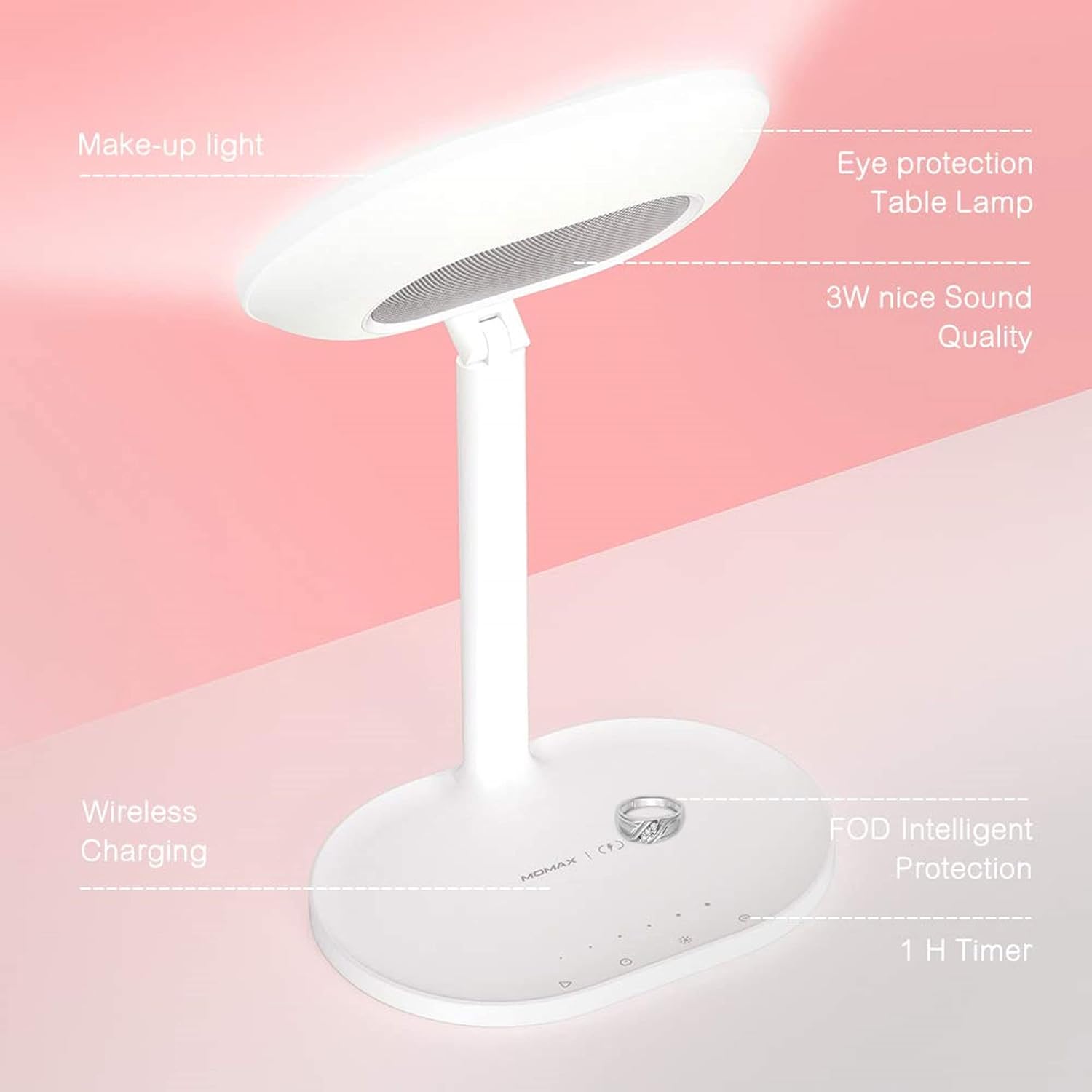
Figure 1: Overall view of the MOMAX Q.LED 4-in-1 Makeup Mirror, highlighting its integrated features including the makeup light, eye protection table lamp, 3W speaker, wireless charging pad, FOD intelligent protection, and 1-hour timer.

Figure 2: The makeup light feature with adjustable levels. Levels 1-2 are suitable for routine skin care, Levels 3-4 for full face makeup, and Levels 5-6 for detailed eyebrow and eye makeup or concealer application.

Figure 3: The 5x magnifying glass attachment, which magnetically adheres to the main mirror. It features 24 light beads for enhanced detail, aiding in precise makeup application.
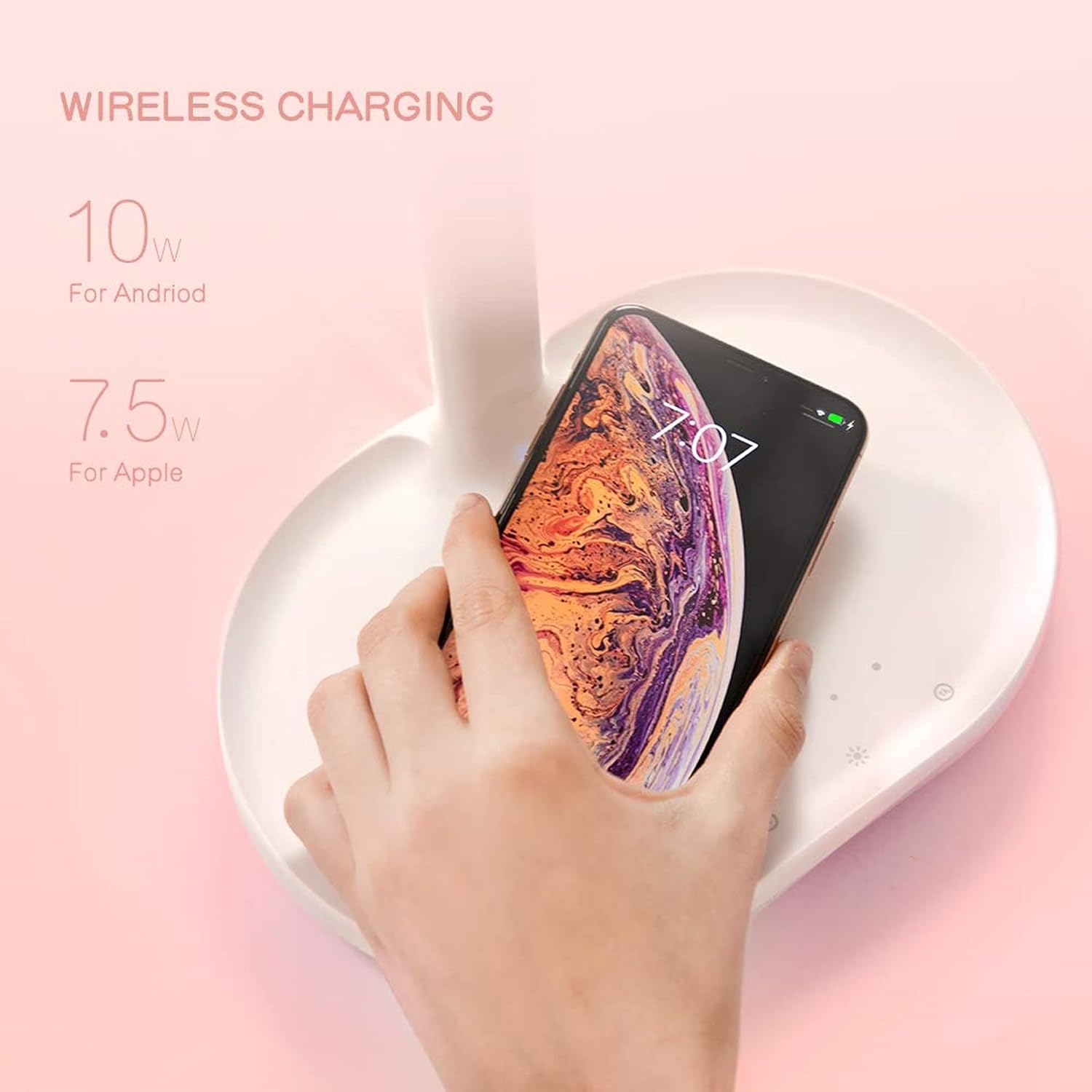
Figure 4: The wireless charging pad located on the base of the mirror. It supports 10W output for Android devices and 7.5W for Apple devices.

Figure 5: The LED desk lamp function, offering 6 levels of brightness adjustment. It has a color temperature range of 4100K-4500K, 25 lumens, and 1.5W power. Brightness can be adjusted with a light touch sliding motion.

Figure 6: The Bluetooth speaker functionality, indicating a wireless range of 0-10 meters with Bluetooth version 4.2 (EDR BLE).
Setup
- Unpack the Device: Carefully remove all components from the packaging.
- Connect Power: Insert the USB Type-C cable into the port on the back of the mirror base and connect the other end to the provided QC3.0 power adapter. Plug the adapter into a suitable power outlet.
- Initial Placement: Place the mirror on a stable, flat surface away from direct sunlight or heat sources.
- Attach Magnifying Mirror: The 5x magnified mirror is magnetic. Simply place it onto the main mirror surface; it will snap into place.
Operating Instructions
1. Makeup Mirror & LED Light
- Power On/Off: Touch the power icon on the mirror base to turn the LED makeup light on or off.
- Adjust Brightness: Slide your finger along the touch-sensitive strip on the mirror base to adjust the brightness levels (6 levels available).
- Using Magnifying Mirror: Attach the 5x magnified mirror magnetically to the main mirror for detailed tasks like eyebrow shaping or precise eyeliner application.
2. Wireless Charging
- Placement: Place your Qi-compatible smartphone directly onto the wireless charging pad located on the mirror's base.
- Charging Indicator: The charging indicator light on the base will illuminate to confirm that your device is charging.
- Optimal Charging: Ensure your phone is centered on the charging pad for optimal charging efficiency. Remove any thick phone cases that may interfere with wireless charging.
3. Bluetooth Speaker
- Pairing Mode: Press and hold the Bluetooth icon on the mirror base until the indicator light flashes, indicating it's in pairing mode.
- Connect Device: On your smartphone or other Bluetooth-enabled device, search for "MOMAX Q.LED" in the Bluetooth settings and select it to pair.
- Playback Control: Use your connected device to control music playback (play/pause, skip tracks, volume).
4. LED Desk Lamp
- Activate Lamp: The desk lamp function is integrated with the main LED light. Adjust the mirror head to direct the light as needed.
- Adjust Brightness: Use the touch-sensitive strip on the base to adjust the brightness of the desk lamp.
- 1-Hour Timer: Press the timer icon on the base to activate a 1-hour timer for the lamp, which will automatically turn off after the set time.
Maintenance
- Cleaning: Use a soft, dry cloth to clean the mirror surface and the device body. For stubborn smudges on the mirror, a slightly damp, lint-free cloth can be used, followed by a dry cloth.
- Avoid Liquids: Do not spray cleaning solutions directly onto the device. Avoid exposing the device to excessive moisture.
- Storage: When not in use for extended periods, store the device in a cool, dry place.
Troubleshooting
| Problem | Possible Cause | Solution |
|---|---|---|
| LED light does not turn on. | Device not powered, or power cable is loose. | Ensure the power adapter is securely plugged into both the device and the wall outlet. Check if the power outlet is functional. |
| Wireless charging is not working. | Phone not Qi-compatible, misaligned, or thick phone case. | Verify your phone supports Qi wireless charging. Reposition the phone to ensure it is centered on the charging pad. Remove any thick phone cases. |
| Bluetooth speaker not connecting. | Device not in pairing mode, or already connected to another device. | Ensure the mirror is in Bluetooth pairing mode (indicator flashing). Disconnect from other devices if necessary. Try restarting both the mirror and your Bluetooth device. |
| Sound quality is poor. | Volume too high, or device too far from the mirror. | Adjust the volume on your connected device. Ensure your device is within the 10-meter Bluetooth range. |
| Desk lamp brightness cannot be adjusted. | Touch strip not responding. | Ensure your finger is making full contact with the touch-sensitive strip. Clean the strip if there is any residue. |
Specifications
| Feature | Detail |
|---|---|
| Brand | MOMAX |
| Model Number | AMZ-QL3CNW-JP |
| Color | White |
| Input | 5V/3A, 9V/2A, 12V/1.5A |
| Wireless Output Power | 1.5V/1A, 9V/1A (Max 10W) |
| Total Output Power | 10W |
| Product Dimensions | 250mm × 220mm × 180mm (Overall); 206mm × 136mm (Vanity Mirror) |
| Item Weight | 845g (0.845 kg) |
| Material | Metal |
| Bluetooth Version | 4.2 |
| Bluetooth Profile | A2DP, AVRCP |
| Mirror Light Color Temperature | 5000-5400 Kelvin |
| Desk Lamp Color Temperature | 4100-4500 Kelvin |
| Special Features | USB Charging, Adjustable Brightness, Wireless Charging, Bluetooth Speaker |
| Mounting Type | Tabletop |
Warranty and Support
MOMAX products are designed and manufactured to the highest quality standards. For warranty information, technical support, or customer service inquiries, please refer to the official MOMAX website or contact your local retailer. Please retain your proof of purchase for any warranty claims.
For further assistance, you may visit the MOMAX Store on Amazon.