1. Introduction
This manual provides essential information for the safe and effective operation, maintenance, and setup of your Heng Long 2.4G 1/16 Scale German Panzer IV F2 RTR RC Tank Model 3859. Please read through these instructions carefully before first use to ensure optimal performance and longevity of your product.
2. Package Contents
Verify that all items listed below are included in your package:
- Tank
- Radio controller
- BB pellets
- Infrared combating Transmitter (supports multi-player tank war)
- Infrared combating Receiver
- Idle smoking generator
- Smoke liquid (Note: Availability may vary by country due to shipping regulations.)
- 1800mAh Tank battery (Upgraded 5000mAh-6000mAh batteries with charger may be available; please consult the seller for options.)
- USB universal Charger
- Accessory Kits
- English manual book (Note: Manuals can sometimes be outdated or contain errors. Refer to this digital manual for the most current information.)
Component Materials:
- Metal Parts: Barrel
- Non-Metal Parts: Tank body, Driving Gearbox, Road wheels, Tracks, Sprockets and idler wheels

Image 2.1: Overview of the Heng Long Panzer IV F2 RC Tank, including the remote controller and packaging.
3. Key Features
The Heng Long Panzer IV F2 RC Tank offers a range of realistic and interactive features:
- Infrared Combat System: Supports multi-player tank warfare for engaging battles.
- Advanced Mainboard: Equipped with a 7.0 mainboard providing two distinct sound options for enhanced realism.
- Scale Appearance: Designed to replicate the authentic look of a real German Panzer IV F2 tank.
- Pivot Steering: Allows for realistic tank maneuvers and turns.
- Realistic Firing: Shoots 6mm BB pellets with a cool hull-recoil action (note: this is hull recoil, not barrel recoil) and synchronized firing sound effects.
- Extended Range: Capable of shooting BB pellets up to 20 meters.
4. Specifications
| Specification | Detail |
|---|---|
| Model Number | 3859 |
| Brand | Heng Long |
| Scale | 1/16 |
| Recommended Age | 21 years and up |
| Battery Type | 1 Nonstandard Battery (included) |
| ASIN | B07TXN29XY |
5. Setup Guide
5.1 Battery Installation
- Tank Battery: Locate the battery compartment on the tank (usually under a hatch or removable panel). Connect the provided 1800mAh battery to the tank's power connector. Secure the battery and close the compartment.
- Controller Batteries: Open the battery cover on the back of the radio controller. Insert the required batteries (typically AA, not always included) according to the polarity markings. Close the cover.
5.2 Controller Pairing
The 2.4G radio system usually pairs automatically. Follow these steps:
- Ensure both the tank and controller batteries are fully charged.
- Turn on the tank's power switch.
- Turn on the radio controller. The indicator lights on both devices should show a successful connection (refer to your controller's specific manual for light indications).
5.3 Smoke Liquid Filling (If Applicable)
If your model includes a smoke generator and smoke liquid:
- Locate the smoke liquid reservoir on the tank (consult the included paper manual for exact location).
- Carefully add a small amount of smoke liquid using the provided dropper, avoiding overfilling.
- Ensure the cap is securely closed after filling.
5.4 BB Pellet Loading
To use the firing function:
- Locate the BB pellet loading port, typically on the turret.
- Carefully load the 6mm BB pellets into the designated compartment. Do not overfill.
- Ensure the loading port is closed before operating.

Image 5.1: Side profile of the tank, showing track and turret details.
6. Operating Instructions
6.1 Driving Controls
Use the joysticks on the radio controller to maneuver the tank:
- Forward/Backward: Push both joysticks forward or backward simultaneously.
- Turning: Push one joystick forward and the other backward to turn.
- Pivot Steering: Push one joystick forward while keeping the other neutral to pivot.

Image 6.1: Front view of the tank, highlighting the headlights and main gun.
6.2 Turret Control
Specific buttons or a separate joystick on the controller operate the turret:
- Turret Rotation: Use the designated buttons/joystick to rotate the turret left or right.
- Barrel Elevation: Use the designated buttons/joystick to raise or lower the main gun barrel.
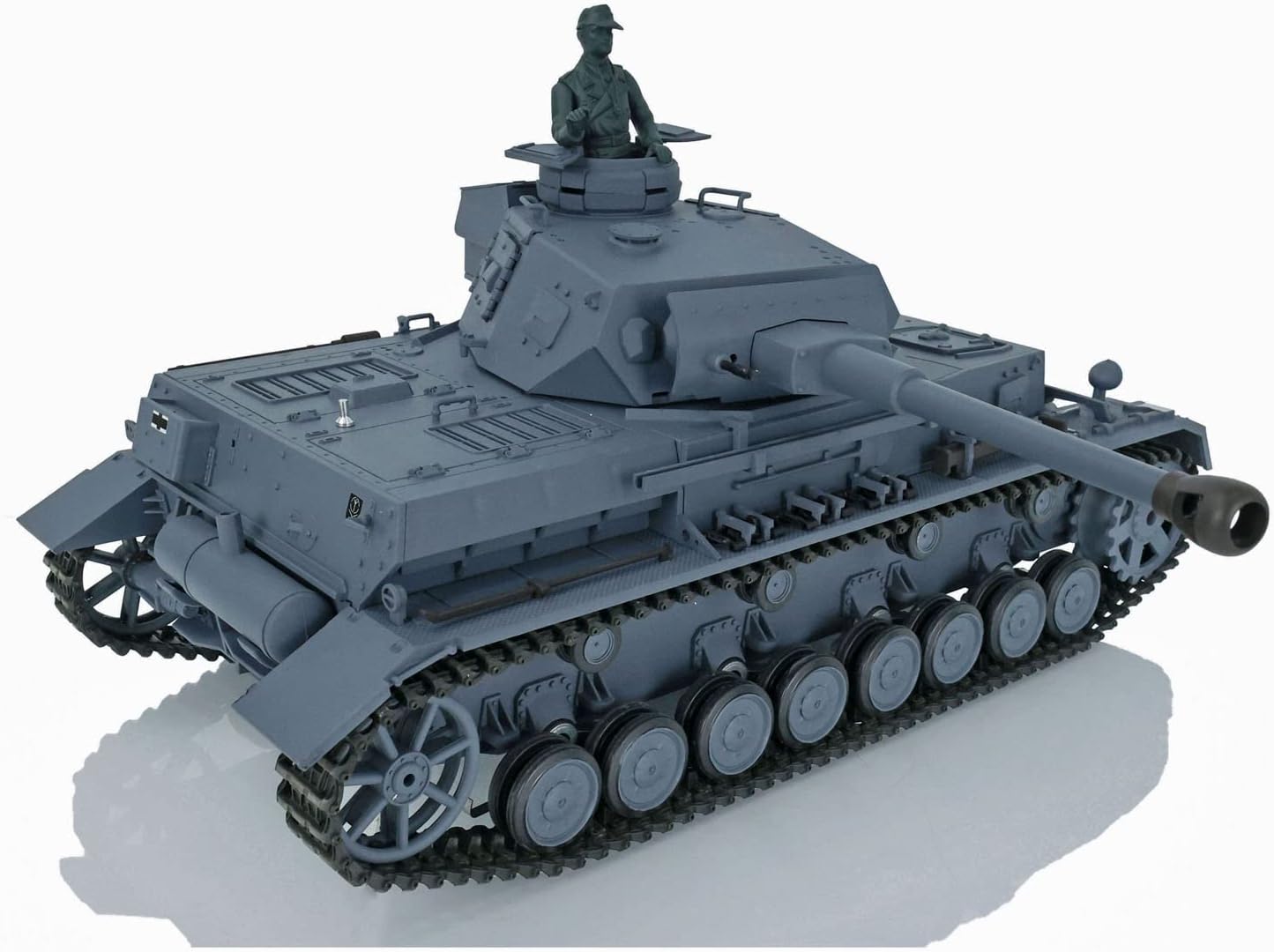
Image 6.2: Angled view of the tank, showcasing the turret and hull details.
6.3 Firing BB Pellets
Ensure BB pellets are loaded and the area is clear of people and animals. Use the dedicated firing button on the controller to shoot 6mm BB pellets. The tank will exhibit hull-recoil action and firing sound effects.
6.4 Smoke Generator Operation
If smoke liquid has been added, activate the smoke generator using the corresponding button on the controller. Allow a few moments for the generator to heat up and produce smoke.
6.5 Sound Effects
The 7.0 mainboard offers two sound options. Use the sound mode button on the controller to switch between them. Sounds include engine idle, acceleration, firing, and more.
6.6 Infrared Combat System
To engage in multi-player tank battles, ensure all participating tanks are equipped with compatible infrared combat systems. Follow the specific instructions for infrared combat mode, usually involving a 'hit' sensor and health indicator on each tank.
7. Maintenance
7.1 Cleaning
After each use, especially outdoors, clean the tank to remove dirt, dust, and debris. Use a soft, dry cloth. For stubborn dirt, a slightly damp cloth can be used, but ensure no water enters electronic components.
7.2 Battery Care
- Always fully charge the tank battery before use.
- Do not overcharge or completely discharge the battery.
- Store batteries in a cool, dry place away from direct sunlight.
- Remove batteries from the tank and controller if not in use for an extended period.
7.3 Track Maintenance
Regularly inspect the tracks for any debris, damage, or loose links. Clean the tracks and road wheels to ensure smooth operation. Lubricate moving parts if recommended by the manufacturer (refer to the paper manual for specific lubrication points).

Image 7.1: Detailed view of the tank's track system and individual road wheels.
8. Troubleshooting
If you encounter issues with your tank, refer to the following common problems and solutions:
- Tank Not Responding:
- Check if both the tank and controller are powered on.
- Ensure batteries are fully charged and correctly installed.
- Verify that the controller and tank are properly paired.
- No BB Firing:
- Confirm BB pellets are loaded correctly.
- Check for any obstructions in the barrel.
- Smoke Generator Not Working:
- Ensure smoke liquid has been added.
- Allow sufficient time for the generator to heat up.
- Abnormal Sounds or Movement:
- Inspect tracks and gears for debris or damage.
- Ensure all connections are secure.
If problems persist after attempting these solutions, please contact customer support for further assistance.
9. Warranty and Support
For warranty information, technical support, or replacement parts, please refer to the contact details provided with your purchase documentation or visit the official Heng Long website. Keep your proof of purchase for any warranty claims.


