
Introduction
Thank you for choosing the Betus Digital Travel Alarm Clock. This compact and versatile device is designed to provide you with essential information on the go, including time, date, day, and temperature. Its foldable design makes it an ideal companion for travel or for use in small spaces. This manual will guide you through the setup, operation, and maintenance of your new alarm clock.
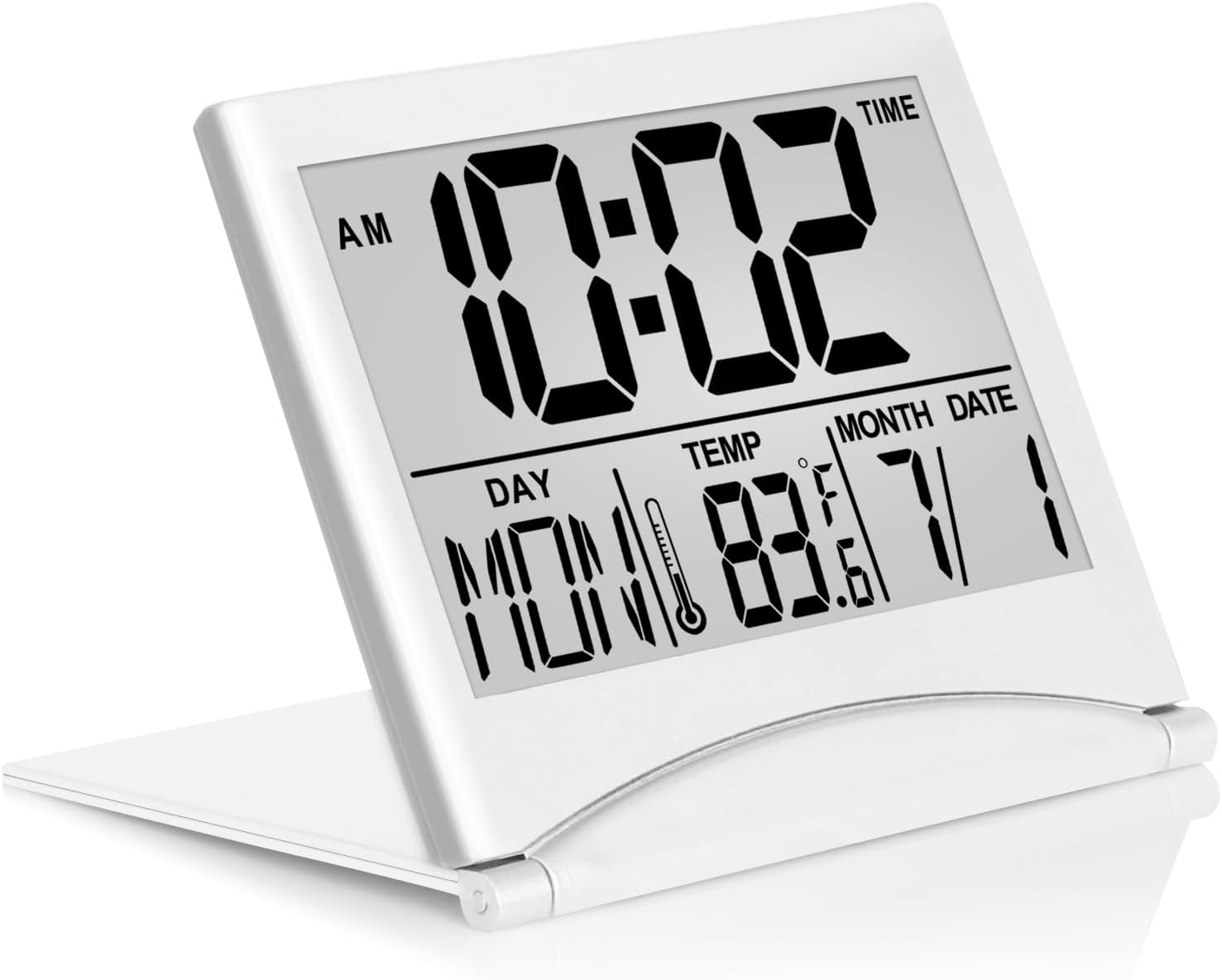
The Betus Digital Travel Alarm Clock in silver, shown unfolded and standing, displaying time, day, temperature, month, and date.
Product Features
- Multiple Functions: Displays time, date, day, and temperature. Includes alarm clock and timer features.
- Portable & Elegant: Minimized size (3 x 3.4 x 0.5 inches) and lightweight (2.24 ounces) with a collapsible stand, perfect for travel or desk use.
- Large Display: Features a large font display for easy readability.
- Battery Operated: Requires 1 CR2032 battery (not included).
- No Backlight: Please note this clock does not feature a backlight.

An image illustrating the various functions of the clock, including time, alarm, snooze, date, temperature, and countdown, with a note indicating no backlight.
Setup
Battery Installation
The clock requires one CR2032 battery. To install or replace the battery:
- Open the battery compartment cover on the back of the clock.
- Insert the CR2032 battery with the positive (+) side facing up.
- Close the battery compartment cover securely.
Initial Setup and Time Setting
Before setting the time, ensure the year is correctly updated to ensure the day of the week aligns with the date. Press the 'SET' button three times to access the year setting.

The rear of the clock, detailing the layout of control buttons for setting time, alarm, timer, and adjusting units.
Follow these steps to set the time and date:
- Press the MODE button once to enter Time mode.
- Press the SET button. The hour digits will flash. Use the UP/SNZ and DOWN/C/F buttons to adjust the hour.
- Press SET again to set the minute. Use UP/SNZ and DOWN/C/F buttons to adjust the minute.
- Continue pressing SET to cycle through and set the Year, Month, and Date using the UP/SNZ and DOWN/C/F buttons.
- Once all settings are complete, press SET to exit the setting mode.

A visual guide demonstrating the sequence of button presses (SET, UP, DOWN) to configure the clock's time, year, month, and date settings.
Operating Instructions
Time and Temperature Display
The clock displays time (AM/PM or 24-hour format), day of the week, temperature (Fahrenheit or Celsius), month, and date. To switch between Fahrenheit and Celsius, press the DOWN/C/F button.
Alarm Function
To set the alarm:
- Press the MODE button once to enter Alarm mode. The alarm icon will appear.
- Press the SET button. The hour digits will flash. Use UP/SNZ and DOWN/C/F buttons to set the desired alarm hour.
- Press SET again to set the alarm minute. Use UP/SNZ and DOWN/C/F buttons to set the desired alarm minute.
- Press SET to confirm.
To activate/deactivate the alarm, while in Alarm mode, press the UP/SNZ or DOWN/C/F button to toggle the alarm icon on or off. When the alarm sounds, press any button to activate snooze. To turn off the alarm completely, press the SET button.

The clock showing the alarm time and snooze icon, indicating the snooze function is active. Pressing any button activates snooze, pressing SET discharges the alarm.
Official video demonstrating how to set the alarm on the Betus Digital Travel Alarm Clock.
Timer Function
To use the timer (countdown) function:
- Press the TIMER button to enter Timer mode. The timer icon will appear.
- Press the SET button. The hour digits will flash. Use UP/SNZ and DOWN/C/F buttons to set the desired timer duration (hours, minutes, seconds).
- Press SET to confirm each segment.
- Once the duration is set, press TIMER again to start the countdown.
- To pause/resume the timer, press TIMER. To stop and reset the timer, press SET.
Official video demonstrating how to set the timer on the Betus Digital Travel Alarm Clock.
Maintenance
To ensure the longevity and optimal performance of your Betus Digital Travel Alarm Clock, please follow these maintenance guidelines:
- Cleaning: Wipe the clock with a soft, dry cloth. Do not use abrasive cleaners or solvents, as they may damage the display or casing.
- Battery Replacement: Replace the CR2032 battery when the display becomes dim or erratic. Refer to the 'Battery Installation' section for instructions.
- Storage: When not in use for extended periods, fold the clock to protect the screen and store it in a cool, dry place.
- Avoid Extreme Conditions: Do not expose the clock to extreme temperatures, direct sunlight, or high humidity.
Troubleshooting
| Problem | Possible Cause | Solution |
|---|---|---|
| Incorrect Day/Date | Year not updated correctly. | Press the 'SET' button three times to get to the year setting and adjust it to the current year. The day of the week will then automatically correct itself. |
| Time slows down/becomes inaccurate | Low battery or internal clock drift over time. | Replace the battery. If the issue persists, reset the time as per the 'Initial Setup and Time Setting' section. Regular time adjustments may be necessary over long periods. |
| Display is dim or blank | Low or dead battery. | Replace the CR2032 battery. |
| Alarm does not sound | Alarm not activated or set incorrectly. | Ensure the alarm icon is displayed in Alarm mode. Re-check alarm time settings. |
Specifications
- Brand: Betus
- Model: B.Clock.Fold.Silver
- Color: Silver
- Display Type: Digital
- Product Dimensions: 3"W x 3.4"H x 0.5"D (folded)
- Item Weight: 2.24 ounces
- Power Source: Battery Powered (1 CR2032 battery required)
- Material: Acrylonitrile Butadiene Styrene
- Special Features: Foldable, Alarm, Temperature Display, Timer, Calendar Display, Snooze
Warranty
All Betus products, including this Digital Travel Alarm Clock, are covered by a 1-year limited warranty from the date of purchase. This warranty covers manufacturing defects and issues arising from normal use. Please retain your proof of purchase for warranty claims.
Support
For further assistance or detailed instructions, you may refer to the official User Manual PDF or visit the Betus store:
- Official User Manual (PDF): Download PDF
- Visit the Betus Store: Betus Store on Amazon


