
Nobsound G2 PRO
Contents
Nobsound G2 PRO HiFi Monoral Digital Power Amplifier User Manual
Model: G2 PRO
1. Introduction
Thank you for purchasing the Nobsound G2 PRO HiFi Monoral Digital Power Amplifier. This manual provides essential information for the proper setup, operation, and maintenance of your device. Please read it thoroughly before use to ensure optimal performance and longevity. The G2 PRO is designed to deliver high-fidelity audio, featuring a powerful TPA3255D2 amplifier chip and versatile connectivity options for both full-range speakers and subwoofers.
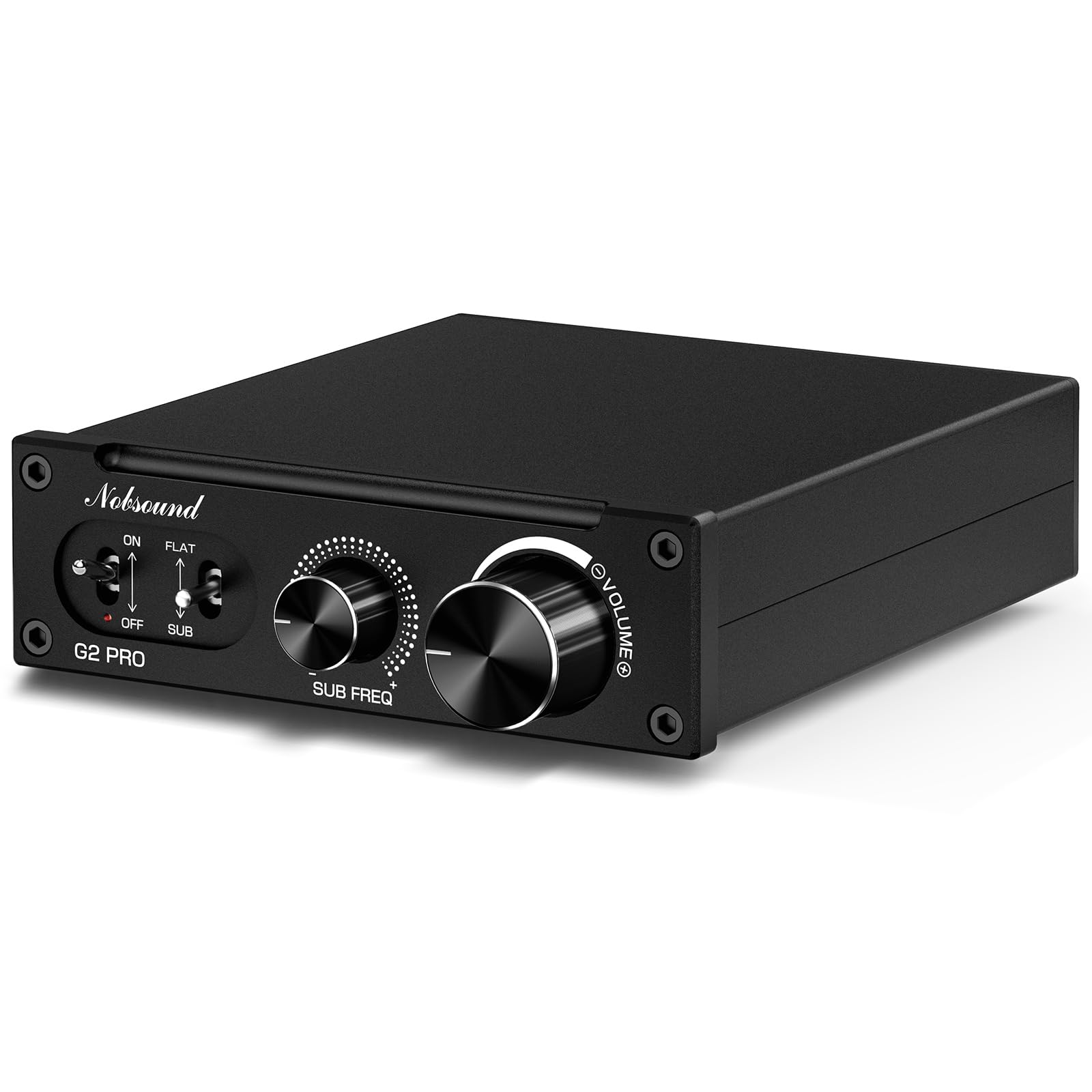
Image 1.1: Nobsound G2 PRO HiFi Monoral Digital Power Amplifier.
2. Key Features
- High-Efficiency Power Amplifier Design: Equipped with the TPA3255D2 amplifier chip, the G2 PRO delivers high-efficiency performance. It can drive speakers or subwoofers with a 32V/5A power adapter, providing robust audio output.
- Versatile Switch Functionality: The PBTL/SUB switch allows flexible configuration as either a full-range amplifier or a subwoofer amplifier. This enables independent driving of left and right channels, optimizing for various system setups.
- Superior Sound Quality: Features a 2-stage output level setting, SUB frequency adjustment, and gain switch for precise sound tuning to match your audio environment. Built-in speaker protection circuitry and a low-pass filter ensure clear and crisp sound reproduction.
- Speaker Protection and Adjustment: Supports impedance from 2-8Ω. The low-pass cutoff frequency is adjustable from 40-300Hz, allowing for optimal sound performance tailored to your system.
- High-Quality Specifications: Operates at DC24-35V, boasts a Signal-to-Noise Ratio (SNR) of 106dB, input sensitivity of 0.775V, and a Total Harmonic Distortion (THD) of 0.03% at 1W output. The bass attenuation slope is -12dB, ensuring deep bass reproduction.
3. Package Contents
Please check the package carefully for the following items:
- 1x Nobsound G2 PRO Amplifier
- 1x DC 32V/5A Power Adapter
- 1x User Manual

Image 3.1: Contents of the Nobsound G2 PRO package, including the amplifier unit, power adapter, and user manual.
4. Setup Guide
Follow these steps to set up your Nobsound G2 PRO amplifier.
4.1. Connecting Power
- Ensure the amplifier's power switch is in the "OFF" position.
- Connect the DC 32V/5A power adapter to the "DC24-48V" input port on the rear panel of the amplifier.
- Plug the power adapter into a suitable wall outlet.

Image 4.1: Overview of the Nobsound G2 PRO's front and rear panels, showing input and output ports, and controls.
4.2. Audio Input Connection (RCA)
Connect your audio source (e.g., phone, tablet, CD/DVD player, TV, computer) to the "AUDIO IN" RCA ports on the rear panel.

Image 4.2: Close-up of the RCA audio input ports (L/R) on the Nobsound G2 PRO.
4.3. Speaker/Subwoofer Output Connection
The G2 PRO can operate in two modes: Full-Range Amplifier (FLAT) or Subwoofer Amplifier (SUB).
- For Full-Range Speakers (FLAT Mode):
- Set the PBTL/SUB switch on the front panel to "FLAT".
- Connect your passive full-range speakers to the "SPEAKER OUT" binding posts on the rear panel. Ensure correct polarity (+ to + and - to -).
- For Subwoofer (SUB Mode):
- Set the PBTL/SUB switch on the front panel to "SUB".
- For Passive Subwoofer: Connect your passive subwoofer to the "SPEAKER OUT" binding posts.
- For Active Subwoofer: Connect the "SUB OUT" RCA port on the rear panel to the input of your active subwoofer.

Image 4.3: Diagram illustrating the PBTL/SUB switch settings for FLAT (full-range) and SUB (subwoofer) modes.

Image 4.4: Close-up of the speaker output binding posts on the Nobsound G2 PRO.

Image 4.5: Close-up of the SUB OUT RCA port for active subwoofer connection.
5. Operating Instructions
5.1. Power On/Off
Flip the "ON/OFF" toggle switch on the front panel to the "ON" position to power on the amplifier. The power indicator light will illuminate. Flip it to "OFF" to power down.
5.2. Volume Control
Rotate the large "VOLUME" knob on the front panel clockwise to increase the output volume and counter-clockwise to decrease it.
5.3. PBTL/SUB Switch
This switch determines the amplifier's operating mode:
- FLAT: For driving full-range speakers. The amplifier will output the full audio spectrum.
- SUB: For driving subwoofers. The amplifier will apply a low-pass filter, outputting only low frequencies.

Image 5.1: Close-up of the PBTL/SUB toggle switch on the Nobsound G2 PRO.
5.4. SUB Freq Adjustment (SUB Mode Only)
When in "SUB" mode, use the "SUB FREQ" knob to adjust the low-pass cutoff frequency from 40Hz to 300Hz. This allows you to fine-tune the bass response to your preference and match your subwoofer.

Image 5.2: Close-up of the SUB FREQ adjustment knob, indicating the 40Hz-300Hz range.
5.5. Gain Setting
The G2 PRO features a unique gain control with 32dB and 36dB settings to optimize input level matching. Adjust the DIP switches (SW1, SW2) on the bottom or side of the unit according to the diagram for desired gain.

Image 5.3: Diagram showing the DIP switch settings for 32dB and 36dB gain levels.
6. Specifications
| Feature | Specification |
|---|---|
| Brand | Nobsound |
| Model Number | G2 PRO |
| Amplifier Chip | TPA3255D2 |
| Working Voltage | DC 24-35V (Recommended 32V/5A) |
| Output Power | Up to 300W (depending on power supply and load) |
| Speaker Impedance | 2-8Ω |
| SNR (Signal-to-Noise Ratio) | 106dB |
| Input Sensitivity | 0.775V |
| THD (Total Harmonic Distortion) | 0.03% (at 1W output) |
| Low-Pass Cutoff Frequency | Adjustable 40-300Hz (in SUB mode) |
| Bass Attenuation Slope | -12dB |
| Channels | 1 (Monoral) |
| Mounting Type | Tabletop |
7. Troubleshooting
If you encounter any issues with your Nobsound G2 PRO, please refer to the following common problems and solutions:
- No Power:
- Ensure the power adapter is securely connected to both the amplifier and a working power outlet.
- Verify the power switch is in the "ON" position.
- Check if the power adapter is functioning correctly.
- No Sound Output:
- Check all audio cable connections (input and output) for secure fit and correct polarity.
- Ensure the audio source is playing and its volume is turned up.
- Adjust the amplifier's "VOLUME" knob.
- Verify the PBTL/SUB switch is set correctly for your speakers (FLAT for full-range, SUB for subwoofer).
- If using an active subwoofer, ensure it is powered on and its volume is adjusted.
- Distorted Sound:
- Reduce the input volume from your audio source.
- Lower the amplifier's "VOLUME" knob.
- Check speaker impedance compatibility (2-8Ω).
- Ensure speaker wires are not frayed or shorting.
- Humming or Noise:
- Ensure all cables are properly shielded and away from power cords.
- Try a different power outlet.
- Disconnect input cables to determine if the noise originates from the source device.
8. Care and Maintenance
To ensure the longevity and optimal performance of your Nobsound G2 PRO amplifier, please follow these guidelines:
- Cleaning: Use a soft, dry cloth to clean the exterior of the amplifier. Do not use liquid cleaners or aerosols, as they may damage the finish or internal components.
- Placement: Place the amplifier on a stable, flat surface with adequate ventilation. Avoid placing it in direct sunlight, near heat sources, or in areas with high humidity or dust.
- Power: Always disconnect the power adapter from the wall outlet if the unit will be unused for an extended period.
- Handling: Avoid dropping or subjecting the amplifier to strong impacts.
9. Warranty and Support
For warranty information, technical support, or service inquiries, please contact Nobsound customer service through the retailer where you purchased the product or visit the official Nobsound website.
You can find more information and contact details on the Nobsound brand store: Nobsound Douk Audio Store.
Documents and downloads
Ask a question about this manual
Ask about setup, troubleshooting, compatibility, parts, safety, or missing instructions. Manuals+ will review the question and use this page’s manual context to help answer it.