
1. Introduction
This user manual provides essential information for the safe and effective operation of your ZKYMZL 7x12W RGBW (4-in-1) LED Stage Lighting unit, Model RAON-61. This moving head DJ light is designed for professional stage shows, parties, weddings, discos, KTVs, and other events, offering versatile lighting effects with its RGBW color mixing and precise movement capabilities.
What's in the Box:
- 1 x ZKYMZL Moving Head DJ Light
- 1 x Power Cable
- 1 x Mounting Bracket
- 2 x Screws (pre-installed on the bottom of the light)
- 1 x User Manual (this document)
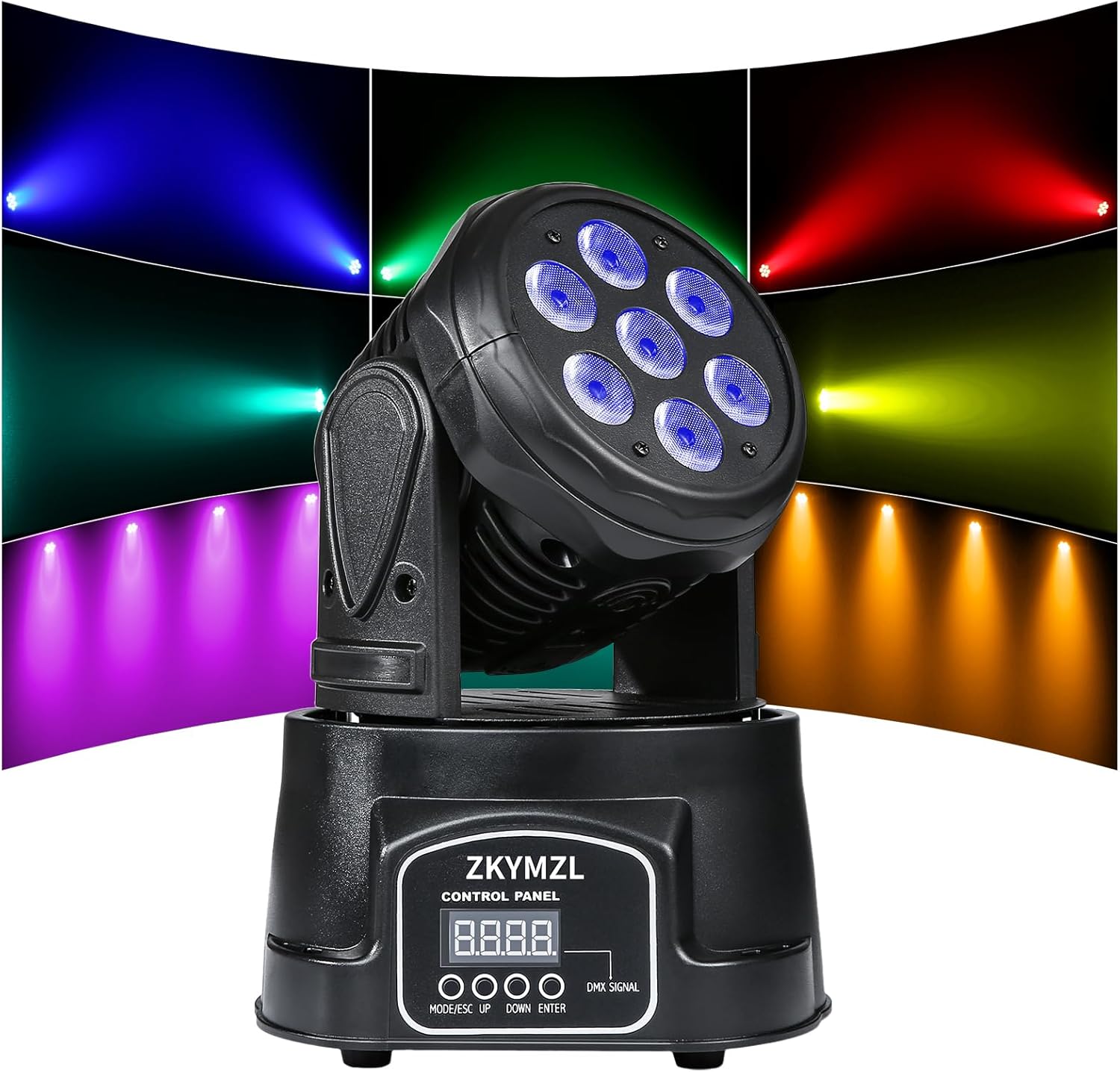
Front view of the ZKYMZL Moving Head DJ Light, showcasing its compact design and control panel.
2. Safety Information
Please read all safety instructions carefully before operating the device. Failure to follow these instructions may result in electric shock, fire, or serious injury.
- Electrical Safety: Ensure the power supply voltage matches the device's requirements (AC 1.2E+2 Volts). Always connect to a grounded outlet. Disconnect power before cleaning or servicing.
- Placement: Install the fixture in a well-ventilated area, away from flammable materials. Maintain at least 0.5 meters (1.6 feet) clearance from walls or other objects. Avoid direct exposure to water or high humidity.
- Handling: Do not look directly into the light source when the fixture is operating, as it can cause eye damage. Avoid touching the fixture during operation, as it may become hot.
- Mounting: When hanging the fixture, ensure it is securely fastened to a stable structure using appropriate clamps and safety cables. The flexible bracket allows for various mounting options.
- Maintenance: Only qualified personnel should perform repairs. Do not attempt to modify the device.
3. Setup and Installation
Proper setup ensures optimal performance and safety of your ZKYMZL LED Stage Lighting unit.
3.1 Mounting the Fixture
The fixture features a flexible bracket for versatile positioning. It can be placed on a flat surface (floor), mounted on a wall, or hung from a truss system. Ensure the mounting surface or structure can safely support the weight of the fixture (6 pounds).
- Floor Placement: Position the light on a stable, level surface.
- Wall/Truss Mounting: Use appropriate clamps (not included) to secure the bracket to a truss or wall. Always use a safety cable (not included) as an additional safety measure to prevent the fixture from falling.

Diagram illustrating the cooling system and key dimensions (9.8 inches height, 7.0 inches width) of the ZKYMZL Moving Head DJ Light.
3.2 Power Connection
Connect the provided power cable to the power input on the rear of the fixture and then to a suitable grounded power outlet.
3.3 DMX Connection (Optional)
For DMX control, connect a DMX cable from your DMX controller's output to the DMX IN port on the fixture. If daisy-chaining multiple fixtures, connect from the DMX OUT of the first fixture to the DMX IN of the next.
4. Operating Modes and Controls
The ZKYMZL Moving Head DJ Light offers multiple control modes for various applications.
4.1 Control Panel Overview
The control panel on the front of the unit features a digital display and several buttons (MODE/ESC, UP, DOWN, ENTER) for navigating menus and selecting settings.
4.2 Available Control Modes
- DMX512 Mode: This professional mode allows precise control over all fixture functions using a DMX controller. The light automatically detects a DMX signal; no D001 settings are required. The fixture supports 9 or 14 DMX channels.
- Master-Slave Mode: Connect multiple units via DMX cables. Set one unit as the "Master" and others as "Slave." The slave units will automatically mimic the master's movements and effects.
- Sound Activated Mode: The fixture's movements and light patterns will react to ambient sound or music, ideal for dynamic party environments.
- Automatic Mode: The fixture runs through pre-programmed light shows and movement sequences without external input.

Illustration of the ZKYMZL Moving Head DJ Light's movement capabilities, showing 180-degree tilt and 540-degree pan rotation.
4.3 Light Effects and Features
The fixture features 7 x 12W RGBW (Red, Green, Blue, White) 4-in-1 LEDs, enabling a wide spectrum of colors through mixing. It produces striking color mixing effects and precise X-axis (pan) and Y-axis (tilt) rotation for dynamic light shows.

Close-up view of the ZKYMZL Moving Head DJ Light's optical lens combination, highlighting the clear lamp bead cover and light transmission.

Examples of the ZKYMZL Moving Head DJ Light's various color outputs and beam patterns, including blue, red, white, green, purple, and yellow.

Collage showing the ZKYMZL Moving Head DJ Light in various event settings: wedding, KTV bar, indoor show, and outdoor show.
5. Maintenance and Care
Regular maintenance ensures the longevity and optimal performance of your ZKYMZL LED Stage Lighting unit.
5.1 Cleaning
Periodically clean the exterior of the fixture with a soft, dry cloth. For lenses, use a soft cloth and a non-abrasive cleaner designed for optics. Ensure the fixture is unplugged and cool before cleaning.
5.2 Cooling System
The fixture is equipped with a built-in aluminum alloy heat sink and fan for powerful cooling and heat dissipation. Ensure ventilation openings are not obstructed to maintain efficient cooling and prevent overheating.
5.3 Durability
Constructed with a full metal structure and a premium plastic shell, this fixture is designed for durability. The superior LEDs have a long lifespan, and a constant current control board ensures exceptional stability.
6. Troubleshooting
If you encounter issues with your ZKYMZL LED Stage Lighting unit, refer to the common problems and solutions below. For more complex issues, please contact customer support.
| Problem | Possible Cause | Solution |
|---|---|---|
| Light does not power on. | No power supply; faulty cable; power outlet issue. | Check power cable connection. Ensure power outlet is functional. Try a different power cable. |
| No DMX control. | Incorrect DMX cable connection; incorrect DMX address; faulty DMX controller. | Verify DMX cable connections (IN/OUT). Ensure the DMX address on the fixture matches your controller settings. Test with a different DMX cable or controller. |
| Light movement is erratic or unresponsive. | Interference; mechanical obstruction; internal fault. | Ensure no physical obstructions. Check DMX signal quality. Power cycle the unit. If problem persists, contact support. |
| Colors are incorrect or inconsistent. | DMX channel settings; internal LED issue. | Review DMX channel assignments for color control. If in auto or sound mode, power cycle. |
7. Technical Specifications
| Feature | Detail |
|---|---|
| Model Number | RAON-61 |
| Light Source | 7 x 12W RGBW (4-in-1) LEDs |
| Control Channels | 9/14 DMX Channels |
| Control Modes | DMX512, Master-Slave, Sound Activated, Automatic |
| Pan Rotation | 540 degrees |
| Tilt Rotation | 180 degrees |
| Input Voltage | AC 1.2E+2 Volts |
| Wattage | 70 Watts (Max Compatible: 84 Watts) |
| Material | Iron, Plastic |
| Finish Type | Polished |
| Product Dimensions | 7"L x 7"W x 9.8"H |
| Item Weight | 6 Pounds |
| Manufacturer | ZKYMZL |
| UPC | 606157108011 |
8. Warranty and Support
As a professional manufacturer of stage lighting, ZKYMZL is committed to providing strong technical support and excellent after-sales consultation for its products.
For any inquiries, technical assistance, or warranty claims, please contact ZKYMZL customer service. Our team is available 365 days a year to address your concerns and ensure your satisfaction.
Please refer to your purchase documentation or the ZKYMZL official website for specific warranty terms and contact information.
For additional resources, you may also refer to the official User Manual (PDF) available online.


