
1. Product Overview
The CATLINK Scooper Young Version is an intelligent, self-cleaning cat litter box designed to simplify pet care. It features automatic cleaning, app control, and advanced odor removal capabilities, making it suitable for multi-cat households.
This automatic litter box is equipped with multi-cat recognition and provides toilet data analysis for each cat through the dedicated CATLINK app. Its extra-large capacity minimizes the frequency of waste disposal.

Figure 1: The CATLINK Scooper Young Version Intelligent Self-Cleaning Cat Litter Box, showcasing its sleek design and a cat comfortably using the interior.
Key Features:
- Automatic Self-Cleaning: Automatically cleans the litter box after your cat uses it.
- App Control: Manage settings, monitor usage, and receive notifications via the CATLINK app.
- Double Odor Removal: Features a sealed rubber ring and industrial-grade deodorizing filter cotton, along with a carbon filter, to effectively prevent and eliminate odors.
- Multi-Cat Recognition: Identifies individual cats and tracks their toilet data for health monitoring.
- Multiple Operating Modes: Includes Auto, Manual, Timer, and Empty modes for flexible use.
- Safety Protection Technology: Equipped with anti-pinch, infrared, and gravity sensors to ensure your cat's safety. The unit stops operation if a cat is detected inside or approaching.
2. Safety Information
For optimal performance and safety, please adhere to the following guidelines:
- Always place the litter box on a hard, flat surface. The unit's pressure sensors on the bottom require a stable base to function correctly. If placing on carpet, use a sturdy wooden board underneath to ensure accurate weight detection.
- Do not lean the litter box against walls or furniture, as this can interfere with the pressure sensors and other safety mechanisms.
- Ensure there is no cat litter or foreign objects in the ball cabin or trash box during the zeroing program or self-checking process to prevent malfunctions.
- The unit is equipped with multiple sensors (anti-pinch, infrared, gravity) to detect your cat's presence. Do not obstruct these sensors.
3. What's Included
Upon unboxing your CATLINK Scooper Young Version, please ensure all the following components are present:
- CATLINK Scooper Young Version Intelligent Self-Cleaning Cat Litter Box Unit
- Power Cord (fabric cord)
- User Manual
- Warranty Card
- 3 Rolls of Special Cat Litter Trash Bags (wide and shallow design)

Figure 2: Included accessories with the CATLINK Scooper Young Version.
Optional Accessories:
- CATLINK Ramp: Sold separately, this ramp provides easy entry for elder cats, kittens, or cats with limited mobility. Its design also helps trap litter from paws, keeping your home cleaner. It features rubberized feet for stability and can be used for storage.
4. Setup
- Placement: Choose a suitable location for the litter box, ensuring it is on a hard, flat surface and not leaning against any walls or furniture.
- Power On & Zeroing: Plug in the power cord. After the machine is powered on, press and hold the Mode key. After hearing a beep twice, release the key to activate the zeroing program. The machine will then start its self-checking process. Once self-checking is complete, the device can be used normally. Ensure there is no cat litter or anything in the ball cabin or trash box during this process.
- App Download: Scan the QR code in the user manual (or search 'CATLINK' in your device's app store) to download the CATLINK app.
- App Registration & Device Connection: Register an account in the app using your phone number. Follow the in-app instructions to add your 'Scooper' device. You will need to press and hold the WiFi connection button on the litter box until its indicator flashes to connect it to the app.
- Initial Litter Fill: Add cat litter to the main compartment. The unit is designed to control the litter level to prevent overflow.
5. Operating Modes
The CATLINK Scooper Young Version offers several operating modes for your convenience, accessible via the control panel or the CATLINK app:
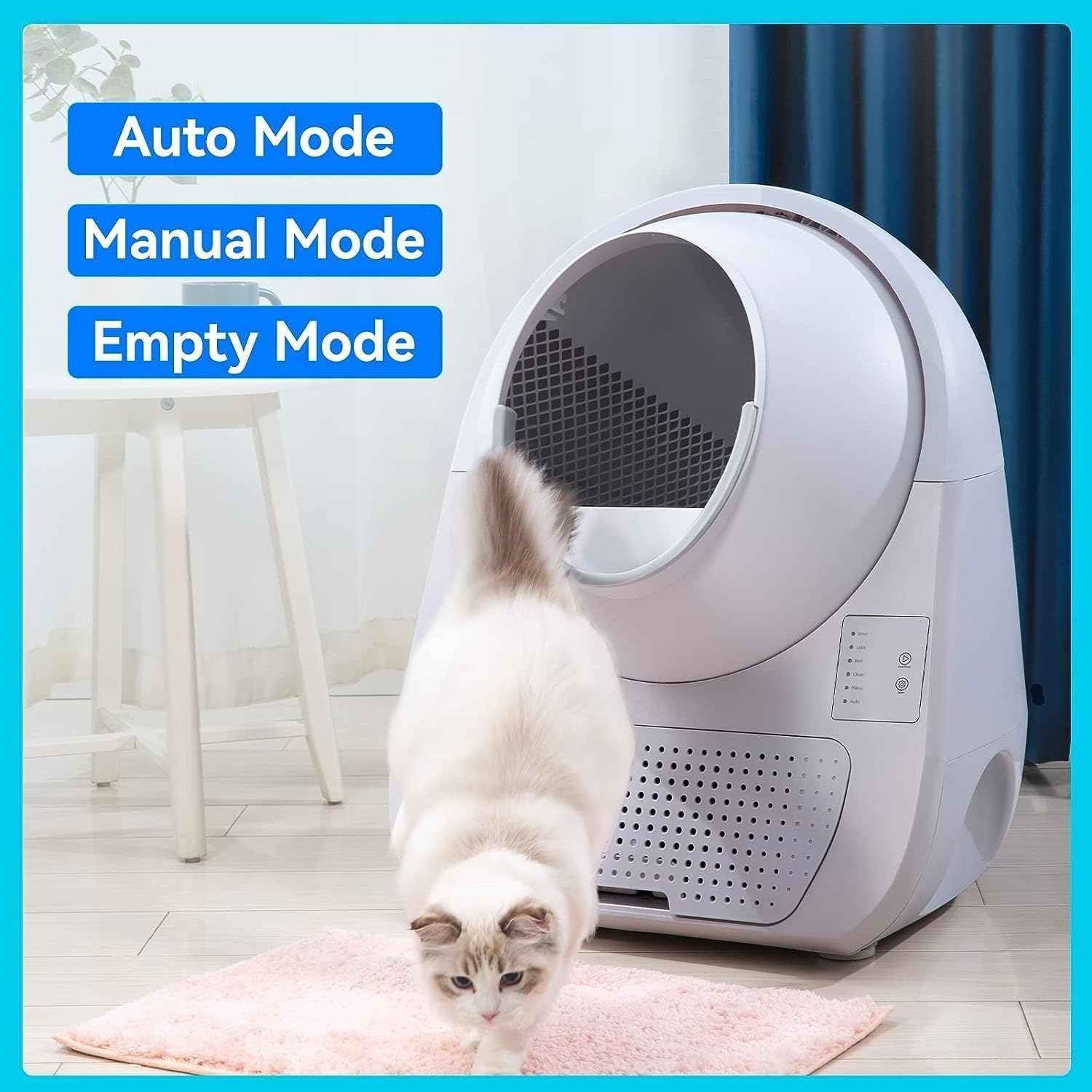
Figure 3: Control panel and app interface highlighting the various operating modes.
- Auto Mode: The default mode where the litter box automatically cleans after your cat uses it. You can set a delay time (e.g., 1, 3, 5, 7, 10, 15, or 30 minutes) after your cat exits the box before cleaning begins.
- Manual Mode: Allows you to initiate a cleaning cycle manually at any time. This is useful for spot cleaning or if you wish to clean outside of the automatic schedule.
- Timer Mode: Schedule specific times for the litter box to perform cleaning cycles.
- Empty Mode: This mode completely empties all the litter from the main compartment into the waste bin, making it easy to replace all the litter.
App Features:
- Real-time Monitoring: View current temperature, humidity, and remaining litter levels.
- Multi-Cat Profiles: Create individual profiles for each cat, including nickname, breed, gender, birthday, and weight. The system can identify different cats and track their usage.
- Health Report: Access daily records of your cats' toilet usage, including frequency and duration, which can be helpful for monitoring their health.
6. Maintenance
Regular maintenance ensures optimal performance and hygiene of your CATLINK litter box.
- Emptying the Waste Bin: The waste bin has a 13L capacity. Simply pull out the drawer at the bottom of the unit, remove the filled trash bag, and replace it with a new one. This process is designed for easy and hygienic disposal.

Figure 4: The large capacity waste bin, designed for easy removal and replacement of trash bags.
- Replacing Carbon Filters: The unit includes carbon filters for odor elimination. To replace them, remove the four screws on the bottom of the waste bin compartment. It is recommended to replace these filters every 3 to 5 days, depending on usage.

Figure 5: Detail of the deodorizing filter system, which contributes to the double odor removal.
- Deep Cleaning the Main Unit: Periodically, you may want to deep clean the main rotating drum. This part can be easily detached, hosed down, and dried before reassembling.
- Cleaning the Ramp (if applicable): If you use the optional CATLINK Ramp, its top mesh part can be removed. Collected litter can be easily dumped out through a trap door at the bottom of the ramp.
7. Troubleshooting
If you encounter any issues with your CATLINK Scooper Young Version, please refer to the following common troubleshooting tips:
- Error Indicator: If the 'Error' light on the control panel illuminates, check the app for specific error codes or messages that can help diagnose the problem.
- Cleaning Malfunctions: Ensure the unit is placed on a completely flat and hard surface. Uneven surfaces can affect the pressure sensors, leading to improper cleaning cycles.
- Odor Issues: Verify that the waste bin is properly sealed and that the carbon filters are not expired and are correctly installed.
- Connectivity Problems: If the app cannot connect to the device, ensure your Wi-Fi network is stable and that the litter box is within range. Re-attempt the device connection process as outlined in the Setup section.
For further assistance, consult the comprehensive user manual available via the QR code or contact CATLINK customer support.
8. Specifications
| Feature | Detail |
|---|---|
| Model Number | CL-03 |
| Brand | CATLINK |
| Product Dimensions (LxWxH) | 15.75 x 15.75 x 22.05 inches |
| Item Weight | 2.2 Pounds (approx. 1 Kilogram) |
| Waste Bin Capacity | 13 Liters |
| Material | Plastic |
| Litter Box Type | Automated Self-Cleaning Litter Box |
| Control | App Control, Manual Buttons |
| Safety Features | Anti-pinch Sensor, Infrared Sensor, Gravity Sensor |
| Odor Control | Sealed Rubber Ring, Deodorizing Filter Cotton, Carbon Filter |
| Compatibility | Clumping Litter (Bentonite), Mixed Litter (Mineral Stone, Paper, Crystal) |
| Country of Origin | China |
| Date First Available | March 12, 2023 |
9. Warranty and Support
Your CATLINK Scooper Young Version Intelligent Self-Cleaning Cat Litter Box comes with a 24-month warranty from the date of purchase.
For detailed warranty terms, troubleshooting guides, and frequently asked questions, please refer to the user manual provided with your product or access the digital version through the CATLINK app by scanning the QR code on the included warranty card.
The CATLINK app also provides comprehensive support, including health reports for your cats and direct access to user manuals in multiple languages (English, Traditional Chinese, Japanese, Korean, Vietnamese, Thai, French, German, Italian, Spanish, Portuguese).


