
1. Introduction
The XTAR Dragon VP4L Plus is an advanced 4-slot intelligent universal battery charger, analyzer, and tester. It is designed to charge a wide range of Li-ion and Ni-MH batteries, as well as 11.1V/3S battery packs. This device offers multiple functions including charging, capacity testing, internal resistance measurement, and 0V activation, providing comprehensive battery management.
2. Safety Instructions
- Only charge compatible battery types as specified in the 'Specifications' section. Do not attempt to charge 1.5V batteries.
- Ensure correct battery polarity when inserting batteries into the charger slots. Incorrect insertion can cause damage.
- Keep the charger away from water, moisture, and high temperatures.
- Do not disassemble or modify the charger. Refer all servicing to qualified personnel.
- Use only the provided power adapter and cables.
- Keep out of reach of children.
3. Package Contents
The XTAR Dragon VP4L Plus package includes the following items:
- 1x DRAGON VP4L Plus Charger
- 1x Charger Pouch
- 1x 3A Car Adapter
- 1x Pair of Probes
- 1x 12V 3A Adapter
- 1x User Manual
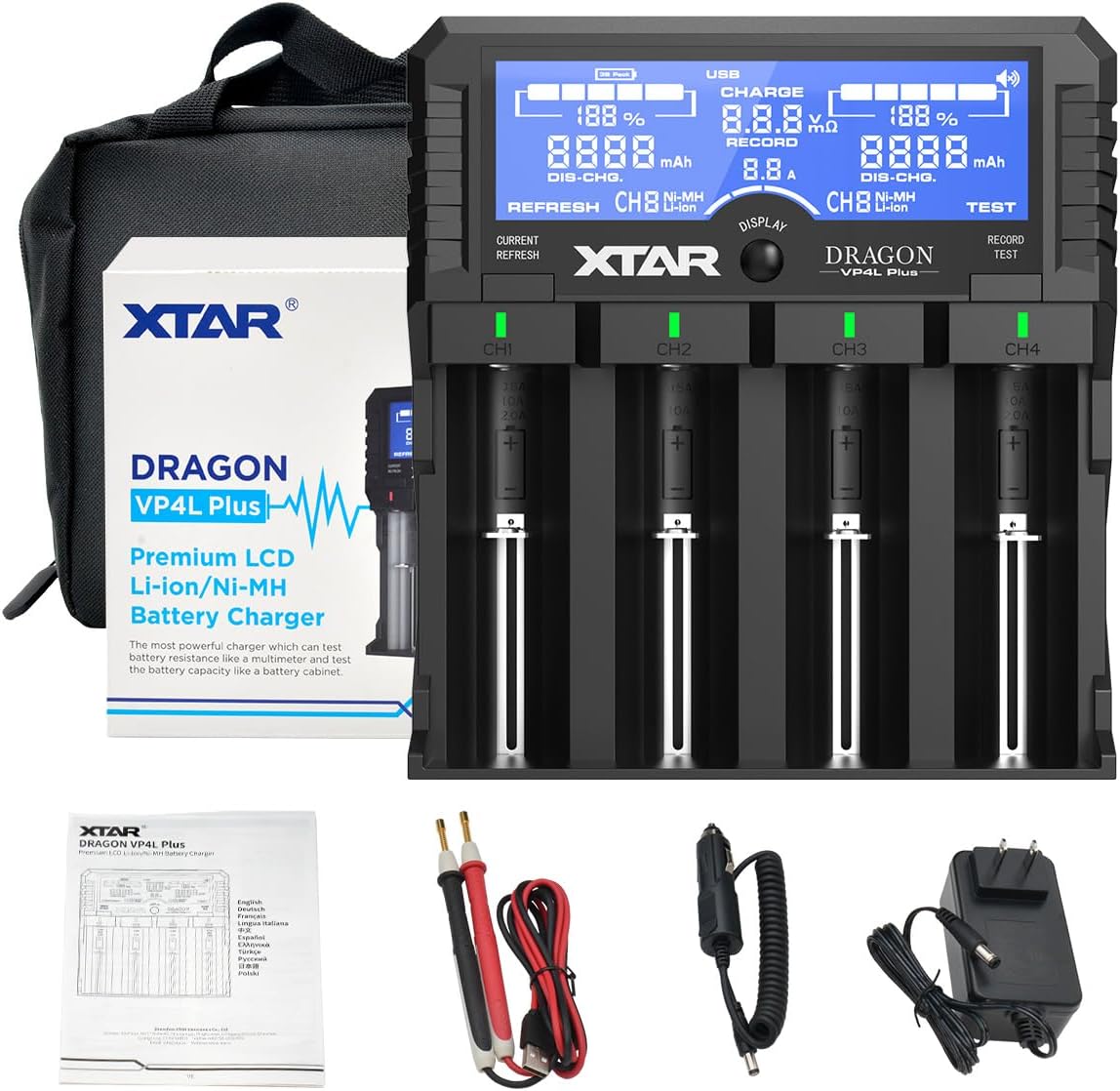
Image: The XTAR Dragon VP4L Plus charger, its carrying pouch, 12V 3A adapter, 3A car adapter, a pair of test probes, and the user manual.
4. Product Overview
The XTAR Dragon VP4L Plus features four independent charging slots, a high-quality LCD screen, and various ports for extended functionality.
4.1 Supported Battery Types and Sizes
This charger is compatible with a wide range of 3.6V/3.7V Li-ion/IMR/INR/ICR batteries and 1.2V Ni-MH/Ni-CD batteries, including various sizes. It also supports 11.1V/3S battery packs.

Image: The charger displaying its wide compatibility with various Li-ion (e.g., 18650, 21700, 32650) and Ni-MH (e.g., AAA, AA, C, D) battery sizes, including 11.1V 3S battery packs.
4.2 High-Quality LCD Screen
The integrated LCD screen provides real-time information on charging status, battery voltage, capacity percentage, battery types, channels, internal resistance, and mode status (CHARGE/TEST/REFRESH).

Image: A detailed view of the charger's LCD screen, highlighting the display of charging current, battery status, capacity, type, voltage, and resistance.
4.3 Ports and Connections
The charger features a probe socket for external testing, a power socket for the 12V 3A adapter, a USB output port for charging external devices, and a dedicated socket for 11.1V/3S battery packs.
Video: An overview of the XTAR Dragon VP4L Plus charger, demonstrating its features, accessories, and various ports including the probe socket, power socket, USB output, and battery pack socket. This video also shows the unboxing and initial setup.
5. Setup
- Connect Power: Plug the provided 12V 3A adapter into a wall outlet and then into the charger's power socket. The LCD screen will illuminate.
- Initial Check: The charger will perform a self-check upon power-on. Ensure the screen displays correctly.
- Optional Car Use: For in-car charging, use the provided 3A car adapter.
6. Operating Instructions
6.1 Inserting Batteries
Carefully insert batteries into the charging slots, ensuring correct polarity (positive and negative terminals align with the markings in the slot). The charger will automatically detect the battery type and begin charging.
6.2 Adjusting Charging Current
The charger offers three charging current options: 0.5A, 1.0A, and 2.0A. Press the 'CURRENT/REFRESH' button to cycle through these options. Selecting the appropriate current helps prolong battery life.

Image: A close-up of the charger's display and control buttons, showing how to select the charging current (0.5A, 1.0A, or 2.0A) for optimal battery charging.
6.3 Capacity Test Mode
To accurately test the real capacity of your batteries, use the 'TEST' mode. In this mode, the charger will fully charge the battery, then discharge it, and finally recharge it, recording the discharged capacity. This process provides a precise measurement of the battery's actual capacity.

Image: The charger's display showing the 'TEST' mode in operation, indicating the process of accurately testing the actual capacity of batteries.
6.4 Refresh Mode
For Ni-MH batteries, the 'REFRESH' mode can help eliminate the memory effect. This mode involves a series of charge-discharge cycles to restore the battery's full capacity.

Image: A graphic illustrating the charge-discharge-charge cycle of the 'REFRESH' mode, designed to eliminate memory effects in Ni-MH batteries.
6.5 0V Activation
The charger can activate over-discharged 3.6V/3.7V Li-ion and 1.2V Ni-MH batteries. Insert the battery, and the charger will attempt to revive it.

Image: The charger displaying '0V Activation' in progress, indicating its ability to revive deeply discharged batteries.
6.6 Battery Voltage & Resistance Test
Utilize the included probes to precisely measure your battery's voltage and internal resistance, similar to a multimeter. Connect the probes to the designated socket and touch them to the battery terminals.

Image: The charger connected with test probes to a battery, demonstrating its capability to measure battery voltage and internal resistance.
6.7 USB Output Function
The charger features a USB output port (5V Max. 2.4A) with power-path management. This allows you to charge external USB devices (like smartphones) simultaneously with batteries, or use the charger as a power bank when unplugged from the main power source, utilizing the inserted Li-ion batteries.

Image: The charger with batteries inserted, simultaneously charging a smartphone via its USB output port, demonstrating its power bank functionality.
6.8 LED Indicators
Each charging channel has an LED indicator to show its status:
- Red LED: Indicates self-examining, activating, or charging.
- Blue LED: Indicates discharging, test mode, refresh mode, or USB output is active.
- Green LED: Indicates standby, fully charged, or polarity reversed.

Image: The charger illustrating the meaning of its Red, Blue, and Green LED indicators for various operational states.
6.9 Phonic Reminder
The charger includes a humanistic phonic reminder system that provides audible alerts for events such as incorrect battery insertion (upside down) or when batteries are fully charged.

Image: A visual representation of the phonic reminder feature on the charger, indicating audible alerts for operational status.
7. Maintenance
- Cleaning: Use a soft, dry cloth to clean the charger. Do not use abrasive cleaners or solvents.
- Storage: Store the charger in a cool, dry place when not in use.
- Heat Dissipation: The charger is designed with elaborate heat dissipation features to ensure safe operation. Avoid blocking the ventilation openings during use.

Image: A diagram highlighting the elaborate heat dissipation design on the underside of the XTAR Dragon VP4L Plus charger, ensuring efficient cooling during operation.
8. Troubleshooting
- Battery Not Charging: Check if the battery is inserted with correct polarity. Ensure the power adapter is securely connected. Verify the battery type is compatible.
- Error Message on LCD: Refer to the LED indicators section for specific error meanings. An audible phonic reminder may also indicate an issue, such as incorrect battery insertion.
- Charger Overheating: Ensure the charger's ventilation openings are not blocked. If overheating persists, discontinue use and contact support.
- Inaccurate Capacity Readings: Ensure the battery is fully charged before initiating a 'TEST' cycle for accurate results.
9. Specifications
| Feature | Detail |
|---|---|
| Product Dimensions | 6.22 x 5.79 x 1.57 inches (15.8 x 14.7 x 4 cm) |
| Item Weight | 1.87 pounds (0.85 kg) |
| Output Voltage | 5 Volts (DC) for USB output |
| Charging Current | 0.5A / 1.0A / 2.0A (selectable) |
| Supported Li-ion/IMR/INR/ICR Batteries | 10440, 14500, 14650, 16340, 17335, 17500, 17670, 18350, 18490, 18500, 18650, 18700, 20700, 21700, 22650, 25500, 26650, 32650 (3.6V/3.7V) |
| Supported Ni-MH/Ni-CD Batteries | AAAA, AAA, AA, A, SC, C, D (1.2V) |
| Supported Battery Packs | 11.1V / 3S Battery Packs |
| USB Output | 5V Max. 2.4A |
10. Warranty and Support
The XTAR Dragon VP4L Plus Charger comes with a 2-year warranty, covering manufacturing defects and malfunctions under normal use. For technical support, warranty claims, or any inquiries regarding your product, please contact XTAR customer service through their official website or the retailer where the product was purchased.
