This manual provides essential instructions for the setup, operation, and maintenance of your K&F CONCEPT Camera Backpack. Designed for photographers, this versatile travel bag offers secure storage for your camera gear, laptop, and personal items, ensuring protection and comfort during your travels.
Setup
1. Configuring Internal Dividers
The K&F CONCEPT Camera Backpack features customizable padded dividers to secure your camera bodies, lenses, and accessories. Arrange these dividers to fit your specific equipment for optimal protection.
Image: The main compartment of the backpack with adjustable dividers configured to hold a camera, multiple lenses, and a flash unit.
To adjust: Detach the hook-and-loop fasteners of the dividers and reposition them as needed. Ensure a snug fit around your equipment to prevent movement during transit.
2. Adjusting Shoulder Straps and Chest Buckle
For comfortable carrying, adjust the shoulder straps to distribute weight evenly. The adjustable chest buckle helps stabilize the backpack and reduce strain on your shoulders.
Image: A person wearing the backpack, demonstrating the adjustable chest buckle positioned for comfort.
To adjust: Use the sliders on the shoulder straps to lengthen or shorten them. Fasten the chest buckle and slide it up or down the shoulder straps to find the optimal position across your chest.
Operation
1. Loading Camera Equipment
Utilize the main compartment with its customizable dividers for your camera bodies, lenses, and other sensitive photography gear. The design allows for various configurations to accommodate different setups.
Image: An overhead view of the backpack's main compartment, filled with a camera, multiple lenses, and a drone, demonstrating efficient storage.
2. Using the Laptop Compartment
A dedicated compartment is provided for laptops up to 15 inches, separating it from other items to prevent scratches and impacts.
Image: A side view of the backpack with the laptop compartment open, showing a laptop being placed inside.
3. Utilizing Side Pockets and External Attachments
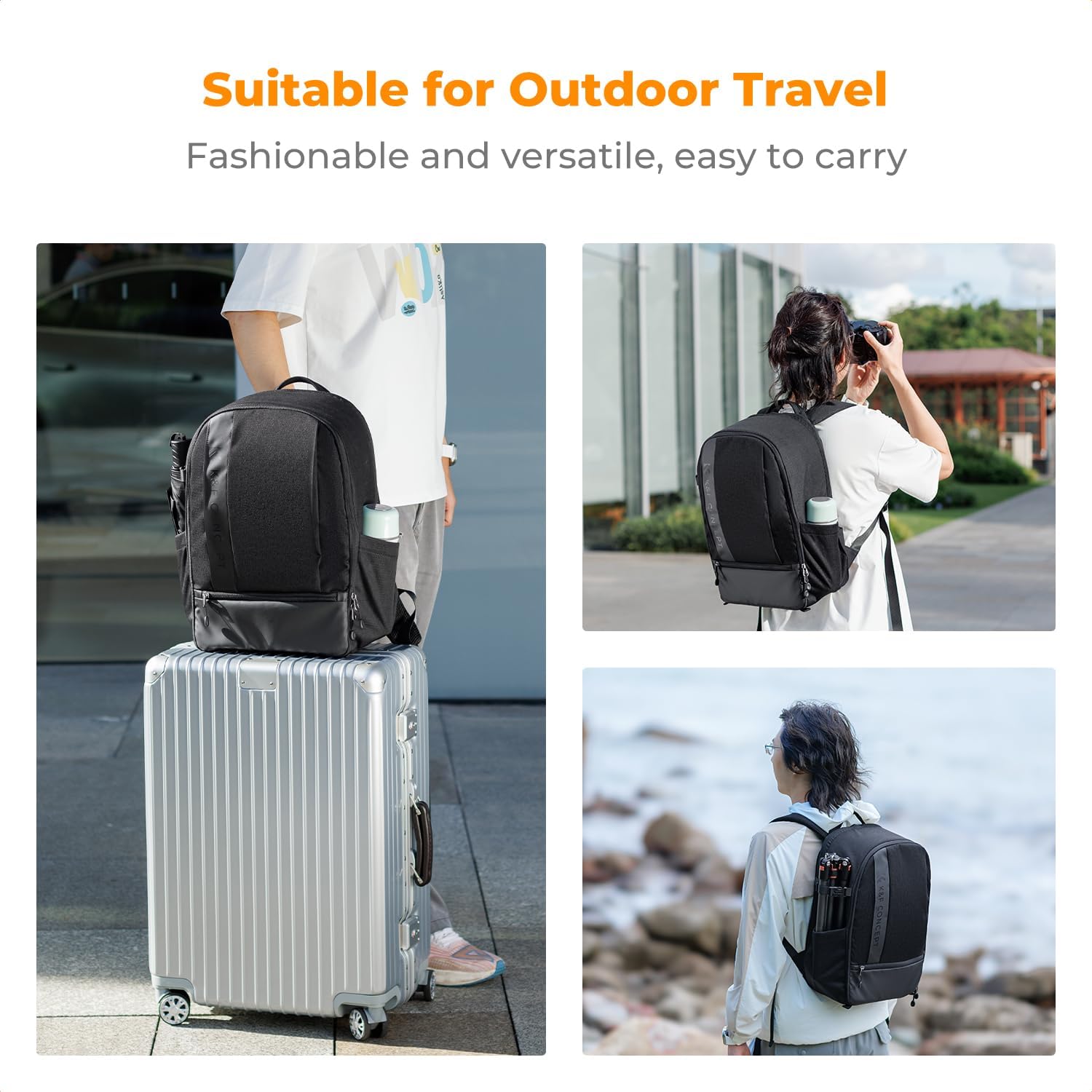
The side pockets are designed to carry a tripod or a water bottle. External straps can be used to secure additional items.
Image: The backpack being worn, with a tripod securely attached to the side pocket, illustrating its outdoor use.
4. Rain Cover Deployment
In adverse weather conditions, deploy the included rain cover to protect your equipment from moisture. The rain cover is typically stored in a dedicated pocket.
5. Travel Convenience
The backpack features a rear strap that allows for easy mounting onto a luggage draw-bar, simplifying travel through airports or train stations.
6. Product Overview Video
Watch this official video for a comprehensive overview of the K&F CONCEPT Camera Backpack's features and usage.
Video: K&F Concept Professional Large Capacity Waterproof Photography Bag for DSLR Cameras. This video demonstrates the backpack's features, capacity, and waterproof capabilities.
Maintenance
To ensure the longevity and performance of your K&F CONCEPT Camera Backpack, follow these maintenance guidelines:
Cleaning: Wipe the exterior with a damp cloth to remove dirt and dust. For stubborn stains, use a mild soap solution and rinse thoroughly. Avoid harsh chemicals or abrasive cleaners.
Drying: Allow the backpack to air dry completely in a well-ventilated area, away from direct sunlight or heat sources. Ensure all compartments are dry before storing equipment.
Storage: Store the backpack in a dry place when not in use to prevent mold or mildew growth.
Divider Care: The EPE foam dividers can be gently wiped clean with a damp cloth. Ensure they are dry before reinserting.
Troubleshooting
Problem
Possible Cause
Solution
Equipment not fitting securely
Dividers are incorrectly positioned or not adjusted tightly.
Re-adjust the internal dividers to create snug compartments for each item. Ensure hook-and-loop fasteners are fully engaged.
Backpack feels uncomfortable or heavy
Shoulder straps or chest buckle are not properly adjusted.
Adjust shoulder strap length to ensure the backpack sits correctly on your back. Fasten and adjust the chest buckle to distribute weight and stabilize the load.
Water penetration during rain
Rain cover not deployed or improperly fitted.
Ensure the rain cover is fully deployed and securely fitted over the entire backpack, covering all zippers and openings.
Specifications
Model Name: Kf13.044v11
Item Type Name: Camera backpack
Dimensions (D x W x H): 10.63"D x 16.93"W x 5.91"H
Storage Volume: 18 liters
Item Weight: 1210 g
Material Type: Polyester (Water-repellant and tear-resistant 840D high-density nylon)
Lining Description: Polyester
Laptop Compartment: Fits up to 14-15 inch laptops
Number of Compartments: 5
Number of Pockets: 7
Strap Type: Adjustable shoulder harness with chest belt
Product Care Instructions: Wipe with Damp Cloth, Store in Dry Place
Warranty Information
This K&F CONCEPT Camera Backpack comes with a 6-month warranty from the date of purchase. This warranty covers manufacturing defects and material flaws under normal use. It does not cover damage caused by misuse, accidents, unauthorized modifications, or normal wear and tear.
Please retain your proof of purchase for any warranty claims.
Support
For further assistance, product inquiries, or to report any issues, please visit the official K&F CONCEPT store or contact customer support:
Refer to the product packaging or the official K&F CONCEPT website for additional contact details.
Ask a question about this manual
Ask about setup, troubleshooting, compatibility, parts, safety, or missing instructions. Manuals+ will review the question and use this page’s manual context to help answer it.