
1. Introduction
The Cooler Master MasterGel Pro is a high-performance thermal compound designed to facilitate efficient heat transfer between a Central Processing Unit (CPU) or Graphics Processing Unit (GPU) and its corresponding heatsink or cooling solution. This manual provides essential information for the proper use, application, and maintenance of MasterGel Pro to ensure optimal thermal performance for your computer hardware.

Image 1.1: Front view of Cooler Master MasterGel Pro packaging, highlighting high CPU/GPU conductivity and non-electrical conductive properties.
2. Product Features
MasterGel Pro offers several key features designed for superior thermal management:
- Superior Thermal Conductivity: With a thermal conductivity of 8 W/mK, MasterGel Pro ensures efficient heat dissipation from high-performance CPUs and GPUs.
- Zero Electrical Conductivity: This compound is non-electrically conductive, eliminating the risk of short circuits and protecting sensitive hardware components.
- Easy Application: The patented flat-nozzle syringe design allows for precise and even application of the thermal paste, simplifying the installation process.
- Versatile Compatibility: Suitable for use with both liquid and air cooling systems.
- Included Cleaning Cloth: Each package contains a cleaning wipe for convenient removal of old thermal grease.
3. Setup and Application
Proper application of thermal paste is crucial for optimal cooling performance. Follow these steps carefully:
3.1. Preparation
- Power Off System: Ensure your computer system is completely powered off and disconnected from the power source.
- Remove Cooler: Carefully detach the CPU or GPU cooler from the processor.
- Clean Surfaces: Use the included cleaning cloth or a lint-free cloth with isopropyl alcohol (90% or higher) to thoroughly clean both the processor's Integrated Heat Spreader (IHS) and the cooler's contact plate. Remove all traces of old thermal paste. Ensure surfaces are dry before proceeding.
3.2. Application of MasterGel Pro
The flat-nozzle syringe is designed for easy and even spreading. There are several common application methods; the "line" or "X" method is often recommended for rectangular CPUs, while a small dot in the center is suitable for smaller dies.
- Dispense Paste: Remove the cap from the MasterGel Pro syringe. Gently press the plunger to dispense a small amount of thermal paste onto the center of the CPU or GPU IHS. For most CPUs, a line or a small "X" pattern is effective. For smaller GPUs, a single pea-sized dot in the center is usually sufficient.
- Spread Evenly (Optional, but recommended for MasterGel Pro's consistency): The flat nozzle can be used to spread the paste into a thin, even layer across the entire surface of the IHS. Apply light, even pressure. Aim for a layer thin enough to be translucent but opaque enough to cover the surface completely.
- Reinstall Cooler: Carefully place the cooler back onto the processor, ensuring proper alignment. Apply even pressure as you secure the cooler with its mounting mechanism. The pressure from the cooler will help further spread the thermal paste.
- Reconnect Power: Once the cooler is securely mounted, reconnect all necessary cables and power on your system.
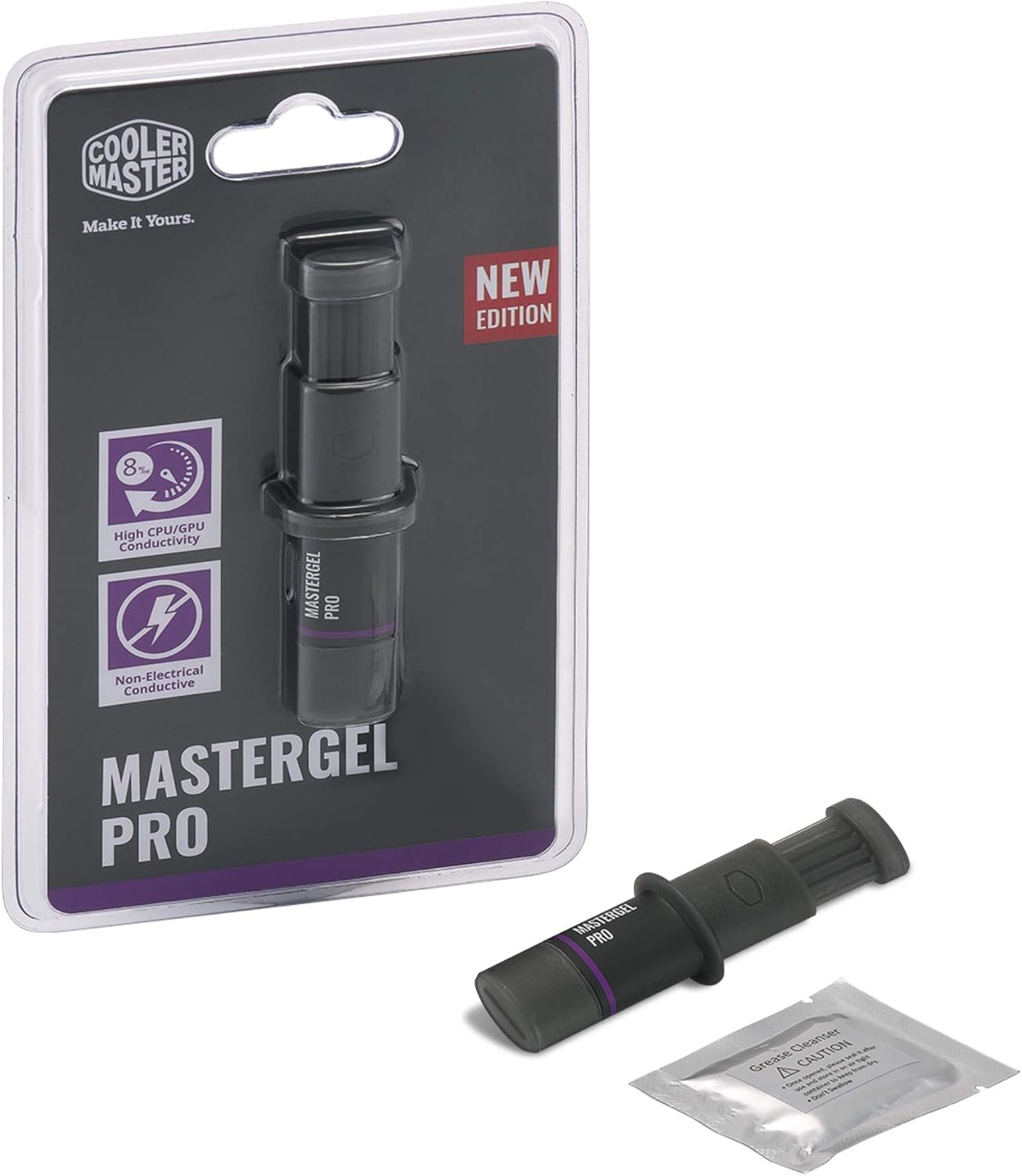
Image 3.1: Close-up of the MasterGel Pro syringe, showing the flat-nozzle applicator designed for easy spreading.
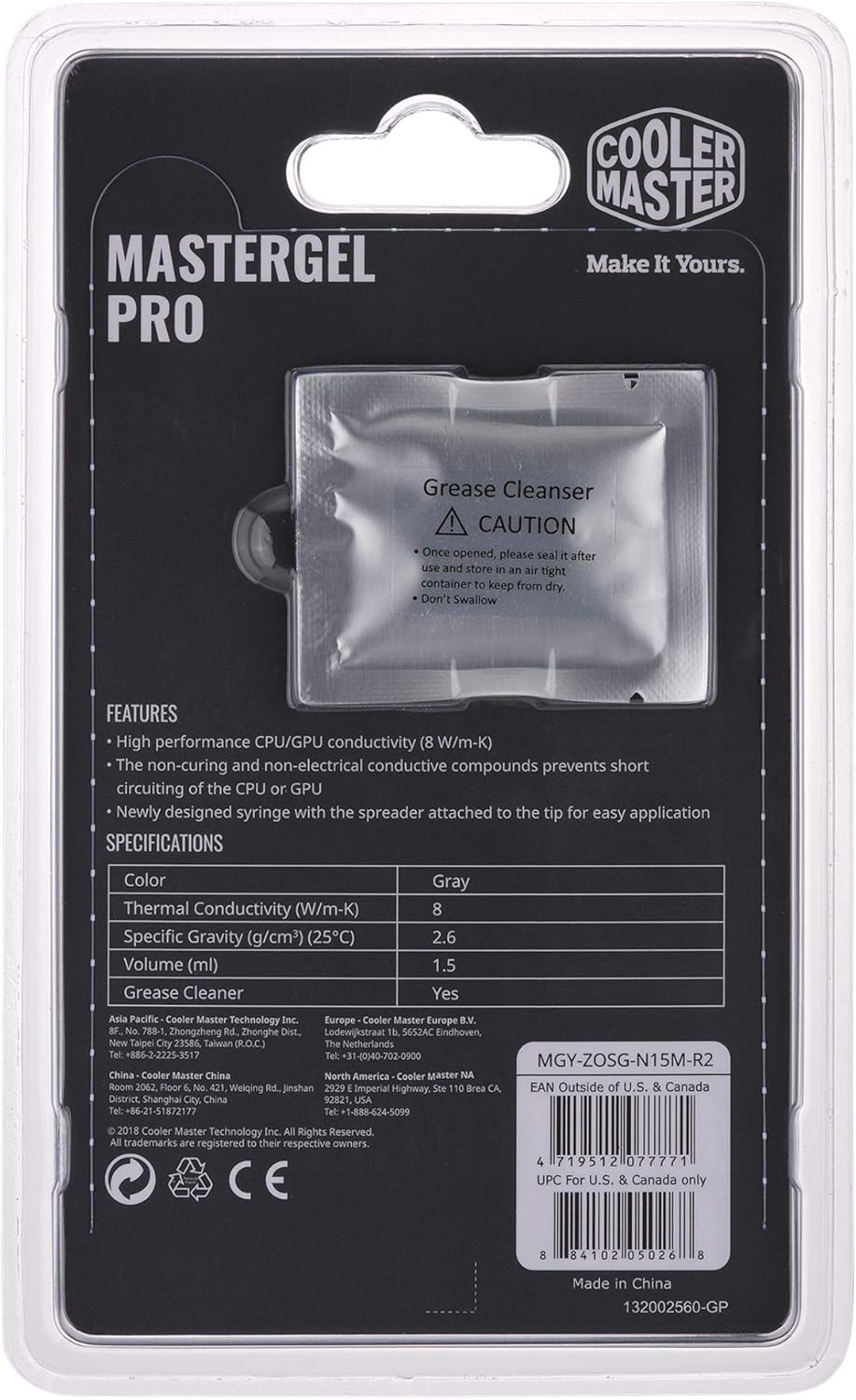
Image 3.2: Illustrative example of thermal paste applied to a processor surface before cooler installation.
4. Operating Guidelines
Once applied, MasterGel Pro will begin to cure and achieve its full thermal performance over a short period of use. Monitor your system's temperatures using appropriate software to ensure stable operation. The thermal paste is designed for long-term stability and does not require frequent reapplication under normal operating conditions.
5. Maintenance
Thermal paste generally does not require routine maintenance. However, if you are replacing your CPU/GPU cooler, upgrading your processor, or notice a significant increase in operating temperatures, it is recommended to:
- Clean and Reapply: Always clean off the old thermal paste completely from both the processor and the cooler's contact surface before applying a new layer of MasterGel Pro. This prevents contamination and ensures optimal thermal transfer.
- Storage: Keep the syringe cap securely closed when not in use to prevent the paste from drying out. Store in a cool, dry place.
6. Troubleshooting
If you experience higher than expected temperatures after applying MasterGel Pro, consider the following:
- Insufficient Paste: Ensure enough paste was applied to cover the entire IHS surface.
- Uneven Spreading: Verify that the paste was spread evenly without air bubbles or gaps.
- Cooler Mounting Pressure: Confirm that the cooler is securely mounted and applying even pressure across the processor. Uneven pressure can lead to poor contact.
- Old Paste Residue: Make sure all old thermal paste was removed before applying the new layer.
- Fan/Pump Functionality: Check that your cooler's fans are spinning correctly and, for AIO liquid coolers, that the pump is functioning.
If issues persist, consult Cooler Master's official support resources or a qualified technician.
7. Specifications
Detailed specifications for Cooler Master MasterGel Pro (Model: MGY-ZOSG-N15M-R2):

Image 7.1: Back view of Cooler Master MasterGel Pro packaging, displaying product features and specifications.
| Specification | Value |
|---|---|
| Model Number | MGY-ZOSG-N15M-R2 |
| Thermal Conductivity | 8 W/mK |
| Specific Gravity (25°C) | 2.5 g/cm³ |
| Volume | 1.5 ml |
| Color | Gray |
| Electrical Conductivity | Zero |
| Compatible Devices | Desktop, Laptop, Graphic card |
| Manufacturer | Cooler Master Europe B.V. |
| Global Trade Identification Number (GTIN) | 04719512077771 |
8. Warranty and Support
For warranty information, technical support, or further inquiries regarding your Cooler Master MasterGel Pro, please refer to the official Cooler Master website or contact their customer service department. Keep your purchase receipt for warranty claims.
Official Website: www.coolermaster.com


