
1. Important Safety Information
Please read and understand all safety instructions before using this product. Failure to follow these instructions may result in electric shock, fire, or other hazards.
- This adapter is CE / FCC / RoHS certified, ensuring compliance with safety and environmental standards.
- Features Over Voltage Output Protection (OVP), Over Current Output Protection (OCP), and Short Circuit Output Protection (SCP) to safeguard your devices.
- Do not expose the adapter to rain, moisture, or extreme temperatures.
- Do not disassemble or modify the adapter. Refer all servicing to qualified personnel.
- Ensure the adapter is compatible with your device's voltage and current requirements before connecting. Refer to the "Specifications" section for details.
- Keep out of reach of children.
2. Product Overview
This Accessory USA AC/DC Adapter is designed to provide reliable power to compatible devices. It is a high-quality, non-OEM replacement power supply.
Compatibility: This adapter is compatible with Philips Dock Entertainment System DC310 DC310/37 and Klipsch Model: DYS40-180200W-1 P/N: DYS40-180200-15A27F.
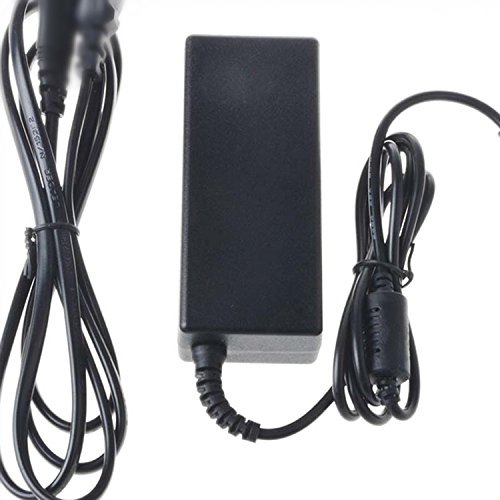
Figure 1: The Accessory USA AC/DC Adapter. This image shows the main adapter unit with its attached power cord and connector plug, ready for use with compatible devices.
3. Setup Instructions
- Verify Compatibility: Before connecting, ensure your device's power input requirements match the adapter's output specifications. Refer to your device's manual or label.
- Connect to Device: Carefully insert the adapter's output connector into the power input port of your Philips Dock Entertainment System DC310/37 or Klipsch DYS40-180200W-1. Ensure a snug fit.
- Connect to Power Outlet: Plug the adapter's AC power cord into a standard, grounded electrical wall outlet.
- Power On: Once connected, your device should receive power. You can now power on your device as usual.
4. Operating Instructions
This AC/DC adapter functions as a power supply for your compatible electronic devices. Once properly connected, it continuously provides the necessary power.
- The adapter is designed for continuous operation.
- If your device has a power indicator, confirm it illuminates after connecting the adapter.
- To disconnect power, first power off your device, then unplug the adapter from the wall outlet, and finally disconnect it from your device.
5. Maintenance
- Cleaning: Disconnect the adapter from all power sources before cleaning. Use a soft, dry cloth to wipe the exterior. Do not use liquid cleaners or aerosols.
- Storage: When not in use, store the adapter in a cool, dry place, away from direct sunlight and moisture. Avoid tightly winding the cable to prevent damage.
- Inspection: Periodically inspect the adapter and its cables for any signs of damage, such as frayed wires or cracked casing. If damage is found, discontinue use immediately and replace the adapter.
6. Troubleshooting
| Problem | Possible Cause | Solution |
|---|---|---|
| Device not powering on/charging. | Adapter not properly connected. Wall outlet not functioning. Adapter or device malfunction. | Ensure all connections are secure. Test the wall outlet with another device. Verify adapter compatibility. If issues persist, the adapter or device may require replacement. |
| Adapter feels excessively hot. | Overload or poor ventilation. | Ensure the adapter is used in a well-ventilated area. Disconnect if overheating persists and check device compatibility. |
7. Specifications
- Brand: Accessory USA
- Model Name: AC/DC Adapter (Compatible with Philips DC310, Klipsch DYS40-180200W-1)
- ASIN: B07TT164KD
- UPC: 607182554699
- Manufacturer: Accessory USA
- Certifications: CE, FCC, RoHS
- First Available: July 1, 2019
- Note: Specific output voltage and current details should be verified on the adapter label itself for precise matching with your device.
8. Warranty and Support
Accessory USA products are designed for reliability and performance. For warranty information or technical support, please refer to the seller's return policy or contact Accessory USA directly through their official channels.
The seller offers a 30-day return/replacement policy for this product.