
Wood's MDK 11
Wood's MDK 11 Dehumidifier User Manual
Model: MDK 11
1. Introduction
Thank you for choosing the Wood's MDK 11 Dehumidifier. This compact and efficient appliance is designed to remove excess moisture from the air, helping to prevent mold, mildew, and unpleasant odors in your home. It is ideal for bathrooms and other smaller heated rooms. This manual provides essential information for the safe and effective use of your dehumidifier.

Image: Front view of the Wood's MDK 11 Dehumidifier, showcasing its compact white design.
2. Safety Information
Please read all safety warnings and instructions carefully before using this appliance to prevent injury or damage. Keep this manual for future reference.
- Always place the dehumidifier on a firm, level surface to prevent tipping.
- Ensure the power cord is not damaged and is properly plugged into a grounded outlet.
- Do not operate the unit if the power cord or plug is damaged.
- Keep the air inlets and outlets clear of obstructions to ensure proper airflow.
- Do not insert objects into the unit's openings.
- This appliance uses R290 refrigerant gas. Do not puncture or damage the refrigerant circuit.
- Operate the unit within the recommended temperature range of 5-32°C (41-89.6°F).
- Unplug the unit before cleaning, maintenance, or when not in use for extended periods.
- Do not use the unit near flammable gases or liquids.
3. Setup
Follow these steps for initial setup of your MDK 11 Dehumidifier:
- Unpacking: Carefully remove the dehumidifier from its packaging. Retain the packaging for future storage or transport.
- Placement: Place the unit upright on a stable, flat surface. Ensure there is at least 20 cm (8 inches) of space around all sides for proper air circulation. The unit is compact and easy to place in various rooms.
- Power Connection: Plug the power cord into a suitable grounded electrical outlet.
- Initial Operation: Allow the unit to stand upright for at least 4 hours before plugging it in if it has been transported horizontally.

Image: The Wood's MDK 11 Dehumidifier positioned in a living room, demonstrating its discreet presence.
4. Operating Instructions
The MDK 11 features an easy-to-use control panel for various functions.
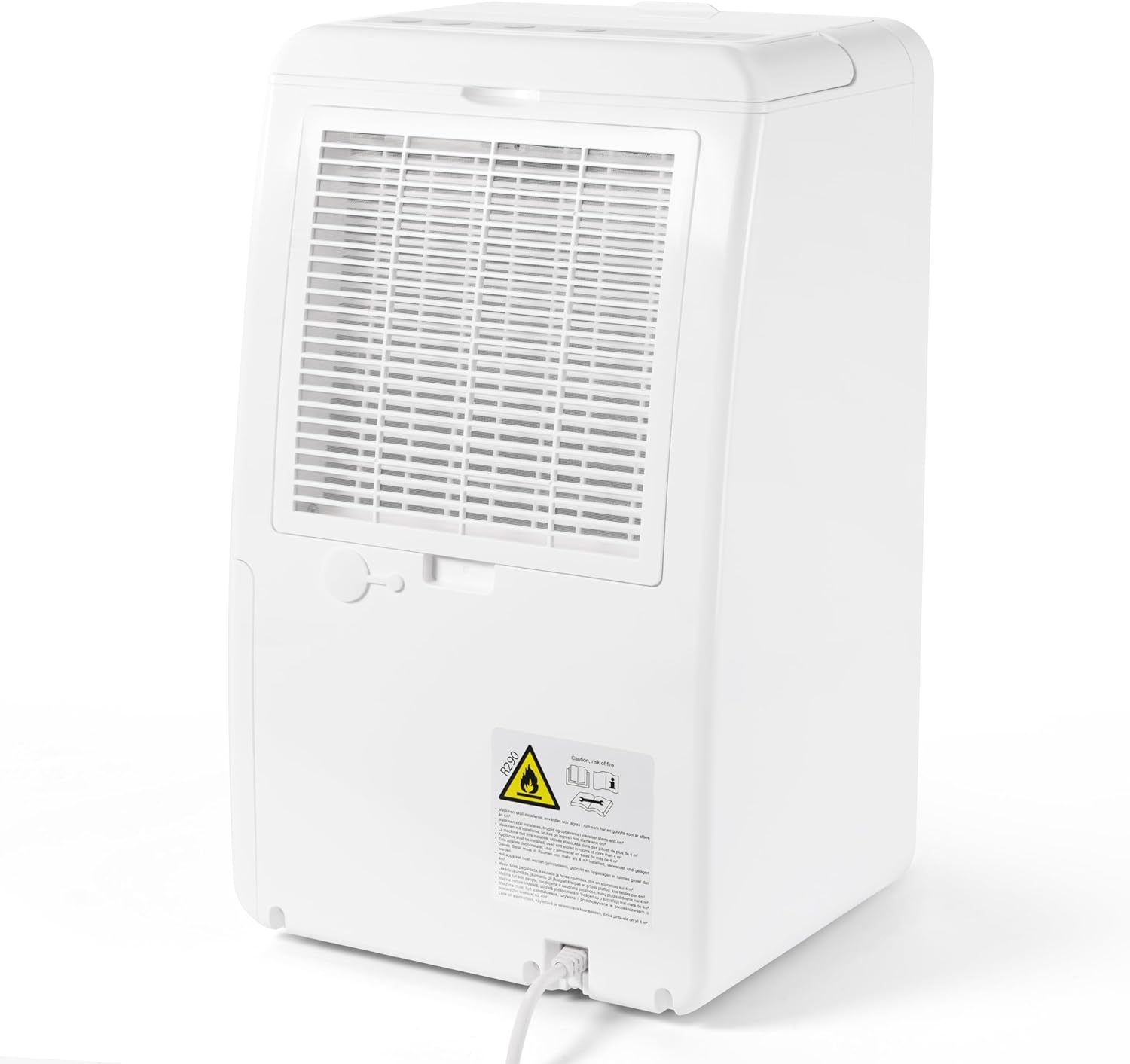
Image: Close-up of the MDK 11's control panel, showing buttons for Water Full, Defrost, Speed, Humidity, Timer, and On/Off.
Control Panel Functions:
- ON/OFF Button: Press to turn the unit on or off.
- Speed Button: Select between 2 fan speeds (High 'H' or Low 'L').
- Humidity Button: Set the desired humidity level (40%, 50%, 60%, or Continuous 'CONT'). The electronic hygrostat will maintain the set humidity. The unit will remain in ventilation mode when the target humidity is reached.
- Timer Button: Set the operating time (2h, 4h, 6h).
- Ionizer Mode: Activate the ionizer function for improved air quality.
- Child Safety Lock: Engage the child lock to prevent accidental changes to settings.
- Water Full Indicator: Illuminates when the 1.8-liter water tank is full and needs to be emptied. The unit will automatically shut off.
- Defrost Indicator: Illuminates when the unit is in defrost mode.
Continuous Drainage:
The MDK 11 can be set up for continuous drainage using a hose (not included) connected to the drainage port, bypassing the need to manually empty the water tank.
5. Maintenance
Regular maintenance ensures the efficiency and longevity of your dehumidifier.
Emptying the Water Tank:
When the 'Water Full' indicator lights up, the tank needs to be emptied.
- Gently pull out the water tank from the front of the unit.
- Carefully empty the collected water.
- Slide the empty tank back into the unit until it clicks into place.
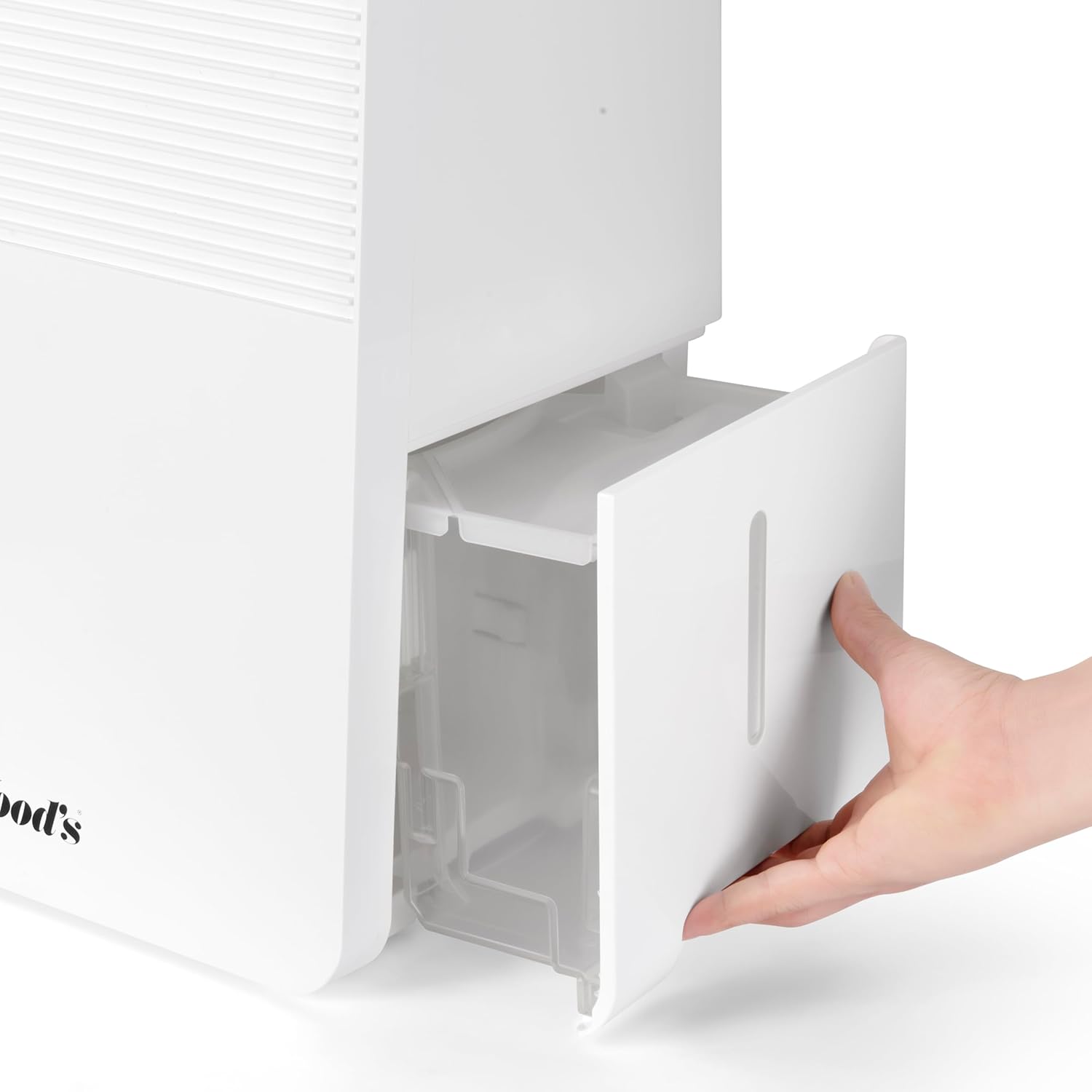
Image: A hand demonstrating the removal of the water collection tank from the front of the dehumidifier.
Cleaning the Air Filter:
The air filter should be cleaned regularly (e.g., every two weeks) to maintain optimal performance.
- Unplug the dehumidifier from the power outlet.
- Locate the air filter cover at the back of the unit.
- Remove the filter cover and carefully slide out the filter.
- Clean the filter with a vacuum cleaner or wash it gently with lukewarm water and mild detergent. Allow it to dry completely before reinserting.
- Place the dry filter back into its slot and close the cover.

Image: A hand demonstrating the removal of the air filter from the back panel of the dehumidifier for cleaning.
General Cleaning:
Wipe the exterior of the unit with a soft, damp cloth. Do not use harsh chemicals or abrasive cleaners.
6. Troubleshooting
If you encounter issues with your dehumidifier, refer to the following common problems and solutions:
| Problem | Possible Cause | Solution |
|---|---|---|
| Unit does not turn on | No power; Power cord not plugged in; Water tank full or not properly inserted. | Check power supply; Ensure cord is securely plugged in; Empty and reinsert water tank correctly. |
| No water collected | Room temperature too low; Humidity level already low; Air filter clogged. | Ensure room temperature is above 5°C; Adjust desired humidity setting; Clean the air filter. |
| Unit is noisy | Unit not on a level surface; Air filter clogged. | Place unit on a flat, stable surface; Clean the air filter. |
| Airflow is weak | Air filter clogged; Air inlets/outlets blocked. | Clean the air filter; Ensure no obstructions around the unit. |
7. Specifications
Key technical specifications for the Wood's MDK 11 Dehumidifier:
- Brand: Wood's
- Model Number: MDK 11
- Color: White
- Dimensions (L x W x H): 24 x 69 x 2.5 cm (9.45 x 27.17 x 0.98 inches)
- Weight: 10.84 kg (23.9 lbs)
- Capacity (Max): 10 Liters/24h (at 30°C & 80% RH)
- Capacity (Normal): 5 Liters/24h (at 20°C & 70% RH)
- Power Consumption (Max): 187 W (at 30°C & 80% RH)
- Power Consumption (Normal): 150 W (at 20°C & 70% RH)
- Water Tank Volume: 1.8 Liters
- Fan Speeds: 2
- Recommended Area: 2-30 m² (21.5-323 sq ft)
- Max Area: 40 m² (430 sq ft)
- Refrigerant Type: R290
- Protection Index: IP21
- Operating Conditions: 5-32°C (41-89.6°F)
8. Warranty and Support
Warranty:
Wood's, a Swedish company, typically offers a 3-year warranty on their dehumidifiers. Please refer to your purchase documentation or the official Wood's website for specific warranty terms and conditions applicable to your region.
Support:
For technical assistance, spare parts, or further inquiries, please contact your retailer or the official Wood's customer support. Contact information can usually be found on the Wood's website or on your product packaging.
Related documentsMDK 11


Ask a question about this manual
Ask about setup, troubleshooting, compatibility, parts, safety, or missing instructions. Manuals+ will review the question and use this page’s manual context to help answer it.