
Introduction
This manual provides essential instructions for the safe and effective use of your Accessory USA AC/DC Adapter. This adapter is specifically designed for compatibility with the Kinter MA-200 USB SD Amp 480W 4CH Home Car HiFi Digital Stereo Power Amplifier, ensuring reliable power delivery for your audio system.
Safety Information
- Our products are CE / FCC / RoHS certified, ensuring compliance with international safety and environmental standards.
- The adapter features OVP (Over Voltage output Protection), OCP (Over Current output Protection), and SCP (Short Circuit output Protection) to safeguard your connected devices from electrical hazards.
- Always ensure the adapter's voltage and wattage specifications match the requirements of your Kinter MA-200 amplifier before connecting.
- Do not expose the adapter to water, moisture, or extreme temperatures.
- Avoid dropping or subjecting the adapter to severe impact.
Setup
Follow these steps to correctly set up your AC/DC adapter:
- Identify Ports: Locate the power input port on your Kinter MA-200 amplifier.
- Connect DC Output: Carefully connect the DC output plug of the Accessory USA AC/DC Adapter to the amplifier's power input port. Ensure a snug and secure fit.
- Connect AC Input: Plug the AC input cord of the adapter into a standard wall outlet (compatible with 100-240V AC).
- Verify Connections: Double-check that all connections are firm and correctly seated before proceeding.
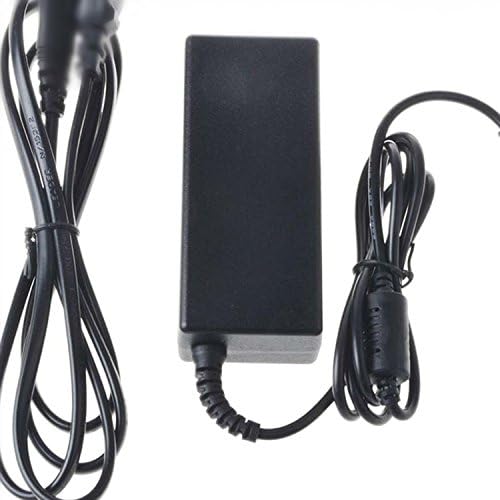
An image showing the black rectangular AC/DC power adapter unit with its attached input and output power cables coiled neatly beside it.
Operating Instructions
Once properly connected, the Accessory USA AC/DC Adapter will supply the necessary power to your Kinter MA-200 amplifier. Operate your amplifier according to its own instruction manual. To disconnect, always unplug the adapter from the wall outlet first, then from the amplifier.
Maintenance
- Keep the adapter clean by wiping it with a dry, soft cloth. Avoid using liquid cleaners.
- Store the adapter in a cool, dry place when not in use.
- Regularly inspect the power cords for any signs of fraying, cuts, or damage. If damage is observed, discontinue use immediately and replace the adapter.
- Do not attempt to open, modify, or repair the adapter yourself. This can void any potential warranty and poses a safety risk.
Troubleshooting
- No Power to Amplifier:
- Ensure the adapter is securely plugged into both the wall outlet and the amplifier.
- Verify that the wall outlet is functional by testing it with another device.
- Check for any visible damage to the adapter's cables or housing.
- Intermittent Power:
- Check for loose connections at both the wall outlet and the amplifier.
- Confirm that the adapter's specifications (voltage, wattage) are appropriate for the amplifier's power requirements.
Specifications
- Brand: Accessory USA
- Input Voltage: 100-240 Volts AC
- Wattage: 480 watts
- Connector Type: USB (Note: This refers to a feature of the compatible amplifier, Kinter MA-200, not the adapter's output plug.)
- Special Feature: Short Circuit Protection
- Power Source: Corded Electric
- Main Power Connector Type: 2 Pin (AC Input)
- Certifications: CE, FCC, RoHS
- UPC: 607182561765
- Compatible Model: Kinter MA-200
Warranty and Support
For product support, warranty information, or any inquiries regarding your Accessory USA AC/DC Adapter, please contact Accessory USA customer service directly. Refer to your purchase documentation for specific contact details.