
1. Product Overview
The Athorbot Automatic Pet Feeder is designed to provide convenient and consistent feeding for your medium to small pets, including puppies and kittens. It features programmable meal times, adjustable portion sizes, and a voice recording function to call your pets for meals. The feeder can be powered by both an AC adapter and D-cell batteries for reliable operation.

Image: A small dog enjoying a meal dispensed by the Athorbot Automatic Pet Feeder.
2. Components and Features
Familiarize yourself with the main components and key features of your Athorbot Automatic Pet Feeder:
- Top Cover: Features a safe lock design to prevent pets from accessing the food hopper.
- Large Capacity Hopper: Holds up to 7 liters (approximately 8.5 lbs) of dry food.
- Friendly Design Programmable Panel: Intuitive control panel for setting meal times and portions.
- Voice Record/Play: Allows recording a 10-second voice message to call pets.
- Double Power Supply: Operates via AC adapter or 3 D-cell batteries (not included) for backup.
- Removable Food Tray: Easy to clean and maintain.
- Infrared Sensor: Prevents food jamming and overflowing, ensuring accurate dispensing.

Image: Exploded view diagram highlighting the top cover, large capacity hopper, control panel, and removable food tray.
3. Setup
- Unpack the Feeder: Carefully remove all components from the packaging.
- Install Power Supply:
- For AC power, connect the provided power adapter to the feeder and a wall outlet.
- For battery backup, open the battery compartment on the bottom of the unit and insert 3 D-cell batteries (not included), ensuring correct polarity.
- Attach Food Tray: Slide the removable food tray into the designated slot at the base of the feeder until it clicks securely into place.
- Fill Food Hopper: Open the top cover and pour dry pet food into the hopper. Ensure the kibble size does not exceed 0.39" x 0.39" to prevent jamming. Close the top cover securely.
4. Operating Instructions
4.1 Control Panel Overview

Image: Detailed view of the feeder's control panel, showing meal settings, time display, and function buttons.
The control panel features an LCD screen and several buttons for programming:
- On/Off Button: Activates or deactivates meal settings.
- Meal Size Button: Adjusts the portion size for each meal.
- Hour/Minute Buttons: Sets the time for scheduled meals.
- MIC Button: Records a voice message.
- Play Button: Plays the recorded voice message.
- Manual Feed Button: Dispenses food instantly.
4.2 Setting Current Time
- Press the 'Time' button. The hour display will flash.
- Use the 'Hour' and 'Minute' buttons to set the current time.
- Press 'Time' again to confirm and exit time setting mode.
4.3 Programming Meals
The feeder supports up to 4 programmable meals per day (Breakfast, Lunch, Dinner, 4th Meal).
- Press the corresponding meal button (e.g., 'Breakfast'). The meal time will flash.
- Use the 'On/Off' button to enable or disable the meal.
- Use the 'Hour' and 'Minute' buttons to set the desired feeding time.
- Press the 'Meal Size' button and use the 'Hour' and 'Minute' buttons to adjust the portion size (e.g., 1-40 units). Each unit typically corresponds to 10 grams, or 5 grams if the smaller paddle is installed.
- Repeat for Lunch, Dinner, and 4th Meal as desired.
4.4 Voice Recording Function
You can record a personalized 10-second voice message to play during meal times, calling your pet to eat.
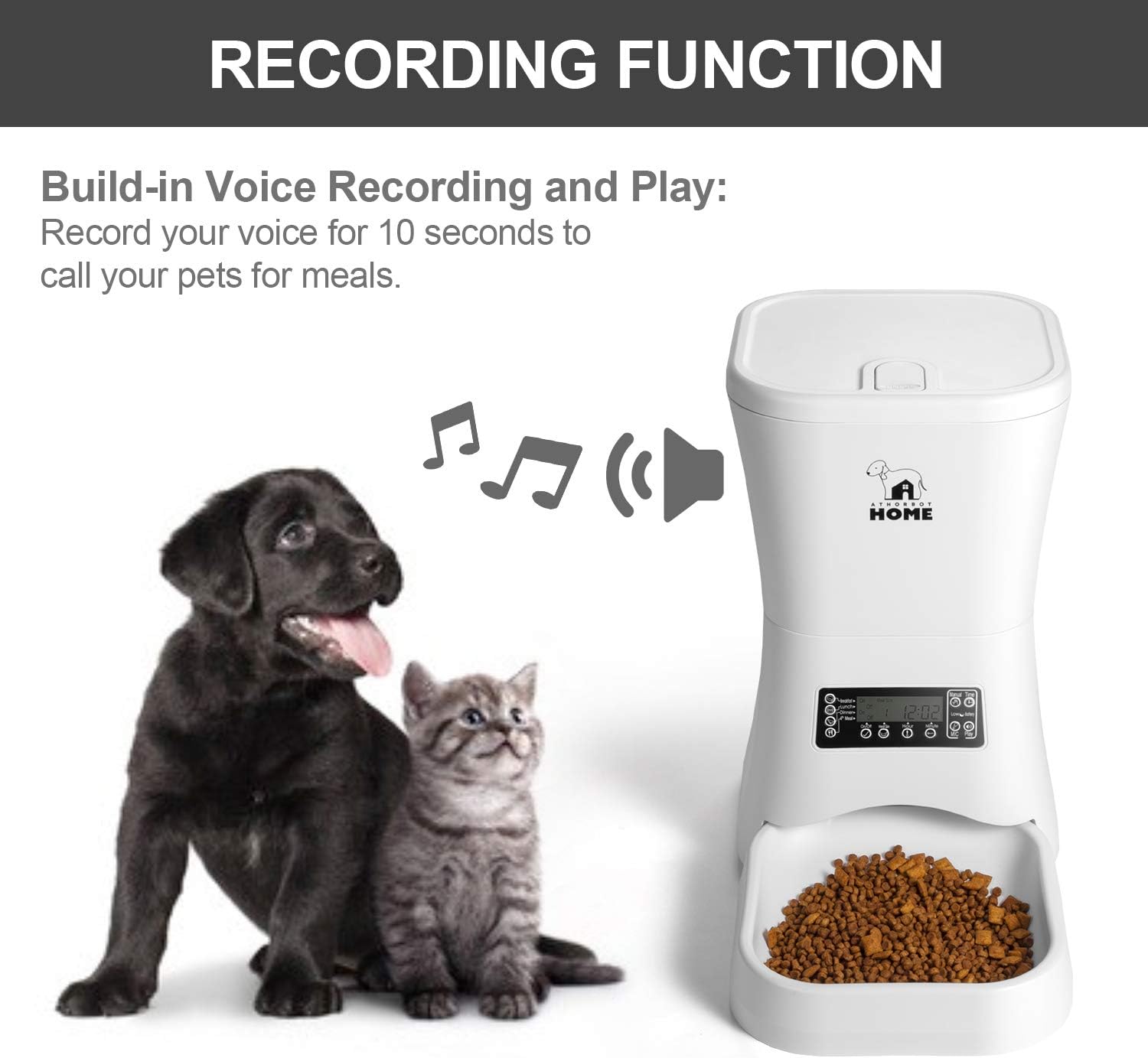
Image: Illustration of the voice recording feature, showing a dog and cat anticipating food from the feeder.
- Press and hold the 'MIC' button.
- Speak clearly into the microphone for up to 10 seconds.
- Release the 'MIC' button to stop recording.
- Press the 'Play' button to listen to your recorded message.
4.5 Manual Feeding
To dispense food instantly, press and hold the 'Manual Feed' button for 3 seconds. The feeder will dispense one portion of food.
5. Maintenance
Regular cleaning and maintenance will ensure the longevity and proper functioning of your pet feeder.
- Cleaning the Food Tray: The removable food tray can be detached for easy cleaning. Wash it by hand with mild soap and water. Ensure it is completely dry before reattaching.
- Cleaning the Hopper: Periodically wipe the inside of the food hopper with a damp cloth to remove any food residue. Do not submerge the main unit in water.
- Refilling Food: Check the food level regularly and refill the hopper as needed to ensure your pet never misses a meal.
6. Troubleshooting
If you encounter any issues with your Athorbot Automatic Pet Feeder, please refer to the following common problems and solutions:
| Problem | Possible Cause | Solution |
|---|---|---|
| Food not dispensing or jamming. | Kibble size too large; food stuck in dispenser; infrared sensor blocked. | Ensure kibble size is within recommended limits (max 0.39"x0.39"). Clear any obstructions in the dispenser. Check and clean the infrared sensor. |
| Feeder not turning on or losing settings. | Power adapter disconnected; batteries low or incorrectly installed; power outage. | Check AC adapter connection. Replace D-cell batteries. Ensure batteries are installed with correct polarity. |
| Voice recording not playing. | No message recorded; volume too low. | Record a new voice message. Ensure the volume is set appropriately (if adjustable, refer to specific model features). |
| Inaccurate portion dispensing. | Incorrect meal size setting; food type/density. | Verify and adjust the meal size setting on the control panel. Note that portion weight can vary slightly based on kibble density. |
7. Specifications
| Feature | Detail |
|---|---|
| Brand | Athorbot |
| Model | 7L Automatic Pet Feeder |
| Capacity | 7 Liters (approx. 8.5 lbs dry food) |
| Power Source | AC Adapter (included) + 3 D-cell Batteries (not included) |
| Number of Meals | Up to 4 meals/day |
| Portion Control | Adjustable (e.g., 1-40 units) |
| Voice Recording | 10-second message |
| Material | Plastic |
| Color | White |
| Dimensions | 17 x 10.37 x 9.37 inches |
| Item Weight | 5.44 pounds |
| Care Instructions | Hand Wash Only (removable parts) |
8. Warranty and Support
For warranty information, technical support, or service inquiries, please contact Athorbot customer service directly. Refer to the product packaging or the manufacturer's official website for the most up-to-date contact details and warranty terms.


