
Introduction
This manual provides essential information for the safe and efficient use of your Samsung UN32M4500BFXZA 720P Smart LED TV. Please read these instructions thoroughly before operating your television and retain them for future reference. This 32-inch Smart LED TV offers a 720p HD viewing experience with a Quad-Core Processor for fluid browsing and access to various smart features.

Image: Angled view of the Samsung UN32M4500BFXZA 720P Smart LED TV, showcasing its sleek design.
What's in the Box
Carefully unpack the box and ensure all items are present. The package should contain the following components:
- Samsung UN32M4500BFXZA 720P Smart LED TV
- Power Cable
- Remote Control (requires 3 AAA batteries, not always included)
- User Manual (this document)

Image: Diagram illustrating the TV dimensions, the included remote control, and a list of items typically found in the box.
Setup
1. Unpacking and Placement
Remove the TV from its packaging. Place the TV on a stable, flat surface, such as a TV stand, ensuring adequate ventilation around the unit. The TV is designed for table mounting. Ensure the stand is securely attached.
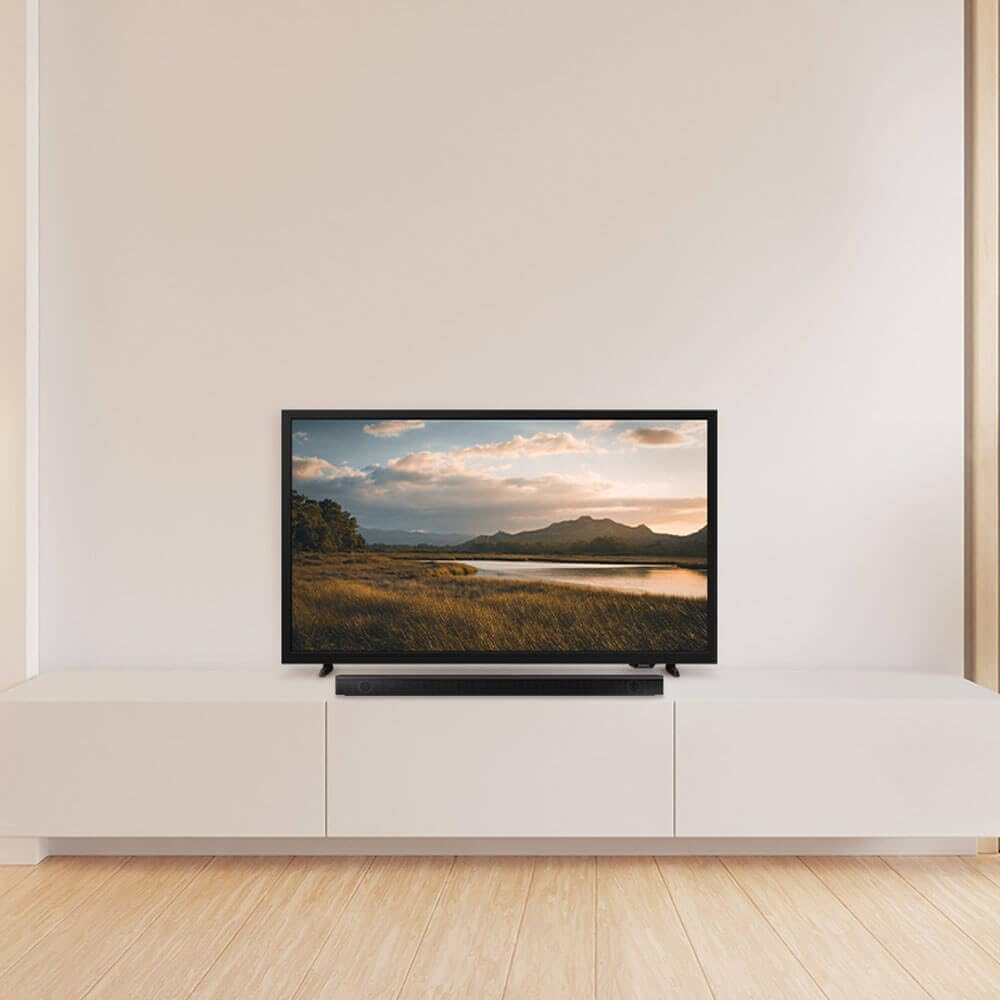
Image: The Samsung UN32M4500BFXZA TV positioned on a modern white TV stand in a room.
2. Connecting Power
Connect the power cable to the TV's power input and then plug the other end into a wall outlet. Ensure the power outlet is easily accessible.
3. Connecting External Devices
Your TV includes multiple ports for connecting external devices:
- HDMI Ports (x2): For connecting Blu-ray players, gaming consoles, cable boxes, etc.
- USB Port (x1): For connecting USB storage devices to play media.
- Optical Audio Output (x1): For connecting to soundbars or home theater systems.
- Composite-Video Input (x1): For older devices.
4. Initial Setup
Upon first power-on, the TV will guide you through the initial setup process, including language selection, network connection (Wi-Fi), and channel scanning. Follow the on-screen prompts.
Operating Instructions
1. Remote Control Usage
Insert 3 AAA batteries into the remote control. The remote allows you to navigate menus, change channels, adjust volume, and access smart features. Familiarize yourself with the buttons for power, volume, channel, source, and smart hub access.
2. Smart TV Features (Tizen OS)
Your Samsung TV runs on the Tizen operating system, providing access to a variety of streaming services and apps such as Amazon Instant Video and Netflix. Use the remote to navigate the Smart Hub interface.

Image: The Samsung Smart TV home screen, powered by One UI Tizen, displaying popular streaming applications and content recommendations.
3. Picture and Sound Settings
Access the TV's settings menu to adjust picture and sound quality. The TV features 720p resolution, a 60Hz refresh rate, Wide Color Enhancer Plus, and Micro Dimming for enhanced visuals. Audio is supported by Dolby Audio with a 2-channel speaker system.

Image: A visual representation of HDR (High Dynamic Range) on the TV screen, showing expanded contrast for enhanced detail in a landscape scene.

Image: A visual depiction of Object Tracking Sound Lite, with sound circles originating from specific points on the screen, indicating immersive audio.
4. Connectivity
The TV supports Wi-Fi for internet access and Miracast for screen mirroring from compatible devices. Ensure your Wi-Fi network is properly configured for optimal performance.
5. Samsung Knox Security
Your TV is secured by Knox, offering triple-layer protection for personal data, including PIN codes and passwords, and IoT device information shared through the SmartThings app. Regular software updates help maintain security.

Image: The Samsung Knox Security logo displayed on the TV screen, emphasizing data protection.
Maintenance
Cleaning the Screen
Gently wipe the screen with a soft, dry, lint-free cloth. For stubborn marks, lightly dampen the cloth with water or a specialized screen cleaner. Avoid using harsh chemicals or abrasive materials.
Cleaning the TV Body
Wipe the exterior of the TV with a soft, dry cloth. Do not spray cleaners directly onto the TV.
General Care
- Avoid placing the TV in direct sunlight or near heat sources.
- Ensure proper ventilation to prevent overheating.
- Unplug the TV during lightning storms or when not in use for extended periods.
Troubleshooting
If you encounter issues with your TV, refer to the following common problems and solutions:
| Problem | Possible Solution |
|---|---|
| No Power | Check if the power cable is securely connected to both the TV and the wall outlet. Test the outlet with another device. |
| No Picture / Distorted Picture | Ensure the correct input source is selected. Check cable connections (HDMI, etc.). Try a different HDMI cable. |
| No Sound | Check the volume level and mute settings. Ensure external audio devices are properly connected and powered on. |
| Cannot Connect to Wi-Fi | Verify your Wi-Fi password. Restart your router and the TV. Ensure the TV is within range of your Wi-Fi signal. |
| Remote Control Not Working | Replace the batteries. Ensure there are no obstructions between the remote and the TV's IR sensor. |
If the problem persists after trying these solutions, please contact Samsung customer support.
Specifications
| Feature | Detail |
|---|---|
| Model Name | Samsung M4500B |
| Model Number | UN32M4500BFXZA |
| Screen Size | 32 inches |
| Display Technology | LED |
| Resolution | 720p |
| Refresh Rate | 60 hertz (Motion Rate 60) |
| Operating System | Tizen |
| Connectivity Technology | Wi-Fi, HDMI |
| Total HDMI Ports | 2 |
| Total USB Ports | 1 |
| Audio Input | HDMI, USB, Optical |
| Audio Output Mode | Stereo (2 Channel) |
| Integrated Surround Sound | Dolby Audio |
| Product Dimensions (DxWxH) | 6"D x 22"W x 15"H |
| Item Weight | 12 pounds |
| Voltage | 120 volts (110 VAC 60 Hz) |
| Power Consumption | 48 watts |
| Color | Black |
| Mounting Type | Table Mount |
| Model Year | 2018 |
Warranty Information
This Samsung UN32M4500BFXZA TV comes with a 90-day limited warranty. This warranty covers manufacturing defects and issues arising from normal use within the specified period. Please retain your proof of purchase for warranty claims. For detailed terms and conditions, refer to the warranty documentation provided with your product or visit the official Samsung support website.
Support
For further assistance, technical support, or service inquiries, please visit the official Samsung support website or contact their customer service. You can typically find contact information and FAQs on the manufacturer's website.
Online Support: www.samsung.com/us/support/
Please have your model number (UN32M4500BFXZA) and serial number ready when contacting support.


