
TCL 55P8
TCL 55P8 55-inch AI 4K UHD Android Smart LED TV User Manual
Model: 55P8
1. Introduction
This manual provides essential information for the safe and efficient operation of your TCL 55P8 55-inch AI 4K UHD Android Smart LED TV. Please read it thoroughly before using the product and retain it for future reference. This television combines advanced display technology with smart features for an enhanced viewing experience.

Image 1.1: Front view of the TCL 55P8 TV displaying a vibrant image.
2. Safety Information
To ensure safe operation and prevent damage, observe the following precautions:
- Power Supply: Connect the TV only to an AC power source within the specified voltage range. Ensure the power cord is not damaged or pinched.
- Ventilation: Do not block ventilation openings. Maintain adequate space around the TV for proper airflow to prevent overheating.
- Water and Moisture: Do not expose the TV to rain, moisture, or place objects filled with liquids on or near the TV.
- Cleaning: Unplug the TV before cleaning. Use a soft, dry cloth. Do not use liquid or aerosol cleaners.
- Placement: Place the TV on a stable, level surface or mount it securely to a wall. Avoid placing it in direct sunlight or near heat sources.
- Servicing: Do not attempt to service the TV yourself. Refer all servicing to qualified service personnel.
3. What's in the Box
Upon unpacking your TCL 55P8 TV, verify that all the following components are included:
- 1 x TCL 55P8 LED TV
- 1 x Table Top Stand (set)
- 1 x Wall Mount Bracket (Note: Wall mount is provided, but installation service is separate for TVs above 55 inches.)
- 1 x User Manual
- 1 x Warranty Card
- 1 x Remote Control
- 2 x AAA Batteries (for remote control)
- 1 x AV-RCA Adapter
4. Setup
4.1 Physical Installation
You can install your TV using the included tabletop stand or a wall mount bracket.
Tabletop Stand Installation:
- Carefully place the TV face down on a soft, flat surface to prevent screen damage.
- Attach the stand bases to the designated slots at the bottom of the TV.
- Secure the stands with the provided screws.
- Place the TV upright on a stable, level surface.

Image 4.1: The TCL 55P8 TV securely placed on its tabletop stand.
Wall Mount Installation:
If you choose to wall mount the TV, use the provided wall mount bracket. For TVs above 55 inches, professional installation is recommended. Ensure the wall can support the TV's weight (approximately 12 kg). Refer to the wall mount bracket's specific instructions for detailed steps.
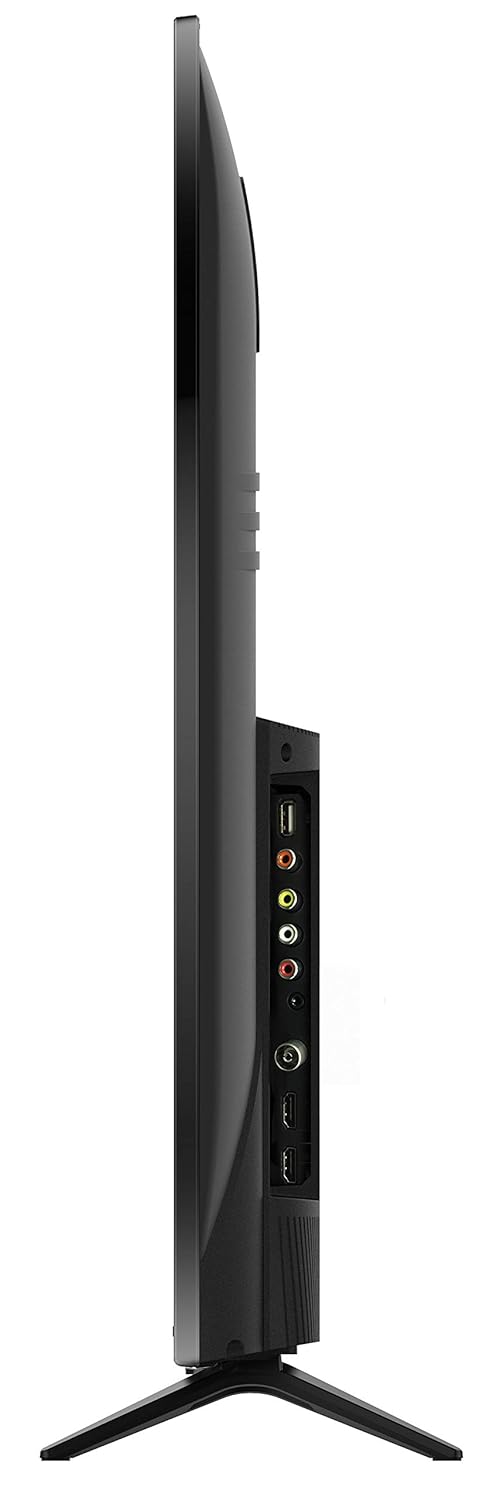
Image 4.2: Rear view of the TCL 55P8 TV, indicating VESA mounting points for wall installation.
4.2 Connecting External Devices
Your TCL 55P8 TV offers various ports for connecting external devices:
- HDMI Ports (x3): Connect set-top boxes, Blu-ray players, gaming consoles, or other HDMI-enabled devices.
- USB Ports (x2): Connect USB flash drives or external hard drives for media playback.
- LAN Port: Connect an Ethernet cable for a wired internet connection.
- AV Input: Use the provided AV-RCA adapter to connect older devices with composite video and stereo audio outputs.
- Headphone Jack: Connect headphones for private listening.
- Digital Audio Out: Connect to a soundbar or home theater system for enhanced audio.

Image 4.3: Diagram illustrating the various connectivity ports available on the TCL 55P8 TV.
5. Operating Instructions
5.1 Power On/Off
Press the power button on the remote control or on the TV to turn it on or off. The TV may take a few moments to boot up due to its Android operating system.
5.2 Remote Control
The included remote control allows you to navigate the TV's features. It supports both IR and Bluetooth technology. Insert the two AAA batteries into the remote control, ensuring correct polarity.
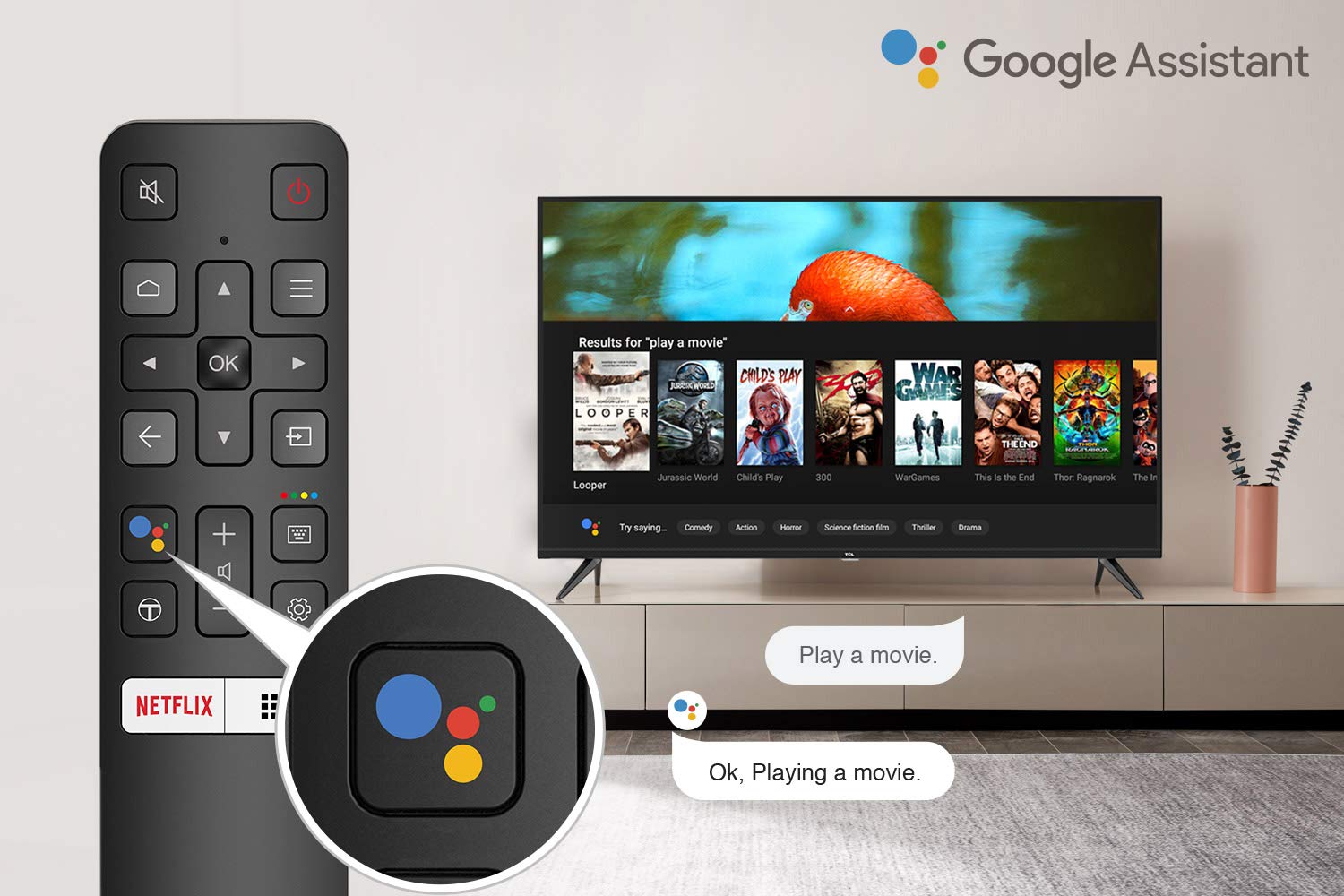
Image 5.1: The remote control for the TCL 55P8 TV, highlighting the Google Assistant button for voice commands.
5.3 Smart TV Features (Android TV 9.0)
Your TCL 55P8 TV runs on Android TV 9.0, offering a wide range of smart functionalities:
- AI-Google Assistant: Use voice commands via the remote control to search for content, control smart home devices, and get information.
- Google Cast (Chromecast built-in): Cast content from your compatible smartphone, tablet, or computer directly to the TV screen.
- T-cast: Utilize the T-cast app for additional smart features and screen mirroring.
- Bluetooth: Connect Bluetooth-enabled devices such as headphones or game controllers.
- App Access: Download and install various applications from the Google Play Store, including streaming services like Netflix, Amazon Prime Video, YouTube, Hotstar, Sony Liv, and Zee5.
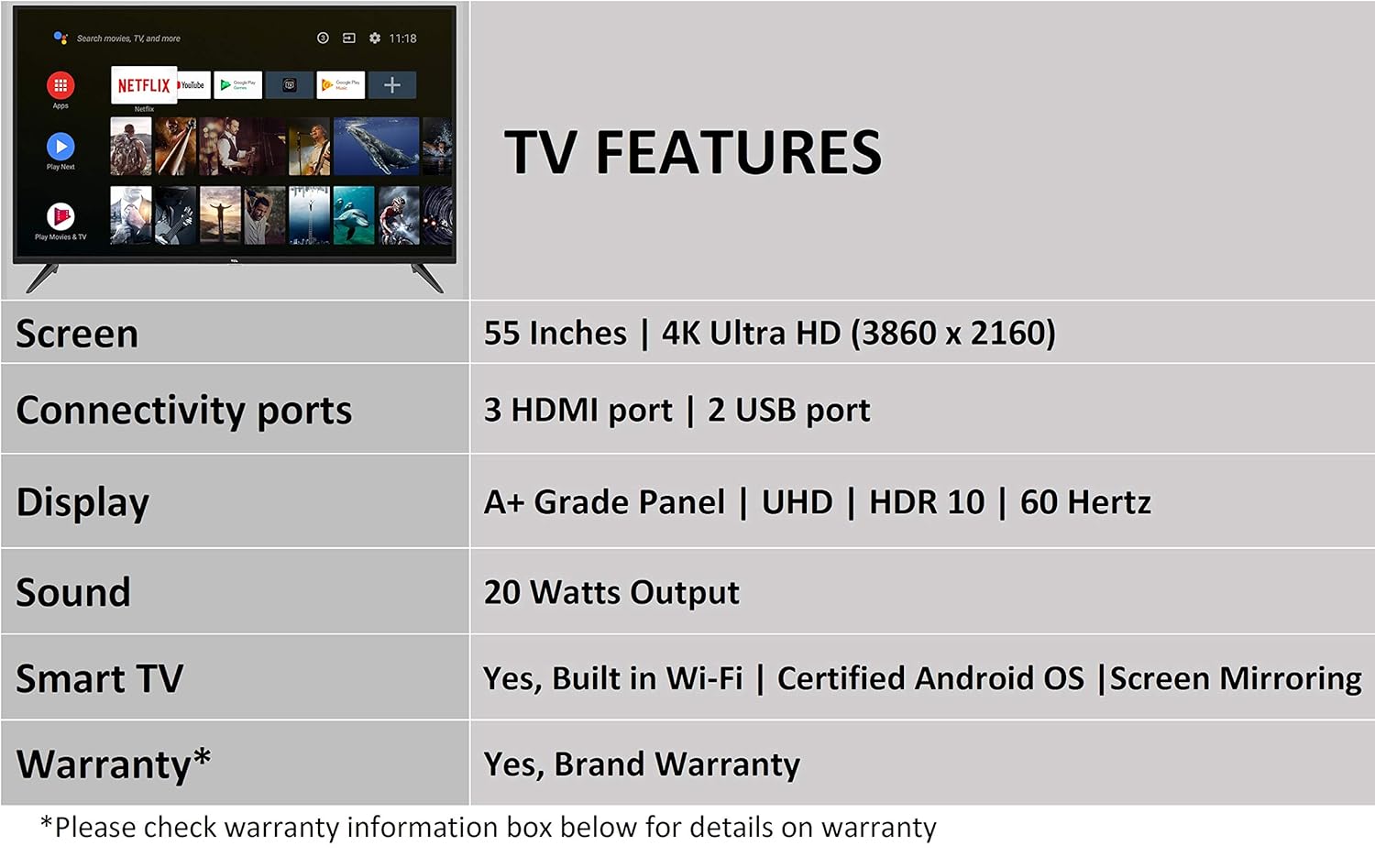
Image 5.2: The Android TV home screen on the TCL 55P8, displaying icons for popular streaming applications.
5.4 Picture and Sound Settings
- Picture: Navigate to the picture settings menu to adjust brightness, contrast, color, and sharpness. The TV supports 4K Ultra HD resolution, HDR10, and features Micro Dimming for enhanced contrast.
- Sound: Access sound settings to adjust volume, equalizer, and select audio output modes. The TV provides 20 Watts of audio output and supports Dolby Audio.
6. Maintenance
6.1 Cleaning the TV
- Screen: Gently wipe the screen with a soft, lint-free, dry cloth. For stubborn marks, slightly dampen the cloth with water (do not spray directly on the screen).
- Body: Wipe the TV frame and stand with a soft, dry cloth.
- Caution: Do not use abrasive cleaners, alcohol, benzene, or thinners, as these can damage the TV's surface.
6.2 Software Updates
Your Android TV may receive periodic software updates. Ensure your TV is connected to the internet to receive these updates, which can improve performance and add new features. You can usually check for updates in the TV's settings menu.
7. Troubleshooting
If you encounter issues with your TV, refer to the following common solutions:
| Problem | Possible Solution |
|---|---|
| No Power | Check if the power cord is securely plugged into the TV and the wall outlet. Ensure the power outlet is functional. |
| No Picture, but Sound is Present | Verify the correct input source is selected. Check HDMI/AV cable connections. Try restarting the TV. |
| No Sound, but Picture is Present | Check the volume level and ensure the TV is not muted. Verify audio cable connections if using external speakers. Check audio output settings. |
| Remote Control Not Working | Replace batteries. Ensure there are no obstructions between the remote and the TV's IR sensor. Re-pair the Bluetooth remote if necessary. |
| Network Connection Issues | Check Wi-Fi password. Restart your router. Ensure the TV is within range of the Wi-Fi signal or the Ethernet cable is properly connected. |
| Slow Performance / App Crashes | Close unused applications. Clear cache for problematic apps. Restart the TV. Consider a factory reset if issues persist (note: this will erase all data). |
If the problem persists after attempting these solutions, please contact TCL customer support.
8. Specifications
Detailed technical specifications for the TCL 55P8 55-inch AI 4K UHD Android Smart LED TV:
| Feature | Specification |
|---|---|
| Model | 55P8 |
| Screen Size | 55 Inches (138.78 cm) |
| Resolution | 4K Ultra HD (3840 x 2160 pixels) |
| Refresh Rate | 60 Hz |
| Viewing Angle | 178 Degrees |
| Display Type | LED, A+ Grade Panel |
| HDR Support | HDR 10 |
| Operating System | Android 9.0 |
| Processor | Quad-core A55 (1.1GHz) |
| Graphics Coprocessor | Mali470x3 (600MHz-800MHz) |
| RAM | 2 GB |
| Internal Storage | 16 GB |
| Audio Output | 20 Watts |
| Audio Technology | AI Sound Engine, Dolby Audio |
| HDMI Ports | 3 (HDMI 2.0, HDCP2.2, ARC on Port 1) |
| USB Ports | 2 (USB 2.0) |
| Connectivity | Wi-Fi (2x2 b/g/n 2.4GHz), Ethernet, Bluetooth 5.0 |
| Special Features | AI-Google Assistant, Google Cast, T-cast, Micro Dimming |
| Product Dimensions (LxWxH) | 124.4 x 23.9 x 77.5 cm (with stand) |
| Item Weight | 12 kg |

Image 8.1: Dimensional diagram of the TCL 55P8 TV, showing height, width, and depth measurements.
9. Warranty and Support
9.1 Warranty Information
Your TCL 55P8 TV comes with an 18-month warranty provided by TCL from the date of purchase. Please retain your purchase receipt and warranty card for any warranty claims.
9.2 Installation and Customer Support
For requesting installation, wall mounting, or a product demonstration after delivery, please contact TCL customer service:
- Toll-Free Numbers: 18004190622 or 18001020622
For any other technical assistance or support, please refer to the contact information provided on your warranty card or the official TCL website.
9.3 Returns Policy
This product is eligible for replacement or refund within 10 days of delivery in case of any product defects, damage, or features not matching the description provided. Please refer to the retailer's return policy for detailed terms and conditions.
Related documents55P8


Ask a question about this manual
Ask about setup, troubleshooting, compatibility, parts, safety, or missing instructions. Manuals+ will review the question and use this page’s manual context to help answer it.