
1. Safety Information
Please read all instructions carefully before assembly and use. Retain this manual for future reference.
- Ensure the lamp is unplugged before assembly, cleaning, or changing the bulb.
- Do not exceed the maximum wattage specified for the bulb.
- Keep the lamp away from water and moisture.
- This lamp is designed for indoor use only.
- The lamp has passed ETL and UL Safety Standard Tests, ensuring safe operation when used as directed.
2. Package Contents
Verify that all components are present before beginning assembly.
- Lamp Pole Sections
- Lamp Base
- Lamp Head with E26 Socket
- Power Cord with Foot Switch
- Note: Light bulb is not included.
3. Setup and Assembly
The Oneach Industrial Floor Lamp is designed for easy assembly without the need for additional tools.
- Unpack Components: Carefully remove all parts from the packaging and lay them out on a clean, flat surface.
- Assemble Lamp Pole: Screw the lamp pole sections together clockwise until they are securely tightened. Ensure all connections are firm.
- Attach Lamp Head: Screw the lamp head onto the top pole section.
- Attach Lamp Base: Screw the assembled lamp pole into the lamp base clockwise until it is stable.
- Install Light Bulb: Insert an E26 base light bulb (maximum 60W, not included) into the lamp socket. Compatible with LED or CFL bulbs.
- Position Lamp: Place the lamp in your desired location. The 6-foot cord provides flexibility for placement.
- Connect to Power: Plug the power cord into a standard electrical outlet.
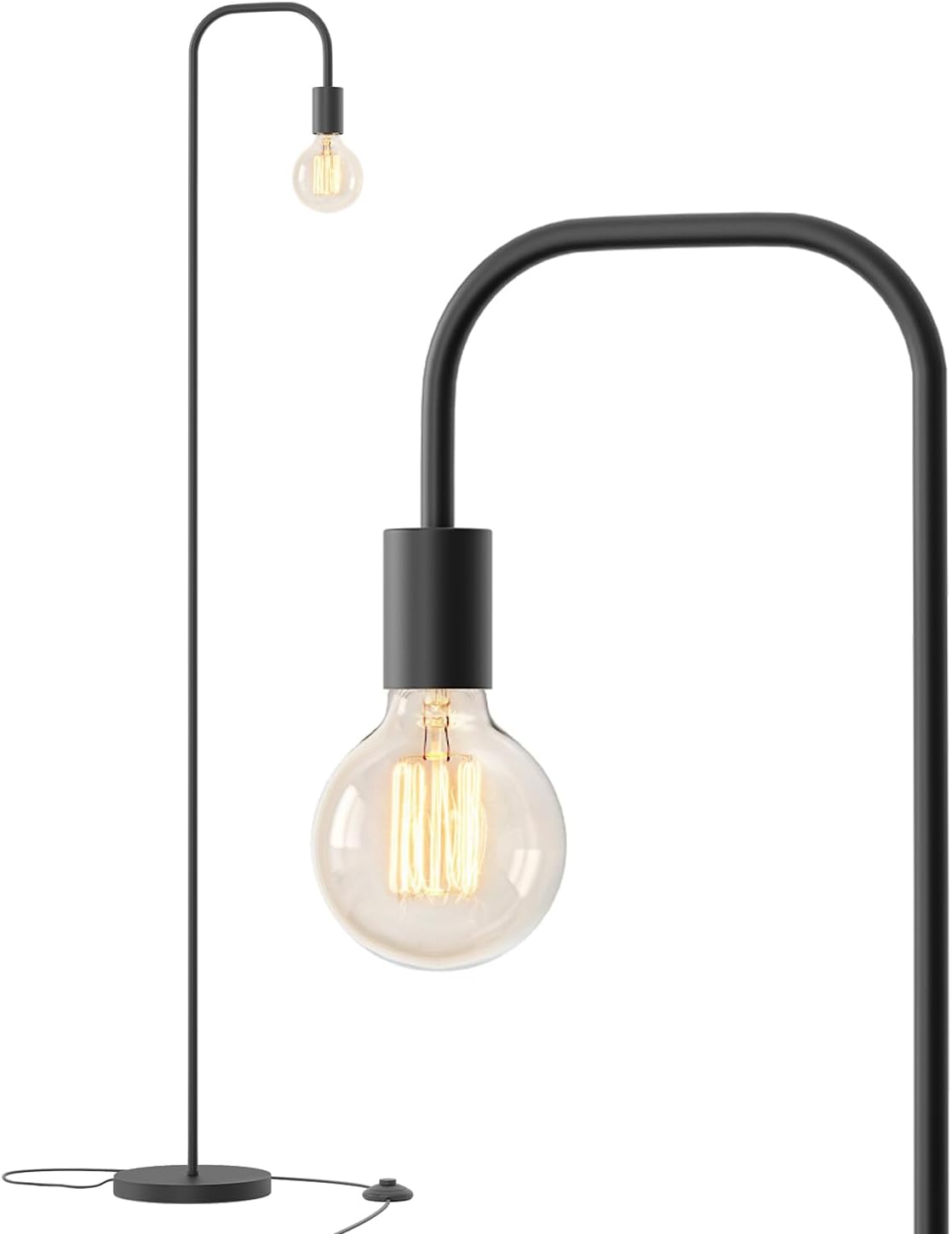
Image: Fully assembled Oneach Industrial Floor Lamp, showcasing its minimalist design and exposed bulb socket.

Image: Illustration showing various compatible E26 base light bulbs that can be used with the lamp, allowing for personalized style.
4. Operating Instructions
The Oneach Industrial Floor Lamp features a convenient foot switch for easy operation.
- To Turn On: Gently tap the foot switch located on the power cord.
- To Turn Off: Tap the foot switch again.

Image: Diagram illustrating the lamp's dimensions (63.75" height, 9" base diameter) and a close-up of the integrated foot switch for operation.
5. Maintenance
Regular maintenance ensures the longevity and optimal performance of your floor lamp.
- Cleaning: Ensure the lamp is unplugged. Wipe the metal surfaces with a soft, dry cloth. Do not use abrasive cleaners or solvents, as these may damage the finish.
- Bulb Replacement: Always unplug the lamp before replacing the light bulb. Allow the old bulb to cool completely before removal. Screw in a new E26 base bulb, ensuring it does not exceed 60W.
6. Troubleshooting
If you encounter any issues with your Oneach Industrial Floor Lamp, refer to the following common solutions:
| Problem | Possible Cause | Solution |
|---|---|---|
| Lamp does not turn on. |
|
|
| Lamp flickers. |
|
|
7. Specifications
| Brand | Oneach |
| Model Number | AMZ-F2016-BK |
| Product Dimensions | 11.99"D x 11.99"W x 63.75"H |
| Item Weight | 5.68 pounds |
| Material | Metal |
| Finish Type | Painted |
| Bulb Base | E26 |
| Max Wattage | 60W (Bulb not included) |
| Voltage | 120 Volts |
| Power Source | Corded Electric |
| Switch Type | Foot Switch |
| Certifications | ETL, UL |
| Indoor/Outdoor Usage | Indoor |
8. Warranty and Support
The Oneach Industrial Floor Lamp comes with a 1-year warranty from the date of purchase.
For warranty claims, technical support, or any questions regarding your product, please contact Oneach customer service. Refer to your purchase documentation or the Oneach official website for specific contact details.
Oneach is committed to customer satisfaction and will assist with any issues you may encounter.