Introduction
This manual provides detailed instructions for the setup, operation, and maintenance of your DOGNESS Automatic Pet Feeder WiFi 2L. This smart feeder is designed to provide scheduled meals for your pets, ensuring they are fed consistently even when you are away. Please read this manual thoroughly before using the product to ensure proper function and safety.
Safety Information
- Read all instructions carefully before initial use.
- This product is designed for indoor use only. Do not expose to rain or moisture.
- Do not immerse the main unit of the feeder in water or any other liquid.
- Use only with dry pet food. Do not use with wet, canned, or moist food.
- Keep the feeder out of reach of children and pets when not in use or during cleaning.
- Ensure the power adapter is securely connected to both the feeder and a functional wall outlet.
- Do not operate the feeder if any part is damaged or if it malfunctions. Contact customer support.
- Always unplug the feeder before cleaning or performing maintenance.
Package Contents
- DOGNESS Automatic Pet Feeder (Main Unit)
- Stainless Steel Feeding Bowl
- Power Adapter
- Desiccant Pack
- User Manual
Product Overview
The DOGNESS Automatic Pet Feeder is a compact and efficient device designed to automate your pet's feeding schedule. It features a 2-liter capacity, making it particularly suitable for small pets. The feeder integrates seamlessly with a smartphone app for convenient control and monitoring.
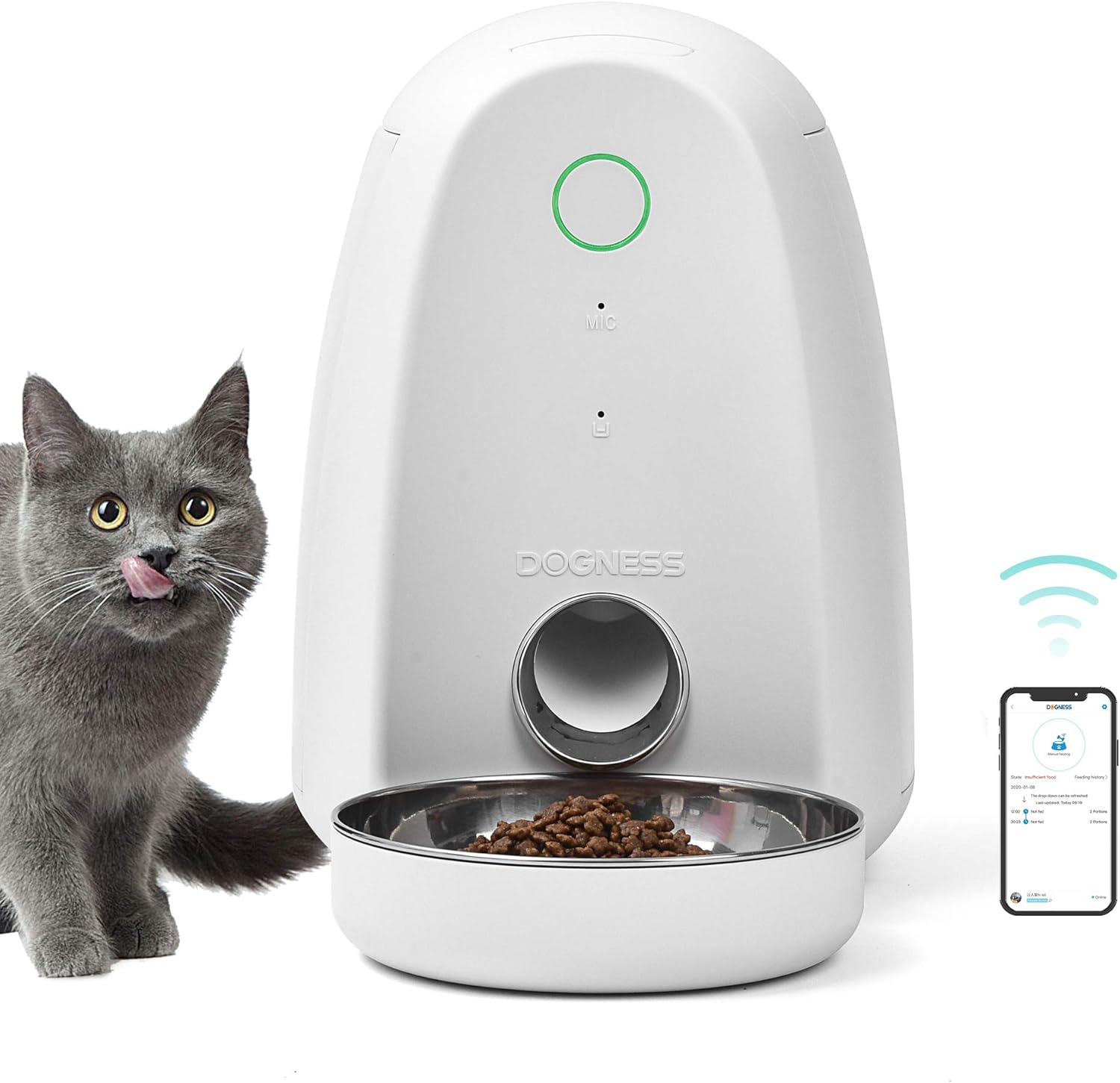
Image: The DOGNESS Automatic Pet Feeder in white, shown with a cat. The feeder has a circular button on top, a microphone icon, and the DOGNESS logo. A stainless steel bowl is attached at the bottom, filled with kibble.
Key features of your feeder include:
- App Control: Easily manage feeding schedules and dispense food remotely via the dedicated smartphone app.
- Voice Interaction: Utilize the built-in microphone to record and play voice messages for your pet during feeding times.
- 2-Liter Capacity: Optimal size for small pets, ensuring a consistent food supply.
- Low Food Notification: Receive alerts on your app when the food level in the reservoir is low.
- Hygienic Design: Features an easy-to-clean stainless steel feeding bowl.
- Dual Power Protection: Operates with an AC adapter and includes a backup battery option for uninterrupted feeding during power outages.
- Food Freshness: Equipped with a moisture-resistant desiccant box and a sealing ring on the lid to keep food fresh.
Setup
1. Unpacking
Carefully remove all components from the product packaging. Inspect all parts for any damage. If any parts are missing or damaged, do not proceed with setup and contact customer support.
2. Power Supply
The feeder can be powered by the included AC adapter or by 4 D-size batteries (not included) for backup power. It is recommended to use both for reliable operation.
- Connect the power adapter to the feeder's power input port and plug it into a standard wall outlet.
- For battery backup, open the battery compartment located at the bottom of the feeder. Insert 4 D-size batteries, ensuring correct polarity (+/-). Close the compartment securely.

Image: A diagram illustrating the internal impeller mechanism and the battery compartment for backup power, highlighting the "Back-up batteries enabled" feature.
3. App Installation and Wi-Fi Connection
To utilize the smart features of your feeder, you need to install the DOGNESS app on your smartphone.
- Download the
Related Documents - F05WH

Dogness App Feeder F03 Instruction Manual
Comprehensive instruction manual for the Dogness App Feeder F03, covering setup, app connection, troubleshooting, and safety precautions for automated pet feeding.
Dogness Smart Cam Feeder F01 User Manual
User manual for the Dogness Smart Cam Feeder F01, detailing specifications, installation, and usage instructions for this smart pet feeder.
Dogness Smart Cam Feeder User Manual
Comprehensive user guide for the Dogness Smart Cam Feeder, detailing setup, features, operation, and maintenance for pet owners. Includes information on HD camera, night vision, app control, and scheduled feeding.
Dogness App Feeder F03 FCC Compliance Information
FCC compliance details for the Dogness App Feeder Model F03, manufactured by Dongguan Jiasheng Enterprise Co., Ltd. Includes FCC ID and operating conditions.