
1. Introduction
Thank you for purchasing the Beetel M51 CLI Corded Phone. This manual provides essential information for setting up, operating, and maintaining your new telephone. Please read these instructions carefully before using the phone and retain them for future reference.
2. Safety Information
- Do not expose the phone to direct sunlight, high humidity, or extreme temperatures.
- Avoid placing the phone near heat sources or in dusty environments.
- Clean the phone with a soft, damp cloth. Do not use abrasive cleaners or solvents.
- Do not attempt to open or repair the phone yourself. Refer all servicing to qualified personnel.
- Keep the phone away from water and liquids.
3. Package Contents
Ensure all items are present in the package:
- 1x Beetel M51 CLI Corded Phone
- 1x Handset
- 1x Coiled Handset Cord
- 1x Line Cord
- 1x User Manual (this document)
4. Product Overview
The Beetel M51 is a reliable corded telephone featuring Caller ID functionality and essential memory features. It is designed for use with standard PSTN networks.
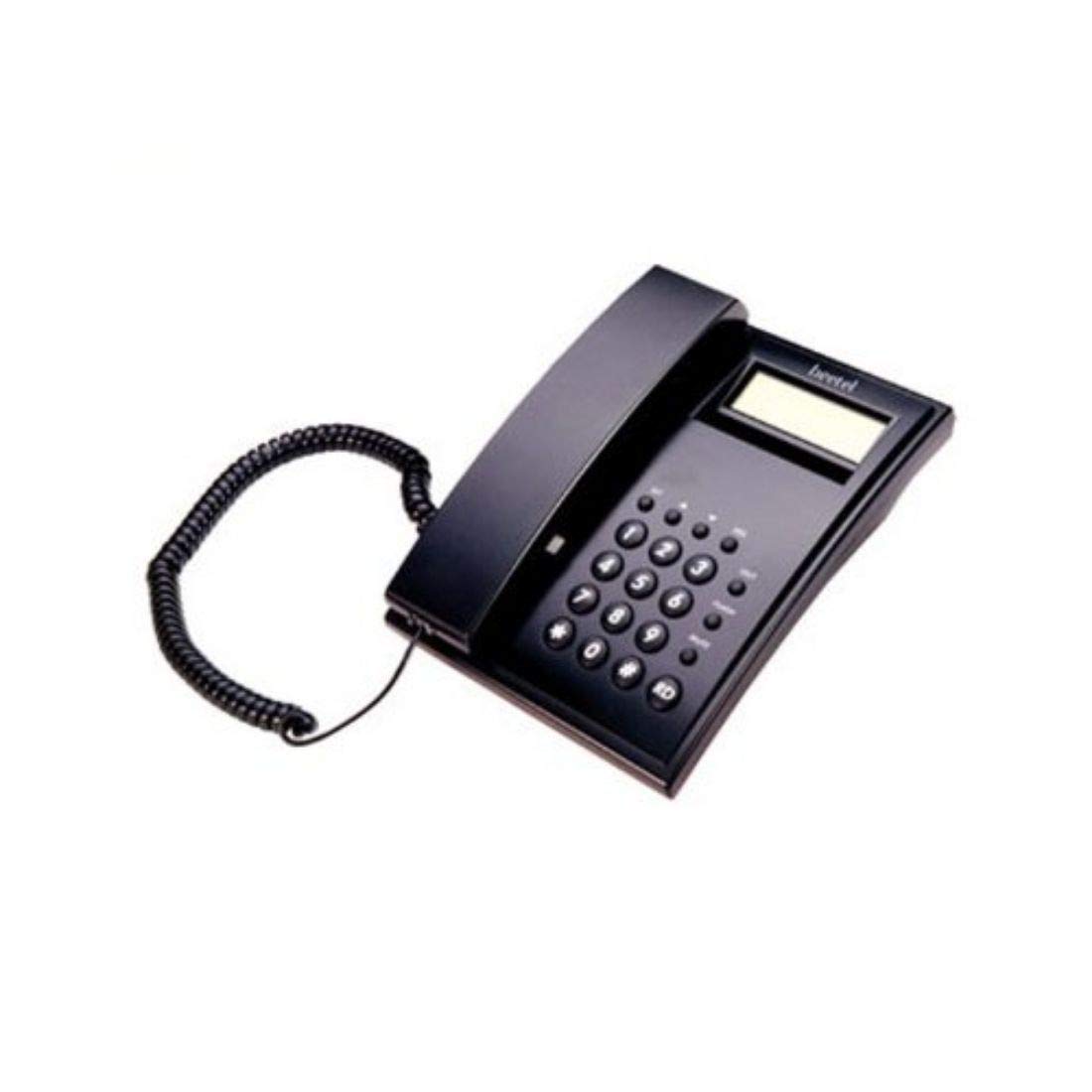
Figure 4.1: Front view of the Beetel M51 CLI Corded Phone. This image shows the keypad, LCD display, and handset cradle.
Key Features:
- Caller ID: FSK/DTMF compatible for displaying incoming call information.
- LCD Display: 16-digit single line display for caller information, time, and date.
- Memory: Stores up to 30 incoming call records and 5 outgoing call records.
- Real-time Clock: Displays year, date, and month.
- Material: Durable plastic construction.
5. Setup
Follow these steps to set up your Beetel M51 phone:
- Connect the Handset: Plug one end of the coiled handset cord into the handset and the other end into the jack on the side of the phone base marked with a handset icon.
- Connect the Line Cord: Plug one end of the line cord into the jack on the back of the phone base marked with a wall jack icon. Plug the other end into your telephone wall outlet.
- Power Connection: The Beetel M51 is a corded electric phone and draws power directly from the telephone line. No external power adapter is required for basic operation.
- Initial Check: Lift the handset and listen for a dial tone. If you hear a dial tone, the phone is ready for use.
Figure 5.1: Illustration of connecting the handset and line cords to the phone base. Ensure secure connections for proper functionality.
Important Note: The product description mentions "The 3rd slot is dummy and hence does not have spring or connector." Please disregard any third, unused slot on the phone base; it is not functional.
6. Operating Instructions
6.1 Making a Call
- Lift the handset.
- Listen for a dial tone.
- Dial the desired telephone number using the keypad.
- Wait for the call to connect.
- To end the call, replace the handset on the cradle.
6.2 Receiving a Call
- When the phone rings, lift the handset to answer the call.
- To end the call, replace the handset on the cradle.
6.3 Caller ID (CLI) Function
When an incoming call is received, the 16-digit LCD display will show the caller's number (if available and subscribed to Caller ID service from your telephone provider). The phone is compatible with both FSK and DTMF Caller ID systems.
6.4 Memory Functions
- Incoming Call Memory: The phone automatically stores the last 30 incoming call numbers. Use the UP/DOWN navigation buttons (if present, or refer to specific button labels on your device) to scroll through the incoming call list.
- Outgoing Call Memory: The phone stores the last 5 outgoing call numbers. Access this memory similarly to incoming calls.
- Redial: To redial the last number called, lift the handset and press the REDIAL button (if present).
6.5 Real-time Clock Display
The LCD display shows the current year, date, and month. This clock is typically set automatically by the telephone network or can be manually adjusted if a setting option is available (refer to specific button labels on your device for "SET" or "CLOCK" functions).
7. Maintenance
- Cleaning: Wipe the phone's exterior with a soft, slightly damp cloth. Do not use liquid or aerosol cleaners directly on the phone.
- Storage: If storing the phone for an extended period, disconnect it from the telephone line and store it in a cool, dry place.
- Cord Care: Avoid tangling or stretching the handset and line cords excessively to prevent damage.
8. Troubleshooting
| Problem | Possible Cause | Solution |
|---|---|---|
| No dial tone | Line cord is loose or disconnected. | Ensure the line cord is securely plugged into both the phone and the wall jack. |
| No display on LCD | Phone line issue or power interruption. | Check line cord connection. If the issue persists, contact your telephone service provider. |
| Caller ID not working | Not subscribed to Caller ID service; service issue; incompatible system. | Contact your telephone service provider to confirm Caller ID subscription and service status. Ensure your provider uses FSK or DTMF. |
| Cannot make or receive calls | Telephone line fault. | Test with another phone if available. Contact your telephone service provider if the line is dead. |
If the problem persists after trying these solutions, please contact customer support.
9. Specifications
| Brand | Beetel |
| Model | M51 (Model Number: A13, Manufacturer Part Number: Supertech-India_74) |
| Telephone Type | Corded |
| Caller ID | FSK/DTMF Compatible |
| Display | 16-digit single LCD display |
| Incoming Call Memory | 30 records |
| Outgoing Call Memory | 5 records |
| Real-time Clock | Year, Date, Month display |
| Material | Plastic |
| Power Source | Corded Electric (Line Powered) |
| Compatible Devices | PSTN networks |
| Dimensions (approx.) | 20 x 10 x 8 cm |
10. Warranty & Support
10.1 Product Warranty
This Beetel M51 CLI Corded Phone comes with a standard manufacturer's warranty. Please refer to the warranty card included in your package for specific terms, conditions, and duration. Retain your purchase receipt as proof of purchase for warranty claims.
10.2 Extended Warranty Options
Extended warranty plans may be available for purchase separately. For example, 1-Year and 2-Year Extended Warranty options by Onsitego were available at the time of purchase. Please check with your retailer or the manufacturer's website for current extended warranty offerings.
10.3 Customer Support
For technical assistance, troubleshooting, or warranty claims, please contact Beetel customer support. Contact details can typically be found on the manufacturer's website or on the product packaging.
- Manufacturer: Navkar
- Brand: Beetel
- Website: Refer to Beetel's official website for support contact information.