
Introduction
Thank you for choosing the SKMEI Sports Digital Watch Model 1258. This manual provides detailed instructions for setting up, operating, and maintaining your watch. Designed for durability and functionality, this watch features a clear digital display, 50-meter water resistance, and various modes to support your active lifestyle.
Please read this manual carefully to ensure proper use and to maximize the lifespan of your watch.
Watch Overview
The SKMEI 1258 watch features a robust design with clearly labeled buttons for easy navigation through its functions.

Image: Front view of the SKMEI 1258 watch, highlighting the 'LIGHT', 'MODE', 'START/STOP', and 'RESET' buttons, along with display segments for Week, Date, Time, PM indicator, and Alarm.
- LIGHT Button: Activates the backlight for visibility in low-light conditions.
- MODE Button: Cycles through different modes (Time, Alarm, Stopwatch).
- START/STOP Button: Used to start/stop functions like the stopwatch, or to adjust settings.
- RESET Button: Used to reset functions or confirm settings.
Setup
Initial Time and Date Setting
The SKMEI 1258 watch is designed for easy setup. Follow these steps to set the time and date:
- From the normal time display, press the MODE button three times to enter Time Setting Mode. The seconds will begin to flash.
- Press the RESET button to cycle through the settings: Seconds → Hour → Minute → Month → Date → Day of the Week.
- While a setting is flashing, use the START/STOP button to adjust the value.
- Once all settings are adjusted, press the MODE button to exit Time Setting Mode and return to the normal time display.
12/24 Hour Format Selection
To switch between 12-hour and 24-hour (military) time format:
- From the normal time display, press the START/STOP button once. This will toggle between 12-hour (with 'PM' indicator for afternoon hours) and 24-hour formats.
Operating Instructions
Mode Functions
Press the MODE button to cycle through the following functions:
- Normal Time Display: Shows hour, minute, second, day of the week, month, and date.
- Stopwatch Mode:
- Press MODE once to enter Stopwatch Mode.
- Press START/STOP to begin timing. Press again to pause.
- Press RESET while paused to clear the stopwatch to zero.
- Alarm Setting Mode:
- Press MODE twice to enter Alarm Setting Mode. The hour digits will flash.
- Press START/STOP to adjust the hour.
- Press RESET to switch to minute setting. The minute digits will flash.
- Press START/STOP to adjust the minute.
- Press MODE to exit Alarm Setting Mode.
- Alarm ON/OFF: From normal time display, press and hold START/STOP and RESET simultaneously to toggle the alarm on or off. An alarm icon will appear/disappear on the display.
Using the Backlight
To illuminate the display in dark conditions, press the LIGHT button. The backlight will stay on for a few seconds.
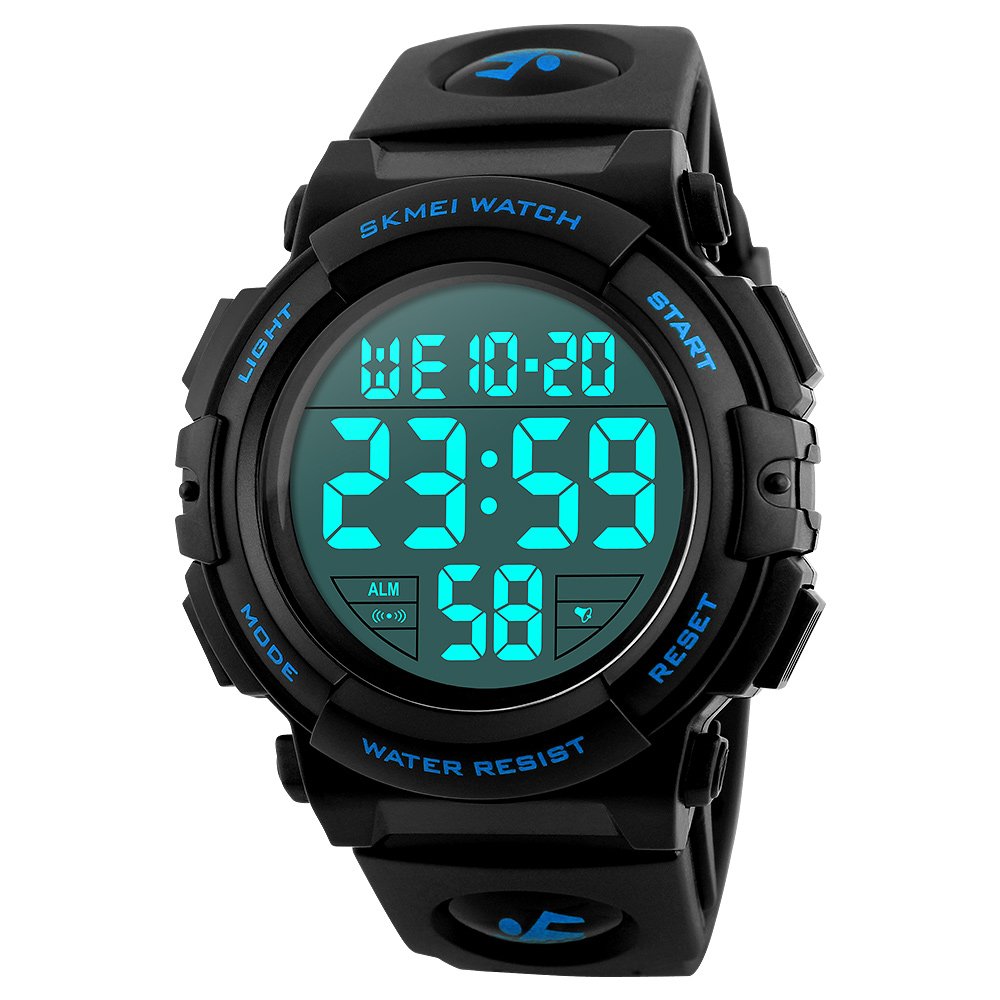
Image: The SKMEI 1258 watch display illuminated with a bright blue backlight, showing the time and date clearly.
Water Resistance Guidelines
This watch is rated for 5 ATM (50 meters) water resistance. This means it is suitable for:
- Swimming
- Showering
- Washing hands
Important Precautions:
- DO NOT press any buttons while the watch is submerged in water.
- Avoid exposing the watch to extremely hot water, such as in hot tubs or saunas, as this can compromise the water seals.
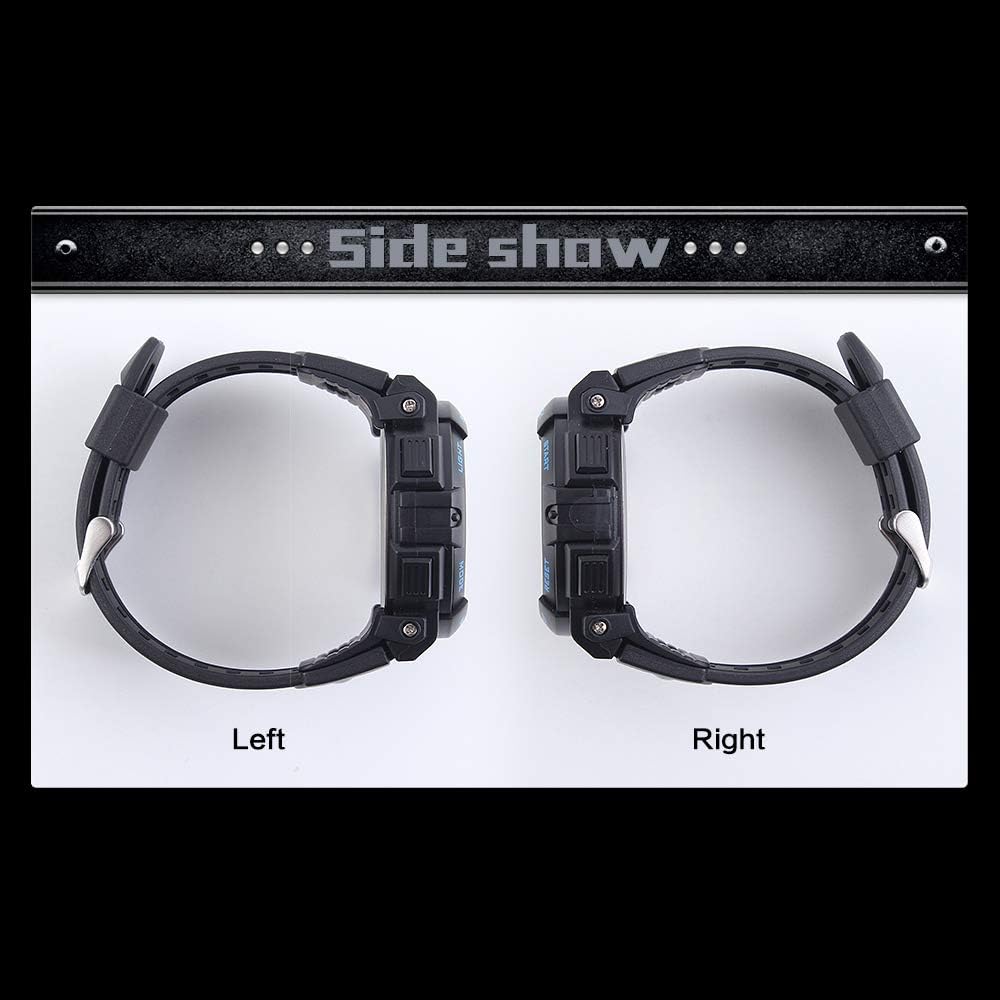
Image: Side profile of the SKMEI 1258 watch, displaying the 'WATER RESIST' text on the casing, indicating its water resistance feature.
Maintenance
Cleaning Your Watch
- Wipe the watch case and band regularly with a soft, damp cloth.
- For stubborn dirt, use a mild soap solution and rinse thoroughly with clean water, then dry completely.
- Avoid using harsh chemicals, solvents, or abrasive cleaners, as these can damage the watch's finish and seals.
Battery Replacement
The watch battery typically lasts 18-24 months. When the display becomes dim or functions become erratic, it may be time to replace the battery. It is recommended to have the battery replaced by a professional watch technician to ensure the water resistance seal is properly maintained.
Storage
When not in use, store your watch in a cool, dry place away from direct sunlight and extreme temperatures. Avoid storing it near magnetic fields, which can affect the watch's accuracy.
Troubleshooting
| Problem | Possible Cause | Solution |
|---|---|---|
| Display is blank or dim. | Low battery. | Replace the battery. |
| Time is incorrect. | Time needs to be reset. | Follow the "Initial Time and Date Setting" instructions. |
| Buttons are unresponsive. | Watch may be in a locked mode or battery is very low. | Try pressing all buttons to see if any respond. If not, replace battery. Ensure not pressing buttons underwater. |
| Water inside the watch. | Buttons pressed underwater, or seals compromised by extreme heat. | Immediately take the watch to a professional for inspection and repair to prevent further damage. |
Specifications
| Feature | Detail |
|---|---|
| Brand | SKMEI |
| Model Number | 1258 (Manufacturer Reference: SWQ-1258) |
| Display Type | Digital |
| Movement | Digital |
| Water Resistance Depth | 50 Meters (5 ATM) |
| Case Shape | Round |
| Case Diameter | 57 Millimeters |
| Case Thickness | 17 Millimeters |
| Band Material | Polyurethane |
| Band Width | 23 Millimeters |
| Band Color | Black |
| Dial Color | Black |
| Item Weight | 63 Grams |
| Battery | 1 product-specific battery (included) |
| Department | Unisex Adult |
| First Available on Amazon.co.jp | July 15, 2019 |
Warranty Information
This SKMEI watch is covered by a standard manufacturer's warranty against defects in materials and workmanship. The specific terms and duration of the warranty may vary by region and retailer. Please retain your proof of purchase for any warranty claims.
The warranty typically does not cover damage resulting from improper use, accidents, unauthorized repairs, or normal wear and tear, including battery depletion.
Support
For further assistance, technical support, or inquiries regarding your SKMEI Sports Digital Watch Model 1258, please contact the retailer where you purchased the product or refer to the official SKMEI website for customer service contact details.
When contacting support, please have your watch model number (1258) and proof of purchase readily available.


