
TASCO TRD130T
Contents
Tasco Propoint TRD130T Red Dot Sight User Manual
Model: TRD130T
1. Introduction
The TASCO Propoint TRD130T Red Dot Sight is a 1x30 configuration optic designed for versatile use by hunters and shooters. This manual provides essential information for the proper setup, operation, and maintenance of your red dot sight to ensure optimal performance and longevity.

Figure 1: Tasco Propoint TRD130T Red Dot Sight
2. Key Features
The TRD130T Red Dot Sight incorporates several features designed for reliability and ease of use:
- Quality Optics: Designed in the USA, part of the Tasco Propoint line of quality optics.
- Versatile Red Dot: A do-all red dot suitable for hunting, range use, or plinking.
- Illumination Settings: Features a 5 MOA dot with 11 adjustable brightness settings for various lighting conditions.
- Rugged Construction: Built with solid aluminum construction, designed, constructed, and tested to withstand rifle recoil energy.
- Mounting Options: Versatile mounting options for shotguns, MSRs, or pistols.
- Multi-Coated Optic: Lenses are multi-coated for improved light transmission and clarity.
- Included Mount: Comes with a 2-in-1 mounting base compatible with both 3/8" tip-off and Weaver rails.

Figure 2: Annotated features of the TRD130T, highlighting aluminum construction, capped elevation turret, adjustable illumination, 3/8" tip-off and 5/8" low Weaver mount, and multi-coated optic.

Figure 3: Representation of the 5 MOA red dot reticle.
3. Setup and Installation
3.1 Mounting the Sight
The TRD130T comes with a versatile 2-in-1 mounting base that fits both 3/8" tip-off and Weaver/Picatinny rails. Ensure your firearm's rail is clean and free of debris before mounting.
- Loosen the mounting screws on the base of the red dot sight.
- Place the sight onto the desired rail section, ensuring proper eye relief.
- Tighten the mounting screws evenly until the sight is securely fastened to the rail. Do not overtighten.
- Verify that the sight is stable and does not wobble.
3.2 Battery Installation
The red dot sight requires a CR2032 lithium coin cell battery (typically included). To install or replace the battery:
- Locate the battery compartment, usually on the top or side of the illumination control knob.
- Unscrew the battery cap counter-clockwise.
- Insert the CR2032 battery with the positive (+) side facing outwards (towards the cap).
- Screw the battery cap back on clockwise until it is finger-tight. Do not overtighten to avoid damaging the O-ring seal.
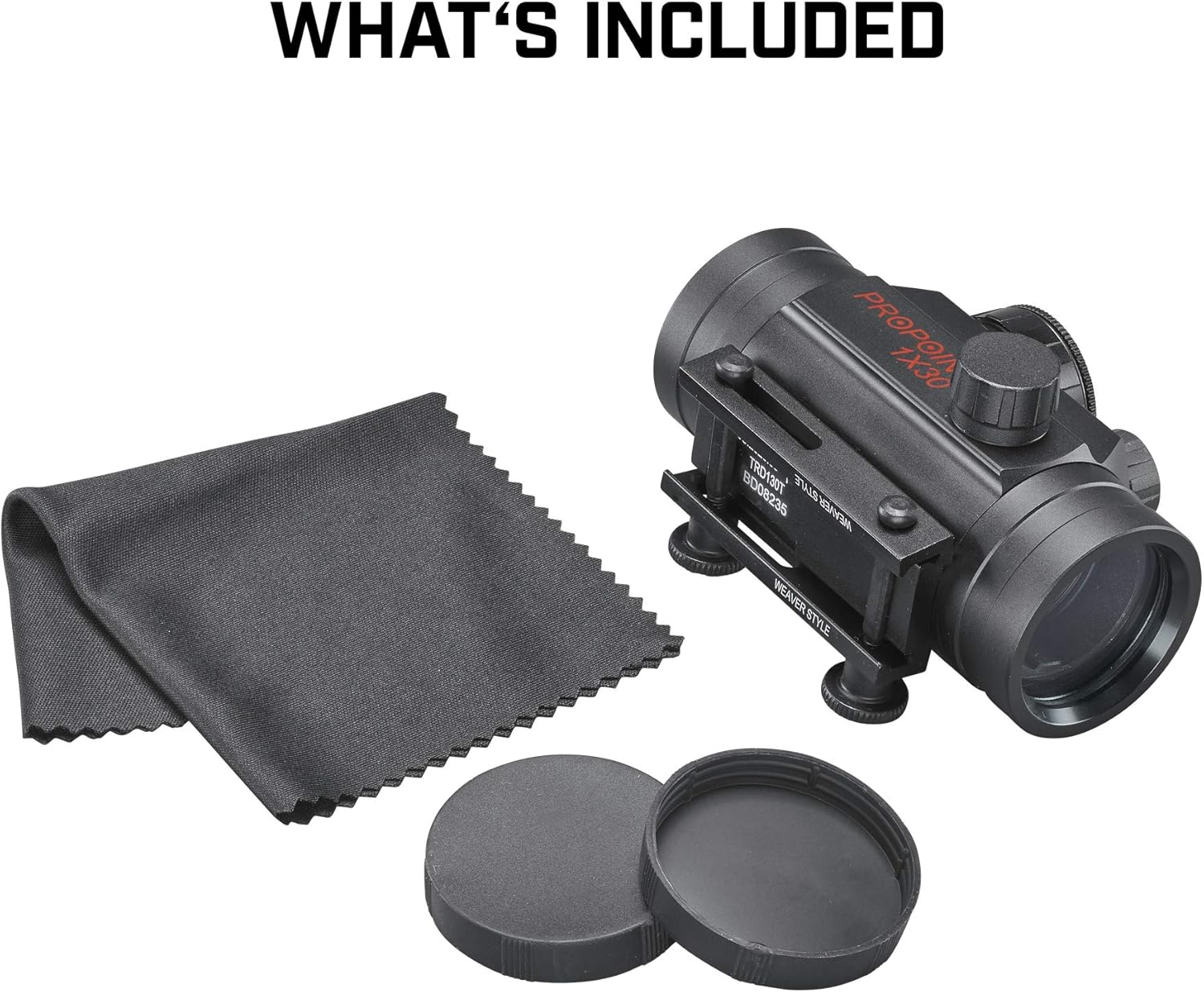
Figure 4: The TRD130T package includes the red dot sight, a cleaning cloth, and lens caps, along with the integrated mounting base.
4. Operation
4.1 Power On/Off and Brightness Adjustment
The TRD130T features an illumination control knob with 11 brightness settings:
- To turn on the sight, rotate the illumination control knob from the '0' (off) position to any numbered setting (1-11).
- Settings 1-11 increase in brightness, with 1 being the dimmest and 11 being the brightest.
- Select a brightness level appropriate for your ambient lighting conditions.
- To turn off the sight, rotate the knob back to the '0' position.
4.2 Zeroing the Sight
Zeroing your red dot sight is crucial for accurate shooting. This process aligns the point of impact with your point of aim. It is recommended to perform this at a shooting range using a stable rest.
- Set up a target at a known distance (e.g., 25 or 50 yards).
- Fire a group of shots (e.g., 3-5 rounds) while aiming at the center of the target.
- Observe the point of impact relative to your aim point.
- Adjust the windage (horizontal) and elevation (vertical) turrets using a small flat-head screwdriver or coin.
- Elevation Adjustment: To move the point of impact UP, turn the elevation turret counter-clockwise. To move it DOWN, turn clockwise.
- Windage Adjustment: To move the point of impact RIGHT, turn the windage turret counter-clockwise. To move it LEFT, turn clockwise.
- Make small adjustments, then fire another group of shots to verify. Repeat until the point of impact matches your point of aim.

Figure 5: Rear view of the TRD130T, showing the elevation and windage adjustment turrets.
5. Care and Maintenance
5.1 Cleaning
Proper cleaning ensures the longevity and clarity of your red dot sight:
- Lenses: Use the included cleaning cloth or a soft, lint-free cloth specifically designed for optical lenses. Gently wipe the lens surfaces to remove dust and smudges. For stubborn marks, a small amount of lens cleaning solution can be applied to the cloth, not directly to the lens.
- Body: Wipe the body of the sight with a soft, damp cloth to remove dirt and grime. Avoid using harsh chemicals or abrasive materials.
- Battery Contacts: Periodically check and clean the battery contacts inside the compartment to ensure good electrical connection.
5.2 Storage
When not in use, store your red dot sight in a cool, dry place, away from direct sunlight and extreme temperatures. It is advisable to remove the battery if the sight will not be used for an extended period to prevent potential leakage.
6. Troubleshooting
If you encounter issues with your TRD130T Red Dot Sight, refer to the table below for common problems and solutions:
| Problem | Possible Cause | Solution |
|---|---|---|
| Red dot is not visible or dim. | Battery is dead or low. Incorrect brightness setting. Battery inserted incorrectly. | Replace battery. Increase brightness setting. Reinsert battery with positive (+) side facing out. |
| Red dot flickers or turns off intermittently. | Loose battery cap. Dirty battery contacts. Low battery. | Tighten battery cap. Clean battery contacts. Replace battery. |
| Sight loses zero. | Mounting screws are loose. Recoil from firearm. | Ensure mounting screws are securely tightened. Re-zero the sight. |
| Dot appears distorted or blurry. | Astigmatism (user's eye condition). Dirty lens. | This may be due to individual eye characteristics; try looking through a rear peep sight or pinhole. Clean lenses thoroughly. |
7. Product Specifications
| Specification | Detail |
|---|---|
| Model Number | TRD130T |
| Product Dimensions | 5.75 x 5.25 x 2 inches |
| Item Weight | 8.48 ounces (approx. 240g) |
| Magnification | 1x |
| Objective Lens Diameter | 30mm |
| Reticle | 5 MOA Red Dot |
| Brightness Settings | 11 |
| Mount Type | 2-in-1 (3/8" Tip-off and Weaver/Picatinny) |
| Manufacturer | Tasco |
| First Available Date | June 19, 2019 |

Figure 6: Dimensions and weight of the TRD130T Red Dot Sight.
8. Warranty and Customer Support
TASCO products are manufactured to high standards and are designed for durability. For specific warranty information, including terms, conditions, and duration, please refer to the warranty card included with your product or visit the official TASCO website. If you require technical assistance, have questions about your product, or need to initiate a warranty claim, please contact TASCO customer support through their official channels.
For the most up-to-date contact information and support resources, please visit the TASCO Store on Amazon or the official TASCO website.
Documents and downloads
Ask a question about this manual
Ask about setup, troubleshooting, compatibility, parts, safety, or missing instructions. Manuals+ will review the question and use this page’s manual context to help answer it.