
PowerLocus PLX2
PowerLocus PLX2 True Wireless Earbuds User Manual
Model: PLX2
Introduction
Thank you for choosing the PowerLocus PLX2 True Wireless Earbuds. These earbuds are designed to provide a high-fidelity audio experience with ultimate freedom of movement. Featuring Bluetooth 5.0, IPX5 splash resistance, and a long-lasting battery, they are perfect for daily use, sports, and travel.
This manual will guide you through the setup, operation, maintenance, and troubleshooting of your new earbuds to ensure you get the best possible experience.
Package Contents
Please check the box for the following items:
- 1x Pair of PowerLocus PLX2 True Wireless Earbuds
- 1x Portable Charging Case
- 1x Micro USB Charging Cable
- 3x Pairs of Eartips (Small, Medium, Large)
- 1x User Manual (this document)
- 1x Warranty Card

Image: Contents of the PowerLocus PLX2 package, showing the earbuds, charging case, USB cable, and different sized eartips.
Setup Guide
1. Charging the Earbuds and Case
Before first use, fully charge the earbuds and the charging case. Place the earbuds into the charging case. Connect the Micro USB cable to the charging port on the case and the other end to a USB power source (e.g., computer, wall adapter).
- The indicator lights on the charging case will show the charging status.
- A full charge for the case takes approximately 1.5 hours.
- The earbuds will charge automatically when placed in the case.

Image: PowerLocus PLX2 earbuds inside their charging case, illustrating the charging process with illuminated indicators.
2. Pairing with Your Device
The PowerLocus PLX2 earbuds feature automatic pairing for convenience.
- Ensure Bluetooth is enabled on your device (smartphone, tablet, PC, etc.).
- Open the charging case and remove both earbuds. They will automatically power on and enter pairing mode.
- On your device, go to the Bluetooth settings and search for available devices.
- Select "PowerLocus PLX2" from the list to connect. You will hear a confirmation tone from the earbuds once connected.
Note: Once paired, the earbuds will automatically connect to the last paired device when removed from the case.

Image: Demonstrating the auto-pairing feature, showing the earbuds in their case and a smartphone displaying a successful Bluetooth connection.
For connecting to a TV or Nintendo Switch, an additional Bluetooth transmitter may be required.
Operating Instructions
Wearing the Earbuds
Choose the eartips that provide the most comfortable and secure fit for optimal sound quality and noise isolation. Gently insert the earbuds into your ears and rotate them slightly to ensure a snug fit.

Image: A man wearing a PowerLocus PLX2 earbud, highlighting the ergonomic design and secure fit for daily use.

Image: A woman wearing a PowerLocus PLX2 earbud, illustrating the comfortable and discreet fit for everyday activities.

Image: A woman engaged in weightlifting, wearing PowerLocus PLX2 earbuds, showcasing their stable fit during physical activity.
Touch Controls
The PowerLocus PLX2 earbuds feature intuitive touch controls on both the right and left earbud. The functions are as follows:
| Action | Right Earbud | Left Earbud |
|---|---|---|
| Play/Pause Music | Press 1x | Press 1x |
| Next Song | Press 2x | - |
| Previous Song | - | Press 2x |
| Volume Up | Press 3x | - |
| Volume Down | - | Press 3x |
| Answer/End Call | Press 1x | Press 1x |
| Reject Call | Hold 2s | Hold 2s |
| Activate Voice Assistant (Siri/Google Assistant) | Hold 3s | Hold 3s |

Image: Detailed diagram illustrating the various touch control functions for both the right and left PowerLocus PLX2 earbuds.
Mono and Stereo Mode
The PLX2 earbuds support both mono and stereo modes. You can use both earbuds together for a stereo experience or use a single earbud (either left or right) independently for mono audio. Simply remove the desired earbud from the case, and it will connect to your device.
Maintenance and Care
- Cleaning: Regularly clean the earbuds and charging case with a soft, dry, lint-free cloth. Do not use harsh chemicals or abrasive materials.
- Water Resistance: The earbuds are IPX5 splashproof, meaning they can withstand light splashes of water and sweat. Do not submerge them in water or expose them to heavy rain.
- Storage: When not in use, store the earbuds in their charging case to protect them and keep them charged. Store in a cool, dry place away from extreme temperatures.
- Battery Care: To prolong battery life, avoid fully discharging the earbuds and case frequently. Charge them regularly, even if not in constant use.

Image: PowerLocus PLX2 earbuds on a wet surface, illustrating their IPX5 splashproof capability.
Troubleshooting
| Problem | Possible Solution |
|---|---|
| Earbuds not pairing/connecting. |
|
| Only one earbud working. |
|
| Low volume or poor sound quality. |
|
| Earbuds not charging. |
|
Specifications
| Feature | Detail |
|---|---|
| Model | PLX2 |
| Bluetooth Version | V5.0 |
| Audio Driver | 6mm |
| Playtime per Earbud | Up to 4 hours |
| Total Playtime (with charging case) | Up to 20 hours |
| Charging Time (case) | Approx. 1.5 hours |
| Water Resistance Rating | IPX5 (Splashproof) |
| Earbud Weight | 5g (each) |
| Case Weight | 37g |
| Material | Plastic |
| Impedance | 32 Ohm |
| Special Features | Wireless, Hi-Fi Stereo, Microphone, Noise Reduction |
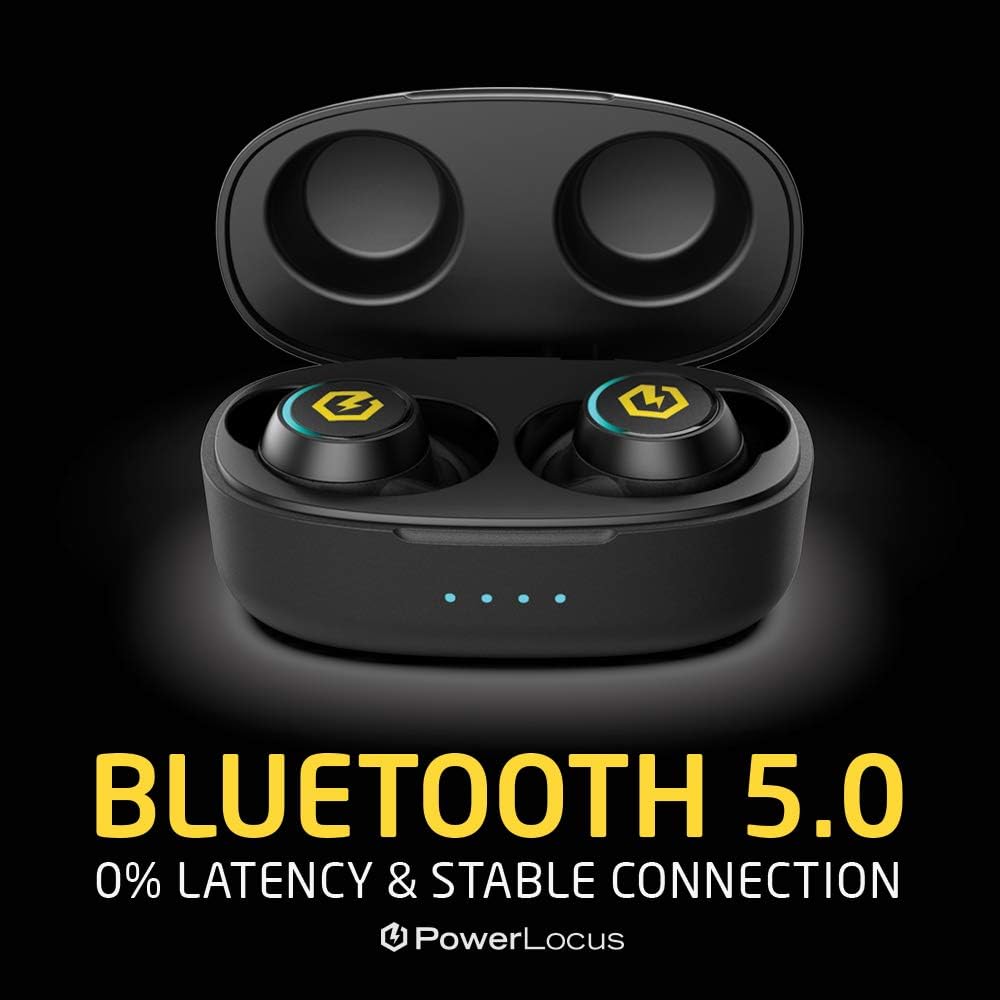
Image: Visual representation of Bluetooth 5.0 technology, emphasizing stable and low-latency connection.
Warranty and Support
PowerLocus provides a 24-month warranty for the PLX2 True Wireless Earbuds. This warranty covers manufacturing defects and ensures your peace of mind with your purchase.
For warranty claims, technical support, or any questions regarding your product, please refer to the contact information provided on your warranty card or visit the official PowerLocus website.
We are committed to providing the best possible customer service and support for our products.
Related documentsPLX2


Ask a question about this manual
Ask about setup, troubleshooting, compatibility, parts, safety, or missing instructions. Manuals+ will review the question and use this page’s manual context to help answer it.