
Levoit Core 300
Levoit Core 300 Air Purifier User Manual
Model: Core 300
1. Introduction
Thank you for purchasing the Levoit Core 300 Air Purifier. This manual provides important information regarding the setup, operation, maintenance, and troubleshooting of your device. Please read it thoroughly before use and retain it for future reference.

Image: Levoit Core 300 Air Purifier in a modern living room environment.
2. Important Safety Instructions
To reduce the risk of fire, electric shock, or other injury, please follow these safety guidelines:
- Ensure the power plug is securely connected to the outlet. A loose connection may cause sparks and fire.
- Do not operate the air purifier if the cord or plug is damaged.
- Keep the air purifier away from water or wet areas.
- Do not block air openings.
- Always unplug the air purifier before cleaning or performing any maintenance.
- This appliance is not intended for use by persons (including children) with reduced physical, sensory, or mental capabilities, or lack of experience and knowledge, unless they have been given supervision or instruction concerning use of the appliance by a person responsible for their safety.
3. Package Contents
Please check the package for the following items:
- Levoit Core 300 Air Purifier
- 3-in-1 Filtration Filter (Pre-installed)
- User Manual
4. Product Overview
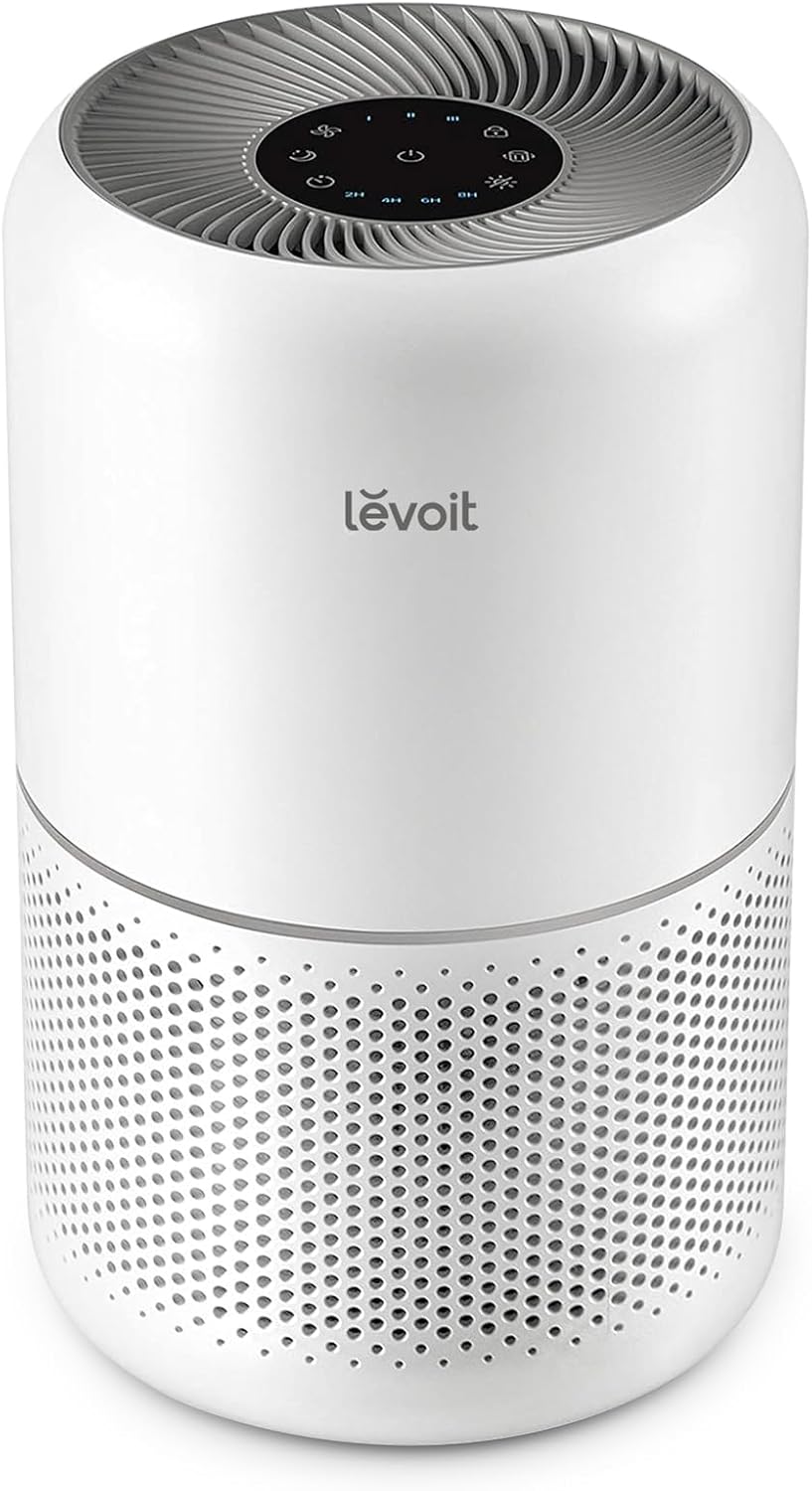
The Levoit Core 300 features a compact design with a 360-degree air intake system and a multi-layer filtration system to effectively purify the air in your space.

Image: Diagram illustrating the multi-layer filtration system of the Levoit Core 300, including the pre-filter, HEPA filter, and activated carbon filter.
Key Components:
- Air Outlet: Where purified air is released.
- Control Panel: Touch-sensitive buttons for operation.
- Air Inlet: Where air is drawn into the purifier.
- Filter Cover: Removable cover to access the filter.
- Power Cord: For connecting to an electrical outlet.
5. Setup
5.1 Unpacking and Filter Installation
- Remove the air purifier from its packaging.
- Turn the air purifier upside down. Twist the filter cover counter-clockwise to unlock and remove it.
- Remove the plastic packaging from the 3-in-1 filtration filter.
- Place the filter back into the air purifier.
- Replace the filter cover and twist it clockwise to lock it into place.
5.2 Placement
Place the air purifier on a firm, level surface. Ensure there is at least 15 cm (6 inches) of clearance on all sides for optimal air circulation.
6. Operation
Plug the power cord into a grounded electrical outlet. The air purifier is now ready for use.

Image: Detailed view of the control panel with power, fan speed, sleep mode, timer, display off, and child lock buttons.
6.1 Power On/Off
- Press the Power Button (
 ) to turn the air purifier on or off.
6.2 Fan Speed
- Press the Fan Speed Button () repeatedly to cycle through fan speeds: I (low), II (medium), III (high).
6.3 Sleep Mode
Sleep Mode operates the fan at its lowest speed and turns off all indicator lights for quiet operation.
- Press the Sleep Mode Button () to activate or deactivate Sleep Mode.

Image: The Levoit Core 300 operating quietly in a bedroom, demonstrating its suitability for sleep environments.
6.4 Timer Function
- Press the Timer Button () repeatedly to set a timer for 2, 4, 6, or 8 hours. The air purifier will automatically turn off when the timer expires.
6.5 Display Off
- Press the Display Off Button () to turn off the display lights. Press any button to temporarily turn them back on.
6.6 Child Lock
- Press and hold the Child Lock Button () for 3 seconds to activate or deactivate the child lock. When activated, all other buttons will be unresponsive.
7. Maintenance
7.1 Filter Check Indicator
The Filter Check Indicator () will illuminate when it is time to check the filter. This does not necessarily mean the filter needs replacement, but rather cleaning. If the light remains on after cleaning, then replacement is recommended.
7.2 Cleaning and Replacing the Filter
The filter should be cleaned regularly and replaced every 6-8 months, depending on usage and air quality.
- Unplug the air purifier.
- Turn the air purifier upside down and remove the filter cover.
- Remove the old filter.
- Use a vacuum cleaner to clean the pre-filter layer of the filter. Do not wash the filter with water.
- Insert the new or cleaned filter into the air purifier.
- Replace the filter cover and twist it clockwise to lock it.
- Plug in the air purifier. Press and hold the Filter Check Indicator button for 3 seconds to reset the filter timer.

Image: The standard 3-in-1 replacement filter for the Levoit Core 300.

Image: The specialized pet allergy filter for the Levoit Core 300, designed for enhanced odor removal.
Replacement filters can be purchased using the following search keywords: B07TYMHQQG (Original Filter) or B0861RKWP7 (Pet Allergy Filter).
7.3 Cleaning the Exterior
Wipe the exterior of the air purifier with a soft, dry cloth. Do not use abrasive cleaners or chemicals.
8. Troubleshooting
| Problem | Possible Cause | Solution |
|---|---|---|
| Air purifier does not turn on. | Not plugged in; Power outlet not working; Filter cover not installed correctly. | Check power cord connection; Try a different outlet; Reinstall filter cover securely. |
| Reduced airflow. | Filter is dirty or clogged. | Clean or replace the filter. |
| Unusual noise. | Filter not installed correctly; Object stuck in fan. | Reinstall filter; Check for and remove any obstructions (unplug first). |
| Filter Check Indicator remains on after cleaning. | Filter needs replacement. | Replace the filter and reset the filter timer. |
9. Specifications

Image: Diagram showing the dimensions of the Levoit Core 300 air purifier.
| Feature | Detail |
|---|---|
| Model Number | Core 300 |
| Color | White |
| Dimensions (D x W x H) | 22 x 22 x 36 cm (8.7 x 8.7 x 14.2 inches) |
| Weight | 3.5 kg (7.7 lbs) |
| Power Source | Corded Electric |
| Rated Power | 14 W |
| Filter Type | HEPA |
| Effective Area | Up to 33 square meters (20 tatami mats) |
| Noise Level | 24 dB (minimum) |
| Particle Retention Size | 0.1 micrometers |
| Control Method | Touch Button Control |
| GTIN | 817915027233 |
| Origin | China |
10. Warranty and Support
10.1 Warranty Information
The Levoit Core 300 Air Purifier comes with a 2-year quality warranty. No registration is required to activate the extended warranty.
10.2 Customer Support
If you have any questions or concerns about your product, please contact our customer support team. You can find the chat button on the seller information page on the product's Amazon page. Our support team is available 24 hours a day and offers Japanese language support.
Related documentsCore 300


Ask a question about this manual
Ask about setup, troubleshooting, compatibility, parts, safety, or missing instructions. Manuals+ will review the question and use this page’s manual context to help answer it.