
NETGEAR EAX80-100NAS
NETGEAR Nighthawk WiFi 6 Mesh Range Extender EAX80 User Manual
Model: EAX80-100NAS
Brand: NETGEAR
1. Product Overview
The NETGEAR Nighthawk AX8 8-stream Wi-Fi 6 mesh extender is designed to create a powerful whole-home Mesh Wi-Fi network, working seamlessly with your existing Wi-Fi setup. It extends faster Wi-Fi to the farthest corners of your home, offering blazing-fast speeds up to 6Gbps. With 8-Stream Wi-Fi, it provides increased bandwidth for all devices in your network, ensuring a better connected home experience.
Key Features:
- Extended Wireless Coverage: Adds WiFi range coverage up to 2,500 sq. ft., connecting up to 30+ devices including laptops, smartphones, speakers, IP cameras, tablets, and IoT devices.
- Seamless Smart Roaming: Utilizes your existing network SSID name, ensuring you remain connected as you move throughout your home or office without disconnections.
- AX6000 WiFi Speed: Delivers up to 6Gbps performance using Dual-Band WiFi technology, ideal for heavy-duty 4K HD streaming and multi-player gaming.
- Universal Compatibility: Works with any wireless router, gateway, or cable modem with WiFi, and is optimized for all WiFi 6 routers.
- Wired Ethernet Ports: Features four 1 Gigabit ports for direct wired connections to devices like game consoles or streaming players, ensuring maximum speed.
- Safe & Secure: Supports WEP and WPA/WPA2 wireless security protocols for a secure network.
- Simple to Setup: Easy setup via the Nighthawk app or by pressing the WPS button to connect to your router. The NETGEAR WiFi Analyzer app assists in finding the optimal location.
2. Package Contents
Ensure all items are present in your package:
- Nighthawk AX8 8-Stream WiFi 6 Mesh Extender (EAX80)
- Quick start guide
3. Setup Instructions
Setting up your NETGEAR Nighthawk EAX80 extender is designed to be straightforward. Follow these steps for a quick and easy installation:
3.1. Initial Placement
Place the extender in a central location between your existing router and the area where you need extended WiFi coverage. Ensure it is within range of your main router's WiFi signal.
3.2. Power On
Plug the extender into a power outlet. Wait for the Power LED to light up.
3.3. Connect to Your Router
You have two primary options for connecting the extender to your existing WiFi network:
- Using the Nighthawk App (Recommended):
- Download the NETGEAR Nighthawk app from your mobile device's app store.
- Open the app and follow the on-screen instructions to set up your extender. The app will guide you through connecting to your existing WiFi network and configuring the extender.
- Using the WPS Button:
- Press the WPS button on your extender.
- Within two minutes, press the WPS button on your existing WiFi router.
- Wait for the Extender Link LED on the extender to light solid white, indicating a successful connection.
3.4. Optimize Placement (Optional)
For optimal performance, use the NETGEAR WiFi Analyzer app (available for mobile devices) to find the best location for your extender. This app helps identify areas with weak signals and suggests ideal placement for maximum coverage and speed.
4. Operating Your Extender
Once set up, your Nighthawk EAX80 extender operates to seamlessly extend your WiFi coverage.
4.1. Smart Roaming
The extender uses the same network name (SSID) as your existing router. This allows your devices to automatically connect to the strongest WiFi signal as you move around your home, ensuring a continuous and stable connection without manual switching.
4.2. Wired Connections
The EAX80 features four Gigabit Ethernet ports. You can connect wired devices such as smart TVs, gaming consoles, PCs, or network-attached storage (NAS) directly to these ports for a stable and high-speed internet connection. Simply plug an Ethernet cable from your device into any of the available ports on the extender.
4.3. USB 3.0 Port
The extender includes one USB 3.0 port. This port can be used for shared storage or connecting a printer, allowing network access to these devices.
5. Maintenance
To ensure optimal performance and longevity of your NETGEAR Nighthawk EAX80 extender, consider the following maintenance tips:
- Keep Firmware Updated: Regularly check for and install firmware updates through the Nighthawk app or NETGEAR's website. Updates often include performance improvements, security enhancements, and bug fixes.
- Proper Ventilation: Ensure the extender is placed in an area with good airflow to prevent overheating. Avoid placing it in enclosed spaces or covering its ventilation holes.
- Clean Regularly: Gently clean the exterior of the extender with a soft, dry cloth to remove dust. Avoid using liquid cleaners or abrasive materials.
- Power Cycle Periodically: Occasionally power cycling the extender (unplugging it for 10-15 seconds and then plugging it back in) can help resolve minor connectivity issues and improve performance.
6. Troubleshooting
If you encounter issues with your NETGEAR Nighthawk EAX80 extender, try the following troubleshooting steps:
- No Power: Ensure the power adapter is securely connected to the extender and a working power outlet. Check if the power outlet is functional.
- Poor Connection/No Internet:
- Verify that your main router is working correctly and has internet access.
- Relocate the extender closer to your main router to improve signal strength.
- Power cycle both your router and the extender.
- Ensure the Extender Link LED is solid white. If not, re-run the setup process.
- Slow Speeds:
- Check for interference from other electronic devices (e.g., cordless phones, microwaves).
- Use the NETGEAR WiFi Analyzer app to find a better location for the extender.
- Ensure your devices are connecting to the extender's extended network.
- Forgotten Password: If you forget your extender's admin password, you can perform a factory reset. Refer to the full user guide for detailed instructions on factory reset, as this will erase all custom settings.
7. Specifications
| Attribute | Value |
|---|---|
| Wireless Type | 802.11ax (WiFi 6) |
| Brand | NETGEAR |
| Series | Netgear Nighthawk AX8 |
| Item Model Number | EAX80-100NAS |
| Item Weight | 1.89 pounds |
| Product Dimensions (LxWxH) | 5 x 10 x 12 inches |
| Color | Black |
| Voltage | 100-240 Volts |
| Data Transfer Rate | 6 Gigabits Per Second |
| Frequency Band Class | Dual-Band |
8. Visual Guide
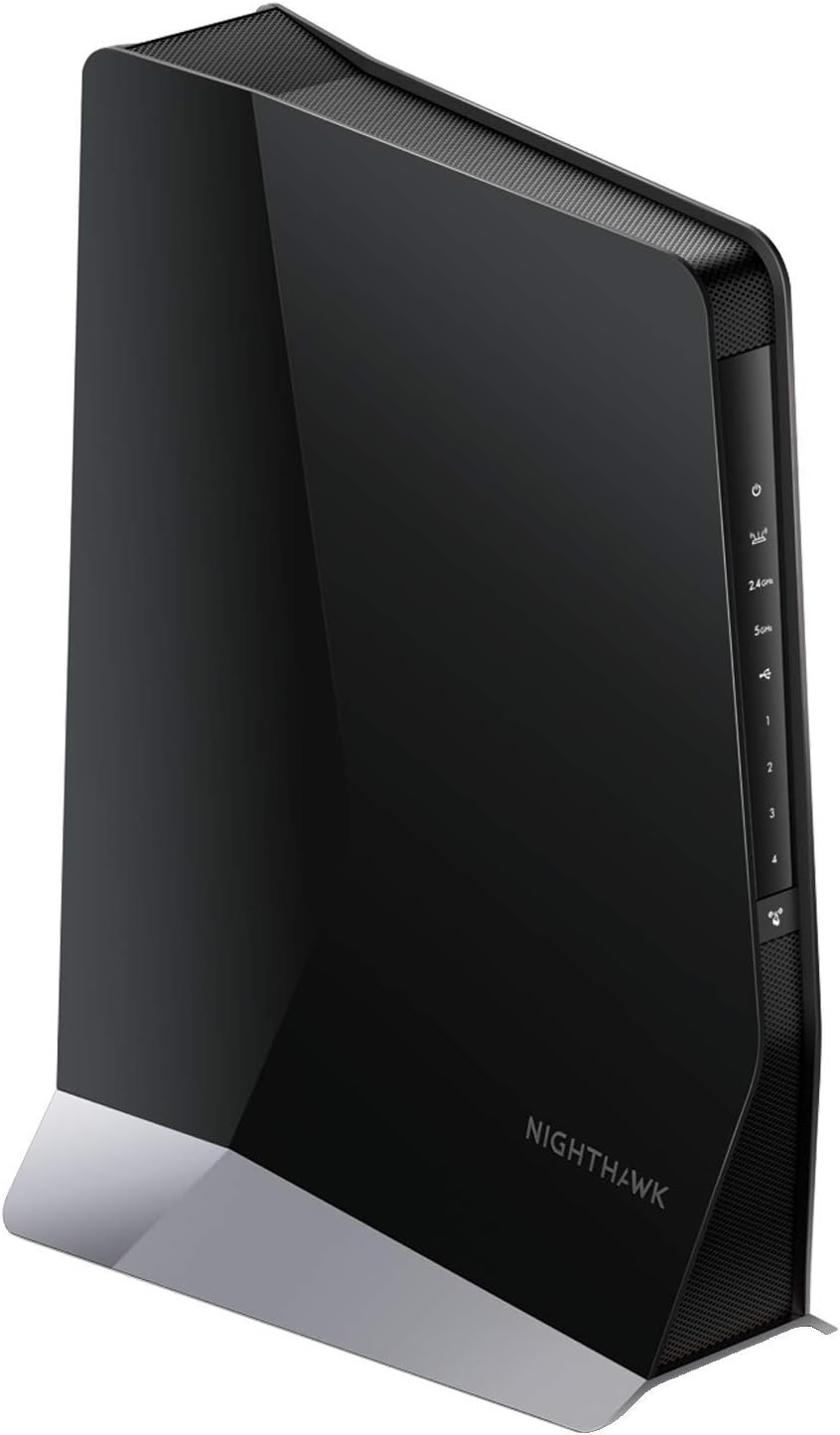
The sleek design of the NETGEAR Nighthawk AX8 WiFi 6 Mesh Extender.

Highlighting the benefits of WiFi 6 technology: latest, faster speed, increased capacity.

Visual representation of extended WiFi coverage up to 2,500 sq. ft. and 30+ devices.

Illustrates the capacity for 30+ WiFi devices, including 4K/8K TVs, smartphones, and smart home devices.

A detailed view of the EAX80's top features, including ports and technology.

Explaining the seamless roaming feature that uses your existing network name.

Physical dimensions of the Nighthawk AX8 extender.
9. Official Product Videos
An informative video explaining the benefits and technology behind WiFi 6.
Official product video showcasing the NETGEAR Nighthawk WiFi 6 Mesh Range Extender (EAX80) and its ability to add up to 2,500 sq. ft. of WiFi 6 coverage.
10. Additional Resources
For more detailed information, please refer to the official User Guide:
Ask a question about this manual
Ask about setup, troubleshooting, compatibility, parts, safety, or missing instructions. Manuals+ will review the question and use this page’s manual context to help answer it.