Introduction
This manual provides essential instructions for the safe and effective use of your Accessory USA AC/DC Adapter, designed for compatibility with Astak CM-811T and CM-707 2.4GHz Wireless Receiver Cameras. Please read this manual thoroughly before use and retain it for future reference.
Safety Information
To ensure safe operation and prevent damage, observe the following precautions:
- Ensure the adapter's voltage and current output match the requirements of your device. This adapter provides 12V DC output.
- Do not expose the adapter to water, moisture, or extreme temperatures.
- Avoid dropping or subjecting the adapter to strong impacts.
- Do not attempt to open or modify the adapter. There are no user-serviceable parts inside.
- Unplug the adapter from the power outlet when not in use for extended periods.
- This product is equipped with Over Voltage Protection (OVP), Over Current Protection (OCP), and Short Circuit Protection (SCP) to safeguard your devices.
Setup
Follow these steps to connect your AC/DC adapter:
- Verify Compatibility: Confirm that your device (Astak CM-811T or CM-707 2.4GHz Wireless Receiver Camera) requires a 12V DC power supply.
- Connect to Device: Insert the barrel connector of the adapter's output cable firmly into the power input port of your Astak wireless receiver camera.
- Connect to Power Outlet: Plug the AC input prongs of the adapter into a standard wall power outlet.
- Power On: Your device should now receive power. Refer to your device's manual for specific power-on procedures.
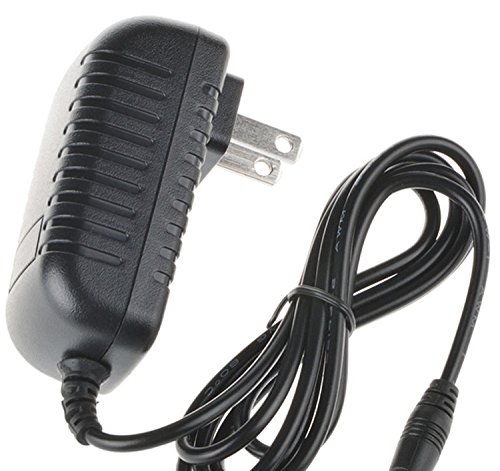
Image shows the Accessory USA AC/DC power adapter, featuring a black casing with a power cord and a barrel connector, ready for connection.
Operating Instructions
The Accessory USA AC/DC Adapter operates as a simple plug-and-play power supply. Once correctly connected to a compatible device and a power outlet, it will continuously supply the necessary DC power. No further user interaction is required for its operation.
Maintenance
To ensure the longevity and optimal performance of your adapter:
- Keep the adapter clean by wiping it with a dry, soft cloth. Do not use liquid cleaners.
- Store the adapter in a cool, dry place when not in use.
- Avoid wrapping the power cord too tightly around the adapter, as this can damage the cable.
- Regularly inspect the cable and connectors for any signs of wear or damage. Discontinue use if damage is observed.
Troubleshooting
If you encounter issues with your adapter, consider the following:
- No Power to Device:
- Ensure the adapter is securely plugged into both the wall outlet and your device.
- Test the wall outlet with another device to confirm it is functional.
- Verify that your device is compatible with a 12V DC power supply.
- Adapter Overheating:
- Ensure the adapter is used in a well-ventilated area.
- Confirm that the device connected is not drawing excessive power.
- If overheating persists, discontinue use and contact support.
Specifications
| Brand | Accessory USA |
| Compatible Devices | Astak CM-811T, Astak CM-707 2.4GHz Wireless Receiver Cameras |
| Input Voltage | Standard AC (Wall Home) |
| Output Voltage | 12V DC |
| Connector Type | Barrel Connector |
| Power Source | Corded Electric |
| Safety Certifications | CE, FCC, RoHS |
Warranty and Support
This adapter is a replacement unit manufactured by Accessory USA. For any questions, technical assistance, or warranty inquiries, please contact the seller or manufacturer directly through your purchase platform. Please note that specific warranty terms may vary and are typically provided at the point of purchase.


