Introduction
Thank you for purchasing the Volkano Marvel Avengers MV-1011-AV Bluetooth Wireless Speaker. This device combines a portable Bluetooth speaker with an FM radio, USB/SD card player, AUX input, and a digital alarm clock. Please read this manual carefully to ensure proper use and to maximize your enjoyment of the product.
Product Overview
Key Features
- Bluetooth Wireless Connectivity
- FM Radio Function
- USB Input for Media Playback (up to 32GB)
- SD Card Input for Media Playback (up to 32GB)
- AUX Input for External Audio Devices
- Digital Alarm Clock
- Built-in Rechargeable Lithium-ion Battery
- Up to 5-6 Hours Playback Time
Package Contents
- Volkano Marvel Avengers MV-1011-AV Speaker
- Micro USB Charging Cable
- AUX Cable
- User Manual (this document)
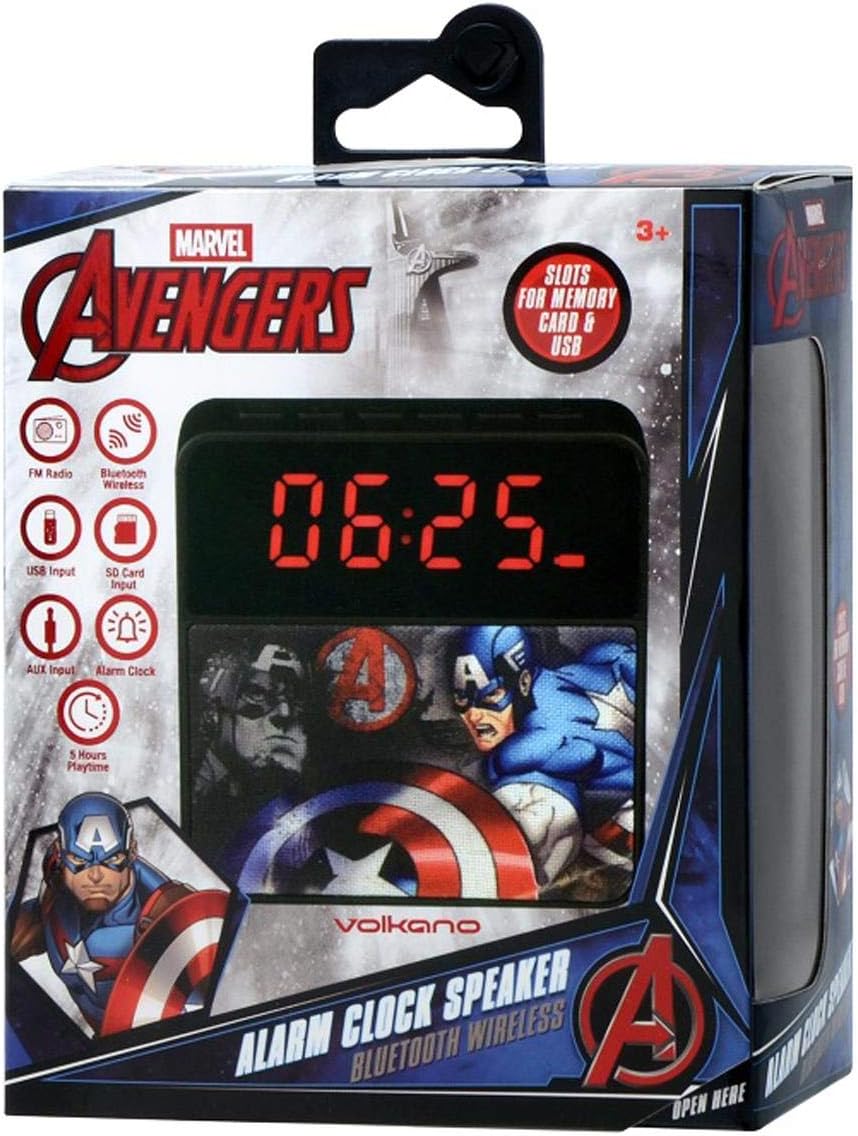
Image: The Volkano Marvel Avengers MV-1011-AV speaker shown in its retail box, highlighting its features and licensed design.

Image: Front view of the speaker, showcasing the digital time display and the Marvel Avengers graphic on the speaker grille.

Image: Rear view of the speaker, featuring the official Marvel Avengers logo and Volkano brand name.

Image: Top view of the speaker, illustrating the various input ports and the power switch for connectivity.
Setup
Charging the Speaker
- Connect the Micro USB end of the charging cable to the Micro USB port on the speaker.
- Connect the standard USB end of the charging cable to a USB power adapter (not included) or a computer's USB port.
- The charging indicator light will illuminate. Once fully charged, the light may change color or turn off.
- A full charge typically takes 2-3 hours.
Powering On/Off
- To power on, slide the ON/OFF switch to the 'ON' position. The display will light up.
- To power off, slide the ON/OFF switch to the 'OFF' position. The display will turn off.
Operating Instructions
Bluetooth Mode
- Ensure the speaker is powered on. It will automatically enter Bluetooth pairing mode, indicated by a flashing Bluetooth icon on the display.
- On your mobile device, enable Bluetooth and search for available devices.
- Select "MV-1011-AV" from the list of devices.
- Once paired, the speaker will emit a confirmation tone, and the Bluetooth icon will stop flashing.
- You can now play audio from your device through the speaker.
FM Radio Mode
- Press the 'M' (Mode) button to switch to FM Radio mode. The display will show the FM frequency.
- Press and hold the 'Play/Pause' button to automatically scan and save available FM stations.
- Use the 'Previous' and 'Next' buttons to navigate between saved stations.
USB/SD Card Playback
- Insert a USB flash drive or an SD card (up to 32GB) containing MP3 audio files into the respective port.
- The speaker will automatically switch to USB or SD card mode and begin playing audio.
- Use the 'Play/Pause', 'Previous', and 'Next' buttons to control playback.
AUX Input Mode
- Connect one end of the provided AUX cable to the 'LIN' (Line-in) port on the speaker.
- Connect the other end of the AUX cable to the headphone jack or audio output of your external device (e.g., smartphone, MP3 player).
- Press the 'M' (Mode) button to switch to AUX mode.
- Control audio playback and volume from your external device.
Setting the Alarm Clock

Image: Front view of the speaker, showing the digital time display set to 20:00.
- Setting Current Time: Press and hold the 'Clock' button until the hour digits flash. Use the 'Previous' and 'Next' buttons to adjust the hour. Press 'Clock' again to set minutes, adjust with 'Previous'/'Next'. Press 'Clock' a third time to confirm.
- Setting Alarm Time: Press the 'Alarm' button once. The alarm time will be displayed. Press and hold the 'Alarm' button until the hour digits flash. Use 'Previous'/'Next' to adjust the alarm hour. Press 'Alarm' again to set minutes, adjust with 'Previous'/'Next'. Press 'Alarm' a third time to confirm.
- Activating/Deactivating Alarm: After setting the alarm, press the 'Alarm' button briefly to toggle the alarm on or off. An alarm icon will appear/disappear on the display.
- Snooze Function: When the alarm sounds, press any button (except power) to activate snooze. The alarm will sound again after a few minutes.
- Stopping Alarm: To stop the alarm completely, press and hold the 'Alarm' button when it is sounding.
Maintenance
- Cleaning: Use a soft, dry cloth to clean the speaker. Do not use abrasive cleaners or solvents.
- Storage: Store the speaker in a cool, dry place away from direct sunlight and extreme temperatures.
- Battery Care: To prolong battery life, fully charge the speaker before first use and recharge it regularly, even if not in use for extended periods. Avoid fully discharging the battery frequently.
- Water Exposure: This speaker is not waterproof. Avoid exposure to water or excessive moisture.
Troubleshooting
| Problem | Possible Cause | Solution |
|---|---|---|
| Speaker does not power on. | Battery is depleted. | Charge the speaker using the provided Micro USB cable. |
| No sound. | Volume is too low; incorrect mode selected; device not connected properly. | Increase volume on both speaker and connected device. Ensure correct mode (Bluetooth, FM, USB, SD, AUX) is selected. Reconnect Bluetooth or AUX cable. |
| Bluetooth pairing fails. | Speaker is not in pairing mode; device is too far; interference. | Ensure speaker is in Bluetooth mode and flashing. Move devices closer. Turn off other Bluetooth devices. |
| FM radio reception is poor. | Weak signal; environmental interference. | Relocate the speaker to an area with better reception. |
| Alarm does not sound. | Alarm is not activated; volume is too low. | Ensure the alarm icon is visible on the display. Increase the speaker's volume. |
Specifications
- Model: MV-1011-AV
- Speaker Amplifier Type: Active
- Compatible Phone Models: iPhone, Samsung, Sony
- Power Source Type: Battery Powered
- Manufacturer: Volkano
- Package Dimensions: 21 x 19 x 8.5 cm
- Product Weight: 190 grams
- Key Features: Bluetooth, Portable
- Batteries Included: Yes
- Alarm Clock: Yes
Safety Information
- Do not expose the device to extreme temperatures, direct sunlight, or high humidity.
- Do not disassemble or attempt to repair the device yourself. This may void the warranty and cause damage.
- Keep out of reach of children.
- Dispose of the device and its battery responsibly according to local regulations.
Warranty and Support
For warranty information or technical support, please refer to the documentation provided at the time of purchase or contact your retailer. Keep your proof of purchase for any warranty claims.


