
iTouchless PC60RSP
iTouchless 16 Gallon Dual Compartment Step Trash Can (Model PC60RSP) Instruction Manual
Model: PC60RSP | Brand: iTouchless
Introduction
This manual provides essential instructions for the setup, operation, maintenance, and troubleshooting of your iTouchless 16 Gallon Dual Compartment Step Trash Can. Please read this manual thoroughly before use and retain it for future reference.
Product Features
- 16 Gallon (60L) capacity with two 8-gallon inner buckets for trash and recycling.
- Durable fingerprint-proof stainless steel construction.
- Soft-close lid mechanism for quiet operation.
- Includes two AbsorbX Odor Filters for odor control.
- Foot pedal operation for hands-free use.
- Removable inner buckets with integrated handles for easy cleaning.
- Designed to fit standard 8-10 gallon trash bags.
Package Contents
- Stainless Steel Trash Can Unit
- 2 AbsorbX Odor Filters
- 2 Inner Buckets (1 blue for recycling, 1 black for trash)
- User Manual (this document)
Setup Instructions
Unboxing and Placement
Carefully remove the trash can from its packaging. Place the unit on a flat, stable surface in your desired location. Ensure there is adequate space for the lids to open fully without obstruction.
Video: Unboxing the iTouchless Dual Trash Can and Recycle Bin. This video demonstrates the unboxing process and initial setup of the dual compartment trash can.
Installing AbsorbX Odor Filters
Locate the two AbsorbX Odor Filters included in the package. Open the lids of the trash can. Each lid has a designated compartment for an odor filter. Insert one filter into each compartment. The filters help neutralize odors for up to 3 months.

Image: Installation of AbsorbX Odor Filters. This image illustrates how to insert the AbsorbX Odor Filters into the designated slots under each lid.
Inserting Inner Buckets and Trash Bags
Place the blue inner bucket into one compartment for recycling and the black inner bucket into the other for trash. Use standard 8-10 gallon trash bags. Secure the trash bag by tucking the excess slack into the retention holes located on the inner buckets to prevent slippage and maintain a tidy appearance.

Image: Inserting inner buckets and securing trash bags. This image shows the process of placing the inner buckets and securing standard trash bags within them.
Operating Instructions
Opening the Lid
To open a lid, gently step on the corresponding foot pedal. The lid will open smoothly. Release the pedal to allow the soft-close mechanism to engage, ensuring a quiet and controlled descent of the lid.
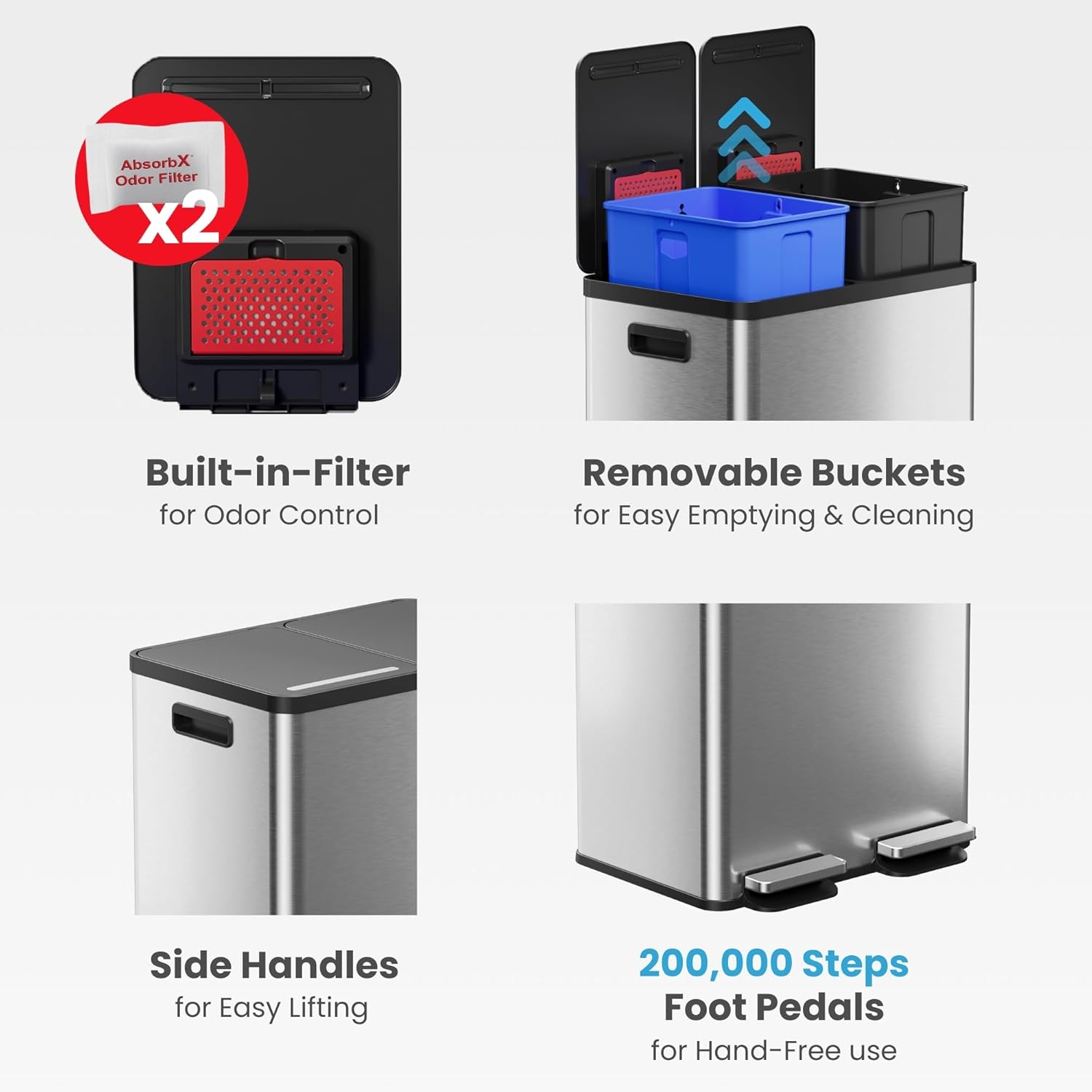
Image: Foot pedal operation. This image demonstrates how to open the lid using the foot pedal.
Sorting Waste
Utilize the blue inner bucket for recyclable materials and the black inner bucket for general waste. This color-coded system simplifies waste separation.

Image: Waste sorting compartments. This image highlights the distinct compartments for recycling and trash.
Maintenance
Cleaning the Exterior
The fingerprint-proof stainless steel exterior can be cleaned with a soft, damp cloth and mild detergent. Avoid abrasive cleaners or scouring pads, as these may damage the finish.

Image: Cleaning the stainless steel exterior. This image shows the ease of cleaning the fingerprint-proof surface.
Cleaning Inner Buckets
The inner buckets can be easily removed using their integrated handles. Wash them with soap and water, then rinse thoroughly and dry before returning them to the main unit.

Image: Easy-lift buckets for fast cleaning. This image demonstrates the removal and cleaning of the inner buckets.
Replacing AbsorbX Odor Filters
Replace the AbsorbX Odor Filters every 3 months or as needed to maintain optimal odor control. Replacement filters are available from iTouchless.
Lid Damper Replacement
The soft-close lid mechanism features a user-replaceable air damper. If the lid's soft-close function diminishes over time, the damper can be replaced to restore quiet operation. Contact iTouchless customer support for replacement parts and instructions.
Troubleshooting
| Problem | Possible Cause | Solution |
|---|---|---|
| Lid does not close softly. | Worn or damaged air damper. | Replace the air damper. Contact customer support for assistance. |
| Odor persists despite filter. | Filter needs replacement or is incorrectly installed. | Ensure filter is correctly installed. Replace AbsorbX Odor Filter if it has been in use for over 3 months. |
| Trash bag slips into the bucket. | Bag not properly secured. | Ensure the trash bag's excess slack is tucked into the retention holes on the inner bucket. Use appropriate size bags (8-10 gallon). |
Specifications
- Model Number: PC60RSP
- Capacity: 16 Gallons (60 Liters) total; two 8-gallon inner buckets
- Dimensions (L x W x H): 19.21" x 14.88" x 25.83"
- Material: Stainless Steel
- Opening Mechanism: Step-On Foot Pedal
- Special Features: Fingerprint-Proof, Soft-Close Lid, AbsorbX Odor Control, Removable Inner Buckets, Non-Skid Base
- UPC: 814839028872

Image: Product Dimensions. This diagram provides detailed measurements of the trash can for proper placement.
Warranty and Support
iTouchless offers a comprehensive warranty for this product. For warranty details, replacement parts, or customer support, please visit the official iTouchless website or contact their dedicated US-based customer care team. Refer to the product packaging or the iTouchless website for the most current contact information.
Note: The manufacturer provides a risk-free warranty and US-based support.
Related documentsPC60RSP

Ask a question about this manual
Ask about setup, troubleshooting, compatibility, parts, safety, or missing instructions. Manuals+ will review the question and use this page’s manual context to help answer it.