
FF FLASHFISH E200
FlashFish 200W Portable Power Station User Manual
Model: E200
1. Introduction
Thank you for choosing the FlashFish 200W Portable Power Station. This compact and powerful device is designed to provide reliable electricity for various outdoor activities, home backup, and emergency situations. With its versatile charging outputs and multiple recharging options, it ensures you have power whenever and wherever you need it.
This manual provides essential information for the safe and efficient operation, maintenance, and troubleshooting of your power station. Please read it thoroughly before use and keep it for future reference.

Image: The FlashFish 200W Portable Power Station, demonstrating its light weight and portability for outdoor use.
2. Safety Information
To ensure safe operation and prolong the lifespan of your power station, please observe the following safety precautions:
- Do not disassemble, repair, or modify the unit. Incorrect reassembly may cause fire or electric shock.
- Do not expose the unit to fire or extreme temperatures (above 60°C/140°F).
- Do not use or store the unit in a bathroom or in areas exposed to rain or moisture.
- Use only the original or certified chargers and cables.
- Keep out of reach of children.
- Avoid dropping or subjecting the unit to strong impacts.
- Ensure proper ventilation during use and charging to prevent overheating.
- The power station cannot be charged and used simultaneously.
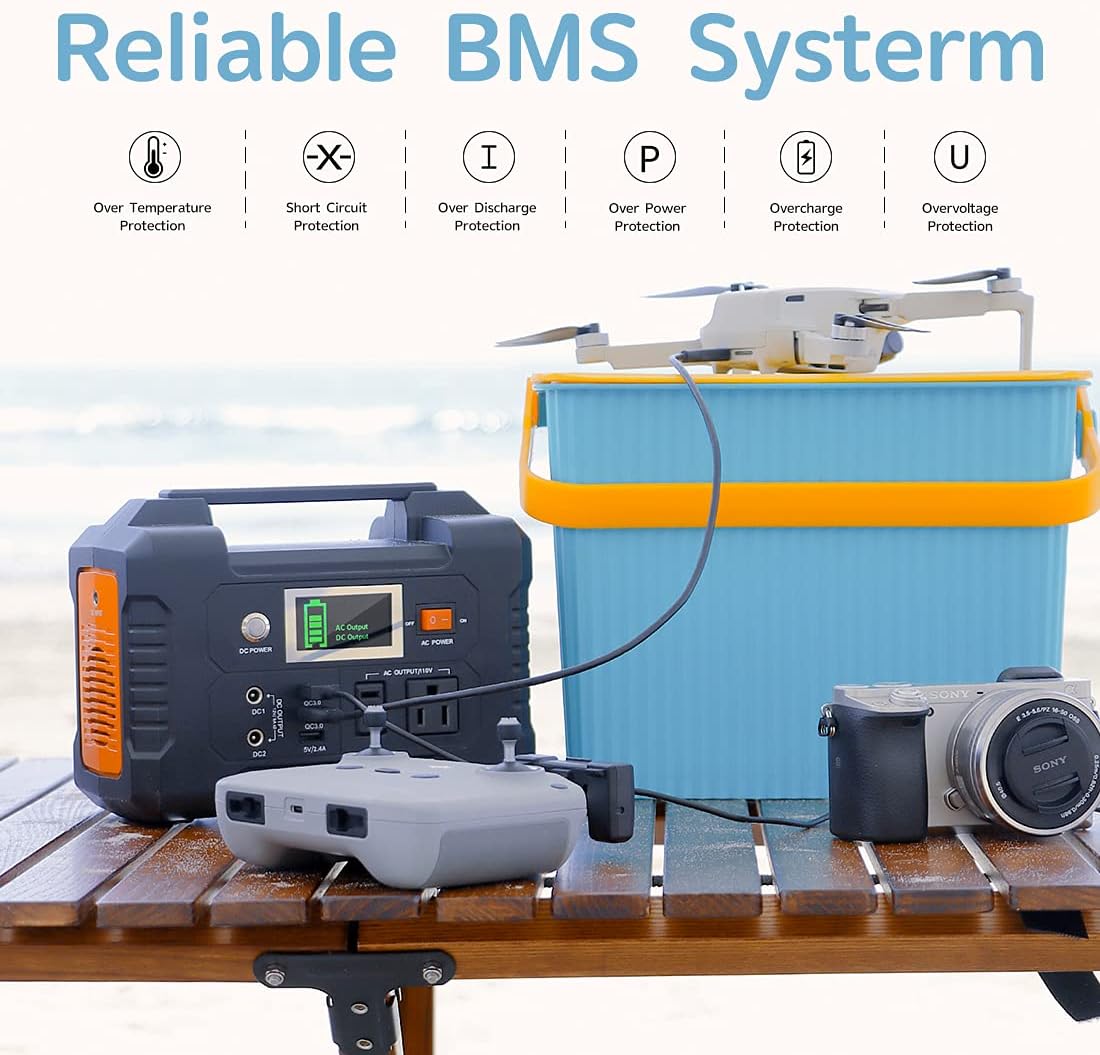
Image: An illustration of the power station's Battery Management System (BMS), highlighting its comprehensive protection features against various electrical hazards.
3. Package Contents
Please check the package to ensure all items are included:
- FlashFish 200W Portable Power Station (151Wh)
- AC Adapter
- Car Charger
- User Manual
4. Product Diagram

Image: The main unit of the FlashFish 200W Portable Power Station, displaying its control panel, input/output ports, and integrated handle.
- DC Power Input Port
- DC Output Ports (DC1, DC2)
- USB Output Ports (QC3.0 x 2, 5V/2.4A x 1)
- LCD Display Screen
- AC Output Sockets (110V)
- AC Power ON/OFF Switch
- DC Power ON/OFF Button
- Integrated Carry Handle
The LCD display shows remaining battery level, charge/discharge status, AC output status, and DC output status.
5. Setup and Charging
Before first use, fully charge your FlashFish 200W Portable Power Station.
5.1 Charging the Power Station
Your power station can be recharged using three methods:
- AC Wall Adapter: Connect the included AC adapter to the DC Power Input Port and plug it into a standard wall outlet. Charging time is approximately 5 hours.
- Car Charger: Connect the included car charger to the DC Power Input Port and plug it into your vehicle's 12V/24V cigarette lighter socket. Charging time is approximately 6 hours.
- Solar Panel (Not Included): Connect a compatible 15-24 volt solar panel (purchased separately) to the DC Power Input Port. Charging time is approximately 6-10 hours, depending on weather conditions and solar panel efficiency.

Image: A visual guide demonstrating the three charging methods for the power station: solar panel, wall socket, and car charger, along with estimated charging times.
Important Note: The power station cannot be charged and used at the same time.
6. Operating Instructions
6.1 Using AC Output
To use the 110V AC outlets:
- Press the AC Power ON/OFF Switch to turn on the AC output. The LCD display will show "AC Output".
- Plug your device (e.g., laptop, small fan, CPAP machine) into one of the AC output sockets.
- Ensure your device's power consumption does not exceed 200W.
- When finished, press the AC Power ON/OFF Switch again to turn off the AC output.

Image: An overview of devices that can be powered by the 200W AC output, including estimated runtimes for common electronics.
6.2 Using DC Output
To use the 12V DC output ports:
- Press the DC Power ON/OFF Button to activate the DC output. The LCD display will indicate DC output is active.
- Connect your 12V DC compatible devices (e.g., car refrigerator, LED lights) to the DC1 or DC2 ports.
- The maximum DC output is 12V/10A.
- When finished, press the DC Power ON/OFF Button again to turn off the DC output.

Image: The power station providing power to a CPAP machine, electric blanket, and small fan via its 12V DC port, and charging a tablet and smartphone via USB.
6.3 Using USB Output
To charge USB devices:
- The USB ports are always active when the unit is powered on.
- Connect your USB devices (smartphones, tablets, etc.) to the QC 3.0 (Quick Charge) ports or the 5V/2.4A auto port.
- The QC 3.0 ports provide faster charging for compatible devices.

Image: The power station actively charging a laptop and smartphone using its Quick Charge 3.0 USB ports, indicating efficient power delivery.
6.4 Multiple Outputs
The FlashFish 200W Portable Power Station offers multiple output options to fit your diverse needs, including 2 AC outputs (200W rated), 2 DC outputs (12V/10A Max), and 2 QC 3.0 (18W) USB ports plus 1 5V/2.4A USB port.

Image: The power station in an outdoor environment, demonstrating its ability to power multiple devices simultaneously, such as a fan and a mini-fridge, through its various output ports.
7. Maintenance
- Storage: Store the power station in a cool, dry place away from direct sunlight and extreme temperatures. For long-term storage, charge the unit to 50-80% every 3-6 months to maintain battery health.
- Cleaning: Use a soft, dry cloth to clean the exterior of the unit. Do not use abrasive cleaners or solvents.
- Battery Life: The lithium-ion battery pack has no memory effect, so you don't need to fully discharge it before recharging.
8. Troubleshooting
| Problem | Possible Cause | Solution |
|---|---|---|
| Unit does not turn on. | Battery is completely discharged. | Charge the unit using the AC adapter, car charger, or solar panel. |
| AC output not working. | AC output switch is off; device power consumption too high; unit is overheating. | Ensure AC switch is ON. Check device wattage (max 200W). Allow unit to cool down if overheated. |
| DC/USB output not working. | DC power button is off; device is incompatible or faulty. | Ensure DC power button is ON. Test with another device. |
| Unit not charging. | Charger not properly connected; faulty charger/cable; unit is already full. | Check all connections. Try a different charging method or cable. Verify battery level on LCD. |
If the problem persists, please contact FlashFish customer service for assistance.
9. Specifications
| Feature | Detail |
|---|---|
| Model Name | E200 |
| Battery Capacity | 151Wh (40800mAh) |
| AC Output | 110V, 200W (Rated) |
| DC Output | 2 x 12V/10A (Max) |
| USB Output | 2 x QC 3.0 (18W), 1 x 5V/2.4A |
| Charging Input | 15-24V (AC Adapter, Car Charger, Solar Panel) |
| Item Weight | 4.07 pounds |
| Product Dimensions | 8.2"L x 4.3"W x 6.2"H |
| Runtime (Example) | 6 hours (general estimate) |
| Special Feature | Quiet Portable Generator, MultiProtect System |

Image: Detailed dimensions of the power station, illustrating its compact size.
10. Warranty and Support
FlashFish provides our valued customers with a warranty of 12 months from the date of purchase. This warranty covers manufacturing defects and ensures friendly customer service.
For warranty claims, technical support, or any inquiries, please contact FlashFish customer service through the retailer's platform or the official FlashFish website.
Please retain your proof of purchase for warranty validation.
Related documentsE200


Ask a question about this manual
Ask about setup, troubleshooting, compatibility, parts, safety, or missing instructions. Manuals+ will review the question and use this page’s manual context to help answer it.