
Real HD 24 port poe switch
Contents
Real HD 24 Port PoE Switch User Manual
Model: 24 port poe switch
1. Introduction
This user manual provides detailed instructions for the Real HD 24 Port PoE Switch. This unmanaged Ethernet switch is designed to simplify network setups by providing Power over Ethernet (PoE) capabilities, making it ideal for various applications including IP cameras, VoIP phones, and wireless access points. Please read this manual thoroughly before installation and operation to ensure proper use and optimal performance.
2. Package Contents
Please verify that all items listed below are included in your package. If any items are missing or damaged, please contact Real HD customer support.
- PoE Switch
- Dedicated power cord
- Quick Operation Manual

Figure 2.1: Included accessories, showing the rack mount ears and the dedicated power cord.
3. Product Overview
3.1 Key Features
- 26 10/100Mbps PoE+ Ports and 2 Gigabit Ethernet Uplink Ports for flexible network setups.
- Supports IEEE 802.3af/at Network protocol standard.
- PoE power up to 30W per PoE port, with a total budget of 280W.
- Compact & Sturdy Metal Housing design for durability and heat dissipation.
- PD Detection: Automatically detects and provides required power for PoE devices, protecting non-PoE equipment.
- Extend Function (Ports 9-24): Extends PoE data transmission distance from 100M to 250M (transmission speed reduces to 10Mbps).
- Plug & Play: Simple setup with no software or configuration needed.
- Built-in power adapter for easy installation.
- LED indicators for PoE power and link/activity.
- Fanless cooling design for zero noise and no dust build-up.
- 4KV Surge Protection.
- VLAN Mode: Ports 1-24 are isolated from each other but communicate with uplink ports for enhanced security.
3.2 Physical Description

Figure 3.1: Front view of the Real HD 24 Port PoE Switch, showing 24 PoE ports and 2 uplink ports.

Figure 3.2: Product dimensions (10.5 inch length, 7.1 inch depth, 1.7 inch height) and illustration of the built-in power supply.

Figure 3.3: Illustration showing the 280W total power budget for the switch and up to 30W power output per individual PoE port.
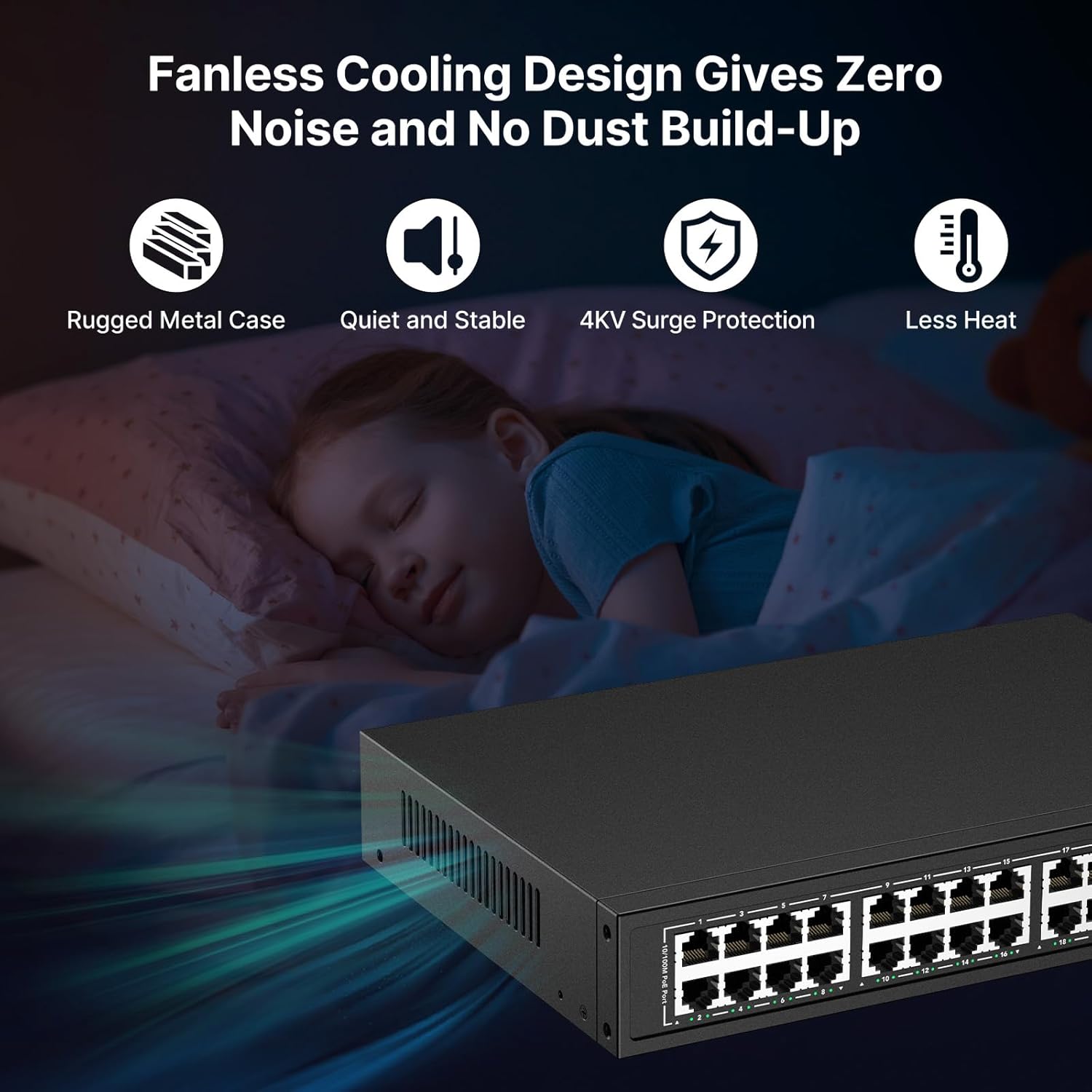
Figure 3.4: Depiction of the fanless cooling design, highlighting rugged metal case, quiet and stable operation, 4KV surge protection, and less heat generation.
4. Setup
4.1 Initial Setup
The Real HD 24 Port PoE Switch is designed for plug-and-play operation, requiring no complex software configuration. Follow these steps for initial setup:
- Unpack the PoE switch and included accessories.
- Place the switch on a stable, flat surface or install it in a standard 19-inch rack using the provided rack mount ears. Ensure adequate ventilation around the device.
- Connect the dedicated power cord to the switch's power input and then to a suitable power outlet. The power LED indicator on the switch should illuminate.

Figure 4.1: The PoE switch is designed for easy rack mounting in a server cabinet.
4.2 Connecting Devices
Connect your network devices to the switch using standard Ethernet cables. The switch automatically detects and provides power to compatible PoE devices (IEEE 802.3af/at compliant).
- PoE Devices: Connect IP cameras, VoIP phones, or PoE-enabled wireless access points to any of the 24 PoE+ ports (Ports 1-24). The switch will automatically detect and power these devices.
- Non-PoE Devices: Connect computers, non-PoE network devices, or your router/NVR to the 2 Gigabit Ethernet Uplink Ports (Ports 25-26). These ports do not provide PoE.
- Important Note: This switch does not support passive 24V PoE devices (e.g., some Ubiquiti access points). Connecting such devices may cause damage.
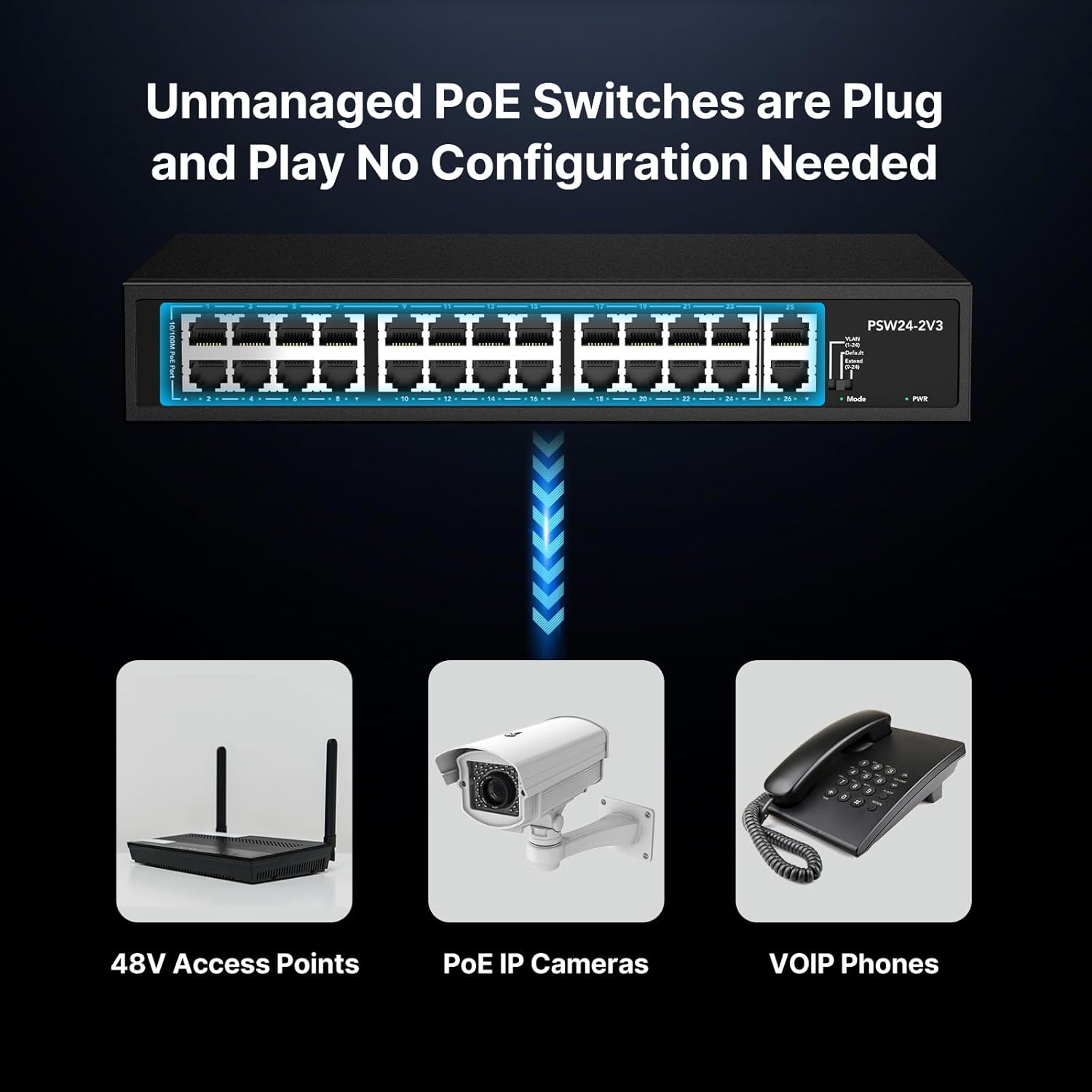
Figure 4.2: The unmanaged PoE switch offers plug-and-play connectivity for devices such as 48V access points, PoE IP cameras, and VOIP phones.
Video 4.1: An overview of Real HD Commercial Grade PoE Solutions, demonstrating the ease of setup and various applications for the PoE switch.
5. Operating Modes
The Real HD 24 Port PoE Switch features different operating modes to optimize network performance based on your specific needs. A mode switch on the front panel allows selection between these modes.
5.1 Default Mode (Normal)
In Default (Normal) mode, all ports operate at their standard 10/100Mbps speed, and all ports can communicate with each other. This is the standard operating mode for most network environments.
5.2 Extend Mode
The Extend mode is designed for scenarios where PoE devices need to be placed at greater distances. When activated, ports 9-24 can extend PoE power and data transmission distance up to 250 meters (600 feet). However, the bandwidth for these extended ports will be reduced to 10Mbps.

Figure 5.1: Illustration of Extend Mode, showing how PoE and data transmission distance can be extended up to 600 feet (250 meters) for ports 1-24, with a bandwidth reduction to 10 Mbps.
5.3 VLAN Mode
In VLAN mode, ports 1-24 are isolated from each other, preventing direct communication between them. However, all ports can still communicate with the uplink ports (Ports 25-26). This mode enhances network security by segmenting traffic and preventing unauthorized access between connected devices on the PoE ports.
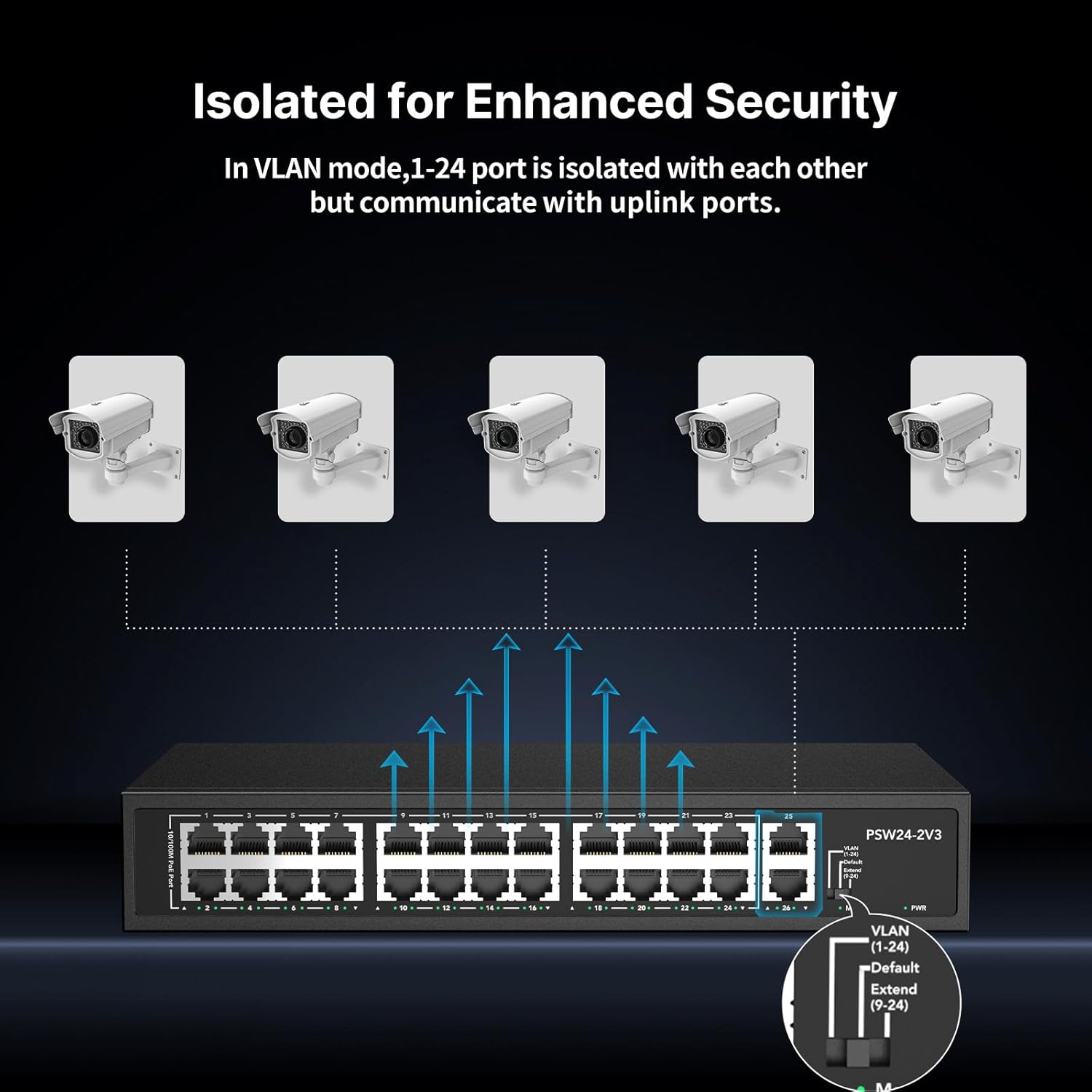
Figure 5.2: Diagram illustrating VLAN mode, where ports 1-24 are isolated from each other but can communicate with the uplink ports, enhancing network security.
6. Maintenance
The Real HD 24 Port PoE Switch is designed for reliable, long-term operation with minimal maintenance. Its fanless cooling design reduces dust accumulation and noise.
- Cleaning: Periodically wipe the exterior of the switch with a soft, dry cloth to remove dust. Do not use liquid cleaners or aerosols.
- Ventilation: Ensure that the ventilation openings on the sides of the switch are not blocked to allow for proper heat dissipation.
- Environment: Operate the switch within its specified temperature and humidity ranges to prevent damage.
- Firmware: As an unmanaged switch, firmware updates are generally not required.
7. Troubleshooting
If you encounter issues with your Real HD 24 Port PoE Switch, please refer to the following common troubleshooting steps:
- No Power:
- Ensure the power cord is securely connected to both the switch and a working power outlet.
- Check if the power outlet is active by plugging in another device.
- Verify the power LED on the switch is illuminated.
- Device Not Receiving PoE Power:
- Confirm the connected device is PoE-compatible (IEEE 802.3af/at standard). This switch does not support passive 24V PoE.
- Check the Ethernet cable connection between the switch and the device. Try a different cable.
- Ensure the total power budget of 280W is not exceeded by all connected PoE devices.
- Verify the PoE LED for the specific port is illuminated.
- Try connecting the device to a different PoE port.
- No Network Connectivity:
- Check the link/activity LED for the connected port. If it's not lit or blinking, check the cable and the connected device.
- Ensure the correct port type is used (PoE ports for PoE devices, uplink ports for non-PoE network connections to router/NVR).
- If in Extend Mode, remember that bandwidth is reduced to 10Mbps, which might affect performance for high-bandwidth applications.
- If in VLAN Mode, remember that ports 1-24 are isolated from each other. Devices on these ports can only communicate with devices connected to the uplink ports.
If the issue persists after following these steps, please contact Real HD customer support for further assistance.
8. Specifications
| Attribute | Value |
|---|---|
| Brand | Real HD |
| Model | 24 port poe switch |
| Switch Type | Unmanaged |
| Number of Ports | 24 x 10/100Mbps PoE+ Ports, 2 x Gigabit Uplink Ports |
| PoE Standard | IEEE 802.3af/at |
| Max PoE Power Per Port | 30W |
| Total PoE Power Budget | 280W |
| Data Transfer Rate (Backplane) | 10.8 Gbps |
| Interface Type | RJ45 Ethernet |
| PoE Output Voltage | 48V DC |
| Case Material | Metal |
| Cooling | Fanless |
| Item Weight | 5.26 pounds (2.39 kg) |
| Package Dimensions | 12.32 x 10.43 x 3.31 inches |
| Color | Black |
| Compatible Devices | Network Devices (PoE and non-PoE) |
| UPC | 722390681033 |
| Country of Origin | China |
9. Warranty and Support
Real HD products are designed for reliability and performance. For specific warranty information, please refer to the warranty card included with your product or visit the official Real HD website. For technical support, troubleshooting assistance, or any inquiries regarding your 24 Port PoE Switch, please contact Real HD customer service. Contact details can typically be found on the product packaging or the Real HD brand store on Amazon.
Real HD is committed to providing smart security solutions and reliable products with dedicated after-sales service. A US local office is available to quickly respond to inquiries and provide support.
Ask a question about this manual
Ask about setup, troubleshooting, compatibility, parts, safety, or missing instructions. Manuals+ will review the question and use this page’s manual context to help answer it.