
1. Introduction and Overview
The Zmoon 12-inch LED Light Bar is designed to provide superior illumination for various vehicles and applications. Featuring a spot and flood combo beam, it offers both focused long-distance light and wide-angle area coverage. Its robust construction ensures durability and performance in challenging environments.
This manual provides essential information for the safe and effective installation, operation, and maintenance of your Zmoon LED Light Bar.
2. Product Features
- Spot & Flood Combo Beam: Premium LED chips provide 6500K brilliant white light. A 30° spotlight offers focused long-distance illumination, while a 170° floodlight provides wide-angle vision, enhancing safety during driving.
- Long Lifespan: Engineered with a 0.06-inch fan and 0.26-inch spacing between fins for enhanced heat dissipation, ensuring a lifespan of over 50,000 hours.
- IP67 Waterproof Rating: Constructed with 6063 aviation aluminum housing and an anti-oxidant treated surface, this light bar is shock-resistant, waterproof, and anti-dust, performing reliably in various conditions. A silicone seal eliminates leakage possibilities.
- Wide Application: Designed for DC9-30V vehicles including trucks, cars, motorcycles, SUVs, ATVs, and boats. Includes two adjustable brackets for flexible angle control. Suitable for travel, home lighting, adventure, and transportation needs.
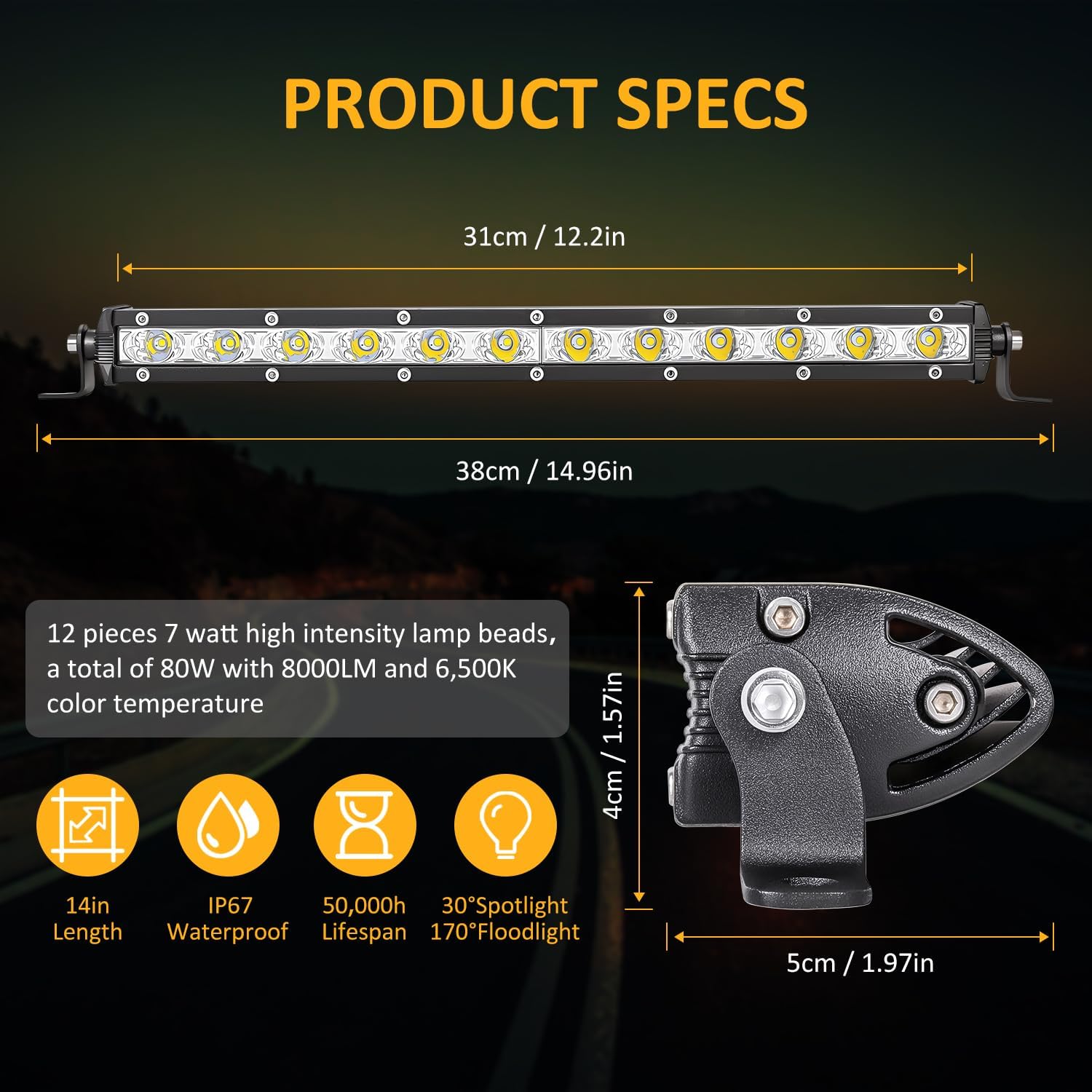
Figure 2.1: Product specifications including 14-inch length with bracket, IP67 waterproof rating, 50,000-hour lifespan, 30° spotlight, and 170° floodlight.
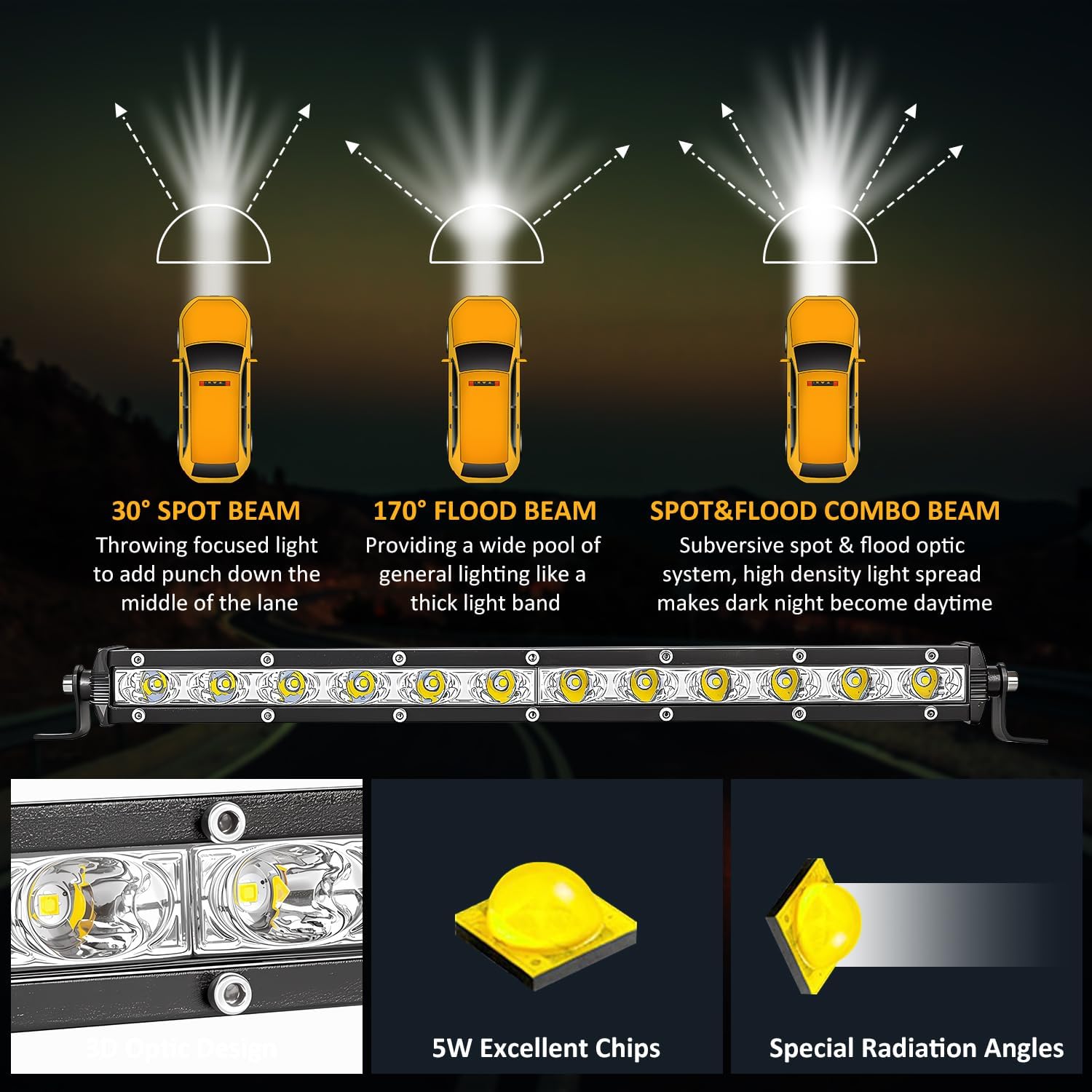
Figure 2.2: Illustration of 30° spot beam, 170° flood beam, and combined spot & flood beam patterns for comprehensive illumination.
3. Package Contents
Upon opening the package, please verify that all components are present and undamaged:
- 1x 12-inch LED Light Bar
- 2x Mounting Bracket Kits
- 1x Instruction Manual (this document)

Figure 3.1: The Zmoon 12-inch LED Light Bar and its included mounting brackets.
4. Setup and Installation
Before beginning installation, ensure the vehicle's power is off and the battery is disconnected to prevent electrical hazards.
- Choose Mounting Location: Select a suitable location on your vehicle (e.g., bumper, roof rack, grille) that provides optimal light projection and does not obstruct vehicle functions or visibility.
- Attach Brackets: Secure the adjustable mounting brackets to the light bar using the provided hardware. Ensure they are tightened firmly.
- Mount Light Bar: Position the light bar with attached brackets onto the chosen location on your vehicle. Mark the drilling points if necessary. Drill pilot holes and secure the light bar using appropriate fasteners.
- Wiring: Connect the light bar's wiring harness to your vehicle's electrical system. It is recommended to use a relay and fuse for protection. Connect the positive wire (red) to a fused 12V power source and the negative wire (black) to a suitable ground point on the vehicle chassis.
- Adjust Angle: Once mounted and wired, adjust the angle of the light bar using the adjustable brackets to achieve the desired beam direction. Tighten all bolts securely to prevent movement.
Note: Professional installation is recommended for complex wiring or if you are unsure about any steps.
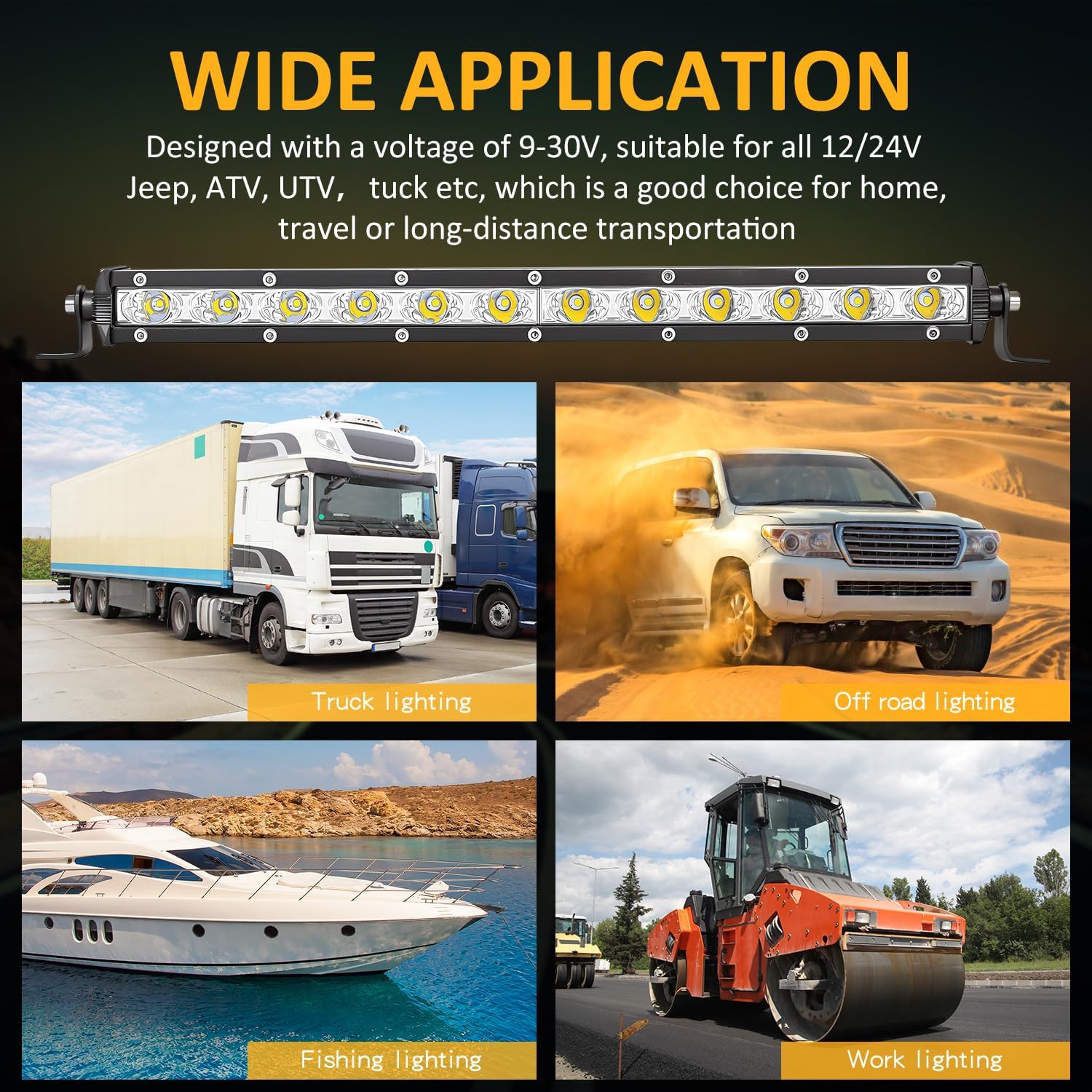
Figure 4.1: Examples of wide application for the Zmoon LED Light Bar on various vehicles including trucks, off-road vehicles, boats, and work machinery.
5. Operating Instructions
The Zmoon LED Light Bar is designed for straightforward operation once properly installed.
- Power On/Off: Activate the light bar using the switch connected to its wiring harness. Ensure the vehicle's ignition is on if the light bar is wired to an ignition-switched circuit.
- Beam Pattern: The light bar features a combo beam. The central LEDs provide a focused spot beam for distance, while the outer LEDs offer a wide flood beam for peripheral vision. This combination provides comprehensive illumination.
- Usage Environment: This light bar is suitable for off-road driving, work lighting, marine applications, and other situations requiring powerful auxiliary lighting. It is not intended for use as a primary headlight on public roads unless compliant with local regulations.
6. Maintenance
Regular maintenance will help prolong the life and performance of your Zmoon LED Light Bar.
- Cleaning: Periodically clean the lens with a soft cloth and mild soap solution to remove dirt, dust, and debris. Avoid abrasive cleaners or materials that could scratch the lens.
- Inspect Wiring: Regularly check all wiring connections for signs of wear, corrosion, or looseness. Tighten any loose connections and replace damaged wiring promptly.
- Check Mounting: Ensure the mounting brackets and hardware remain secure. Tighten any loose bolts to prevent vibration and potential damage.
- Heat Dissipation: Keep the heat sink fins on the back of the light bar clear of obstructions (e.g., mud, leaves) to ensure efficient heat dissipation and prevent overheating.

Figure 6.1: Illustration of the heat dissipation system with 0.06-inch fins and optimal spacing for increased cooling area, ensuring long lifespan.

Figure 6.2: The light bar demonstrating its IP67 waterproof capability in a UTV application, highlighting its resistance to water and harsh conditions.
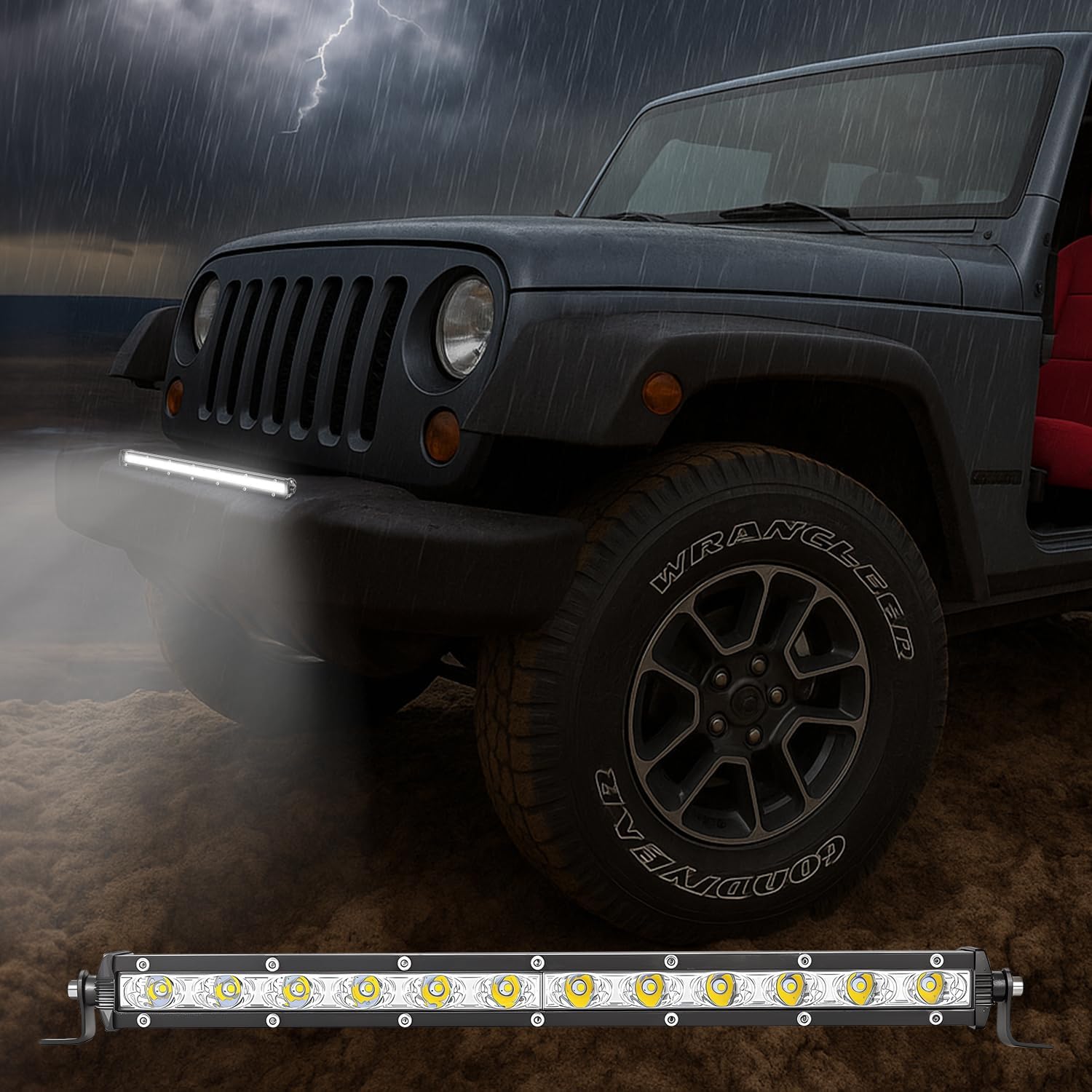
Figure 6.3: The Zmoon LED Light Bar installed on a vehicle, operating effectively during rainy weather, showcasing its waterproof design.
7. Troubleshooting
| Problem | Possible Cause | Solution |
|---|---|---|
| Light bar does not turn on. | No power supply; Loose wiring connection; Blown fuse; Faulty switch. | Check power source; Inspect and tighten all connections; Replace fuse; Test or replace switch. |
| Light output is dim or flickers. | Insufficient voltage; Loose connection; Damaged wiring. | Verify voltage (DC9-30V); Check and secure connections; Inspect and repair/replace wiring. |
| Moisture inside the lens. | Seal compromised; Extreme temperature changes. | Ensure proper sealing during installation; Contact customer support if issue persists. |
8. Specifications
- Model: 2192-14
- Brand: Zmoon
- Light Source Type: LED
- Color Temperature: 6500K (Brilliant White Light)
- Beam Pattern: Spot (30°) & Flood (170°) Combo
- Voltage: DC 9-30V
- Material: 6063 Aviation Aluminum Housing
- Waterproof Rating: IP67
- Lifespan: > 50,000 Hours
- Item Weight: 13.1 ounces
- Package Dimensions: 15.39 x 2.13 x 1.65 inches
9. Warranty and Support
Zmoon products are manufactured to high-quality standards. For any questions, concerns, or warranty claims, please contact Zmoon customer support through your original purchase platform or visit the official Zmoon website for assistance.
Please retain your proof of purchase for warranty purposes.