
Amazon Basics DS-DTW-4
Amazon Basics Torque Wrench User Manual
Model: DS-DTW-4
1. Introduction
This user manual provides important information for the safe and effective operation, maintenance, and troubleshooting of your Amazon Basics 1/2-inch Torque Wrench. Please read this manual thoroughly before using the tool and keep it for future reference.

Image 1: Amazon Basics 1/2-inch Torque Wrench
2. Safety Information
WARNING: Always wear appropriate personal protective equipment, such as safety glasses, when operating this tool.
- Ensure the workpiece is securely fastened before applying torque.
- Do not exceed the maximum torque capacity of the wrench.
- Do not use the torque wrench as a breaker bar.
- Keep the tool clean and free from oil or grease to prevent slippage.
- Store the wrench in its protective case when not in use.
- After use, always reset the torque setting to the lowest value to relieve spring tension and maintain calibration accuracy.
3. Product Overview
The Amazon Basics Torque Wrench is designed for precise torque application. Key features include:
- Durable Ratchet Head: Made from hardened and treated chrome vanadium alloy steel with a polished chrome finish for easy cleaning and resistance to rust and corrosion.
- High-Contrast Dual Scale: Features both foot-pound (ft.-lb) and Newton-meter (Nm) scales for versatile use, pre-calibrated to 4% accuracy.
- Adjustable Torque Range: 27.1 to 203.5 Nm (20-150 ft.-lb).
- Locking Mechanism: Ensures the set torque value remains stable during operation.
- Reversible Switch: Allows for tightening and loosening applications.

Image 2: Torque Wrench Head Views
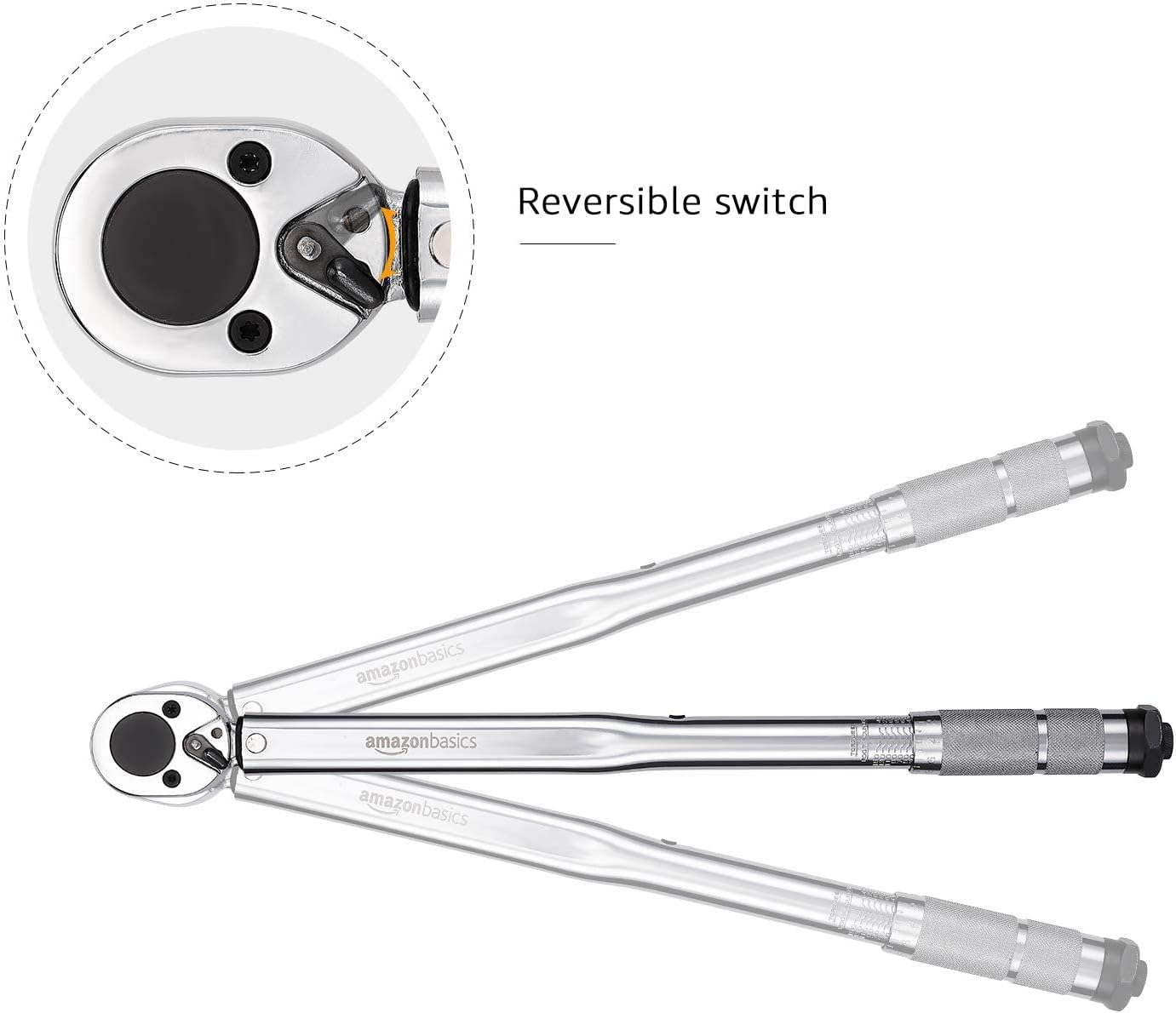
Image 3: Reversible Switch on Torque Wrench
4. Setup
4.1 Unpacking
Carefully remove the torque wrench from its durable plastic storage case. Inspect the tool for any signs of damage. Do not use if damaged.
4.2 Setting the Torque Value
- Locate the locking ring/button near the handle.
- Unlock the wrench: Rotate the locking ring counter-clockwise or pull down the locking button to unlock the adjustment mechanism.
- Adjust the torque: Rotate the handle to set the desired torque value. The wrench features a dual scale (ft.-lb and Nm). For precise adjustment, it is recommended to use the imperial scale (ft.-lb).
- Conversion: If working with Newton-meters (Nm) and the primary scale is in ft.-lb, use the conversion formula: 1 Nm = 0.738 ft.-lb.
- Lock the wrench: Once the desired torque is set, rotate the locking ring clockwise or push up the locking button to secure the setting. This ensures the stability of the working torque.

Image 4: Locking Button Detail

Image 5: High Contrast Dual Torque Scale
5. Operating Instructions
5.1 Applying Torque
- Attach the appropriate socket to the 1/2-inch drive square.
- Place the socket onto the fastener (nut or bolt).
- Hold the wrench by the handle and apply steady, increasing pressure in the tightening direction.
- Continue applying pressure until you hear and feel a distinct "click" from the wrench. This indicates that the preset torque value has been reached.
- Stop applying force immediately after the click. Do not overtighten.
- Remove the wrench from the fastener.
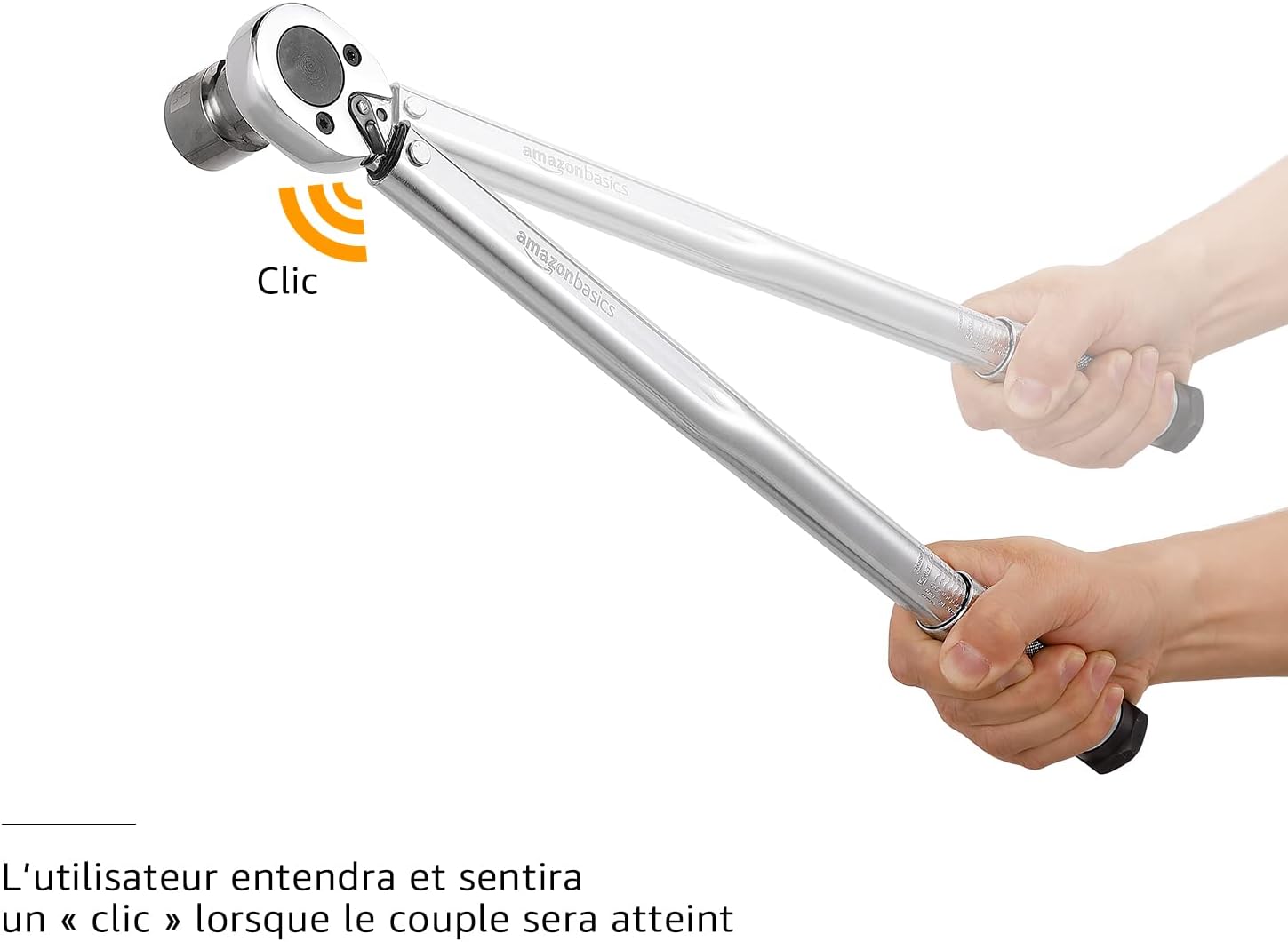
Image 6: Torque Wrench Click Indication
6. Maintenance
- Cleaning: Wipe the wrench clean with a soft, dry cloth after each use. The polished chrome finish resists rust and corrosion and is easy to clean. Do not use abrasive cleaners or solvents.
- Storage: After each use, always loosen the locking ring and reset the torque setting to the lowest possible value (e.g., 20 ft.-lb or 27.1 Nm) before storing. This relieves tension on the internal spring mechanism, preserving the wrench's calibration and accuracy over time.
- Protection: Store the torque wrench in its original durable plastic case to protect it from dust, moisture, and impact.
- Calibration: Torque wrenches are precision instruments and should be periodically checked for calibration by a qualified professional, especially with frequent use.
7. Troubleshooting
| Problem | Possible Cause | Solution |
|---|---|---|
| Wrench does not "click" when torque is reached. |
|
|
| Inaccurate torque readings. |
|
|
8. Specifications
| Feature | Detail |
|---|---|
| Model Number | DS-DTW-4 |
| Torque Range | 20-150 ft.-lb (27.1-203.5 Nm) |
| Drive Size | 1/2 inch |
| Accuracy | ±4% |
| Material | Chrome-Vanadium Steel |
| Finish | Polished |
| Product Dimensions (L x W x H) | 46.51 x 4.6 x 3.51 cm (18.31 x 1.81 x 1.38 inches) |
| Item Weight | 1.61 Kilograms (3.55 lbs) |
9. Warranty and Support
For warranty information or technical support, please refer to the Amazon Basics product page or contact Amazon customer service directly. Keep your purchase receipt for any warranty claims.
Online Support: Visit the Amazon Basics store page for more information and support resources: Amazon Basics Store
Related documentsDS-DTW-4


Ask a question about this manual
Ask about setup, troubleshooting, compatibility, parts, safety, or missing instructions. Manuals+ will review the question and use this page’s manual context to help answer it.