
1. Introduction
The Calphalon Temp iQ Espresso Machine is designed to deliver authentic espresso experiences in your home. It features advanced heating technology and precise controls to ensure consistent, high-quality beverages. This manual provides essential information for the safe and effective use, maintenance, and troubleshooting of your machine.
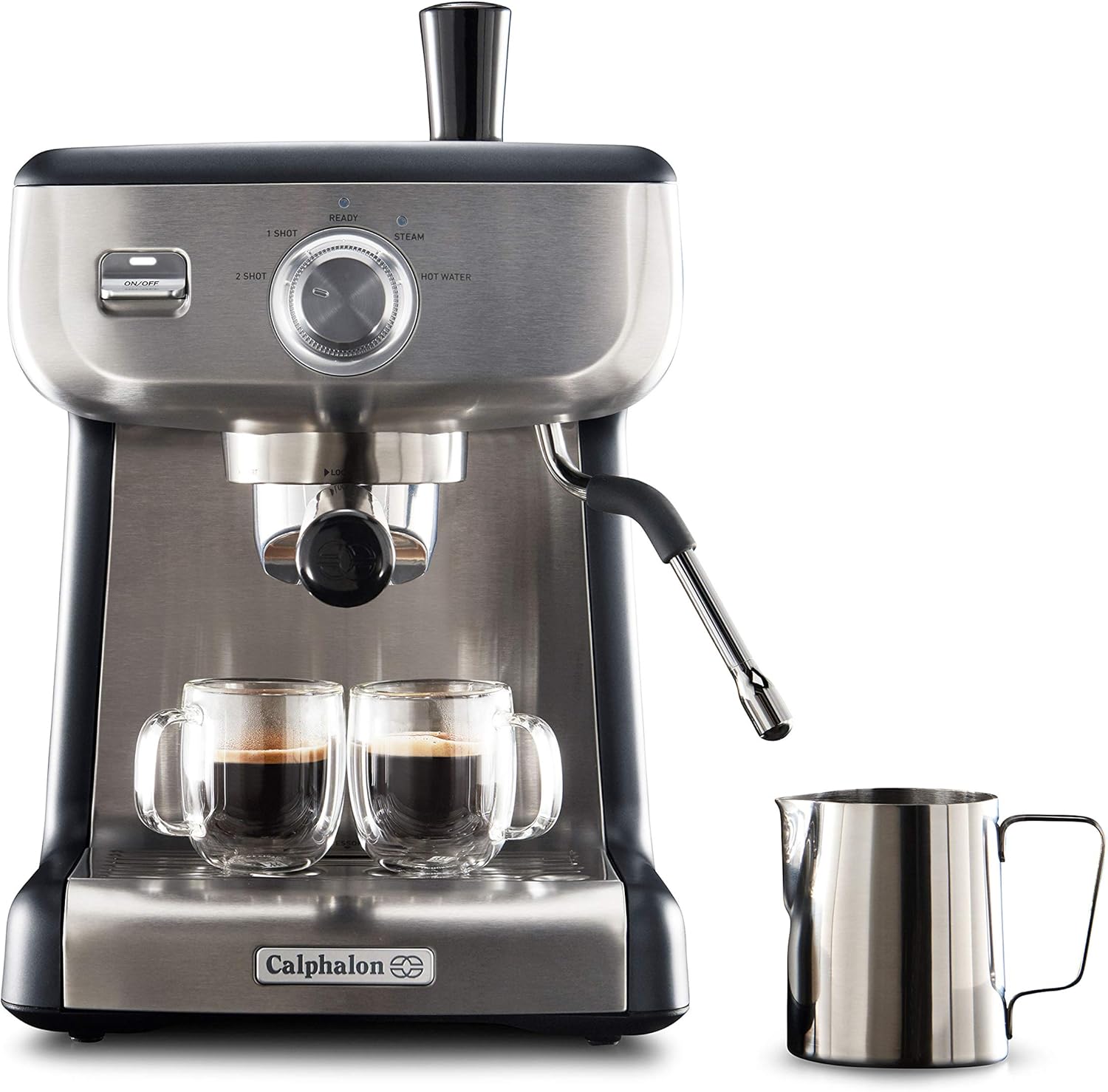
Figure 1: Calphalon Temp iQ Espresso Machine with accessories.
Key Features:
- 15-Bar Italian Pump: Delivers the required pressure for maximum flavor extraction.
- Dial Interface: For selecting steam, hot water, and pre-programmed single and double shots.
- 58mm Portafilter: Ensures even water dispersion and robust flavor.
- Thermoblock Heating & PID Temperature Control: For consistently great-tasting espresso.
- Large Capacity: Includes a removable 2.0L water reservoir with hinged lid for easy filling.
- Cup Warming Tray: Keeps cups at the optimal temperature for serving.
- Steam Wand: Froths milk to create cappuccinos, lattes, and other drinks.
- Included Accessories: Stainless steel milk jug, tamper, cleaning disc, and cleaning pin.
2. Setup
2.1 Unboxing and Initial Placement
- Carefully remove all packaging materials and accessories from the box.
- Place the espresso machine on a flat, stable, and heat-resistant surface near a power outlet. Ensure adequate clearance around the machine for ventilation and access to the water reservoir.
- Wipe down the exterior of the machine with a damp cloth.
2.2 Water Reservoir
- Remove the water reservoir from the back of the machine.
- Fill the reservoir with fresh, cold, filtered water up to the MAX line. Avoid using distilled water.
- Replace the water reservoir securely into the machine.

Figure 2: Filling the removable 2.0L water reservoir.
2.3 Initial Rinse Cycle
Before first use, perform an initial rinse cycle to clean the internal components.
- Ensure the water reservoir is filled.
- Plug the machine into a grounded power outlet. Press the ON/OFF button. The 'READY' light will illuminate when the machine is heated.
- Place a large container under the portafilter head and the steam wand.
- Turn the dial to the 'HOT WATER' position and let water flow for approximately 30 seconds. Turn the dial back to the 'OFF' position.
- Turn the dial to the 'STEAM' position and let steam release for approximately 30 seconds. Turn the dial back to the 'OFF' position.
- The machine is now ready for use.
3. Operating Instructions
3.1 Making Espresso
- Pre-heat: Ensure the machine is powered on and the 'READY' light is illuminated. Place your espresso cups on the cup warming tray.
- Prepare Portafilter: Insert the appropriate filter basket (single or double shot) into the portafilter. Fill the basket with freshly ground espresso coffee.
- Tamp: Use the included tamper to press the coffee grounds firmly and evenly. Wipe any excess grounds from the rim.
- Insert Portafilter: Insert the portafilter into the group head and turn it firmly to the right until it is securely locked.
- Brew: Place your pre-heated cup(s) under the portafilter spouts. Select either '1 SHOT' or '2 SHOT' button. The machine will automatically brew the programmed amount of espresso.
- Remove: Once brewing is complete, carefully remove the portafilter by turning it to the left. Discard the used coffee grounds.

Figure 3: Espresso extraction into two cups.
3.2 Using the Steam Wand for Milk Frothing
- Fill the stainless steel milk jug with cold milk (dairy or non-dairy) to just below the spout.
- Turn the dial to the 'STEAM' position. Wait for the 'STEAM' light to illuminate steadily, indicating it's ready.
- Position the steam wand tip just below the surface of the milk. Turn the dial to the 'STEAM' position to begin frothing.
- Move the jug slowly up and down to incorporate air and create foam. Continue until the desired texture and temperature are reached (typically 140-150°F / 60-65°C).
- Turn the dial back to the 'OFF' position to stop steaming. Wipe the steam wand immediately with a damp cloth to prevent milk residue from drying.

Figure 4: Frothing milk with the steam wand.
3.3 Hot Water Function
The machine can dispense hot water for Americanos, tea, or pre-heating cups.
- Place a cup under the steam wand.
- Turn the dial to the 'HOT WATER' position. Hot water will dispense from the steam wand.
- Turn the dial back to the 'OFF' position to stop dispensing.
4. Maintenance
4.1 Daily Cleaning
- Portafilter and Filter Baskets: After each use, remove the portafilter, discard grounds, and rinse the portafilter and filter basket under hot water.
- Steam Wand: Immediately after frothing milk, wipe the steam wand with a damp cloth. Purge the steam wand briefly by turning the dial to 'STEAM' to clear any internal milk residue.
- Drip Tray: Empty and rinse the drip tray daily or when the red indicator floats up.
- Exterior: Wipe the exterior of the machine with a soft, damp cloth. Do not use abrasive cleaners or scouring pads.
4.2 Descaling
Regular descaling is crucial to prevent mineral buildup and maintain optimal machine performance. The frequency depends on water hardness and usage.
- Prepare a descaling solution according to the descaler manufacturer's instructions.
- Fill the water reservoir with the descaling solution.
- Place a large container under the portafilter head and the steam wand.
- Run the descaling solution through the machine by performing several brew cycles and hot water/steam cycles until the reservoir is empty.
- Rinse the water reservoir thoroughly and fill it with fresh water.
- Perform several rinse cycles with fresh water to remove any residual descaling solution.
5. Troubleshooting
| Problem | Possible Cause | Solution |
|---|---|---|
| No water flow | Empty water reservoir; Clogged filter; Machine not primed | Fill reservoir; Clean filter; Perform initial rinse cycle |
| Espresso too weak/watery | Coffee grounds too coarse; Insufficient coffee; Tamping too light | Use finer grind; Increase coffee amount; Tamp more firmly |
| Espresso too bitter/slow flow | Coffee grounds too fine; Too much coffee; Tamping too hard | Use coarser grind; Reduce coffee amount; Tamp lighter |
| Milk not frothing | Steam wand clogged; Insufficient steam pressure; Milk too warm | Clean steam wand; Allow machine to heat fully; Use cold milk |
| Machine leaking | Water reservoir not seated correctly; Drip tray full | Reseat reservoir; Empty drip tray |
6. Specifications
- Brand: Calphalon
- Model Name: Temp iQ
- Model Number: BVCLECMP1
- Color: Stainless
- Product Dimensions: 11.6"D x 13.9"W x 15.3"H
- Item Weight: 14.27 pounds
- Coffee Maker Type: Espresso Machine
- Operation Mode: Semi-Automatic
- Special Feature: Manual
- Human Interface Input: Dial
- Power Source: Plug
- Coffee Input Type: Ground
- Is Dishwasher Safe: No
- Included Components: Espresso Machine, Stainless steel milk jug, tamper, cleaning disc, cleaning pin
- Global Trade Identification Number (GTIN): 00053891128742
- UPC: 053891128742
7. Warranty and Support
For warranty information, product registration, or technical support, please refer to the official Calphalon website or contact their customer service. Keep your proof of purchase for warranty claims.
8. Product Overview Video
Video 1: A brief overview of the Calphalon Temp iQ Espresso Machine, highlighting its features and ease of use.


