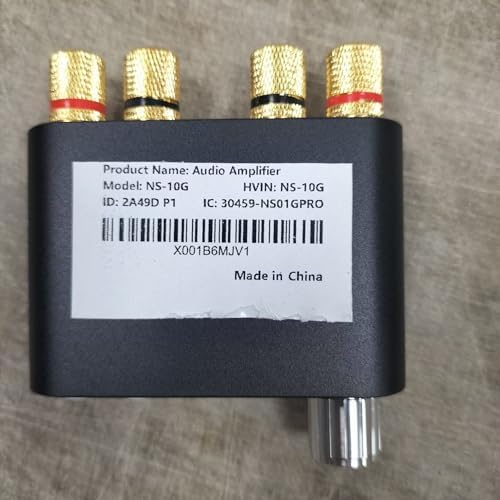
1. Introduction
The Nobsound Q100 is a compact 2.1 channel Hi-Fi Bluetooth power amplifier designed for home audio systems. It features dual DSP sound effects and Bluetooth 5.0 connectivity, offering versatile audio input options and powerful output for bookshelf speakers and passive subwoofers. This manual provides detailed instructions for setting up, operating, and maintaining your Q100 amplifier.
2. Package Contents
Please check the package carefully to ensure all items are present:
- 1 x Q100 Power Amplifier
- 1 x 24V/3A Power Supply
- 1 x RCA Cable
- 1 x AUX Cable
- 1 x User Manual
- 1 x Packing Box
3. Product Features
- Powerful Bass: Experience deep, impactful bass with a low frequency response as low as 30Hz. The 2.1 channel setup ensures smooth and full sound.
- High-Fidelity Audio: Equipped with dual DSP sound effects and the STA326 power amp chip, the Q100 delivers rich details and excellent sound quality, akin to a cinematic experience.
- Versatile Connectivity: Enjoy wired AUX and wireless Bluetooth 5.0 input options. Connect your phone, tablet, TV, iPod, or computer effortlessly.
- Ample Output Power: With a maximum output of 80W+40W*2, this amplifier can easily drive most home bookshelf speakers.
- Sleek Design: The compact metal case, intuitive LED display, and affordable price make the Q100 an attractive choice for Hi-Fi enthusiasts.
4. Specifications
| Parameter | Value |
|---|---|
| Max Output Power | 80W+40W*2 |
| Bluetooth Version | Bluetooth 5.0 + DSP |
| Bluetooth Distance | About 10-15M |
| Audio Input | Bluetooth / AUX |
| Audio Output | Banana speaker / subwoofer |
| Amplifier Chip | STA326 (with DSP) |
| Decoding Chip | PCM1802 |
| Bluetooth Chip | ATS2825C (with DSP) |
| Best Matched L/R Speakers | 4-6.5 inches (4-8Ω/20-120W) |
| Best Matched Passive Subwoofer | 6.5-12 inches (4-8Ω/40-120W) |
| Power Input | DC 24V-32V / above 3A |
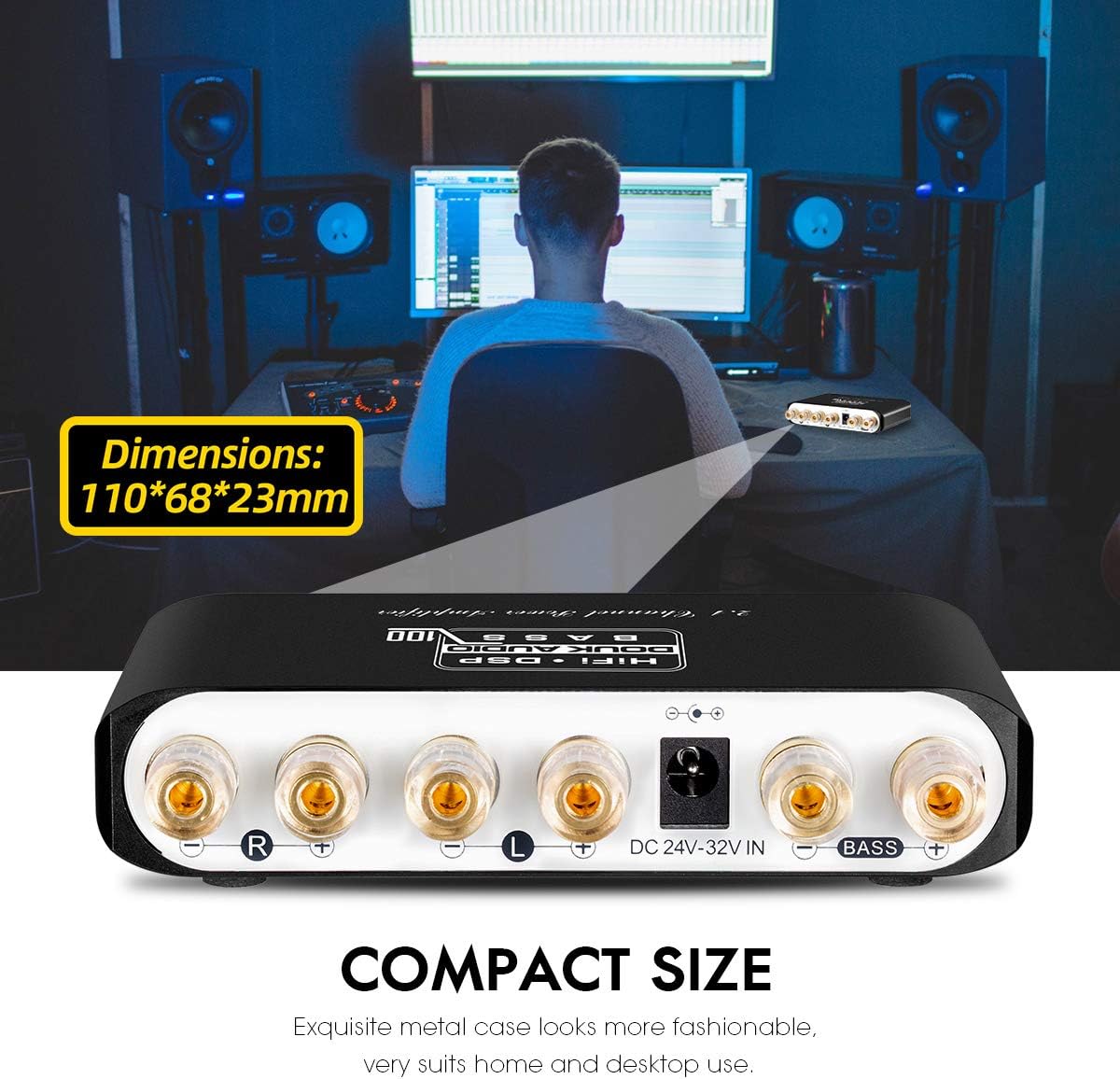
| Dimensions (L*W*H) | 110*68*23mm / 4.33*2.68*0.91in |
| Net Weight | 0.2KG / 0.44lb |
| Package Weight | 0.55KG / 2.1lb |
| Manufacturer | Nobsound |
| Date First Available | June 5, 2019 |
5. Setup
Follow these steps to set up your Nobsound Q100 amplifier:
- Connect Power Supply: Connect the provided 24V/3A power supply to the DC 24V-32V IN port on the back panel of the amplifier. Plug the power supply into a wall socket. The indicator light will turn red, indicating power on and standby.
- Connect Speakers: Connect your passive bookshelf speakers to the Right Channel (R) and Left Channel (L) speaker terminals on the back panel. Ensure correct polarity (+ to + and - to -). For the passive subwoofer, connect it to the BASS terminals.
- Choose Input Mode: The Q100 supports both AUX and Bluetooth inputs.
- AUX Mode: Insert the 3.5mm AUX cable into the AUX IN port on the front panel. Connect the other end to your audio source (e.g., phone, TV, computer). The indicator light will turn green.
- Bluetooth Mode: Ensure no AUX cable is inserted. Long press the power switch (O/||) for 2 seconds to turn on the amplifier. The indicator light will turn to flashing blue, indicating Bluetooth pairing mode. On your audio source device, search for "Douk Audio Q100" and connect. The indicator light will turn solid blue upon successful connection.


Video 1: Nobsound Q100 2.1 Bluetooth Amplifier. This video demonstrates the unboxing, setup, and basic operation of the Nobsound Q100 amplifier, including connecting speakers and adjusting volume.
6. Operating
Once the amplifier is set up, you can begin operation:
- Power On/Off: Long press the power switch (O/||) on the front panel for 2 seconds to turn the unit on or off. A short press will play/pause audio.
- Volume Control: Rotate the 'VOLUME' knob on the front panel to adjust the main volume. The main volume display will show the current volume level (0-31).
- Bass Adjustment: Use the 'BASS' buttons (+/-) to adjust the bass level according to your preference.
- Input Mode Switching: The indicator light on the front panel shows the current input mode: Red for power on/standby, Blue for Bluetooth mode (solid blue when connected), and Green for AUX input mode. The amplifier automatically prioritizes AUX input when a cable is connected.
7. Maintenance
To ensure the longevity and optimal performance of your Nobsound Q100 amplifier, follow these maintenance guidelines:
- Cleaning: Use a soft, dry cloth to clean the exterior of the amplifier. Do not use liquid cleaners or aerosols, as they may damage the unit.
- Ventilation: Ensure the amplifier is placed in a well-ventilated area. Do not block any ventilation openings. It is normal for the chassis temperature to rise and feel warm during use due to its compact design and powerful output.
- Environmental Conditions: Avoid exposing the amplifier to extreme temperatures, humidity, dust, or direct sunlight.
- Power Supply: Always use the provided 24V/3A power supply. Using an incorrect power supply may cause damage or safety hazards.
8. Troubleshooting
If you encounter issues with your Nobsound Q100 amplifier, refer to the following common troubleshooting tips:
- No Power: Ensure the power supply is securely connected to both the amplifier and the wall outlet. Verify the wall outlet is functioning.
- No Sound: Check all audio connections (AUX cable, speaker wires) for proper seating and polarity. Ensure the correct input mode is selected (green for AUX, solid blue for Bluetooth). Increase the volume on both the amplifier and your audio source.
- Distortion: If distortion occurs, especially at high volumes, reduce the volume on your audio source or the amplifier. Ensure your speakers and subwoofer are within the recommended power and impedance ranges (4-8Ω/20-120W for L/R speakers, 4-8Ω/40-120W for passive subwoofer).
- Bluetooth Connection Issues: Ensure the amplifier is in Bluetooth pairing mode (flashing blue indicator). Turn off and on Bluetooth on your audio source device, then try reconnecting. Ensure the amplifier is within the 10-15M Bluetooth range.
- Power Supply Spark: It is normal for a small spark to occur when plugging in the power supply due to the initial current rush. This is generally not a safety concern if the power supply is functioning correctly.
9. Warranty and Support
For warranty information, technical support, or any inquiries regarding your Nobsound Q100 amplifier, please refer to the official Douk Audio website or contact their customer service. You can find contact information and official website details on the product packaging or the included manual.
Visit the Official Douk Audio Website