
1. Introduction
This manual provides essential information for the safe and efficient use of your LG GBP31SWLZN Combi Refrigerator. Please read it thoroughly before installation and operation, and keep it for future reference. Your refrigerator features advanced technologies such as DoorCooling+, Linear Cooling, Multi Air Flow, a Fresh Zone drawer, and a Smart Inverter Compressor for optimal food preservation and energy efficiency.
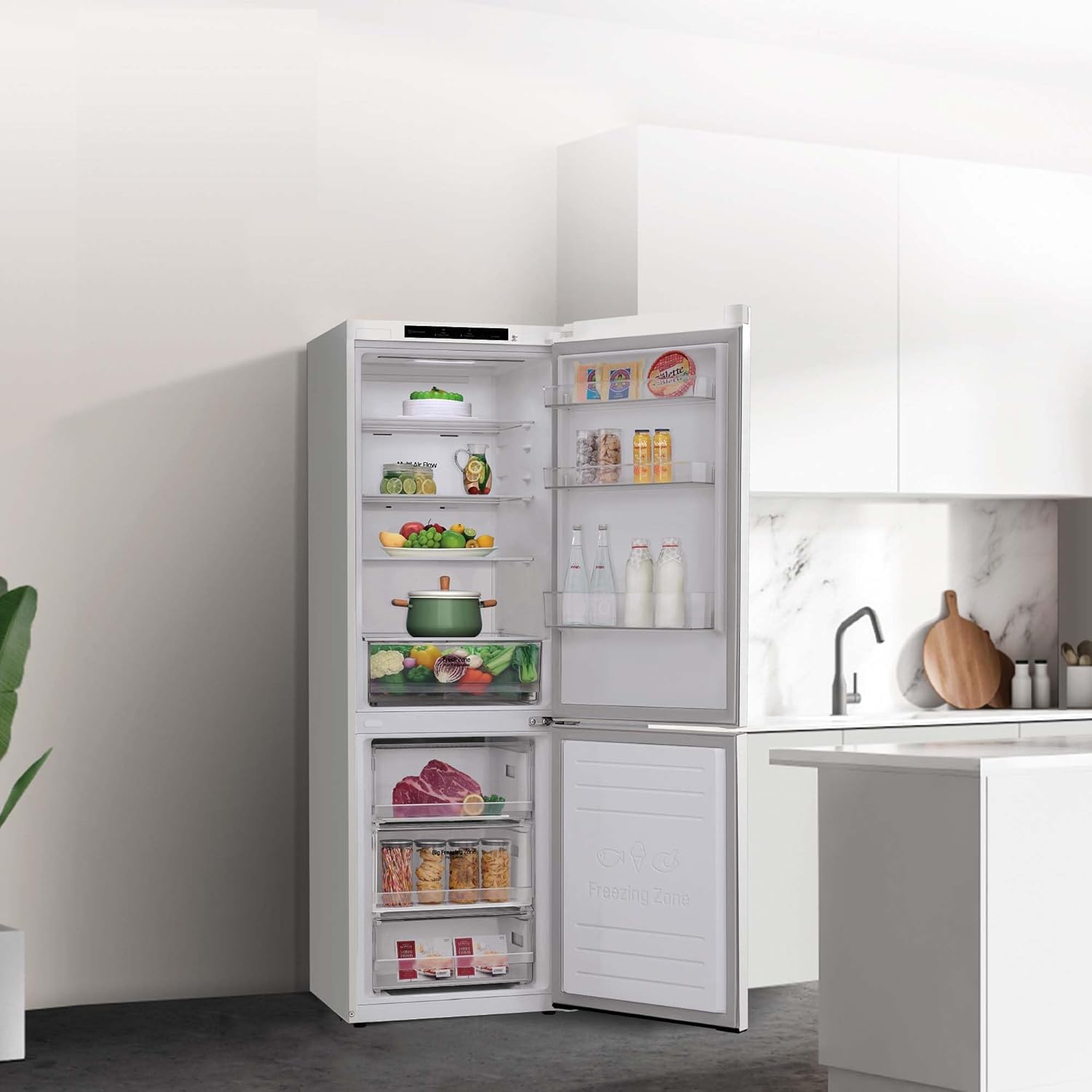
Image 1.1: LG GBP31SWLZN Combi Refrigerator in a kitchen environment.
2. Safety Information
Always follow basic safety precautions to reduce the risk of fire, electric shock, or injury when using your appliance.
- Ensure the refrigerator is properly grounded.
- Do not use electrical appliances inside the food storage compartments unless they are of the type recommended by the manufacturer.
- Keep ventilation openings clear of obstruction.
- Do not damage the refrigerant circuit.
- Unplug the appliance before cleaning or performing maintenance.
- This appliance is not intended for use by persons (including children) with reduced physical, sensory or mental capabilities, or lack of experience and knowledge, unless they have been given supervision or instruction concerning use of the appliance by a person responsible for their safety.
3. Setup and Installation
3.1 Unpacking
Carefully remove all packaging materials. Check for any damage during transit. The power cable is included with the product.
3.2 Placement
Place the refrigerator on a firm, level surface. Ensure adequate space around the appliance for proper ventilation. Avoid direct sunlight or heat sources. The refrigerator is designed for a 90-degree door opening, allowing it to be placed flush against a wall for an integrated look.

Image 3.1: Refrigerator dimensions (Depth: 68.2cm, Width: 59.5cm, Height: 186cm) and reversible door indication.

Image 3.2: The 90-degree door opening allows for flush installation against a wall.
3.3 Door Reversibility
The refrigerator doors are reversible, allowing you to change the opening direction to suit your kitchen layout. Refer to the diagram in Image 3.1 for visual reference. Professional assistance is recommended for this procedure.
3.4 Initial Power On
After positioning, wait at least 2-4 hours before plugging in the appliance to allow refrigerants to settle. Once plugged in, the refrigerator will begin cooling. Adjust temperature settings as needed.
4. Operating Instructions
4.1 Temperature Control
The refrigerator features adjustable temperature controls. Use the electronic control panel located inside the appliance to set desired temperatures for both the refrigerator and freezer compartments. The system maintains stable temperatures with minimal fluctuations (+/- 0.5°C).
4.2 DoorCooling+
DoorCooling+ provides a cascade of cold air from the top front of the refrigerator, ensuring faster and more uniform cooling, especially for items stored in the door shelves. This reduces temperature differences between the interior and the door.
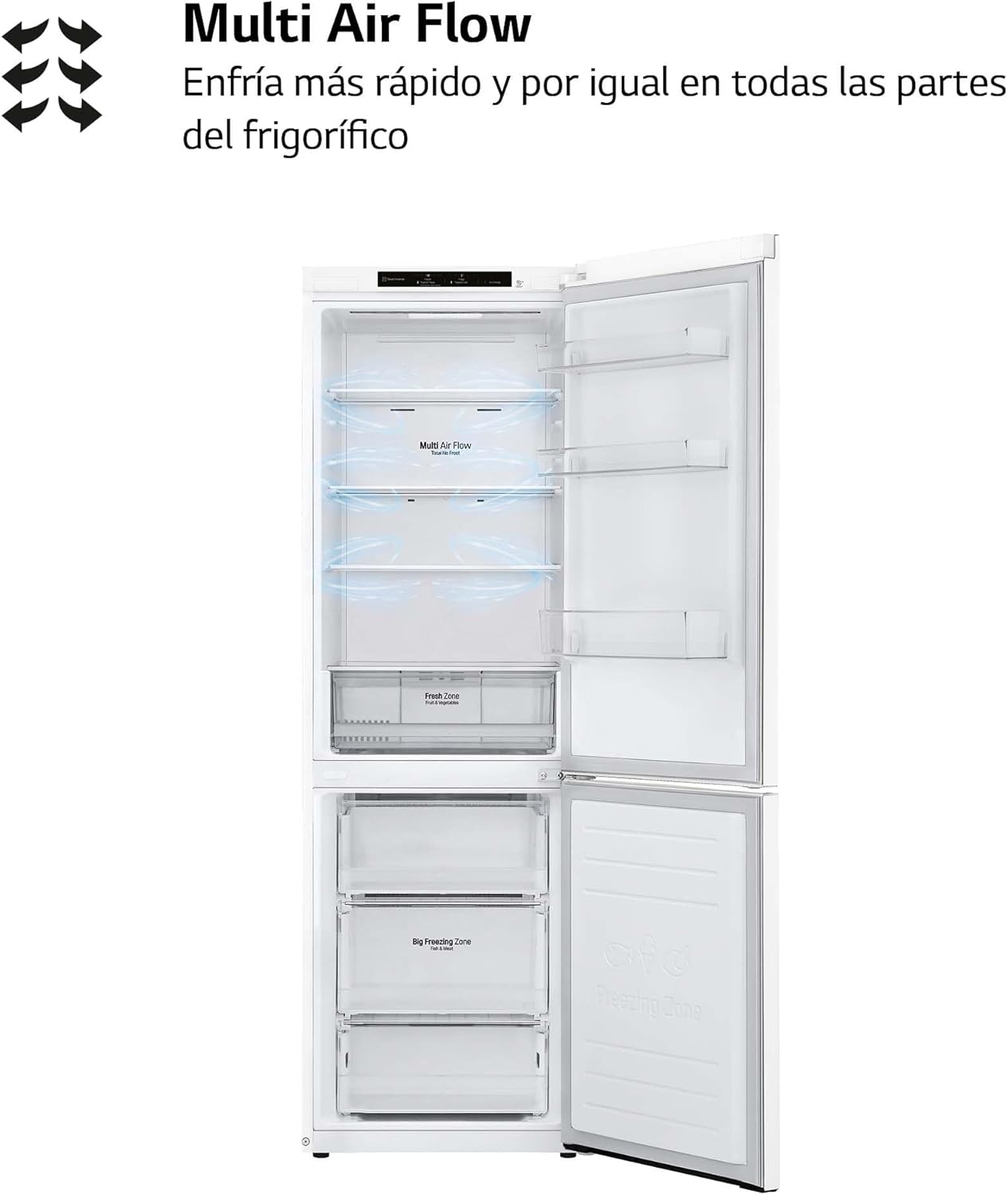
Image 4.1: DoorCooling+ feature distributing cold air from the top of the refrigerator compartment.
4.3 Multi Air Flow
The Multi Air Flow system ensures that cold air circulates evenly throughout the refrigerator, cooling all sections quickly and uniformly. This helps maintain consistent temperatures for optimal food preservation.

Image 4.2: Multi Air Flow system ensuring even cooling throughout the refrigerator.
4.4 Fresh Zone Drawer
The special Fresh Zone drawer is designed to regulate and maintain optimal humidity levels, keeping fruits and vegetables fresh for longer periods.

Image 4.3: Fresh Zone drawer for optimal preservation of fruits and vegetables.
4.5 Smart Inverter Compressor
The LG Smart Inverter Compressor provides maximum freshness, energy savings, and durability. It intelligently adjusts cooling power based on the amount of food stored and the internal and external temperatures, leading to efficient operation and reduced noise.

Image 4.4: Internal diagram of the LG Smart Inverter Compressor.
4.6 Auto-Diagnosis System
The refrigerator is equipped with an auto-diagnosis system. If an issue occurs, you can place your mobile phone near the appliance, and it will transmit the incident data to technical service, saving time and money on diagnostics.

Image 4.5: Using a smartphone for the refrigerator's auto-diagnosis system.
5. Maintenance and Cleaning
5.1 Cleaning the Interior
Before cleaning, unplug the refrigerator. Use a soft cloth with a mild detergent and warm water to clean the interior surfaces, shelves, and drawers. Rinse with clean water and dry thoroughly. Do not use abrasive cleaners or solvents.
5.2 Cleaning the Exterior
Wipe the exterior surfaces with a soft, damp cloth. For stubborn stains, use a mild detergent. Avoid spraying water directly onto the appliance.
5.3 Automatic Defrost System
This refrigerator features an automatic defrost system for both the refrigerator and freezer compartments, eliminating the need for manual defrosting.
6. Troubleshooting
If you encounter any issues with your refrigerator, refer to the following common problems and solutions. For more complex issues, utilize the auto-diagnosis system or contact customer support.
- Refrigerator not cooling: Check if the power cord is properly plugged in. Ensure the temperature settings are correct. Verify that the door is fully closed.
- Unusual noise: Ensure the refrigerator is level. Check if any items inside are vibrating against each other. The Smart Inverter Compressor operates quietly, but minor operational sounds are normal.
- Water on the floor: Check if the drain hose is clogged or if the drip tray is overflowing.
- Door not closing properly: Ensure no food packages are obstructing the door. Check if the door gasket is clean and undamaged.
7. Specifications
| Feature | Specification |
|---|---|
| Model Number | GBP31SWLZN |
| Brand | LG |
| Configuration | Combi (Bottom Freezer) |
| Total Capacity | 374 Liters |
| Fresh Food Capacity | 234 Liters |
| Freezer Capacity | 107 Liters |
| Dimensions (D x W x H) | 68.2 cm x 59.5 cm x 186 cm |
| Annual Energy Consumption | 253 kWh per year |
| Defrost System | Automatic |
| Number of Doors | 1 (Reversible) |
| Number of Shelves | 4 (Glass) |
| Door Shelf Count | 4 |
| Special Features | DoorCooling+, Linear Cooling, Smart Inverter Compressor, Auto-diagnosis |
| Voltage | 220V |
| Plug Type | Type F: 2 pins (Germany and Spain) |
| Included Components | Power cable |
8. Warranty and Support
8.1 Compressor Warranty
LG offers a lifetime warranty on the compressor for this refrigerator. This coverage extends for 30 years on the part: 3 years legal warranty and 27 years commercial warranty. This warranty only covers the cost of the part (additional costs are borne by the customer). The coverage offered exceeds the average useful life of the product (12 years, according to an independent study). Excluded models and additional information can be found at tuserviciolg.com/promociones/garantiadeporvida.

Image 8.1: Refrigerator highlighting the lifetime compressor warranty.
8.2 Customer Support
For technical assistance, service requests, or further inquiries, please contact LG customer support. You can also use the integrated auto-diagnosis system for initial troubleshooting and to transmit incident data directly to technical service.