
Havit I92
User Manual for Havit I92 Bluetooth Earbuds
Model: I92 | Brand: Havit
Introduction
Thank you for choosing the Havit I92 Bluetooth Earbuds. This manual provides detailed instructions on how to set up, operate, and maintain your earbuds to ensure optimal performance and longevity. Please read this manual carefully before using the product.
Package Contents
- Havit I92 Bluetooth Earbuds (Left and Right)
- Charging Case
- USB Charging Cable
- User Manual
- Eartips (various sizes)
Product Overview


Components:
- Earbuds: Left and Right, with touch-sensitive surfaces.
- Charging Case: Stores and charges the earbuds, with LED indicators for battery status.
- Charging Port: USB port on the charging case for power input.
- Microphone: Integrated into each earbud for calls.
Setup and Pairing
Initial Setup:
- Charge the Case: Before first use, fully charge the charging case using the provided USB cable. The LED indicators on the case will show charging progress.
- Charge Earbuds: Place both earbuds into the charging case. Ensure they are properly seated. The earbuds will begin charging automatically.
Bluetooth Pairing:
- Power On: Open the charging case, or remove the earbuds from the case. They will automatically power on and enter pairing mode.
- Activate Bluetooth: On your device (smartphone, tablet, etc.), enable Bluetooth.
- Select Device: In your device's Bluetooth settings, search for available devices and select "HAVIT I92" from the list.
- Confirm Connection: Once connected, you will hear a confirmation tone from the earbuds, and the device will show "Connected".
Note: The earbuds will automatically reconnect to the last paired device when removed from the case, if Bluetooth is enabled on the device.
Operating Instructions
Smart Touch Control:
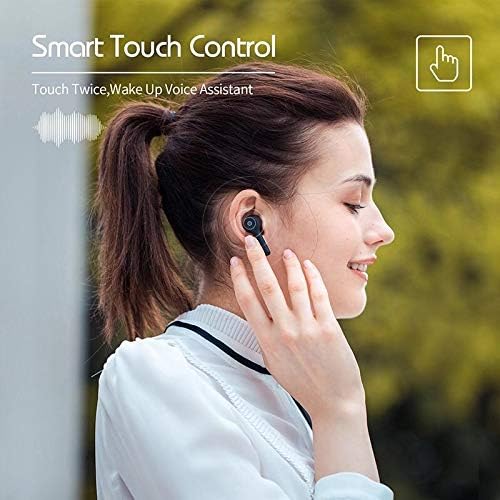
| Action | Function |
|---|---|
| Single Tap (Left/Right Earbud) | Play/Pause Music, Answer/End Call |
| Double Tap (Left Earbud) | Previous Track |
| Double Tap (Right Earbud) | Next Track |
| Triple Tap (Left/Right Earbud) | Activate Voice Assistant (e.g., Siri, Google Assistant) |
| Long Press (2 seconds) | Reject Call |
| Long Press (5 seconds) | Power On/Off |
Charging the Earbuds and Case:

- Earbud Charging: Place the earbuds into the charging case. They will automatically charge. The indicator lights on the earbuds (if present) or case will show charging status.
- Case Charging: Connect the USB charging cable to the charging port on the case and to a power source. The LED indicators on the case will illuminate to show the battery level and charging status.
- A full charge provides approximately 4 hours of playtime for the earbuds, with the charging case extending total playtime to about 20 hours.
Maintenance and Care
- Cleaning: Use a soft, dry, lint-free cloth to clean the earbuds and charging case. Do not use abrasive cleaners, alcohol, or chemical solvents.
- Storage: When not in use, store the earbuds in their charging case to protect them and keep them charged.
- Avoid Water: The earbuds are not waterproof. Avoid exposure to water, moisture, or extreme temperatures.
- Battery Care: To preserve battery life, charge the device regularly, even if not in frequent use. Avoid fully discharging the battery for extended periods.
Troubleshooting
| Problem | Possible Solution |
|---|---|
| Earbuds not pairing. |
|
| Only one earbud is working. |
|
| No sound or low volume. |
|
| Charging case not charging. |
|
Specifications
| Feature | Detail |
|---|---|
| Model Number | I92 |
| Brand | Havit |
| Connectivity Technology | Wireless (Bluetooth) |
| Headphone Form Factor | In-Ear |
| Microphone | Yes |
| Noise Control | Noise Isolation / Active Noise Cancellation |
| Control Type | Touch Control |
| Frequency Range | 20 Hz - 20 kHz |
| Dimensions (Product) | 8 x 3.3 x 3 cm |
| Weight (Product) | 156 grams |
| Color | Black |
| EAN-13 | 6939119025922 |
Warranty and Support
Havit products come with a standard manufacturer's warranty. Please refer to the warranty card included in your package or visit the official Havit website for detailed warranty terms and conditions.
For technical support, troubleshooting assistance, or any inquiries regarding your Havit I92 Bluetooth Earbuds, please contact Havit customer service through their official website or the contact information provided in your product packaging.
Website: www.havit.com