
Introduction
This manual provides essential information for the safe and efficient use of your Chiphy Dimmable 39-inch Tall Standing Floor Lamp. This lamp is designed to offer soft, warm ambient lighting with adjustable brightness levels, suitable for various indoor environments. Please read these instructions thoroughly before assembly and operation.

Image: Chiphy Floor Lamp illuminating a living room with soft, warm light.
Important Safety Instructions
To reduce the risk of fire, electric shock, or injury, please follow these guidelines:
- Ensure the power supply voltage matches the lamp's requirements (110 Volts).
- This product is intended for indoor use only. Do not expose to water or high humidity.
- Always unplug the lamp from the electrical outlet before cleaning or changing bulbs.
- Do not operate the lamp with a damaged cord or plug.
- Keep the lamp away from heat sources and flammable materials.
- Do not attempt to modify or repair the lamp yourself. Contact qualified service personnel.
Package Contents
Verify that all components are present before beginning assembly:
- Lampshade (Dupont Tyvek)
- Metal Poles (Alloy Steel)
- LED Bulbs (2x 12W, E26 base)
- Power Cord with Foot Switch
- Assembly Hardware (screws, washers, etc.)
- Installation Manual
Video: An unboxing and overview of the Chiphy Floor Lamp components, demonstrating how items are packaged.
Assembly Instructions
Follow these steps to assemble your Chiphy Floor Lamp:
- Unpack Components: Carefully remove all items from the packaging. Lay them out on a clean, flat surface.
- Connect Metal Poles: Assemble the metal poles by screwing them together. Ensure each connection is smooth and tight to form a sturdy central column.
- Install Light Bulbs: Screw the two provided LED bulbs into the sockets on the assembled pole.
- Position Lampshade: Gently slide the Dupont Tyvek lampshade over the assembled pole from the top side. The lampshade is designed to stretch and smooth out as it is properly positioned.
- Secure Base: Connect the bottom of the lampshade to the base structure using the provided screws. Ensure the screws are correctly placed and tightened for stability.
- Secure Top: Connect the top of the lampshade to the upper frame, applying gentle pressure to ensure the fabric is taut and wrinkle-free.
- Final Check: Verify that all connections are secure and the lamp stands straight and stable.
Video: A step-by-step guide demonstrating the assembly process of the Chiphy Floor Lamp.

Image: This image illustrates the smooth and tight fit of the lampshade fabric when correctly assembled, contrasting it with a wrinkled appearance from improper assembly.
Operating Instructions
Brightness Adjustment
The Chiphy Floor Lamp features 3 levels of adjustable brightness. Use the foot switch or remote control to cycle through the settings:
- First Press: Full brightness (100%)
- Second Press: Medium brightness (50%)
- Third Press: Low brightness (10%)
- Fourth Press: Off

Image: Visual representation of the three distinct brightness levels (100%, 50%, 10%) of the Chiphy Floor Lamp.
Foot Switch Operation
The integrated foot switch allows for convenient control. Simply tap the switch with your foot to turn the lamp on/off and cycle through the brightness levels.
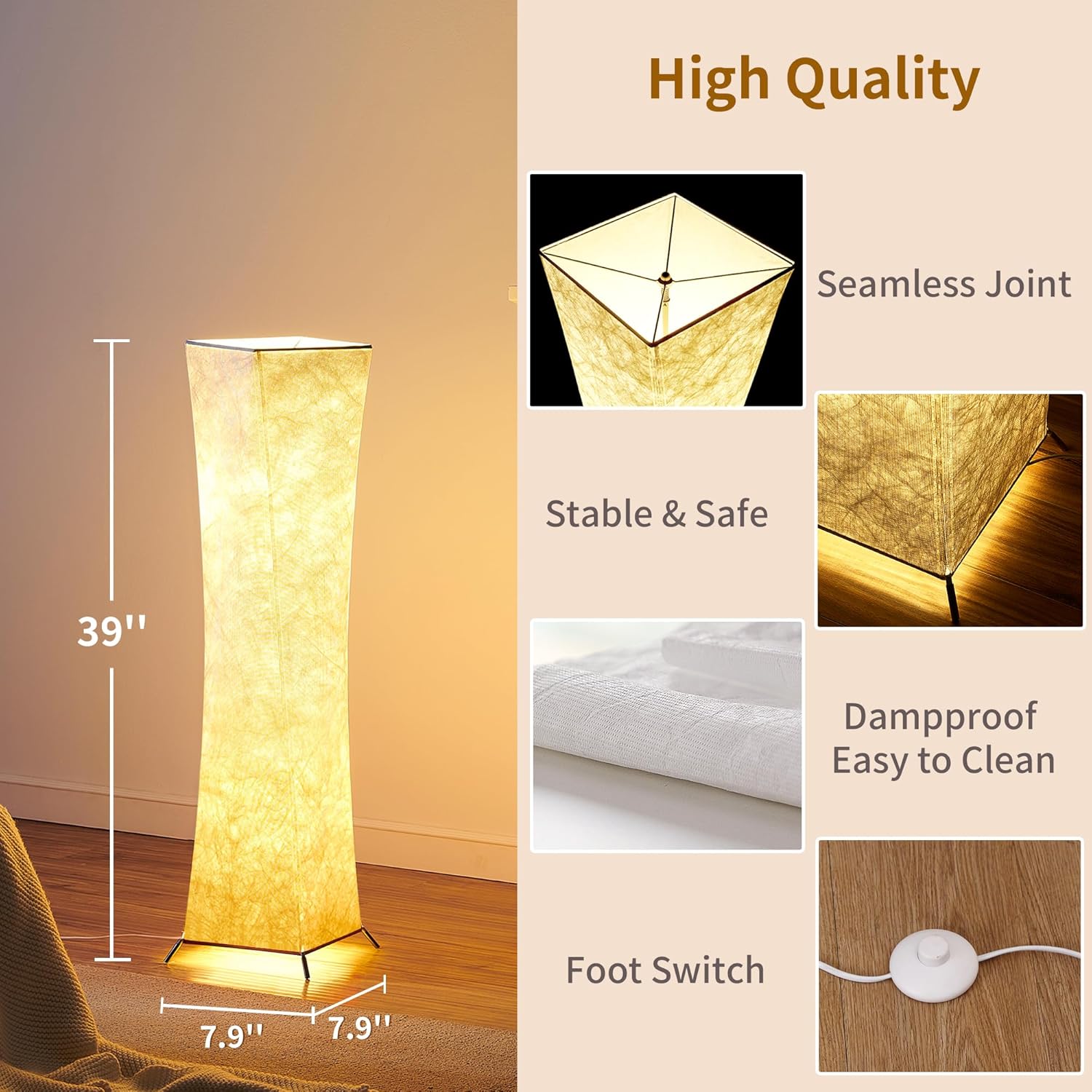
Image: A detailed view of the foot switch, highlighting its design and placement on the power cord.
Remote Control (If Included/Compatible)
If your model includes a remote control or is compatible with one, refer to the remote's specific instructions for pairing and advanced features such as color changing (if applicable) and timer settings.
Video: Demonstrates the dimmable features and various lighting options of the Chiphy Floor Lamp with a white lampshade.
Smart Plug Compatibility
The lamp is compatible with smart plugs (not included). Using a smart plug allows for control via a mobile application or voice commands, integrating the lamp into your smart home system.

Image: The Chiphy Floor Lamp shown with an icon of a smart plug, illustrating its compatibility for smart home integration.
Maintenance
To ensure the longevity and appearance of your Chiphy Floor Lamp:
- Cleaning: The Dupont Tyvek lampshade is lightweight, waterproof, and stain-proof. Wipe it gently with a soft, damp cloth to clean. Avoid harsh chemicals or abrasive cleaners.
- Bulb Replacement: Use E26 base LED bulbs. Ensure the lamp is unplugged before replacing bulbs.
- Storage: If disassembling for storage, carefully follow the reverse of the assembly instructions. The lampshade can be folded for compact storage.
Troubleshooting
Refer to the table below for common issues and their solutions:
| Problem | Possible Cause | Solution |
|---|---|---|
| Lamp does not turn on | Power cord not plugged in; Bulb loose or faulty; No power at outlet. | Check power connection; Tighten or replace bulb; Test outlet with another device. |
| Lampshade appears wrinkled | Improper assembly; Lampshade not fully stretched. | Ensure all poles are securely connected and the lampshade is tautly stretched over the frame. |
| Brightness levels not changing | Foot switch or remote control malfunction. | Ensure foot switch is fully pressed; Replace remote batteries or re-pair remote. |
Specifications
| Feature | Detail |
|---|---|
| Model Number | SF213-107A |
| Dimensions | 7.9"D x 7.9"W x 39"H |
| Item Weight | 1.6 Pounds |
| Lampshade Material | Dupont Tyvek, Stainless Steel |
| Base Material | Alloy Steel |
| Light Source Type | LED |
| Number of Light Sources | 2 |
| Bulb Base | E26 |
| Wattage | 24 watts (12W x 2 LED bulbs) |
| Brightness | 2400 Lumens (equivalent to 100W incandescent) |
| Color Temperature | 2700 Kelvin (Warm White) |
| Special Features | 3-way switching, Dimmable, Foot Switch |
| Control Method | Foot Switch, Remote (if included/compatible) |
| Power Source | Corded Electric |
| Indoor/Outdoor Usage | Indoor |
| UPC | 790404754554 |

Image: This image displays the range of Chiphy floor lamp sizes, including the 39-inch (XS) model, for visual comparison.
Warranty and Support
Chiphy Lighting products typically come with a standard warranty. For specific warranty details, product registration, or technical support, please refer to the documentation included in your product packaging or visit the official Chiphy Lighting website. You may also contact customer service through your retailer.