
Eureka NEC180
Contents
Eureka RapidClean Pro Cordless Vacuum Cleaner User Manual
Model: NEC180 | Brand: Eureka
Introduction
The Eureka NEC180 RapidClean Pro is a versatile, battery-operated cordless stick and handheld vacuum cleaner designed for efficient cleaning of various floor types. Its lightweight design and powerful suction make it suitable for daily household cleaning tasks. This manual provides essential information for safe operation, assembly, maintenance, and troubleshooting.

Figure 1: Eureka RapidClean Pro Cordless Vacuum Cleaner and included accessories.
Setup
Before first use, ensure all components are present and the battery is fully charged.
1. Assembly
- Attach the Main Body to the Extension Wand: Align the main vacuum body (containing the dust cup and motor) with the top end of the extension wand. Push firmly until it clicks into place.
- Attach the Floor Nozzle to the Extension Wand: Connect the floor nozzle (with the brush roll and LED headlights) to the bottom end of the extension wand. Ensure it clicks securely.
- Handheld Configuration: For handheld use, detach the extension wand and floor nozzle. Directly attach desired accessories (crevice tool, 2-in-1 dusting brush) to the main vacuum body.
Video 1: Official product video demonstrating the assembly and features of the Eureka RapidClean Pro NEC180 Cordless Vacuum Cleaner.
2. Charging the Battery
- Connect the charger to the charging port on the main vacuum body.
- Plug the charger into a standard electrical outlet. The battery indicator lights will illuminate during charging.
- A full charge provides up to 40 minutes of runtime.
- For convenient storage and charging, use the included wall mount.
Operating Instructions
1. Power On/Off and Suction Modes
- Press the power button to turn the vacuum on or off.
- Use the fingertip controls to switch between two power modes: standard for everyday cleaning and MAX power for increased suction on carpets and rugs.
2. Cleaning Features
- LED Headlights: The floor nozzle features bright LED headlights to illuminate dust and debris, making it easier to spot dirt in dimly lit areas or under furniture.
- Under Furniture Reach: The dust cup is positioned at the front, allowing the vacuum to lay completely flat for easy cleaning under beds and furniture.
- Easy Rest Feature: A specially designed nook allows you to safely prop the vacuum against countertops or furniture when taking a break.
- Swivel Steering: The flexible swivel steering allows for easy maneuverability around obstacles.

Figure 2: Convenient, Effective Cleaning with LED Headlights.

Figure 3: Multi-floor Cleaning on various surfaces.

Figure 4: Easy Rest feature for convenient breaks.

Figure 5: Lays Down Flat for cleaning under furniture.
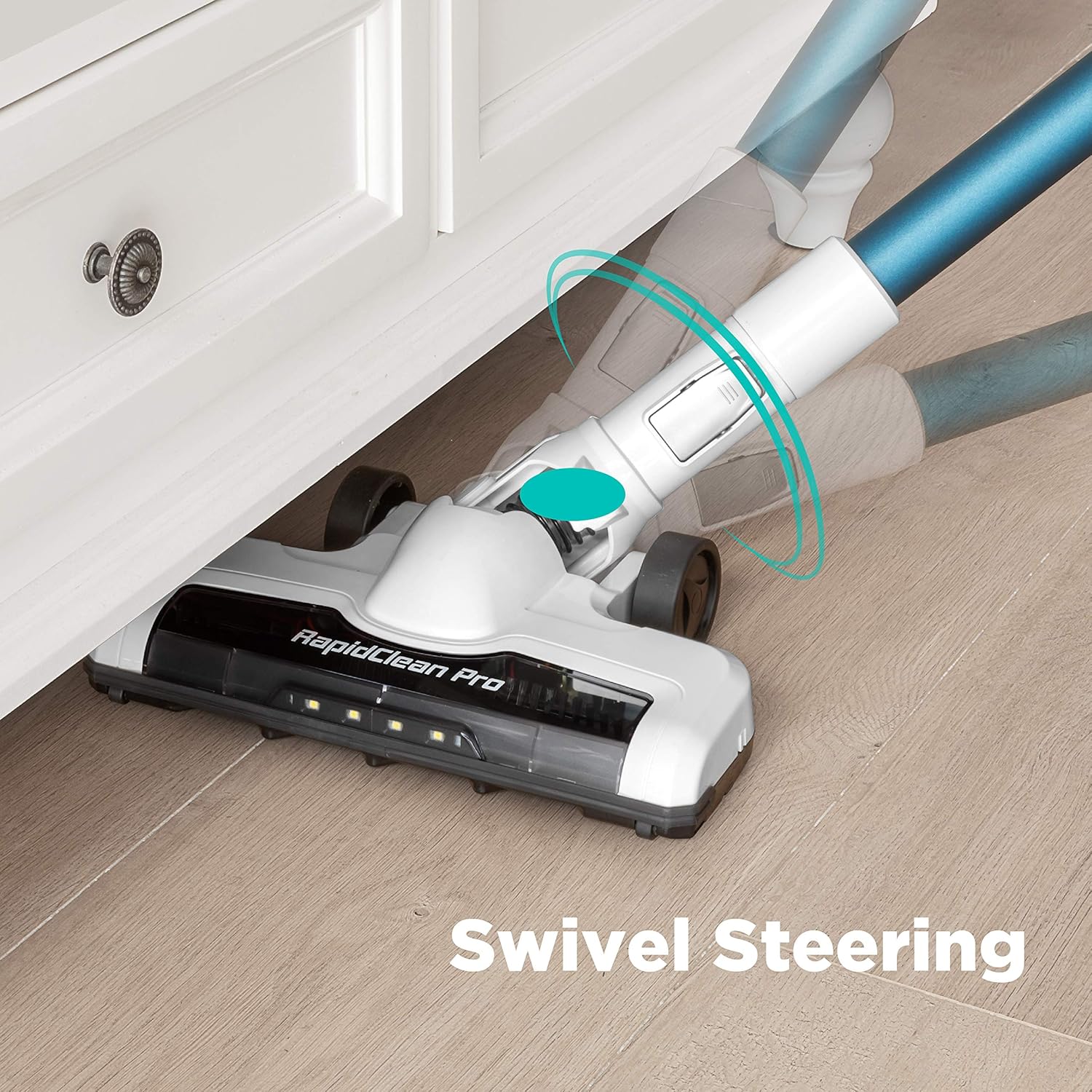
Figure 6: Swivel Steering for enhanced maneuverability.

Figure 7: Bright LED Headlights for visibility.
Maintenance
Regular maintenance ensures optimal performance and extends the life of your vacuum cleaner.
1. Emptying the Dust Cup
- The dust cup can be emptied using a convenient one-click release button.
- Position the dust cup over a trash bin and press the release button to open the bottom flap and empty contents.

Figure 8: Two Ways to Empty the Dust Cup Easily.
2. Cleaning the Filter
- The foam filter is washable. Remove the filter from the dust cup.
- Rinse the filter under running water until clean.
- Allow the filter to air dry completely for at least 24 hours before reinserting it into the vacuum. Do not use the vacuum with a wet filter.
3. Cleaning the Brush Roll
- Periodically check the brush roll for tangled hair or debris.
- Carefully remove any obstructions using scissors or a brush.
Troubleshooting
| Problem | Possible Cause | Solution |
|---|---|---|
| Vacuum does not turn on. | Battery is not charged. | Charge the battery fully. |
| Low suction power. | Dust cup is full or filter is clogged. | Empty the dust cup and clean the foam filter. |
| Low suction power. | Brush roll is tangled with hair or debris. | Clean the brush roll. |
| Vacuum head not moving smoothly. | Obstruction in the brush roll or wheels. | Check and clear any obstructions from the brush roll and wheels. |
Specifications
- Model: NEC180
- Brand: Eureka
- Form Factor: Handheld, Stick
- Special Features: Lightweight, Headlight, Handheld
- Filter Type: Foam
- Power: 150 Watts
- Runtime: Up to 40 minutes
- Dust Cup Capacity: 0.7 Liters
- Battery Type: Lithium-Ion (1 included)
- Product Dimensions: 9.8"L x 6.3"W x 43.3"H
- Item Weight: 5.26 pounds
- Included Components: RapidClean Pro Vacuum Cleaner, Crevice Tool, 2-in-1 Dusting Brush, Wall Mount, Charger
Warranty and Support
Warranty Information
The Eureka NEC180 RapidClean Pro comes with a 1.5-year limited warranty. Please retain your proof of purchase for warranty claims.
Customer Support
For further assistance, troubleshooting, or to inquire about replacement parts, please visit the official Eureka website or refer to the comprehensive User Manual (PDF) available online.
Documents and downloads
Ask a question about this manual
Ask about setup, troubleshooting, compatibility, parts, safety, or missing instructions. Manuals+ will review the question and use this page’s manual context to help answer it.