
1. Introduction
The MakeSkyBlue 60A MPPT Solar Charge Controller V119 is an advanced device designed to efficiently manage power flow from solar panels to batteries in various solar power systems. It utilizes Maximum Power Point Tracking (MPPT) technology to maximize energy harvest from your solar array and ensure optimal battery charging. This controller is compatible with 12V, 24V, and 48V battery systems.

Image 1.1: MakeSkyBlue 60A MPPT Solar Charge Controller V119 with its packaging and included accessories.
2. Key Features
- Intelligent Maximum Power Point Tracking (MPPT) Technology: Optimizes solar panel output for maximum efficiency.
- Built-in DSP Controller: Ensures high performance and reliable operation.
- Three-Stage Charging: Optimizes battery performance and extends battery life.
- Multi-function LCD Display: Provides real-time system information and status.
- Wide Battery Compatibility: Suitable for various battery types (default for lead-acid, adjustable for others).
- WiFi Connectivity: Allows monitoring and configuration via an Android phone application (local connection only, not internet/cloud).
- Comprehensive Protection: Includes limited current protection, over-temperature protection, and overcharging protection.

Image 2.1: Front panel of the MakeSkyBlue 60A MPPT Solar Charge Controller V119, showing the LCD display and control interface.
3. Setup and Installation
Proper installation is crucial for the safe and efficient operation of your MPPT charge controller. Always ensure all connections are secure and correctly polarized. It is recommended to install appropriate circuit breakers between the solar panels and the controller, and between the controller and the battery bank.
3.1 Wiring Diagram
Follow the diagram below for correct wiring. Connect the battery first, then the solar panels, and finally the DC load (if applicable).

Image 3.1: Detailed connection diagram illustrating the wiring of solar panels, circuit breakers, battery, and DC load to the MakeSkyBlue MPPT Solar Charge Controller.
3.2 Connection Steps
- Connect the Battery: Connect the positive and negative terminals of your battery bank to the BT+ and BT- terminals on the controller. Ensure correct polarity.
- Connect the Solar Panels: Connect the positive and negative terminals of your solar panel array to the PV+ and PV- terminals on the controller. Verify correct polarity and ensure the PV array open circuit voltage is within the specified range for your battery system voltage.
- Connect the DC Load (Optional): If using a DC load directly from the controller, connect its positive and negative terminals to the OU+ and OU- terminals. Ensure the load current does not exceed 5A.
Important: Always connect the battery first and disconnect it last to prevent damage to the controller.
4. Operating Instructions
Once installed, the controller will automatically begin operating. The multi-function LCD display provides real-time information about the system status.
4.1 LCD Display Overview
The LCD display shows various parameters such as PV voltage, battery voltage, charging current, and system status. Use the control buttons (PRG/ESC, Up, Down, ENTER) to navigate through the display menus and adjust settings.
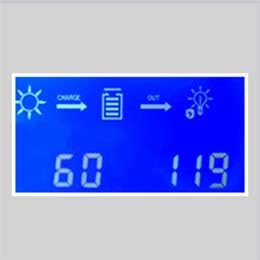
Image 4.1: Example of the LCD display showing solar input, battery charge, and output status with numerical readings.
4.2 Battery Type and Charging Settings
The default charging mode is set for lead-acid batteries. For other battery types, or to fine-tune charging parameters, you can adjust the voltage settings through the controller's menu. Refer to your battery manufacturer's specifications for recommended charging voltages.
- For 12V Battery Systems: Set voltage from 12V-17V.
- For 24V Battery Systems: Set voltage from 24V-34V.
- For 48V Battery Systems: Set voltage from 48V-68V.
4.3 WiFi Monitoring (Android App)
The V119 model includes WiFi functionality for monitoring and configuration via a dedicated Android application. This connection is local between the controller and your Android phone and does not require an internet connection. Consult the app's instructions for pairing and usage.
5. Maintenance
Regular maintenance ensures the longevity and optimal performance of your charge controller.
- Cleanliness: Keep the controller clean and free from dust and debris. Ensure ventilation openings are not obstructed.
- Connection Checks: Periodically inspect all wiring connections for tightness and corrosion. Loose connections can lead to power loss or overheating.
- Environmental Conditions: Ensure the controller is installed in a dry, well-ventilated area, away from direct sunlight and extreme temperatures.
- Temperature Monitoring: The internal fan activates when the temperature exceeds 45℃ and turns off below 40℃. Ensure proper airflow to assist cooling.
6. Troubleshooting
This section addresses common issues you might encounter with your charge controller.
| Problem | Possible Cause | Solution |
|---|---|---|
| No display or power | Battery not connected or low voltage; loose battery connections. | Ensure battery is connected first with correct polarity. Check battery voltage and connections. |
| No charging from solar panels | Solar panels not connected; PV voltage too low; incorrect PV polarity; insufficient sunlight. | Check PV connections and polarity. Ensure PV open circuit voltage is within the specified range for your system. Verify adequate sunlight. |
| Overcharging protection activated | Battery voltage reached overcharging protection limit. | This is a normal protection function. The controller will stop charging once the battery is full. Ensure battery type settings are correct. |
| Over-temperature warning | Controller internal temperature exceeds 75℃. | Ensure adequate ventilation around the controller. Reduce ambient temperature if possible. Check for obstructed fan. |
| Limited current protection activated | Charging current exceeds 61A. | This is a normal protection function to prevent damage. The controller will limit the current. Ensure your solar array power does not significantly exceed the controller's maximum input capacity for your system voltage. |
7. Specifications
| Parameter | Value |
|---|---|
| Model | 60A-V119 |
| Rated Charging Current | 60A |
| System Voltage | 12V / 24V / 48V Auto Recognition |
| Max PV Array Power (12V System) | ≤ 720W |
| Max PV Array Power (24V System) | ≤ 1440W |
| Max PV Array Power (36V System) | ≤ 2100W |
| Max PV Array Power (48V System) | ≤ 2800W |
| PV Array Open Circuit Voltage (12V System) | 20V-80V |
| PV Array Open Circuit Voltage (24V System) | 37V-105V |
| PV Array Open Circuit Voltage (36V System) | 50V-160V |
| PV Array Open Circuit Voltage (48V System) | 72V-160V |
| Limited Current Protection | 61A |
| Over-temperature Protection | >75℃ |
| Fan-on Temperature | >45℃ |
| Fan-off Temperature | <40℃ |
| Overcharging Protection Voltage (12V) | 15V |
| Overcharging Protection Voltage (24V) | 30V |
| Overcharging Protection Voltage (36V) | 45V |
| Overcharging Protection Voltage (48V) | 60V |
| Product Dimensions | 8.46 x 1.97 x 4.53 inches |
| Item Weight | 2.97 pounds |
| Display Type | LCD |

Image 7.1: Comparison table highlighting features across different MakeSkyBlue MPPT Solar Charge Controller models, including V119.
8. Warranty and Support
For warranty information and technical support, please refer to the documentation provided with your purchase or contact MakeSkyBlue customer service directly. Keep your purchase receipt as proof of purchase.
Manufacturer: MakeSkyBlue


