
Introduction
This manual provides instructions for the eKids Mickey Mouse Wired Headphones, model MK-140v9. These headphones are designed for children, featuring a 3.5mm jack for universal connectivity and built-in parental volume control to ensure safe listening levels. The adjustable headband and soft ear cushions provide a comfortable fit for extended use.

Image: A child comfortably using the eKids Mickey Mouse headphones with a tablet.
Product Overview
The eKids Mickey Mouse Wired Headphones are designed with several features for a child-friendly audio experience:
- Wired Connectivity: Connects via a standard 3.5mm audio jack.
- Parental Volume Control: Integrated switch to limit sound output to safe levels for children.
- Adjustable Headband: Ensures a personalized and secure fit.
- Soft Ear Cushions: Provides comfort during prolonged listening sessions.
- Pivoting Ear Cushions: Enhances comfort and fit.
- Mickey Mouse Design: Features iconic Mickey Mouse ears and graphics.

Image: Key features of the headphones, including the adjustable headband, pivoting ear cushions, and parental volume limiter.
Setup
- Connect to Audio Device: Insert the 3.5mm audio jack into the headphone port of your smartphone, tablet, computer, or other compatible audio device.
Video: Demonstration of connecting the eKids Mickey Mouse headphones to a device via the 3.5mm jack.
- Adjust Headband: Gently slide the headband to adjust its length until the ear cushions comfortably cover the ears without excessive pressure.
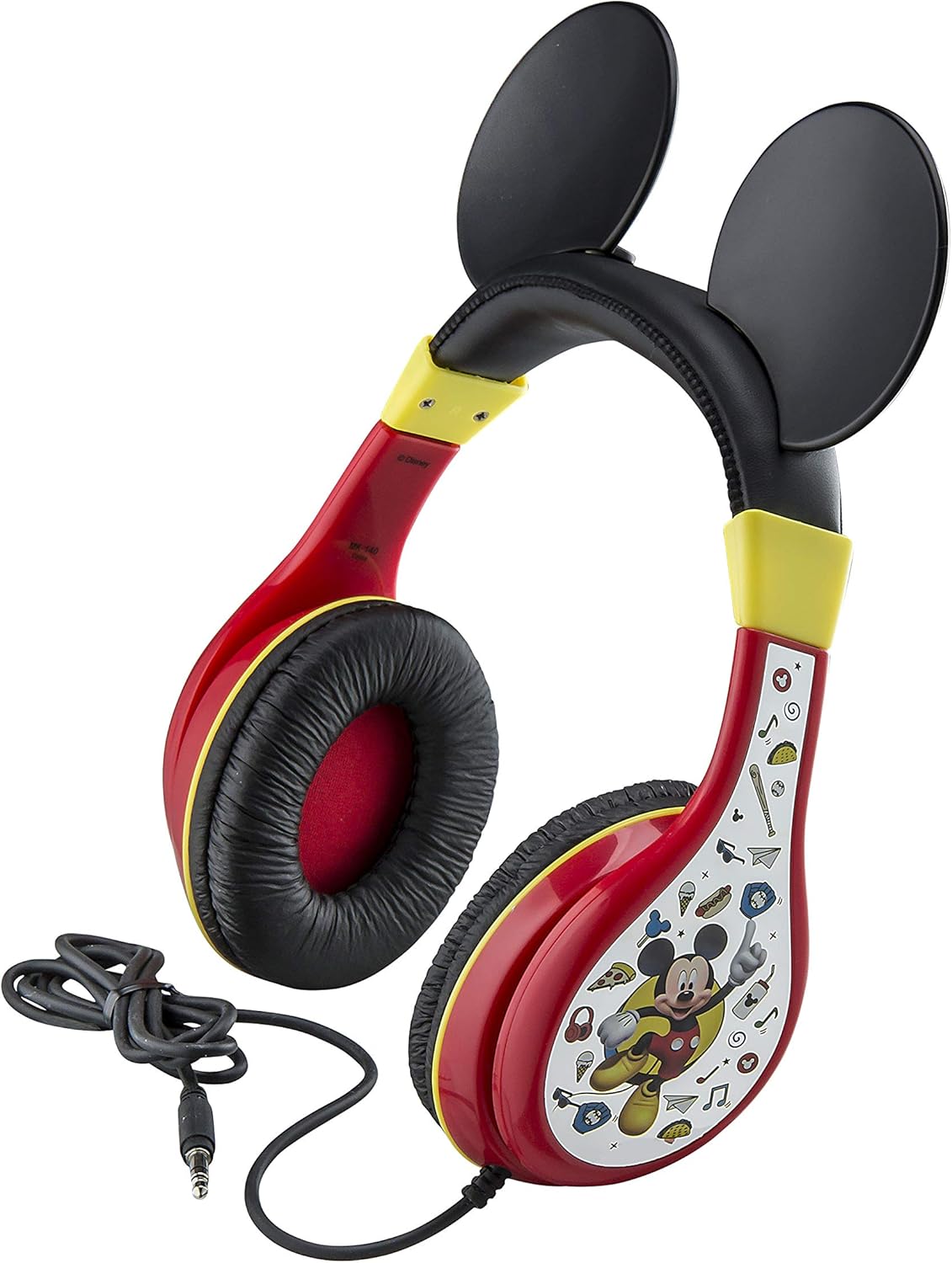
Image: The adjustable headband of the eKids Mickey Mouse headphones.
- Set Parental Volume Control: Locate the volume limiting switch on the headphones. Slide the switch to the desired kid-friendly sound level. Refer to the product packaging for specific details on volume settings for iOS and Android devices.

Image: Back of the product packaging illustrating the parental volume control switch and recommended settings.
Operating Instructions
Once connected and adjusted, the headphones are ready for use:
- Ensure the 3.5mm jack is fully inserted into the device's audio port.
- Play audio from your connected device.
- Adjust the volume using the parental control switch on the headphones and/or your device's volume controls.
Maintenance and Care
- Cleaning: Use a soft, dry cloth to clean the headphones. Do not use liquid cleaners or abrasive materials.
- Storage: Store the headphones in a cool, dry place away from direct sunlight and extreme temperatures. Avoid tangling the cable.
- Safety: These headphones are not water resistant. Avoid exposure to moisture. Do not attempt to disassemble or modify the headphones.
Troubleshooting
| Problem | Solution |
|---|---|
| No sound or low volume. |
|
| Sound is distorted. |
|
| Headphones are uncomfortable. |
|
Specifications
- Model Name: MK-140v9
- Connectivity Technology: Wired (3.5mm Jack)
- Included Components: Youth Headphone
- Age Range (Description): Kid
- Material: Plastic
- Compatible Devices: Smartphones, Tablets, Computers
- Control Type: Volume Control (Parental)
- Item Weight: 6.6 Ounces
- Product Dimensions: 6 x 2 x 9 inches
- Water Resistance Level: Not Water Resistant
- Manufacturer: iHome (Brand: eKids)
- UPC: 092298945507
Warranty and Support
These eKids Mickey Mouse Wired Headphones come with a One Year Limited Warranty.
For warranty claims or technical support, please refer to the contact information provided on the product packaging or visit the official eKids website. Keep your proof of purchase for warranty validation.
For more information, you may visit the eKids Brand Store.


