
1. Important Safety Information
Before beginning any exercise program, consult with your physician. This is especially important for individuals over the age of 35 or those with pre-existing health conditions. Read all instructions carefully before assembling and using the Tunturi F40 Competence Series Upright Exercise Bike.
- Keep children and pets away from the equipment. This exercise bike is designed for adult use only.
- Place the exercise bike on a stable, level surface with at least 0.6 meters (2 feet) of clear space around it.
- Inspect the equipment before each use for loose parts, wear, or damage. Do not use if damaged.
- Wear appropriate exercise clothing and footwear. Avoid loose clothing that could get caught in moving parts.
- Do not exceed the maximum user weight of 158.76 kg (350 lbs).
- Ensure all bolts and nuts are securely tightened before use.
- Stop exercising immediately if you feel faint, dizzy, or experience pain.
2. Setup and Assembly
The Tunturi F40 Competence Series Upright Exercise Bike requires assembly. Carefully unpack all components and verify against the parts list provided in your separate assembly guide. Ensure all parts are present and undamaged before proceeding.
2.1 Assembly Overview
Assembly typically involves attaching the stabilizer bars, pedals, seat post, seat, handlebar post, handlebars, and console to the main frame. Follow the step-by-step instructions and diagrams in your dedicated assembly manual for detailed guidance.

Figure 1: The Tunturi F40 Competence Series Upright Exercise Bike in a home environment.
2.2 Initial Adjustments
- Seat Adjustment: The saddle can be adjusted both vertically and horizontally. Loosen the adjustment knob, move the seat to your desired position, and securely tighten the knob. Your knees should have a slight bend at the bottom of the pedal stroke.
- Handlebar Adjustment: The multi-grip handlebar can also be adjusted for optimal comfort. Loosen the adjustment knob, position the handlebars, and tighten the knob firmly.
- Pedal Straps: Secure your feet in the anti-slip pedals using the adjustable foot straps to ensure stability during your workout.

Figure 2: Adjusting the seat for optimal comfort and exercise posture.
3. Operating Instructions
The Tunturi F40 Competence Series Exercise Bike features an intuitive console for controlling your workout and monitoring your progress.
3.1 Powering On and Off
Connect the exercise bike to a standard electrical outlet using the provided power cord. The console will power on automatically. To power off, simply disconnect the power cord.
3.2 Console Functions

Figure 3: The backlit LCD console display and control panel.
The backlit LCD monitor displays essential workout data:
- TIME: Duration of your workout.
- DISTANCE: Total distance covered.
- CALORIES: Estimated calories burned.
- SPEED: Current cycling speed.
- RPM: Revolutions Per Minute (pedal cadence).
- PULSE: Heart rate detected by handlebar sensors.
- LEVEL: Current resistance level (1-32).
Use the control buttons (MODE, RESET, UP, DOWN, START/STOP, RECOVERY, BODY FAT) to navigate menus, select programs, and adjust settings. Refer to the detailed console manual for specific button functions and program selection.
3.3 Workout Programs and Resistance
- The bike offers 19 pre-set workout programs to vary your training. Select a program using the console controls.
- Electronic resistance control provides 32 resistance levels. Adjust the resistance to match your fitness level and workout intensity.
3.4 Heart Rate Monitoring
Grip the heart rate sensors located on the handlebars to display your pulse on the console. Ensure both hands are firmly on the sensors for an accurate reading.
3.5 Bluetooth Connectivity
The Tunturi F40 Competence Series bike is Bluetooth enabled, allowing connection to various training applications such as i-Console+, Fit Hi Way, and Kinomap. Download the desired app to your smartphone or tablet, enable Bluetooth, and follow the app's instructions to pair with your exercise bike. This allows for interactive workouts and tracking.
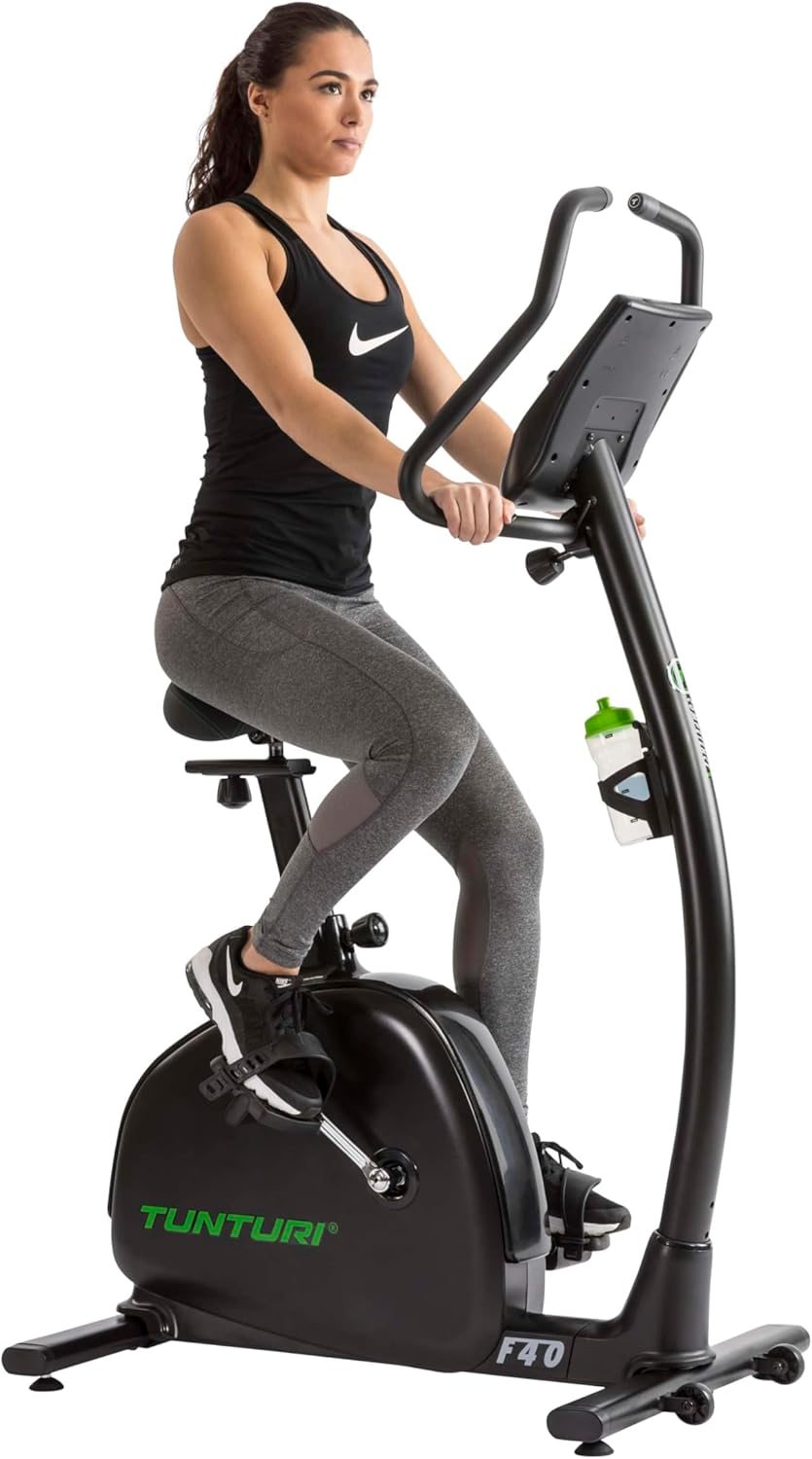
Figure 4: User engaging in a workout session on the exercise bike.
3.6 Tablet/Smartphone Holder
A convenient holder is integrated into the console for your tablet or smartphone, allowing you to use training apps or enjoy entertainment during your workout.

Figure 5: The integrated water bottle holder for hydration during exercise.
4. Maintenance
Regular maintenance ensures the longevity and safe operation of your Tunturi F40 Competence Series Upright Exercise Bike.
- Cleaning: Wipe down the bike with a damp cloth after each use to remove sweat and dust. Avoid abrasive cleaners or solvents.
- Inspection: Periodically check all bolts, nuts, and moving parts for tightness. Tighten any loose fasteners.
- Lubrication: The belt drive system is generally low maintenance and does not require lubrication. Refer to the assembly manual for any specific lubrication requirements for other parts.
- Storage: When not in use, store the bike in a clean, dry environment. The bike features transport wheels for easy relocation.
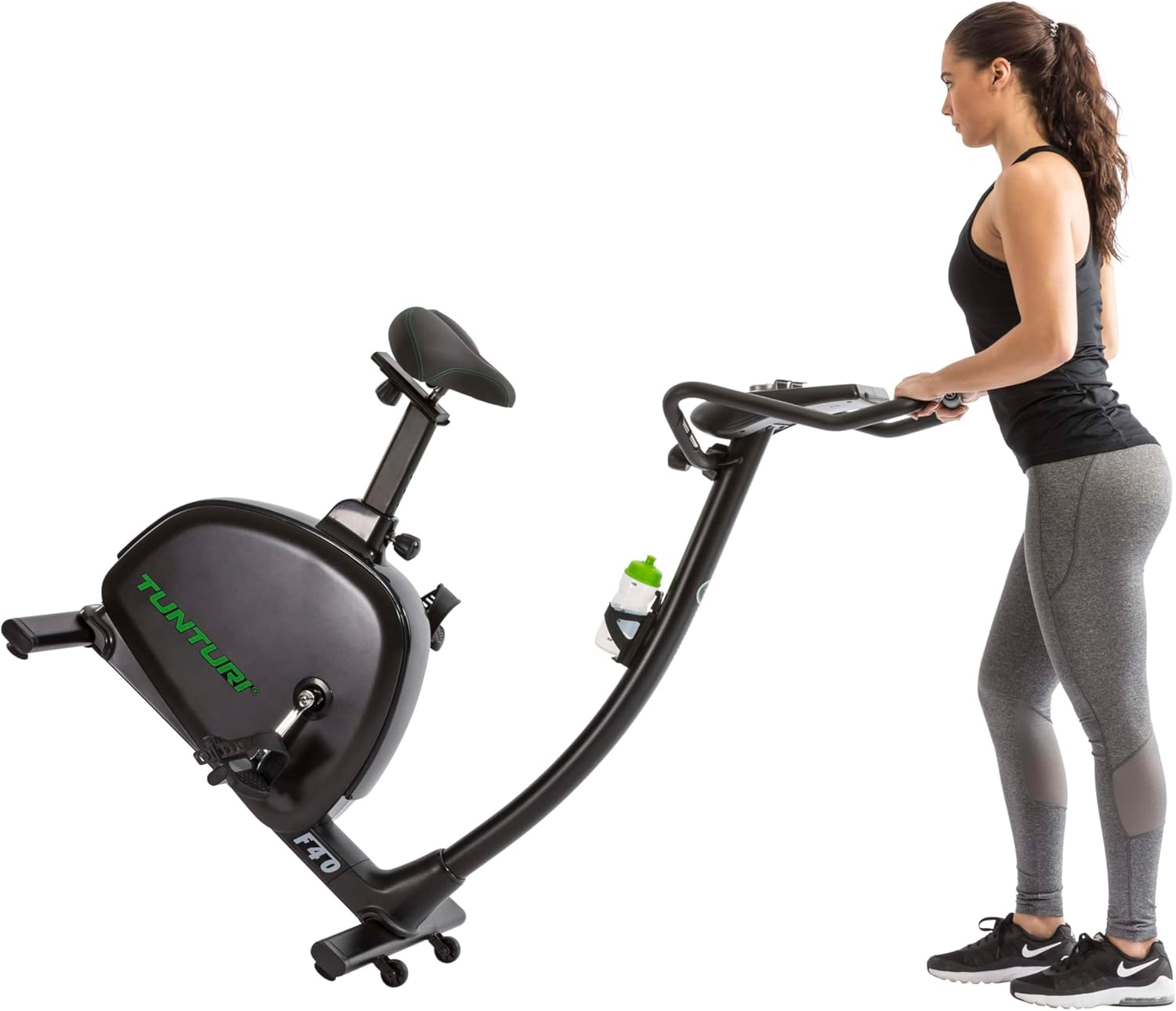
Figure 6: Utilizing the transport wheels to move the exercise bike.
5. Troubleshooting
If you encounter issues with your exercise bike, refer to the following common troubleshooting steps:
- Console Not Powering On: Ensure the power cord is securely plugged into both the bike and a working electrical outlet. Check if the outlet is functional. Verify that the console batteries (2 AA, included) are correctly installed and not depleted.
- No Resistance Change: Check all cable connections to the console and resistance mechanism. If the issue persists, consult the assembly manual for wiring diagrams or contact customer support.
- Inaccurate Heart Rate Reading: Ensure both hands are firmly gripping the handlebar sensors. Dry hands or excessive movement can affect accuracy.
- Unusual Noises: Inspect for any loose bolts or components. Tighten as necessary. If a persistent grinding or squeaking noise occurs, discontinue use and contact customer support.
6. Specifications
Technical details for the Tunturi F40 Competence Series Upright Exercise Bike:
| Feature | Detail |
|---|---|
| Brand | Tunturi |
| Model Name | F40 Competence Series Upright Exercise Bike |
| Item Model Number | 17TBF40000 |
| Colour | Black |
| Drive System | Belt |
| Resistance Mechanism | Magnetic |
| Number of Resistance Levels | 32 |
| Number of Programs | 19 |
| Power Source | Corded Electric |
| Console Features | Time, Distance, Calories, Speed, RPM, Pulse, Level |
| Special Features | Distance Traveled Monitor, Water Bottle Holder, Bluetooth Connectivity |
| Product Dimensions (L x W x H) | 99 x 59 x 157 cm |
| Item Weight | 36.8 kg |
| Maximum User Weight | 158.76 kg |
| Batteries | 2 AA batteries (included) for console |

Figure 7: Product dimensions for the Tunturi F40 Competence Series Upright Exercise Bike.
7. Warranty and Support
For warranty information, please refer to the documentation included with your purchase or visit the official Tunturi website. For technical support, spare parts, or service inquiries, please contact your retailer or the manufacturer's customer service department. Ensure you have your model number (17TBF40000) and proof of purchase available when contacting support.

