
Introduction
The WALKINGPAD A1 Pro is a compact and foldable walking treadmill designed to seamlessly integrate into your daily routine, allowing for increased activity and exercise in various home or office environments. Its slim design and easy storage make it an ideal fitness solution for spaces where traditional treadmills are impractical. This manual provides essential information for safe and effective use of your A1 Pro.
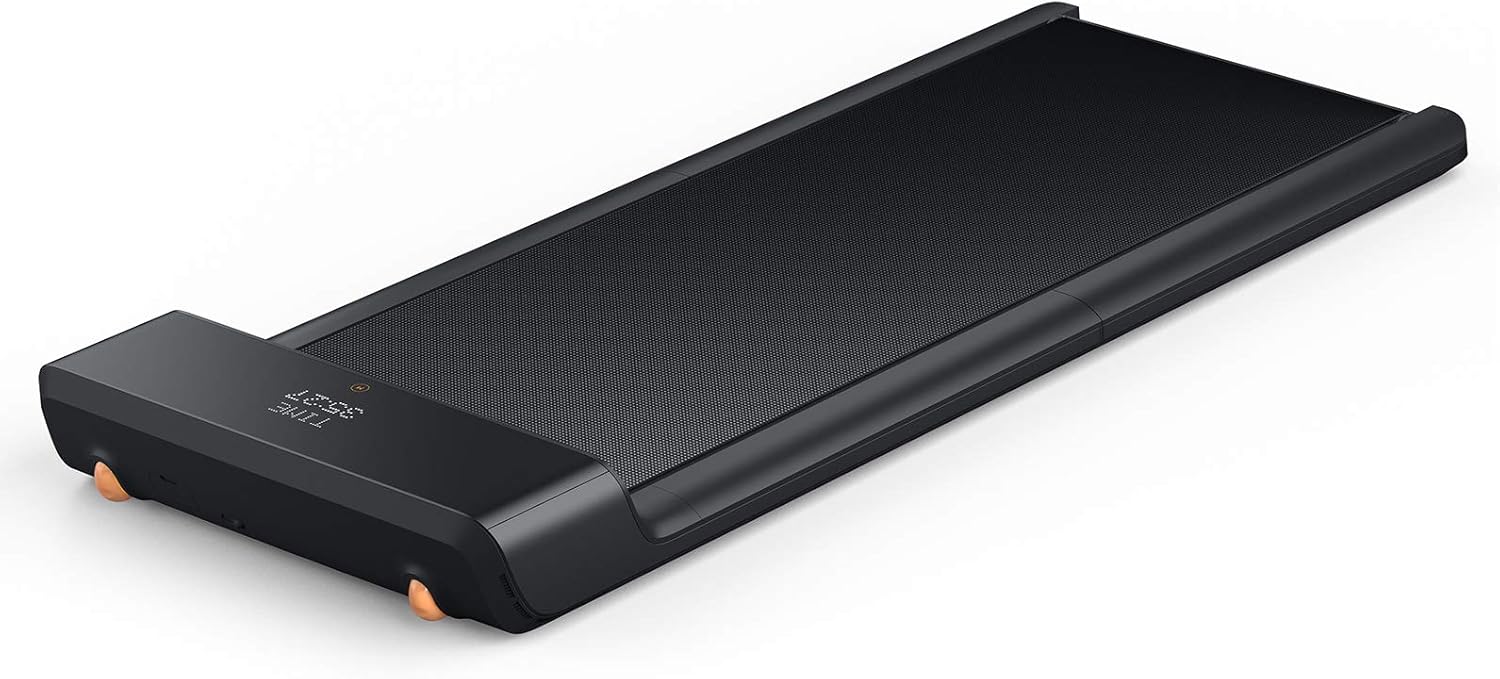
The WALKINGPAD A1 Pro Folding Treadmill, ready for use.
Safety Information
Always read and understand all instructions and warnings before using the WALKINGPAD A1 Pro. Failure to do so may result in serious injury or product damage.
- Ensure the treadmill is placed on a flat, stable surface. Avoid thick or soft carpets that may obstruct ventilation or operation.
- Maintain a clear area of at least 20 inches (50 cm) around the treadmill during operation.
- Wear appropriate athletic footwear. Avoid walking in socks or sandals.
- The maximum weight recommendation for this device is 230 Pounds (105 kg). Do not exceed this limit.
- Keep children and pets away from the treadmill during operation.
- Do not use the treadmill if you feel dizzy, lightheaded, or experience any pain. Stop immediately.
Setup
The WALKINGPAD A1 Pro comes fully assembled, requiring minimal setup before first use.
- Unboxing: Carefully remove the treadmill from its packaging. The unit is designed to be easily lifted from the box.
- Unfolding: Place the folded treadmill on a flat surface. Gently unfold the walking pad until it lies completely flat and locks into place. Ensure the folding mechanism is fully extended and secure.
- Power Connection: Locate the power input port on the side of the treadmill. Connect the power cord securely and plug it into a suitable power outlet.
- Initial Power On: Turn on the main power switch, usually located near the power input. The LED display on the front of the treadmill should illuminate.
- First-Time User Unlock: For first-time users, the treadmill's speed is initially limited. To unlock full functionality, you must either:
a) Walk 1 kilometer (0.6 miles) on the device.
b) Complete the "Novice Guide" through the WalkingPad (KS Fit) mobile application.

The A1 Pro's compact folding design allows for easy storage, such as under a sofa.
Official product video demonstrating the setup and features of the A1 Pro.
Operating
The WALKINGPAD A1 Pro offers multiple ways to control your workout.
- Remote Control: The included remote control allows you to start/stop the treadmill and adjust the speed. Use the '+' button to increase speed and '-' to decrease. The central button typically serves as start/stop.
- Mobile Application (KS Fit App): Download the KS Fit app on your smartphone. Connect via Bluetooth to access comprehensive controls, track your workout data (distance, calories, steps, time), and manage settings. The app also facilitates the first-time user unlock process.
- Display Screen: The LED display on the front of the treadmill shows real-time data including speed, steps, time, and distance.
- Operating Modes:
- Manual Mode (M): In this mode, you manually control the speed using the remote control or the mobile app. The speed range is 0.5 to 3.72 Miles per Hour (0.8 to 6 Kilometers per Hour).
- Automatic Mode (A): This mode utilizes foot-sensing technology. The treadmill adjusts its speed based on your position on the belt. Walking towards the front increases speed, staying in the middle maintains speed, and moving towards the back decreases speed. This mode requires some practice to master.

The remote control provides easy access to speed adjustments and start/stop functions.

The integrated LED display provides essential workout metrics at a glance.

Automatic mode uses foot-sensing zones to adjust speed based on user position.
Official video demonstrating how to operate the Kingsmith Walkingpad A1 Pro.
Maintenance
Regular maintenance ensures the longevity and optimal performance of your WALKINGPAD A1 Pro.
- Lubrication: The walking belt requires periodic lubrication with specialized silicon oil to ensure smooth operation and prevent wear. Refer to the user manual included with your product for specific lubrication intervals and instructions.
- Belt Adjustment/Calibration: Over time, the walking belt may shift or become loose. The A1 Pro features a calibration function to help align the belt. Use the provided Allen key to make minor adjustments to the tension bolts at the rear of the treadmill as needed.
- Cleaning: The treadmill's surface and belt can be wiped clean with a damp cloth. Avoid using abrasive cleaners or excessive water.

Internal components of the WalkingPad A1 Pro, highlighting its robust construction.

The multi-layered cushioning system provides comfort during use.
Troubleshooting
This section addresses common issues you might encounter with your A1 Pro.
- Belt Slipping or Misalignment: If the belt is slipping or not centered, perform a belt calibration. Refer to the maintenance section for adjustment instructions. Ensure the treadmill is on a flat, hard surface.
- Error Codes (ER05/ER06): These codes often indicate issues with the motor or the belt sticking. If the belt is stuck, gently lift it to release any adhesion to the conveyor, then restart the treadmill. Regular lubrication can prevent this.
- Display Clears on Stop: The A1 Pro does not have a pause function. The display will reset when the machine is stopped. This is normal operation.
- Automatic Mode Issues: If Automatic Mode behaves erratically (abrupt stops/starts), ensure you are walking within the designated foot-sensing zones. Practice is often required to use this mode effectively.
- Unusual Noise: The A1 Pro is designed for low noise operation. If you hear unusual noises, check for proper belt alignment and lubrication. Ensure no foreign objects are caught beneath the belt.
Specifications
| Feature | Detail |
|---|---|
| Brand | WALKINGPAD |
| Model | A1PRO |
| Color | black |
| Product Dimensions | 56.5"D x 21.5"W x 5"H |
| Item Weight | 60 Pounds |
| Material | Alloy Steel |
| Maximum Speed | 3.72 Miles per Hour |
| Special Feature | Foldable |
| Maximum Weight Recommendation | 230 Pounds |
| Belt Length | 47.2 Inches |
| Belt Width | 16.3 Inches |
| Display Type | LED |
| Included Components | User Manual, Power Cord |
Warranty and Support
The WALKINGPAD A1 Pro comes with a 1-year manufacturer warranty. For any support inquiries, troubleshooting assistance, or warranty claims, please refer to the contact information provided in your product's included user manual or visit the official WALKINGPAD support website.


