
FEELWORLD F6 Plus-US
Contents
FEELWORLD F6 Plus V2 6-inch DSLR Camera Field Monitor User Manual
Model: F6 Plus-US
Introduction
The FEELWORLD F6 Plus V2 is a 6-inch DSLR camera field monitor designed to enhance your video production workflow. It features a full HD 1920x1080 IPS touch screen, HDR support, and 3D LUT capabilities, providing accurate color representation and advanced monitoring tools. This manual provides comprehensive instructions for setting up, operating, and maintaining your F6 Plus V2 monitor.

Image: The FEELWORLD F6 Plus V2 monitor showcasing its display capabilities with various monitoring tools.
Setup
Package Contents
Before you begin, please verify that all items are included in your package:
- 1 × FEELWORLD F6 Plus Monitor
- 1 × Micro HDMI Cable
- 1 × Sunshade
- 1 × Tilt Arm
- 1 × User Manual
Note: Battery and power adapter are not included and must be purchased separately.

Image: Visual representation of the items included in the FEELWORLD F6 Plus package.
Power Supply
The F6 Plus V2 monitor offers multiple power supply options for flexibility in various shooting environments:
- DC Adapter Power Supply: Connect a compatible DC power adapter to the DC IN 12V port.
- Type-C Power Supply: Utilize a Type-C cable for power input.
- Lithium Battery: The monitor features a dual-purpose battery plate compatible with Sony NP-F series batteries (e.g., F970, F960, F950, F770, F750, F570, F550) and Canon LP-E6 batteries.
The monitor's DC output (8.4V) can also power your DSLR or mirrorless camera using an optional dummy battery, extending your camera's operational time.

Image: Illustration of the flexible power supply options for the monitor.
Connecting to Camera
The F6 Plus V2 supports 4K HDMI input and output, allowing for seamless integration with most cameras.
- Connect one end of the Micro HDMI Cable (included) to the HDMI OUT port on your camera.
- Connect the other end of the Micro HDMI Cable to the HDMI IN port on the F6 Plus V2 monitor.
- If you need to loop out the signal to another device, connect an HDMI cable from the HDMI OUT port on the monitor to your desired device.
Supported HDMI input/output formats include 3840x2160p (30/29.97/25/24/23.98Hz) and 4096x2160p (24Hz).
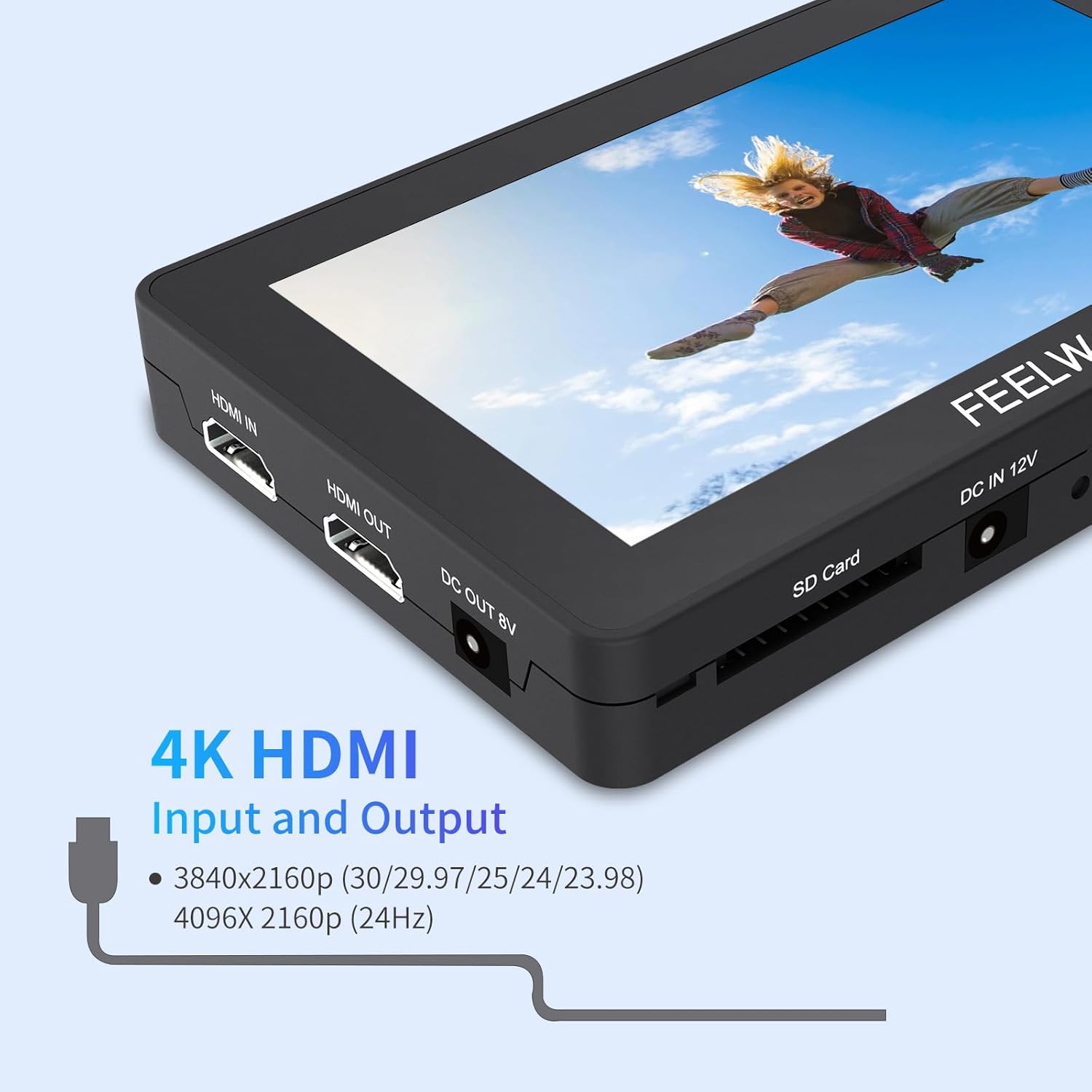
Image: Detailed view of the monitor's 4K HDMI input and output ports.
Operating
Touch Screen Control
The F6 Plus V2 features an intuitive touch screen interface, eliminating the need for complex buttons. All functions are accessible via touch gestures.
- Power On/Off Touch Function: Short press the power button to enable or disable the touch screen functionality.
- Zoom: Use a pinch gesture on the screen to zoom in or out of your image.
- Menu Access: Double-tap the screen to open the main menu and access settings.
- Adjustments: Swipe gestures and taps allow for easy adjustment of functions, backlight, and volume.

Image: Demonstrating the sensitive touch screen control for various adjustments.
Custom 3D LUT Support
The F6 Plus V2 supports uploading up to 50 custom 3D LUTs (Look Up Tables), allowing you to preview your desired filming look in real-time during shooting. This feature streamlines the post-production process.
- Insert an SD card containing your custom LUT files into the monitor's SD card slot.
- Navigate to the LUT menu via the touch screen interface.
- Select and load your desired LUTs.

Image: Interface for loading custom 3D LUTs and previewing their effect.
Professional Auxiliary Tools
The monitor includes a suite of professional tools to assist with accurate focus and exposure:
- Vectorscope: Displays the color information of the video signal.
- Brightness Histogram: Shows the distribution of brightness levels in the image.
- YUV Parade / Y Parade: Provides waveform displays for luminance and color components.
- Peaking Filter: Highlights in-focus areas for precise focusing.
- False Colors: Uses color overlays to indicate exposure levels.
- Exposure (Zebra): Displays zebra patterns over overexposed areas.
- 3D LUT: For real-time color grading.
- Waveform: Visualizes the luminance and chrominance levels of the video signal.
- Histogram: Graphical representation of tonal distribution.
- Nine Grid: Assists with composition.
- Embedded Audio: Monitors audio levels.
- Safe Frames: Guides for safe areas in broadcasting.
- Center Marker: Marks the center of the screen.
- Ratio Marker: Displays various aspect ratio markers.
- Scan Mode: Adjusts display scan.
- Aspect Ratio: Adjusts display aspect ratio.
- Image Flip: Flips the image horizontally or vertically.
- Image Freeze: Freezes the current frame.
- Pixel-to-Pixel: Displays the image at its native resolution.
- Zoom-in: Magnifies a portion of the image.
- Check Field: Displays specific color channels.
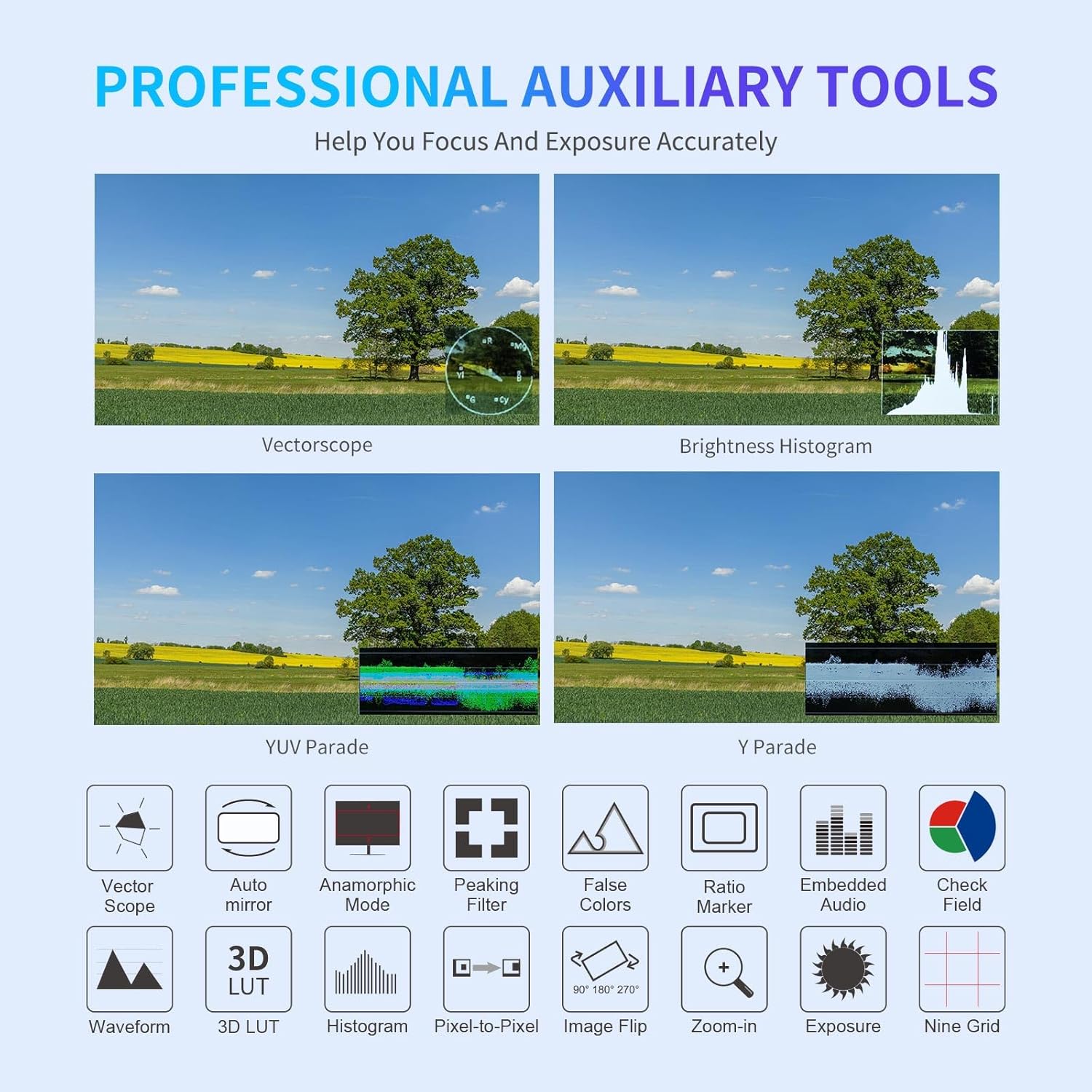
Image: Overview of the professional monitoring tools for focus and exposure assistance.
Screenshot and Video Overlay
The monitor supports capturing screenshots and overlaying video. This feature can be useful for quick reference or analysis.
- Ensure an SD card is inserted into the monitor. The number of screenshots stored depends on the SD card's capacity.
- After inserting the SD card and providing an input signal, swipe left on the right side of the screen to access the screenshot function menu.
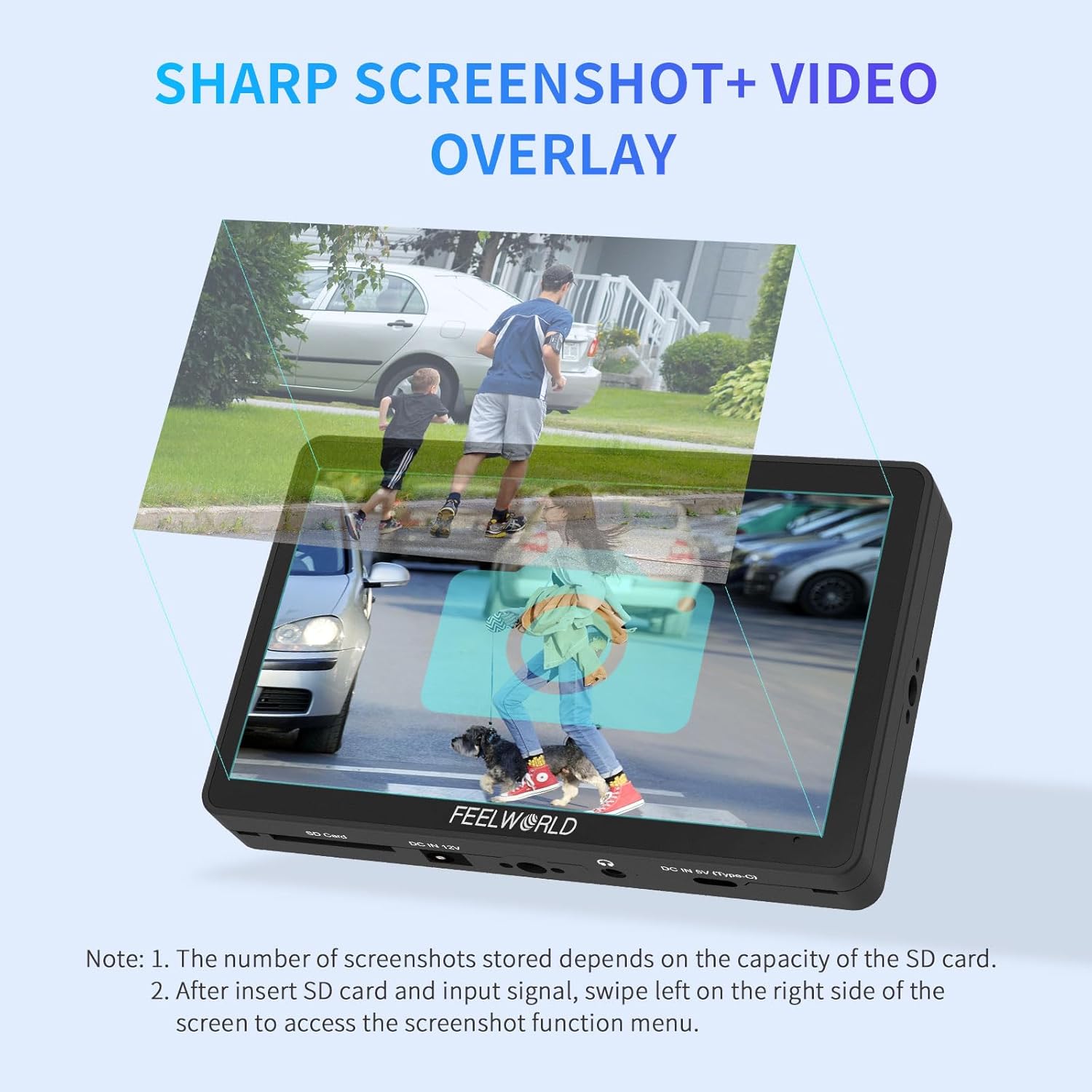
Image: Visual explanation of the screenshot and video overlay functionality.
Multi-Language Support
The F6 Plus V2 monitor supports up to 10 languages, catering to a diverse user base. You can select your preferred language from the system settings menu.
- Chinese
- Traditional Chinese
- Japanese
- Italian
- French
- Dutch
- Spanish
- Korean
- Russian
- English
Maintenance
Proper maintenance ensures the longevity and optimal performance of your FEELWORLD F6 Plus V2 monitor.
- Cleaning: Use a soft, dry cloth to clean the monitor's exterior. For the screen, use a specialized screen cleaning solution and a microfiber cloth. Avoid abrasive materials or harsh chemicals.
- Storage: When not in use, store the monitor in a cool, dry place, away from direct sunlight and extreme temperatures. Use the provided sunshade or a protective case to prevent dust and scratches.
- Handling: Handle the monitor with care to avoid drops or impacts, which can damage internal components or the screen.
- Battery Care: If using external batteries, follow the manufacturer's guidelines for charging and storage to maximize battery life. Remove batteries if the monitor will not be used for an extended period.
Troubleshooting
This section addresses common issues you might encounter with your FEELWORLD F6 Plus V2 monitor.
| Problem | Possible Cause | Solution |
|---|---|---|
| No image on screen |
|
|
| Touch screen unresponsive |
|
|
| Image flickering or distorted |
|
|
Specifications
- Product Dimensions: 10 x 10 x 12 inches
- Item Weight: 1.36 pounds
- Item Model Number: F6 Plus-US
- Display Size: 6 inches
- Resolution: 1920x1080 (Full HD)
- Panel Type: IPS
- Contrast Ratio: 1000:1
- Viewing Angle: 160°
- Color Gamut: Rec.709
- Input: 4K HDMI
- Output: 4K HDMI, DC 8.4V
- Power Supply: DC 12V, Type-C, NP-F series batteries, LP-E6 batteries
- Features: Touch Screen, Custom 3D LUT, HDR Support, Vectorscope, Histogram, Waveform, Peaking Focus Assist, False Colors, Exposure (Zebra), Screenshot, Video Overlay, Multi-language support.

Image: Key display specifications of the FEELWORLD F6 Plus monitor.
Warranty and Support
FEELWORLD provides an official 1-year warranty for the F6 Plus V2 monitor, including US local after-sales support.
For technical assistance, troubleshooting, or warranty claims, please visit the official FEELWORLD website or contact their customer support. Refer to the contact information provided in the product packaging or on the official brand website.
You can also find additional resources and FAQs on the FEELWORLD Store on Amazon.
Ask a question about this manual
Ask about setup, troubleshooting, compatibility, parts, safety, or missing instructions. Manuals+ will review the question and use this page’s manual context to help answer it.