
1. Introduction
This document serves as the user manual for the Easytry123 replacement remote control, model Easytry7591. This remote is designed to operate various ONKYO AV receiver models. Please note that as a replacement unit, some advanced or specific functions present on your original remote may not be fully supported. It is crucial to verify that your ONKYO AV receiver model is listed in the compatible models to ensure proper functionality.
Compatible ONKYO AV Receiver Models:
- RC-768M
- RC-810M
- TX-NR809
- TX-NR1009
- RC-771M
- TX-NR1008
- TX-NR808
- TX-NR708
- RC-812M
- TX-NR5009
2. Setup: Battery Installation
The Easytry123 replacement remote control requires batteries for operation. Batteries are not included with the remote control.
- Locate the Battery Compartment: Turn the remote control over. The battery compartment cover is typically located on the back of the remote.
- Open the Cover: Slide the battery compartment cover downwards or press the latch and lift to open it.
- Insert Batteries: Insert two AAA batteries (not included) into the compartment. Ensure the positive (+) and negative (-) terminals of the batteries align correctly with the polarity indicators inside the compartment. Incorrect insertion can prevent the remote from functioning.
- Close the Cover: Replace the battery compartment cover by sliding it back into place until it clicks securely.
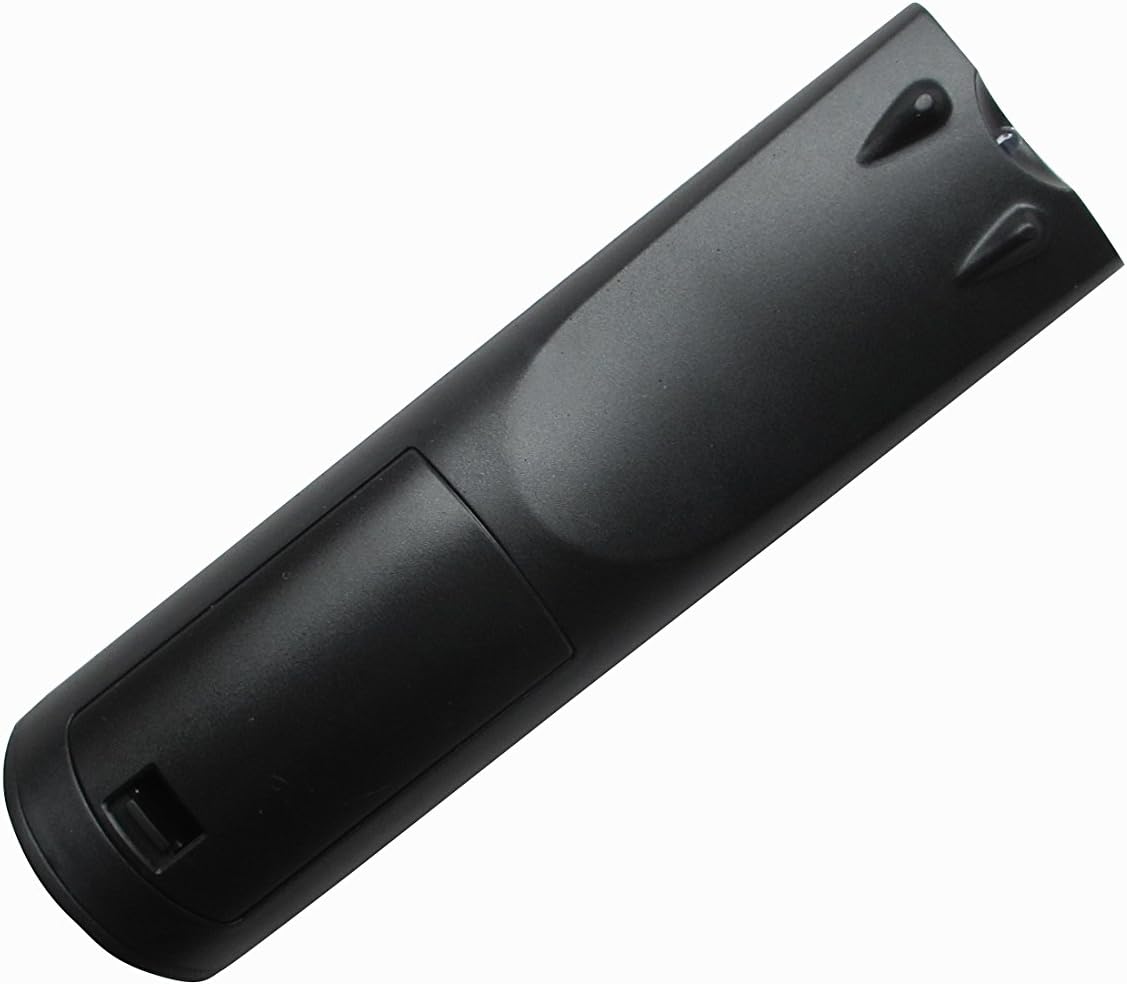
Figure 1: Back view of the remote control, illustrating the battery compartment location.
3. Operating Instructions
Once batteries are installed, the remote control is ready for use with your compatible ONKYO AV receiver. Point the remote directly at the AV receiver's infrared sensor.
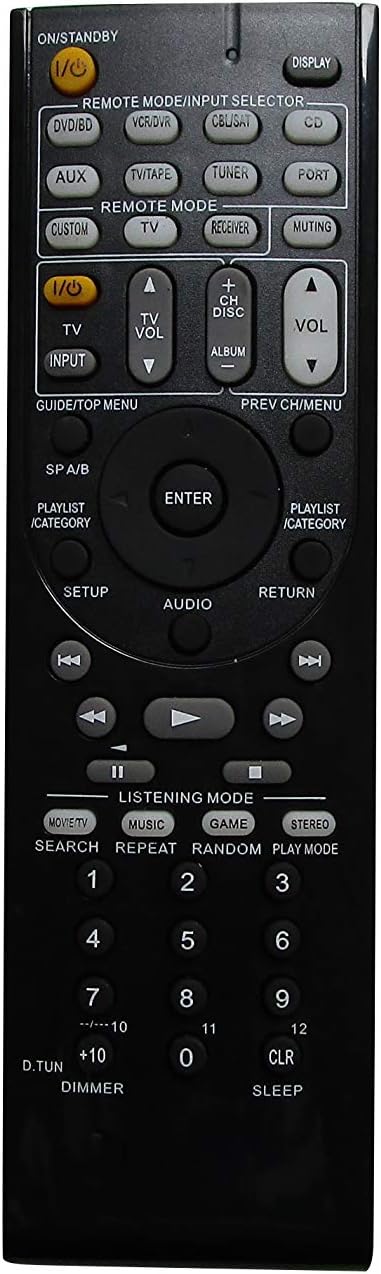
Figure 2: Front view of the Easytry123 remote control, displaying its button layout.
Basic Functions:
- Power (I/O STANDBY): Press this button to turn the AV receiver on or off.
- Input Selector (REMOTE MODE/INPUT SELECTOR buttons like DVD/BD, VCR/DVR, CBL/SAT, CD, AUX, TV/TAPE, TUNER, PORT, CUSTOM, TV, RECEIVER): Use these buttons to select the desired audio/video input source connected to your AV receiver.
- Volume Control (VOL +/-): Adjust the master volume level of your AV receiver.
- Muting (MUTING): Temporarily mutes the audio output. Press again to restore sound.
- Navigation (GUIDE/TOP MENU, PREV CH/MENU, ENTER, AUDIO, RETURN, PLAYLIST/CATEGORY, Arrow Buttons): These buttons are used to navigate menus, select options, and control playback functions within your AV receiver's interface.
- Playback Controls (PLAY, PAUSE, STOP, FAST FORWARD, REWIND, SKIP): Control media playback for connected devices.
- Listening Mode (MOVIE/TV, MUSIC, GAME, STEREO): Select different audio listening modes for optimized sound experience.
- Numeric Keypad (0-9, +10, D.TUN, CLR, SLEEP): Used for direct input, channel selection, or other specific functions depending on your receiver model.
Important Note: This is a replacement remote. While it offers core functionalities, it may not replicate every specific button or advanced feature of your original ONKYO remote. Refer to your ONKYO AV receiver's original manual for detailed information on specific functions and their corresponding remote commands.
4. Maintenance
Proper care will extend the life of your remote control.
- Cleaning: Wipe the remote control with a soft, dry cloth. For stubborn dirt, lightly dampen the cloth with water and then wipe dry immediately. Do not use abrasive cleaners, solvents, or alcohol.
- Battery Replacement: Replace batteries when the remote's response becomes sluggish or stops working. Always replace both batteries at the same time with new ones of the same type (AAA).
- Storage: If the remote control will not be used for an extended period, remove the batteries to prevent leakage and potential damage. Store in a cool, dry place away from direct sunlight.
- Avoid Damage: Do not drop the remote control, expose it to extreme temperatures, or immerse it in liquids.
5. Troubleshooting
If you experience issues with your Easytry123 replacement remote control, try the following steps:
- Remote Not Responding:
- Check if the batteries are inserted correctly, observing polarity (+/-).
- Replace old batteries with fresh AAA batteries.
- Ensure there are no obstructions between the remote control and the AV receiver's infrared sensor.
- Make sure you are within the effective operating range and pointing the remote directly at the receiver.
- Certain Functions Not Working:
- As a replacement remote, some specific or advanced functions may not be supported. This is normal for universal or replacement remotes.
- Verify that your AV receiver model is explicitly listed as compatible.
- Consult your ONKYO AV receiver's original manual to confirm the expected remote command for the function.
- Interference:
- Strong light sources (e.g., direct sunlight, fluorescent lights) can interfere with infrared signals. Try operating the remote in a different lighting condition.
If problems persist after trying these steps, please contact the seller for further assistance.
6. Specifications
| Model Number | Easytry7591 |
| Brand | Easytry123 |
| Compatible Devices | ONKYO AV Receivers (Specific models listed in Introduction) |
| Power Source | 2 x AAA Batteries (not included) |
| Color | Black |
| Item Weight | 3.36 ounces (approximately 95 grams) |
| Package Dimensions | 3 x 2 x 1 inches (approximately 7.6 x 5.1 x 2.5 cm) |
| Special Feature | Ergonomic design |
7. Warranty and Support
Specific warranty information for the Easytry123 replacement remote control is not provided in the product details. For any warranty-related inquiries, technical support, or assistance with product functionality, please contact the seller directly through your purchase platform.