Introduction
This manual provides essential instructions for the installation, operation, and maintenance of your ReadyWired Turntable Belt. This product is designed to be 100% compatible with various Yamaha P-series turntable models, ensuring reliable performance and restoring your audio experience. Please read these instructions carefully before proceeding with installation or use.
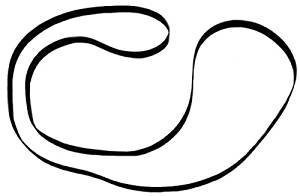
Image: ReadyWired Turntable Belt. This image shows the product, a black rubber belt, coiled and ready for installation.
Setup and Installation
Proper installation of the turntable belt is crucial for optimal performance. Follow these general steps for replacing your turntable belt. Specific turntable models may have slight variations; consult your Yamaha turntable's original manual for detailed disassembly instructions if needed.
- Preparation: Disconnect your turntable from the power source. Remove the platter mat and any records.
- Access the Platter: Carefully lift and remove the turntable platter. This may require removing a retaining clip or screw on some models. Place the platter on a soft, clean surface to prevent scratches.
- Remove Old Belt: Locate the old belt, which will likely be stretched, cracked, or broken. Gently remove it from the sub-platter and motor pulley. Clean any residue from the motor pulley and sub-platter with a soft, lint-free cloth.
- Install New Belt: Carefully stretch the new ReadyWired turntable belt around the sub-platter. Ensure it sits evenly in the groove.
- Position on Motor Pulley: Guide the belt onto the motor pulley. Ensure the belt is not twisted and is seated correctly on both the sub-platter and the motor pulley.
- Reassemble: Carefully place the main platter back onto the spindle, ensuring it seats properly. Rotate the platter manually a few times to confirm the belt is tracking correctly and smoothly.
- Test: Reconnect the turntable to power and test its operation at both 33 1/3 and 45 RPM speeds (if applicable) to ensure consistent rotation.
Operating Principles
The ReadyWired Turntable Belt is a critical component in belt-driven turntables. Its primary function is to transmit rotational power from the turntable's motor to the platter. This design helps to isolate motor vibrations from the platter, contributing to smoother rotation and improved sound quality. Once installed, the belt should provide consistent and stable platter speed, which is essential for accurate audio playback.
Maintenance
To ensure the longevity of your ReadyWired turntable belt and the optimal performance of your turntable, consider the following maintenance tips:
- Keep Clean: Periodically inspect the belt, motor pulley, and sub-platter for dust, dirt, or oil. Clean these components with a soft, lint-free cloth. Avoid using harsh chemicals that could degrade the rubber.
- Avoid Touching: Try to avoid touching the belt directly with your fingers, as oils from your skin can degrade the rubber over time.
- Storage: If storing your turntable for an extended period, it is sometimes recommended to remove the belt to prevent it from stretching or deforming under tension.
- Replacement: Turntable belts are wear-and-tear items. Over time, they can stretch, lose elasticity, or crack, leading to inconsistent speed or complete failure. Replace the belt if you notice any signs of wear or degradation.
Troubleshooting
If you encounter issues after installing your new ReadyWired turntable belt, refer to the following common problems and solutions:
| Problem | Possible Cause | Solution |
|---|---|---|
| Platter does not spin or spins slowly. | Belt not properly seated on motor pulley or sub-platter; belt twisted; motor issue. | Ensure the belt is correctly positioned and untwisted. Manually rotate the platter to help the belt settle. Check if the motor is receiving power. |
| Inconsistent platter speed (wow and flutter). | Belt slipping; dirty motor pulley or sub-platter; worn motor bearings. | Clean the belt, motor pulley, and sub-platter. Ensure the belt is not stretched or damaged. If the problem persists, consult a professional for motor inspection. |
| Belt falls off frequently. | Belt not correctly installed; incorrect belt size; worn grooves on sub-platter or pulley. | Re-install the belt carefully, ensuring it is seated in all grooves. Verify that you have the correct belt for your specific Yamaha model. Inspect grooves for damage. |
Specifications
- Brand: ReadyWired
- Compatible Devices: Yamaha P-series turntables (P-05, P-10, P-28, P-30, P-200, P-320, P-350, P-450)
- Motor Type: Designed for Belt-Driven turntables
- Product Dimensions: Approximately 4 x 3 x 1 inches (packaging)
- Item Weight: Approximately 0.634 ounces
- ASIN: B07SCX7ZFY
- UPC: 303943688855
Warranty and Support
The ReadyWired Turntable Belt is guaranteed for 100% compatibility with the listed Yamaha P-series models. For specific warranty information or technical support, please contact the seller or ReadyWired directly through their official channels. Keep your purchase receipt for any warranty claims.
For further assistance, you may also refer to the original instruction manual of your Yamaha turntable model.


