
1. Introduction
Thank you for purchasing the NewRixing NR-2010 Multifunction Wireless Speaker. This device is designed to provide high-quality audio playback from various sources, including wireless connections, USB drives, and auxiliary input. Please read this manual carefully to ensure proper use and to maximize your listening experience.
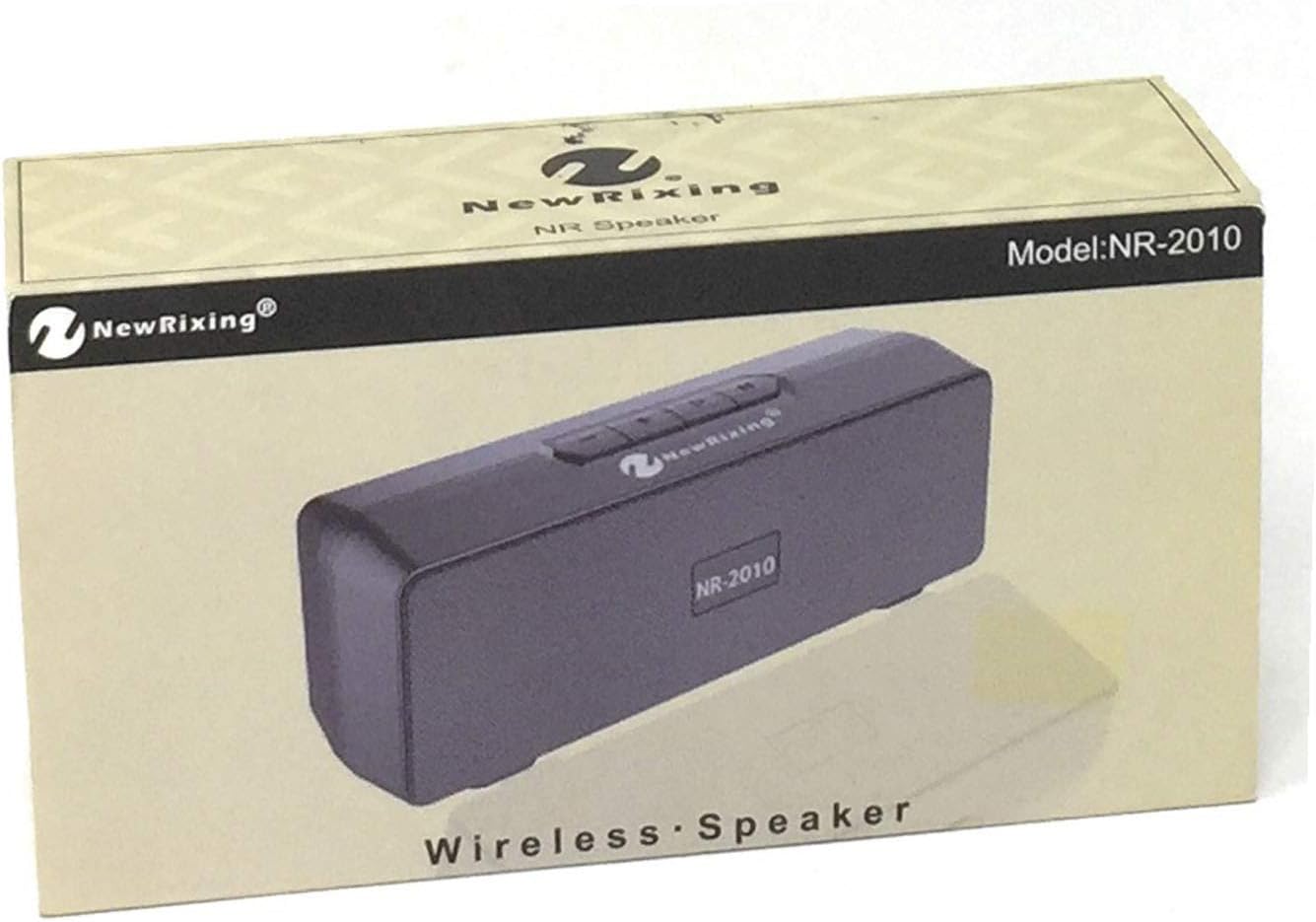
Figure 1: NewRixing NR-2010 Speaker Packaging. The packaging displays the brand 'NewRixing' and the model 'NR-2010', indicating a wireless speaker.
2. Package Contents
Please check the package for the following items:
- NewRixing NR-2010 Multifunction Wireless Speaker
- USB Charging Cable (Micro USB to USB-A)
- 3.5mm Audio Cable (AUX Cable)
- User Manual
3. Product Overview
3.1 Front View

Figure 2: Front view of the NewRixing NR-2010 speaker. This image shows the speaker's front grille, control buttons on the top panel, and the included USB charging and 3.5mm audio cables connected.
The front of the speaker features the main audio grille and the NewRixing logo. The top panel typically houses control buttons for power, volume, play/pause, and mode selection.
3.2 Rear View and Ports

Figure 3: Rear view of the NewRixing NR-2010 speaker. This image highlights the various input ports on the back, including a power switch, Micro USB charging port, standard USB port, and an AUX input jack, with the connected cables.
The rear panel provides access to the following ports and controls:
- Power Switch: To turn the speaker ON or OFF.
- Micro USB Port: For charging the speaker's internal battery.
- USB-A Port: For playing audio from a USB flash drive.
- AUX Input (3.5mm Jack): For connecting external audio devices via the provided 3.5mm audio cable.
4. Setup
4.1 Charging the Speaker
- Connect the Micro USB end of the charging cable to the Micro USB port on the speaker.
- Connect the USB-A end of the charging cable to a USB power adapter (not included) or a computer's USB port.
- The charging indicator light (if present) will illuminate, typically red, during charging and turn off or change color when fully charged.
- A full charge usually takes 2-3 hours.
4.2 Powering On/Off
- To power ON, slide the Power Switch to the 'ON' position. You will hear an audible prompt or see an indicator light.
- To power OFF, slide the Power Switch to the 'OFF' position.
5. Operating Instructions
5.1 Mode Selection
Press the 'M' (Mode) button on the top panel to cycle through available input modes: Wireless (Bluetooth), USB, and AUX.
5.2 Wireless (Bluetooth) Connection
- Turn on the speaker and select the Wireless mode. The speaker will enter pairing mode, indicated by a flashing LED light and an audible prompt.
- Enable Bluetooth on your mobile device (smartphone, tablet, computer).
- Search for 'NR-2010' or 'NewRixing' in the list of available Bluetooth devices.
- Select the speaker to pair. Once connected, you will hear a confirmation sound.
- You can now play audio from your device through the speaker.
5.3 USB Playback
- Insert a USB flash drive containing MP3 audio files into the USB-A port on the speaker.
- Select the USB mode using the 'M' button. The speaker will automatically begin playing audio files from the drive.
5.4 AUX Input
- Connect one end of the 3.5mm audio cable to the AUX input port on the speaker.
- Connect the other end of the 3.5mm audio cable to the headphone jack or audio output of your external device.
- Select the AUX mode using the 'M' button. Audio will now play from your connected device.
5.5 Basic Controls
- Play/Pause: Press the Play/Pause button to start or pause playback.
- Volume Up/Next Track: Press and hold the '+' button to increase volume. Short press to skip to the next track.
- Volume Down/Previous Track: Press and hold the '-' button to decrease volume. Short press to go to the previous track.
6. Maintenance
6.1 Cleaning
- Wipe the speaker with a soft, dry cloth.
- Do not use abrasive cleaners, alcohol, benzene, or other chemical solvents, as these may damage the surface or components.
6.2 Storage
- Store the speaker in a cool, dry place away from direct sunlight and extreme temperatures.
- If storing for an extended period, charge the battery periodically to maintain its lifespan.
7. Troubleshooting
- No Power:
- Ensure the speaker is charged. Connect it to a power source using the USB charging cable.
- Check if the power switch is in the 'ON' position. - No Sound:
- Increase the volume on both the speaker and the connected device.
- Ensure the correct input mode (Wireless, USB, AUX) is selected.
- For Wireless connection, ensure the speaker is properly paired and connected to your device.
- For AUX connection, ensure the 3.5mm cable is fully inserted into both the speaker and the audio source.
- For USB playback, ensure the USB drive contains compatible audio files (e.g., MP3) and is properly inserted. - Bluetooth Pairing Issues:
- Make sure the speaker is in Wireless mode and pairing mode (flashing LED).
- Ensure your device's Bluetooth is enabled and within range (typically 10 meters).
- Try unpairing and re-pairing the speaker from your device's Bluetooth settings.
- Turn off other Bluetooth devices nearby to avoid interference. - Distorted Sound:
- Reduce the volume on both the speaker and the connected device.
- Ensure the audio source is not sending a distorted signal.
8. Specifications
| Brand | NewRixing |
| Model | NR-2010 |
| Maximum Speaker Output Power | 5 Watts |
| Connectivity Technology | Wireless (Bluetooth), USB, AUX (3.5mm) |
| Mounting Type | Table Mount |
| Manufacturer Reference | 8384 |
9. Warranty and Support
NewRixing products are designed for reliability and performance. For specific warranty information, please refer to the warranty card included with your purchase or contact your retailer. If you encounter any issues or require technical assistance, please reach out to the customer support channel provided by your point of purchase.